SOC online 24/7Breach or outage? Call 858-399-4225

Free guidesinfo@alpiba.comMon–Fri, 7am–7pm PT

Alpiba

Dental Practices

Dental IT services that keep patients scheduled, records secure and imaging online.

Keep patients scheduled, records secure, and imaging online. Alpiba supports dental practices with HIPAA-aligned safeguards, fast response when systems slow down, ransomware protection and secure access across every location.

  • HIPAA
  • Patient data

Quick answer

What IT support does a dental practice need?

A dental practice needs IT that protects patient data with HIPAA-aligned safeguards, keeps imaging and practice management systems online during patient hours, defends against ransomware with tested backups, and gives staff secure access across locations. Alpiba provides all four as part of managed IT and cybersecurity.

The challenge

What makes IT different for dental practices.

  1. Patient data under HIPAA

    Records, X-rays and billing data need access controls, encryption and audit trails.

  2. Imaging that can't go down

    When imaging or practice management systems stall, chairs sit empty and schedules slip.

  3. Ransomware and downtime

    Every hour offline costs appointments, which makes practices attractive targets.

  4. More than one location

    Front desks and operatories at every location need the same secure access.

How Alpiba helps

Four ways we protect dental practices.

Patient Data & HIPAA Compliance

HIPAA-aligned safeguards: MFA, encryption in transit and at rest, access controls and documented evidence.

Imaging & Practice Management Uptime

Monitoring and fast response for the workstations, servers and network your imaging and practice software rely on.

Ransomware & Backup Protection

Managed EDR, email security and immutable off-site backups with restores tested every quarter.

Secure Multi-Location Access

Segmented networks and zero-trust access so every location connects securely.

Illustrative scenario

What this looks like in practice.

A composite example built from situations we see in dental practices. It shows how we would approach the work, not results from a named client.

Illustrative scenario

Protecting a three-office dental group's schedule, images and patient records

A dental group with three offices across San Diego County, from the South Bay to inland North County. The main office hosts the practice management server and imaging database, the other offices connect to it over an aging VPN, and each office has front desk and operatory workstations, intraoral sensors and a panoramic unit.

Services involved: Backups & DR, Cybersecurity, Network & Servers, Compliance Readiness

The situation

  • Front desk staff share logins, and operatory screens stay signed in between patients.
  • Backups go to a USB drive at the main office and have never been test-restored.
  • The VPN between offices drops often and slows check-in, and there is no current risk analysis.

What we would do

  1. Inventory and riskWe would map every system, device and vendor that touches patient data, flag missing BAAs and document findings to feed the practice's own risk analysis.
  2. Protect the coreImmutable off-site backups cover the practice database and images, with a first restore test right away, while EDR and MFA go onto every workstation, server and email account.
  3. Fix access and networksEach staff member gets a unique login with quick sign-in and chairside screen lock, and each office gets separate clinical, guest and payment networks with secure links between sites.
  4. Keep the chairs fullUpdates move to after-hours windows with imaging vendor checks, monitoring covers the server, network and internet at every office, and the front desk gets written downtime procedures.

What good looks like

  • Restores of the practice database and images are tested every quarter, with a typical recovery time objective under 4 hours.
  • Every staff member has a unique login, and screens lock between patients.
  • Our SOC watches every office around the clock, with a containment playbook triggered within the first hour of a ransomware event.
  • The practice holds current documentation to support its risk analysis and HIPAA program.
<15 minaverage first response
<1 hrransomware containment playbook
<4 hrstypical recovery time objective
24/7human-staffed SOC

This scenario is an illustrative composite, not a client case study. Figures shown are Alpiba service standards, not client results.

From our founder

“SMBs deserve a strategic technology partner, without enterprise complexity or cost.”

Roopa · Founder, Alpiba · former Accenture advisor

Alpiba brings enterprise-grade security and support to dental practices that do not have an enterprise IT department, with senior engineers who learn how your work actually runs.

Roopa, founder of Alpiba, standing outdoors in a white polka-dot dress

The complete guide

Dental IT services, explained.

11 min readBy the Alpiba teamUpdated October 15, 2026

On this page

A dental practice depends on a short list of systems that all have to work when the first patient walks in: practice management software at the front desk, imaging sensors and software in every operatory, the server or cloud service behind them, and the network connecting it all. When one stalls, chairs sit empty. Alpiba provides dental IT services in San Diego built around four offerings: patient data and HIPAA safeguards, imaging and practice management uptime, ransomware and backup protection, and secure multi-location access.

The goal is simple to say and hard to sustain: keep patients scheduled, records secure, and imaging online. This page is for dentists, office managers and group operators. It explains the HIPAA Security Rule in plain English, the risks that most often take a practice offline, what good looks like, how to recover from ransomware without losing the week, and a 90-day plan you can start on Monday.

One boundary up front: HIPAA compliance remains your practice's responsibility. Our job is to implement and document the technical safeguards so you can show your work, and to keep the systems behind your schedule running.

The technology behind a San Diego dental practice

From a single-doctor office in La Jolla to a group with locations in North County and the South Bay, most practices share the same building blocks. The details vary, but the dependencies do not: if the network or the system holding the practice database fails, scheduling, charting, imaging and billing fail with it.

  • Front desk: scheduling, check-in, insurance eligibility, payments and patient messages, usually on a few workstations that also handle email.
  • Operatories: a workstation in every treatment room for charting and imaging, often within a patient's view, with intraoral sensors and cameras attached.
  • Imaging: sensor and camera software, a panoramic unit and sometimes a cone beam CT (3D imaging) unit, all writing large files to an imaging server or image store.
  • Practice management software: either a database on a server in the back office or a cloud service reached through a browser, each with different failure points.
  • The network closet: firewall, switches, Wi-Fi, one or two internet connections and often the server itself, sometimes without battery backup.
  • Vendors: practice management, imaging, payment and phone vendors who each support their own product and point elsewhere for everything else.

Staff are hired for clinical and patient skills, not IT, and they should not have to become technicians. Good dental IT support means one team owns the whole picture, from patient data protection to the front desk workstation, coordinates the vendors and fixes problems before the morning huddle.

HIPAA's Security Rule in plain English

A dental practice that submits insurance claims electronically, directly or through a billing service, is a covered entity under HIPAA. The Security Rule protects electronic protected health information (ePHI): charts, images, treatment plans, insurance details and anything else that identifies a patient and lives on a computer, server or cloud service. It requires three kinds of safeguards.

HIPAA Security Rule safeguards, translated for a dental office
Safeguard typeWhat it coversDental office examples
AdministrativeThe policies, people and processes that manage securityA named security official, a risk analysis, staff training, access approvals, a contingency plan and vendor agreements
PhysicalThe rooms, workstations and devices where ePHI livesA locked server closet, screens patients cannot read, secure disposal of old computers and drives
TechnicalThe controls built into systemsUnique logins, automatic screen lock, encryption, audit logs and secure transmission of records and images

Some requirements are labeled addressable rather than required. Addressable does not mean optional: you either implement the safeguard or document why an alternative is reasonable for your practice. Encryption is addressable, yet for laptops, backups and email there is rarely a good reason to skip it, and lost or stolen data encrypted in line with HHS guidance is generally not a reportable breach.

The risk analysis comes first

The Security Rule requires an accurate and thorough risk analysis of where ePHI lives and what threatens it, followed by a plan to reduce those risks. A missing or outdated risk analysis is one of the most common findings in HHS enforcement, and HHS offers a free Security Risk Assessment Tool built for smaller practices.

  1. Map where ePHI lives

    List every system, device and vendor that stores or touches patient data, including imaging, backups, email and cloud services.

  2. Find threats and gaps

    Ransomware, phishing, lost devices, shared logins, untested backups, power loss and vendor access are typical starting points.

  3. Rate and prioritize

    Score each risk by likelihood and impact, then decide what gets fixed first and who owns it.

  4. Fix, document, revisit

    Record what was done and when, keep the documentation for six years, and update the analysis when you add a location, change software or have an incident.

Vendors and business associate agreements

A vendor that creates, receives, maintains or transmits ePHI for your practice is generally a business associate and needs a signed business associate agreement (BAA) before it gets access. That usually includes your IT provider, cloud backup and email platform, practice management or imaging vendors that host data or connect remotely, and billing services.

  • Keep one list of every vendor with access to patient data, what they can reach and where the BAA is filed.
  • Confirm your Microsoft 365 or Google Workspace account is covered by the provider's BAA and that patient data stays in covered services.
  • Remove vendor remote-access tools when a job is done, or require approval and multi-factor authentication (MFA) each time they connect.
Where our role ends

Alpiba implements and documents HIPAA-aligned technical safeguards and supports your risk analysis with inventories, findings and evidence. HIPAA compliance remains the practice's responsibility, and we do not give legal advice. California adds its own rules, including the Confidentiality of Medical Information Act, so involve your healthcare attorney on legal questions.

IT for dental practices at a glance. Challenges: patient data under hipaa, imaging that can't go down, ransomware and downtime and more than one location. How Alpiba helps: patient data & hipaa compliance, imaging & practice management uptime, ransomware & backup protection and secure multi-location access. Frameworks: HIPAA and PCI DSS.
IT for dental practices at a glance.

The risks that can close a practice for the day

Every hour offline costs appointments, which puts pressure on a practice to recover fast and makes dental offices attractive targets. Most dental practice cybersecurity incidents start in ordinary ways.

Ransomware

Malicious software encrypts the practice database, images and any backups it can reach on the same network. Without a clean, separate copy, recovery can take days.

Phishing and payment fraud

A fake invoice, a spoofed supplier or a stolen email password leads to changed bank details or patient correspondence in the wrong hands. Email is one of the most common ways attacks start.

Shared logins and open screens

One front desk login used by everyone makes audit trails meaningless. An operatory screen left signed in can show the next patient someone else's chart.

The aging server

The box in the back office holds the database and images. Old drives, no battery backup and missed updates make it a single point of failure.

Open vendor access

Remote support tools installed by vendors and left running are a common way in. Access should be approved, time-limited and protected by MFA.

Internet and power loss

Cloud-based scheduling stops without internet. SDG&E Public Safety Power Shutoffs during Santa Ana wind events can cut power to offices in fire-prone areas, sometimes on short notice.

Training is the cheapest control on this list. Phishing simulations and short awareness training fit into a staff meeting and teach the front desk to pause before opening an unexpected invoice or insurance attachment.

Where does your practice sit? A dental IT maturity table

Use this table to place your practice. Most offices land in a mix of columns. The aim is to move every row to the right over a few quarters, starting with the rows that would stop patient care.

Dental practice IT maturity
AreaAt riskBasicWell run
LoginsShared front desk and operatory loginsIndividual logins, passwords on sticky notesUnique logins with quick sign-in, MFA on email and remote access
WorkstationsNo screen lock, staff have admin rightsScreen lock on some machinesShort lock timeouts, no local admin, endpoint detection and response (EDR) and patching everywhere
BackupsUSB drive or a copy on the same networkOff-site copy, never test-restoredImmutable off-site backups, quarterly restore drills, documented recovery times
Server and imagingOld hardware, no battery backupUnder warranty, patched when someone remembersMonitored, on a battery backup (UPS), patched after hours with vendor checks
NetworkOne flat network for staff, patients and card terminalsSeparate guest Wi-FiSegmented clinical, guest, payment and device networks
EmailBasic spam filteringMFA on some accountsEmail security, domain authentication (SPF, DKIM, DMARC), training and a BAA
HIPAA documentationNo current risk analysisA risk analysis from years agoCurrent risk analysis, BAA list, incident and downtime plans

A practice in the right-hand column can lose a workstation, a server or a morning's internet connection and keep seeing patients. That is what imaging and practice management uptime looks like day to day.

If ransomware hits: the first hours

Ransomware recovery is mostly decided before the attack, by whether clean backups exist and whether anyone has practiced. A well-prepared response for a dental practice looks like this.

  1. Contain. Our 24/7 security operations center (SOC) isolates affected computers and accounts, and a documented containment playbook starts within the first hour. Staff stop using affected machines and call; nobody wipes or rebuilds anything yet.
  2. Protect the backups. Immutable off-site copies cannot be altered or deleted, so the clean recovery point survives even if the server does not.
  3. Switch to downtime procedures. The front desk works from the exported schedule and patient contact list, and clinicians chart on paper until systems return.
  4. Restore in priority order. Practice management and imaging come back first and are verified before staff sign in. Our typical recovery time objective is under 4 hours.
  5. Notify the right people. Call your cyber insurer and healthcare attorney early. HHS generally presumes that ransomware affecting ePHI is a breach unless a documented risk assessment shows a low probability of compromise.
  6. Learn and harden. Close the entry point, update the risk analysis and fold the lessons into the next restore drill.

Steps two and four only work if the backups were built for this moment. Immutable backups with quarterly restore drills turn recovery into a rehearsed routine rather than a gamble.

Call before you clean up

The first hour matters most. Wiping machines, deleting backups or contacting the attackers yourself can make recovery and the breach assessment much harder.
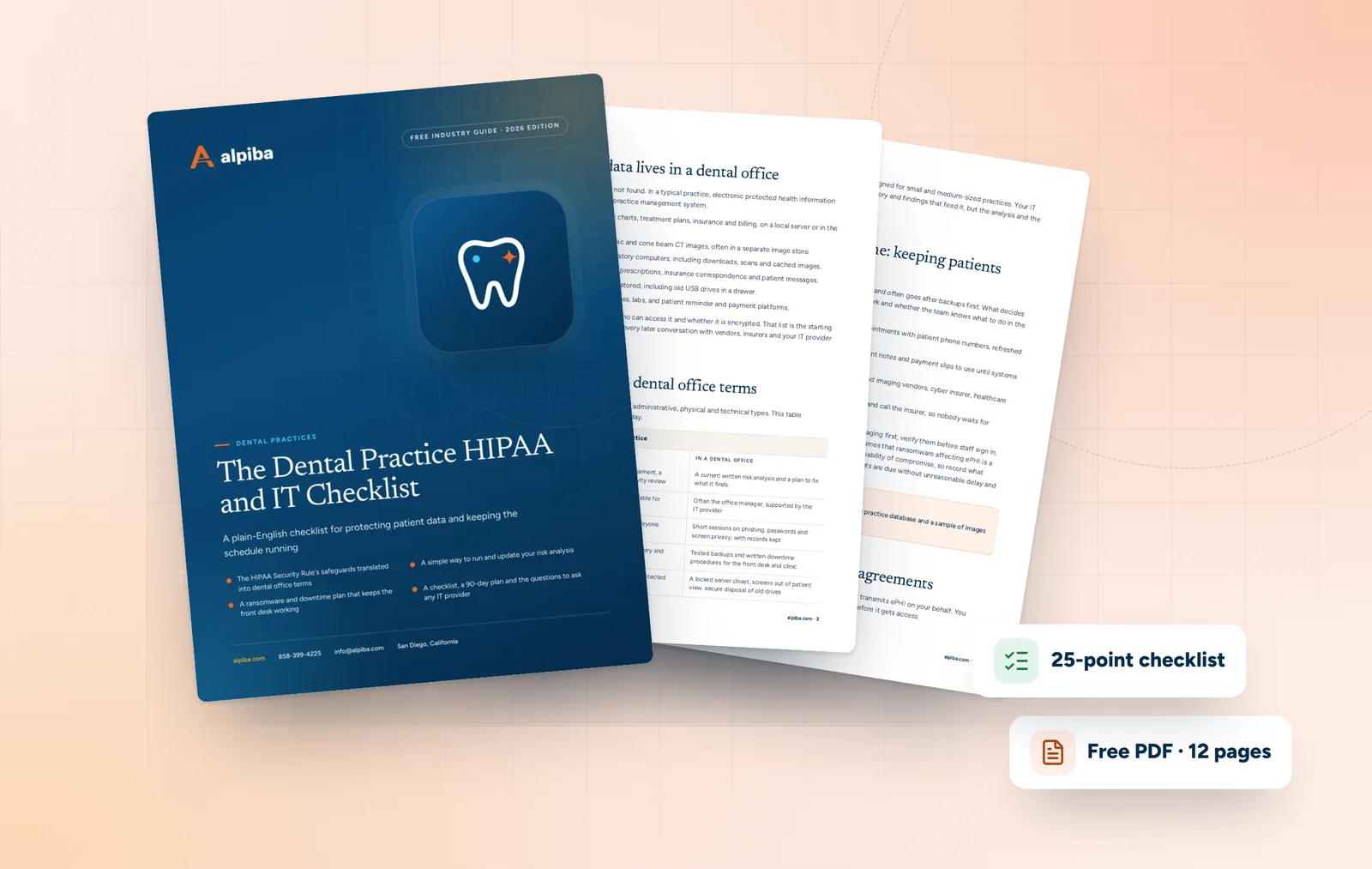
Cover and two sample pages of The Dental Practice HIPAA and IT Checklist, a free 12-page PDF guide from Alpiba with a 25-point checklist
Inside The Dental Practice HIPAA and IT Checklist.

Imaging, practice management and multi-location setups

Keeping imaging and practice management online

  • Keep acquisition workstations on the operating system and driver versions your imaging vendor supports, and test updates on one operatory before rolling them out.
  • Patch and reboot after hours, never between patients, and confirm sensors and the imaging bridge (the link between imaging software and patient charts) work before the first appointment.
  • Size storage and switching for imaging. Cone beam CT files are large, and a slow dental office network shows up as slow image loads chairside.
  • Put the server and network gear on a battery backup so a power blip does not corrupt the database.
  • If practice management runs in the cloud, add a second internet connection with automatic failover.

Multi-location dental IT

Groups with offices across San Diego County, from Chula Vista to Escondido and Oceanside, need every location to look the same to staff, to support and to anyone reviewing your HIPAA documentation. Segmented, documented office networks and a single standard are what make support fast and documentation manageable.

  • The same workstation build, security baseline and screen lock settings in every office
  • Separate clinical, guest and payment networks at each site, with secure links to the practice management system
  • Central monitoring, patching and backups, with one inventory for all locations
  • MFA and zero-trust access (every connection checked by user and device) for doctors reviewing images from home, instead of open remote desktop
  • Onboarding and offboarding that cover staff who float between offices

How Alpiba supports dental practices

Good HIPAA IT for dental practices is not a product you buy; it is a set of safeguards run consistently. Our dental IT services in San Diego are organized around four offerings, each mapped to an Alpiba service.

  • Patient Data & HIPAA Compliance: HIPAA-aligned safeguards and documentation, including MFA, access controls, encryption in transit and at rest, audit logging and evidence that supports your risk analysis.
  • Imaging & Practice Management Uptime: managed IT support with 24/7 monitoring of workstations, servers and the network, an average first response under 15 minutes and vendor coordination when the problem sits on their side.
  • Ransomware & Backup Protection: ransomware defense with managed EDR, email security, human SOC analysts and a containment playbook, backed by immutable off-site backups.
  • Secure Multi-Location Access: segmented networks, secure connectivity between offices and zero-trust access for staff who move between locations or work from home.

Every engagement follows the same four steps: discovery and analysis, solution design, implementation in tight windows outside patient hours, then ongoing protection with monitoring, patching and quarterly reviews.

The first 90 days: steadier systems, safer records

This sequence fixes the risks that would stop patient care first and leaves you with documentation you can use. Adjust it if you already have parts in place.

Days 1–30: find out where you stand

  • Inventory every workstation, server, imaging device, network device and vendor with access to patient data
  • Turn on MFA for email, remote access and cloud practice management logins
  • Confirm backups cover the practice database and images, then run a test restore
  • Collect signed BAAs and note which vendors are missing one

Days 31–60: close the biggest gaps

  • Give every staff member a unique login and set screen lock timeouts that work chairside
  • Deploy EDR on every workstation and server and add an immutable off-site backup copy
  • Separate guest Wi-Fi and card terminals from clinical systems
  • Update the risk analysis with what the first month found

Days 61–90: practice and document

  • Write downtime procedures and rehearse them with the front desk
  • Run awareness training and a first phishing simulation
  • Walk the doctors and office manager through a ransomware morning as a tabletop exercise
  • File the evidence: restore results, access lists, training records and the updated risk analysis

How to choose dental IT support in San Diego

When you compare dental IT services in San Diego, ask how a provider handles a morning when imaging will not load, not only how it would handle a breach. The best answers are specific.

  • They understand imaging and practice management dependencies and call your vendors directly
  • They patch after hours and check vendor compatibility first
  • They discuss a business associate agreement before anyone touches patient data
  • They test restores every quarter and show you the results
  • They state plainly that HIPAA compliance stays with the practice and document the safeguards they own
  • They provide on-site support across San Diego County, not only remote help
  • Pricing is flat per user, without surprise line items

If you want a second opinion on where your practice stands, book a free 30-minute assessment. A senior engineer will review your systems, backups and access with you and outline a right-sized plan, with no obligation and no sales pressure.

Illustration of the San Diego skyline at sunset, with downtown towers, the bridge across the bay, sailboats and palm trees
San Diego, where Alpiba is based.

Talk to an engineer

Free 30-minute assessment. We reply within 12–24 hours.

Fields marked * are required. By submitting, you agree that Alpiba may contact you about your request. We reply within 12–24 hours; for an active incident, call 858-399-4225.

Compliance context

Frameworks that matter for dental practices.

HIPAA compliance is ultimately the practice's responsibility. Alpiba implements and documents the technical safeguards so you can show your work.

HIPAAAligned safeguards
PCI DSSMerchant readiness

Framework references describe the standards Alpiba builds toward for client environments. They indicate readiness and controls alignment, not third-party attestation of Alpiba itself.

Recommended services

The services dental practices rely on most.

All services
A close view of a glowing circuit board

Cybersecurity

Cybersecurity & Ransomware Defense

24/7 monitoring, threat hunting and rapid incident response that contains attacks before they impact your business.

A close view of a computer circuit board

Infrastructure & Continuity

Backups & Business Continuity

Immutable backups, tested restore plans and disaster recovery playbooks so your business stays online.

A team in a working session around a conference table

Compliance & Risk

Compliance Readiness

Design, implement and evidence the controls auditors and insurers ask for, and keep the audit trail ready.
Ethernet cables plugged into a network switch

Infrastructure & Continuity

Network & Server Consulting

Design, optimize and secure your infrastructure for maximum uptime and performance.

People working at laptops across a large open office

Managed IT

Managed IT & White-Glove Support

Your single point of contact for all technology, with a tailored helpdesk and on-site support backed by clear SLAs.

Cover of The Dental Practice HIPAA and IT Checklist, a free PDF guide

Free guide · PDF

The Dental Practice HIPAA and IT Checklist

Review your practice's HIPAA technical safeguards, backups, vendors and downtime plans in one sitting, then close the gaps with a practical 90-day plan.

  • The HIPAA Security Rule's safeguards translated into dental office terms
  • A simple way to run and update your risk analysis
  • A ransomware and downtime plan that keeps the front desk working
  • A checklist, a 90-day plan and the questions to ask any IT provider
Preview what's inside

Get the free guide

Instant download. By submitting, you agree that Alpiba may contact you about this guide; you can ask us to delete your details at any time.

FAQ

Dental IT questions, answered.

Straight answers to the questions we hear most. Still curious? Talk to a senior engineer.

What do dental IT services in San Diego include?

They cover the technology a practice runs on: front desk and operatory workstations, imaging sensors and servers, practice management software, the office network, email, backups and security. Alpiba provides them as managed IT with 24/7 monitoring, HIPAA-aligned safeguards, ransomware protection and secure access across locations, for a flat per-user monthly price. We support the systems, your software vendors support their applications, and we coordinate between the two.

How does Alpiba help dental practices with HIPAA?

We implement and document HIPAA-aligned technical safeguards: unique logins, MFA, encryption in transit and at rest, audit logging, screen locks, email security, EDR and tested backups. We also support your risk analysis with an inventory of systems, findings and evidence. HIPAA compliance remains the practice's responsibility, including policies, privacy practices and training records, and we do not provide legal advice.

Does a dental practice need a HIPAA risk analysis?

Yes. The HIPAA Security Rule requires a covered practice to conduct an accurate and thorough risk analysis of where electronic patient information lives and what could threaten it, then manage the risks it finds. It is not a one-time form. Update it when you add a location, change software, replace a server or have an incident. A missing or stale risk analysis is a common finding in HHS enforcement.

Can you support our imaging and practice management systems?

Yes. We support and monitor the workstations, servers, network and backups your imaging and practice management software depend on, and we respond quickly when they slow down. We coordinate with your software and imaging vendors when the issue is on their side, check vendor compatibility before updates and schedule them after hours, so a patch is far less likely to take a sensor offline mid-clinic.

What happens if ransomware hits our dental practice?

Our SOC isolates affected workstations and the server, and a documented containment playbook is triggered within the first hour. Immutable off-site backups, tested every quarter, let us restore with a typical recovery time objective under 4 hours. Because HHS generally presumes ransomware affecting patient data is a breach unless a risk assessment shows a low probability of compromise, we document what happened for your attorney and insurer.

Do you support dental groups with several locations?

Yes. Secure multi-location access is one of our four core dental offerings. Each office gets a segmented network, secure connectivity to the practice management system and the same workstation and security standards, all monitored from one place. Doctors and billing staff who work from home use MFA and zero-trust access instead of open remote desktop. We support groups across San Diego County on-site and remotely.

Does our IT provider need to sign a business associate agreement?

Usually, yes. Under HIPAA, a vendor that creates, receives, maintains or transmits patient information for your practice, including an IT provider with access to systems that hold ePHI, is generally a business associate, and you need a signed BAA before work begins. The same applies to cloud backup, email and hosted practice management vendors. Keep a list of every BAA and review it each year.

Can we use Microsoft 365 or Google Workspace for patient information?

Yes, when the platform is configured correctly and covered by a business associate agreement. Microsoft and Google each offer a BAA for in-scope services, but you must keep patient data in those covered services and turn on MFA, email encryption options, retention and sharing controls. Our certified engineers configure either platform with HIPAA-aligned safeguards and document the settings for your records.

How do we keep seeing patients if the server or internet goes down?

Plan for it before it happens. Keep a current export of the next day's schedule with patient phone numbers, stored securely, plus paper forms for check-in and charting and written downtime procedures. Add a second internet connection with failover if your software runs in the cloud, and a battery backup for the server and network gear. Our monitoring flags failing drives, full disks and dropped connections early.

Do we need to encrypt our computers and backups under HIPAA?

You should. HIPAA lists encryption as an addressable safeguard, which means you must implement it or document why an equivalent measure is reasonable, and for laptops and backups there is rarely a good reason not to. Encryption also matters after a loss: a stolen laptop or drive encrypted in line with HHS guidance is generally not treated as a breach of unsecured patient information.

How should a dental office take card payments securely?

Use card terminals supplied or approved by your payment processor, keep them on a network segment separate from clinical systems, and never write down or store full card numbers. Card data falls under PCI DSS, which applies alongside HIPAA. Alpiba helps with PCI DSS merchant readiness by segmenting the network and documenting the controls your processor asks about when you validate compliance each year.

How fast does Alpiba respond when something breaks during patient hours?

Our average first response is under 15 minutes, and callers reach a senior engineer, not a call queue. The office line is staffed Monday to Friday, 7am to 7pm Pacific, and managed practices get 24/7 monitoring and support. Many issues are fixed remotely; when a server, sensor workstation or network closet needs hands-on work, we come on-site in San Diego County.

Free 30-minute assessment

Talk to an engineer who knows dental practices.

Tell us a little about your business. A senior engineer will map your top risks, quick wins and a right-sized plan, with no obligation and no sales pressure.

  • A senior engineer, not a salesperson
  • Reply within 12–24 hours
  • Flat per-user pricing if you want our help
Roopa, founder of Alpiba

Founder-led and San Diego basedRoopa founded Alpiba to give growing businesses a real technology partner.

858-399-4225Mon–Fri, 7am–7pm PT · 24/7 for managed clients
info@alpiba.comReply within 12–24 hours

Fields marked * are required. By submitting, you agree that Alpiba may contact you about your request. We reply within 12–24 hours; for an active incident, call 858-399-4225.

Call Free assessment