SOC online 24/7Breach or outage? Call 858-399-4225

Free guidesinfo@alpiba.comMon–Fri, 7am–7pm PT

Alpiba

Cybersecurity

Cybersecurity services in San Diego, layered so one gap does not become a crisis.

Layered protection across your whole environment, with 24/7 monitoring, threat hunting and rapid incident response. When something happens, we contain it fast, communicate clearly and get you back to normal.

<15 min average first response Flat per-user pricing Free guide: The San Diego Ransomware Defense Playbook

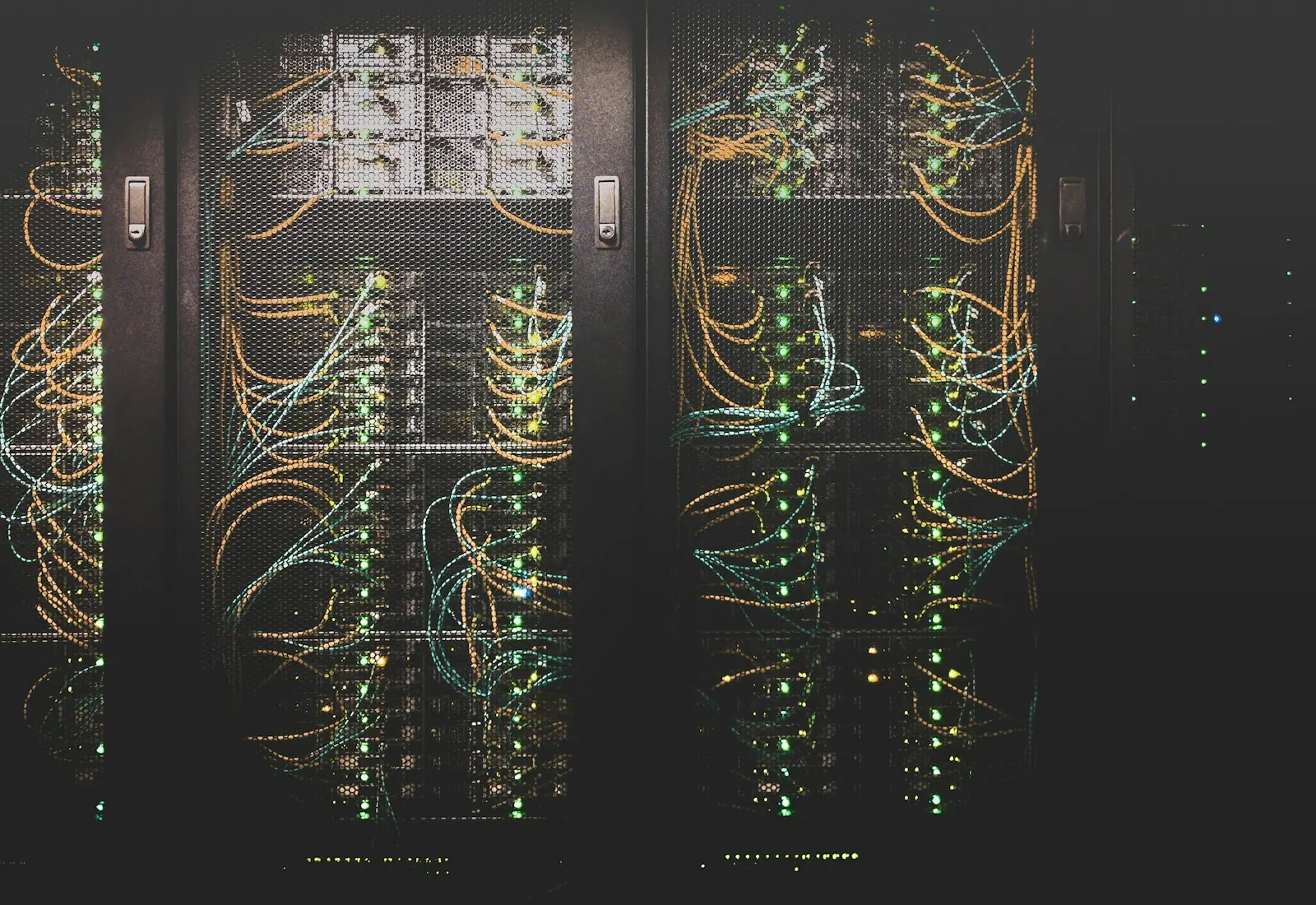
A close view of a glowing circuit board

Quick answer

What does managed cybersecurity include?

Managed cybersecurity combines tools and people to prevent, detect and respond to attacks. Alpiba's service includes managed EDR/XDR, email security and phishing simulation, 24/7 SOC monitoring, ransomware containment playbooks, security awareness training and compliance readiness for SOC 2 and HIPAA.

What's included

Everything in Cybersecurity.

One accountable team delivers every piece below, documented and reviewed with you every quarter.

  • Managed EDR / XDR

    Detect and isolate threats on every laptop and server in seconds.

  • Email security & phishing simulation

    Filter malicious mail and test your team with realistic simulations.

  • 24/7 SOC monitoring

    Human analysts watching endpoints, identities, email and cloud.

  • Ransomware containment playbooks

    A documented plan we trigger within the first hour of an event.

  • Security awareness training

    Short, practical training that turns staff into a line of defense.

  • Compliance readiness

    Controls and evidence for SOC 2 and HIPAA.

Why it matters

Security first. Always.

Security is built into every recommendation, migration and script from the start, not bolted on later. That means fewer gaps between tools and a faster, calmer response when something gets through.

  • Real-time threat detection
  • Endpoint protection & EDR
  • Incident response playbooks
  • Vulnerability assessments
Defense layersExample
IdentityMFA + zero-trust access
EmailFiltering + phishing simulation
EndpointsManaged EDR / XDR
NetworkFirewall + segmentation
CloudMicrosoft 365 / Google hardening
RecoveryImmutable backups, tested quarterly

Outcomes

What you can expect.

<1 hr

Attacks contained fast

Ransomware and breach events trigger a documented containment playbook within the first hour.

Clear communication

We explain what happened and what we did, in plain English.

Insurance and audit ready

Controls insurers and auditors ask about, with evidence.

The complete guide

Cybersecurity services, explained.

11 min readBy the Alpiba teamUpdated October 15, 2026

On this page

Ransomware rarely arrives as one dramatic event. It's usually a chain: a stolen password or a convincing email, a quiet foothold on one laptop, a stretch of looking around that can last hours or weeks, and only then the encryption and the ransom note. Our cybersecurity services in San Diego are designed around that chain. Each layer, from identity and email to endpoints, backups and 24/7 monitoring, is there to break a specific link, so a single miss doesn't become a business-stopping event.

We built the service for growing businesses that hold sensitive data without a security department of their own: dental and law practices, biotech labs, manufacturers and software companies. It includes managed EDR/XDR, email security and phishing simulation, security awareness training, a human-staffed SOC with an average first response under 15 minutes, and a documented containment playbook we trigger within the first hour of a ransomware or breach event.

Below, we explain each layer in plain English, walk through how an attack typically unfolds and lay out the first-hour steps to take if it ever happens to you.

Layered defense, explained plainly

No single product stops every attack. Filters miss some phishing, people click, and new vulnerabilities appear before patches do. Layered defense accepts that and arranges controls so each one catches what the one before it missed. Here is what each layer does, in plain terms:

  • Identity. Multi-factor authentication (MFA) means a stolen password alone won't open an account, and conditional access checks the device and location before anyone signs in.
  • Email. Filtering removes most malicious links and attachments before they reach the inbox, and domain authentication makes your company harder to impersonate.
  • Endpoints. EDR (endpoint detection and response) watches what software does on each laptop and server, not just what it's called, and can cut a device off from the network in seconds. XDR extends that view across email, identity and cloud.
  • Patching. Security updates for operating systems, browsers, firewalls and remote-access tools close the known holes that attackers scan for.
  • Backups. Immutable, off-site copies can't be altered or deleted, even with stolen admin credentials, and restores are tested every quarter.
  • Training. Brief, frequent lessons and lifelike phishing tests build the habit of stopping to check, then reporting, instead of clicking.
  • Monitoring. A human-staffed security operations center (SOC) reviews alerts day and night, weekends included, and acts when something moves.

Identity and email do much of the work of keeping attackers out; backups decide how bad a bad day gets. That's why MFA and conditional access and phishing simulation and awareness training come early in any plan we build.

Why antivirus alone falls short

Traditional antivirus compares files against known threats. Many modern attacks use stolen accounts and legitimate admin tools that look normal to a file scanner, which is why behavior-based EDR and human review matter.

How a ransomware attack typically unfolds

Ransomware groups operate like businesses, and most attacks follow a recognizable sequence. Knowing it shows where each layer earns its place. The earlier the chain breaks, the smaller the incident.

Attack stages and the layer that breaks each one
StageWhat the attacker doesWhat stops it
Getting inUses a phished or reused password, an unpatched firewall or VPN, or a malicious attachmentMFA and conditional access, email filtering, prompt patching of internet-facing systems
FootholdInstalls a remote-access tool on one machine, often disguised as normal IT softwareEDR flags the behavior and isolates the device while the SOC investigates
Privilege escalationHunts for admin passwords cached on the machine or reused across systemsSeparate admin accounts, least privilege, no local admin rights for daily users
Moving aroundMaps file shares, servers and backups from the compromised accountNetwork segmentation and SOC review of unusual sign-ins and connections
Attacking backupsDeletes or encrypts backups and snapshots so you can't recoverImmutable, off-site backups that the attacker's credentials can't reach
Stealing dataCopies sensitive files out to threaten publication laterAlerts on unusual data transfers, data loss prevention policies and least-privilege file access
Encryption and ransomEncrypts systems, often overnight or on a weekend, and leaves a ransom noteContainment playbook, device isolation and restores from clean backups

Notice that encryption is the last step, not the first. Everything before it is a chance to catch the attacker, which is why the early layers matter so much and why immutable backups with quarterly restore drills are the safety net when everything else has failed.

Attackers prefer quiet hours

Encryption is often launched late at night, on weekends or over holidays, when nobody is watching and help is slow to arrive. That is the main reason round-the-clock monitoring is part of the service.
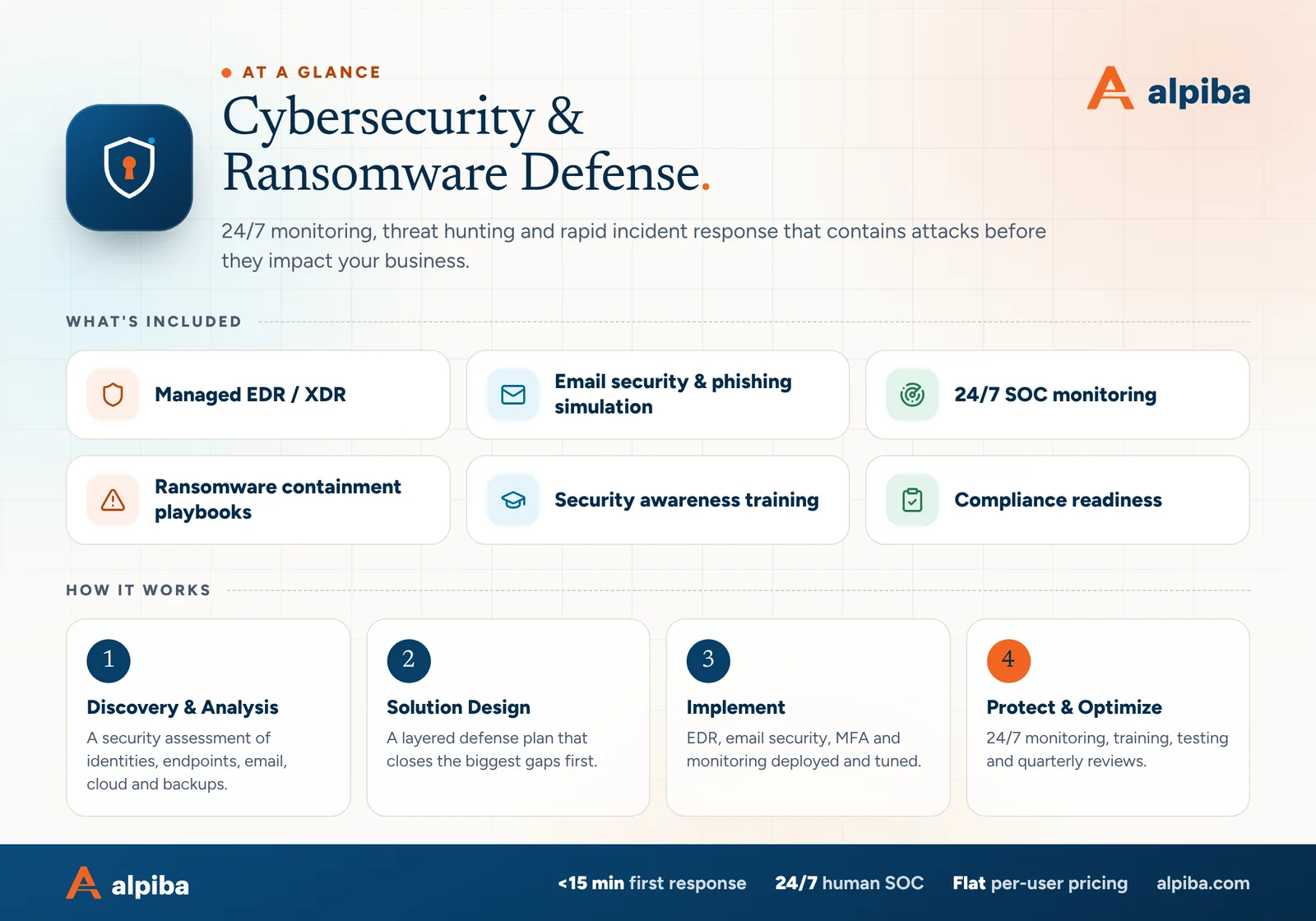
Cybersecurity & Ransomware Defense at a glance. Included: Managed EDR / XDR, Email security & phishing simulation, 24/7 SOC monitoring, Ransomware containment playbooks, Security awareness training and Compliance readiness. How it works: Discovery & Analysis, Solution Design, Implement and Protect & Optimize.
Cybersecurity at a glance: what is included and how we roll it out.

What our containment playbook does

For a ransomware or breach event, the SOC starts a documented containment playbook within the first hour. Containment means stopping the spread and protecting what you need to recover, while keeping the evidence your insurer and investigators will ask for. The playbook sets these steps in motion:

  1. Confirm and declare

    An analyst validates the detection, declares an incident and starts a written timeline of every action taken.

  2. Isolate

    Affected devices are cut off from the network through EDR while staying reachable for investigation. Compromised accounts are disabled and their sessions revoked.

  3. Protect recovery points

    Backups are checked to confirm the immutable copies are intact, and administrative access to them is locked down.

  4. Preserve evidence

    Logs, alerts and affected systems are preserved rather than wiped, because forensic investigators, insurers and law enforcement may need them.

  5. Brief you and plan recovery

    Your named contact gets a plain-English call covering what we know, what we've done and what needs your decision. Restores are then sequenced by business priority.

Triggered within the first hour means the playbook is running, not that the incident is over. Investigation, cleanup and restores continue for as long as the evidence requires, and you get regular plain-English updates until systems are back and the way in has been closed.

Actions with business impact, such as taking a line-of-business server offline, are agreed with you in advance or confirmed on that call. Our 24/7 SOC and MDR service page explains how alerts are triaged and how those approvals are set.

What owners and office managers should do in the first hour

If someone sees a ransom note, files renamed with strange extensions or a screen they don't recognize, the next few minutes matter. Print this list and keep it somewhere that doesn't depend on your network.

  1. Disconnect, don't power off. Unplug the network cable or turn off Wi-Fi on affected machines. Leaving them on preserves evidence that disappears at shutdown.
  2. Call for help. Call your IT or security provider straight away. If that's us, call 858-399-4225 and you'll speak with a senior engineer directly.
  3. Call your cyber insurer. Ring the claims hotline before you hire anyone, because policies often set notice deadlines and a list of approved responders.
  4. Don't engage the attackers. Don't reply, click links in the note or discuss payment. Those decisions come later, with your insurer and legal counsel.
  5. Photograph and note. Take pictures of ransom notes and error screens with a phone, and write down the time and who noticed what.
  6. Switch channels. Assume email may be compromised and coordinate by phone or a separate messaging channel until told otherwise.

Have these ready before you need them

  • Cyber insurance policy number and claims hotline, stored offline
  • A printed copy of your incident response plan and key contacts
  • Who can authorize shutting down systems, and who speaks to staff and customers
  • Legal counsel experienced with data incidents, identified in advance
  • Your bank's fraud line, in case payments or accounts are targeted

Whether you must notify customers, patients or regulators depends on what data was involved. California has its own breach notification law, and patient data falls under HIPAA's separate breach rules. Those decisions belong to you and your counsel; we supply the technical facts they need. A written incident response plan makes every one of these steps faster.

What cyber insurers expect, before and during an incident

Insurers look at your security twice: when you apply or renew, and again when you make a claim. Our cyber insurance readiness check covers the application side, control by control. Once an incident starts, a different set of expectations applies, and they're written into the policy itself.

What policies commonly expect, and how the service supports it
MomentWhat insurers commonly expectHow we support it
Application and renewalAccurate answers about MFA, EDR, backups, patching, training, planning and monitoringCoverage reports for each control, kept current for managed clients
First hourPrompt notice through the claims line, often before outside help is engagedThe playbook timeline records when the incident began and every action taken
InvestigationUse of the insurer's approved forensic firms and breach counselWe work alongside the panel firms and hand over logs and preserved evidence
Payment decisionsNo ransom negotiation or payment without the insurer's consentContainment and restores from immutable backups, so paying isn't your only option
Recovery and claimRecords of costs, downtime and the steps takenA written incident timeline and a plain-English summary of the response
Read the incident conditions in your policy now

Notice deadlines, approved-vendor rules and consent requirements live in the policy wording. Note them on your contact sheet before anything happens, and make sure your IT provider knows them too.

Insurer expectations and good security mostly point the same way, so closing the gaps an underwriter asks about is rarely wasted effort, even in a year when your premium doesn't move.
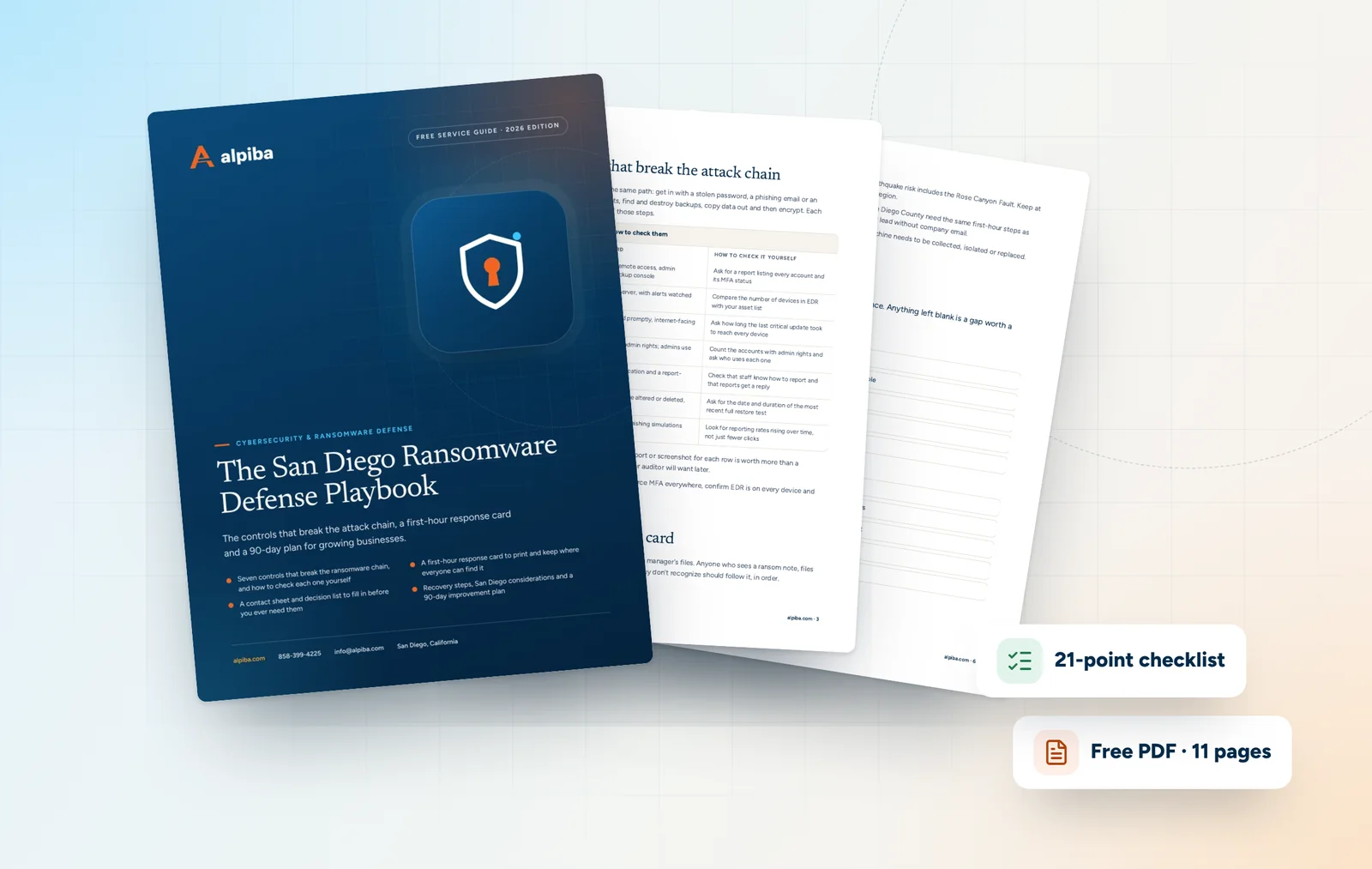
Cover and two sample pages of The San Diego Ransomware Defense Playbook, a free 11-page PDF guide from Alpiba with a 21-point checklist
Inside The San Diego Ransomware Defense Playbook.

How we put the layers in place

Many businesses already own some of these tools. The gaps tend to be in coverage, configuration and who watches the alerts. Every engagement starts with a security assessment of identities, endpoints, email, cloud and backups, then closes the biggest gaps first, with changes made in tight windows so work keeps moving.

Starting from a typical small-business setup, this order closes the most common gaps fastest:

  1. Lock down identity. MFA on every account that matters, admin rights separated from everyday accounts and leavers' access removed.
  2. Cover every endpoint. EDR on each laptop and server, checked against the asset inventory, with alerts flowing to the 24/7 SOC.
  3. Make backups survivable. Immutable, off-site copies with their own credentials, and a first restore drill to prove they work.
  4. Harden email. Filtering, domain authentication and a report-phish button, followed by the first round of simulations and training.
  5. Set the patching rhythm. A regular schedule for operating systems, browsers and firewalls, with internet-facing systems first.

After that, the work is steady rather than dramatic: round-the-clock monitoring, regular training and simulations and quarterly restore drills, with progress tracked against the measures below.

How to measure progress without fake metrics

Security reports love big numbers: threats blocked, emails scanned, attacks stopped. Those figures say more about the internet than about your business. Better measures track coverage and speed for the things you control, and they should improve quarter over quarter.

MFA coverage

The share of accounts with MFA enforced, including admin and service accounts. The goal is every account, with any exception written down and reviewed.

EDR coverage

Devices reporting to EDR compared with your asset inventory. A laptop that hasn't checked in recently is a blind spot worth chasing.

Patch speed

How long critical updates take to reach every device after release. Track the slowest machines, not just the average.

Restore results

The date and outcome of the last restore drill for each key system. Compare how long recovery took with the target you agreed.

Offboarding time

How quickly access is removed when someone leaves. Same day is the standard worth holding.

Phishing report rate

How many people report a simulated phish, not just how many click. A rising report rate means your team has become an early warning system.

We review these with you in plain English at quarterly reviews, along with any incidents and what changed because of them. If a measure moves the wrong way, you'll hear why and what we're doing about it.

San Diego specifics that shape your security plan

The fundamentals are the same everywhere, but a few local realities change the details of cybersecurity services in San Diego.

  • Hybrid teams across the county. Staff in Chula Vista, Escondido or Oceanside sign in from home networks you don't control, so identity checks and device health matter more than the office firewall.
  • Research data around Torrey Pines and Sorrento Valley. Biotech and life sciences companies hold research and partner information worth stealing, and their partners send detailed security questionnaires.
  • Patient and client confidentiality. Dental and legal practices hold records that create notification duties if exposed, under HIPAA for patient data and California's breach notification law more broadly.
  • Defense and maritime supply chains. Suppliers to the region's defense and maritime sectors often face contractual security requirements passed down by their customers.
  • Power and regional disasters. Wildfire season can bring SDG&E Public Safety Power Shutoffs, and the region's earthquake risk includes the Rose Canyon Fault. Keep your incident plan and contacts available offline, and keep a backup copy outside the region.

Being San Diego-based also means we can be on-site when an incident needs hands on equipment, from replacing a compromised workstation to reconnecting a cleaned network, while 24/7 monitoring covers your team wherever they work.

Illustration of the San Diego skyline at sunset, with downtown towers, the bridge across the bay, sailboats and palm trees
San Diego, where Alpiba is based.

Common mistakes, and how to choose a cybersecurity partner

The gaps that matter are rarely exotic. Usually they're controls that exist but don't cover everything:

  • MFA protecting mailboxes while the VPN, firewall admin page or backup console still accepts a password alone
  • Backups that share admin credentials with everything else
  • EDR installed, but nobody watching its alerts after 7pm or on weekends
  • An annual training video instead of short, regular practice
  • An incident response plan stored only on the file server that gets encrypted
  • Former employees' accounts still active months after they left

When you compare cybersecurity services in San Diego, ask questions that force specific answers:

  • Who picks up an alert that fires at 3am on a holiday weekend, and what is your average first response?
  • What does your containment playbook do, and which actions need my approval?
  • Can I see a sample incident timeline with client details removed?
  • How do you prove our backups can be restored, and how often?
  • What evidence will you give me for insurers and auditors?
  • Who is my named contact, and what will you need from my team?

Our pricing is flat per user each month, and the scope reflects your users and devices, how sensitive your data is and the compliance obligations you carry. Our security health check gives you a quick score today, and a vulnerability assessment shows exactly what an attacker would find.

Talk to an engineer

Free 30-minute assessment. We reply within 12–24 hours.

Fields marked * are required. By submitting, you agree that Alpiba may contact you about your request. We reply within 12–24 hours; for an active incident, call 858-399-4225.

How it works

From first call to fully protected.

  1. Discovery & Analysis

    A security assessment of identities, endpoints, email, cloud and backups.

  2. Solution Design

    A layered defense plan that closes the biggest gaps first.

  3. Implement

    EDR, email security, MFA and monitoring deployed and tuned.

  4. Protect & Optimize

    24/7 monitoring, training, testing and quarterly reviews.

Signs you need it

Sound familiar?

If two or more of these ring true, a 30-minute assessment will show you where to start.

Book a free assessment
  • You rely on antivirus alone
  • No one watches alerts at night
  • Staff have never had phishing training
  • You couldn't say what happens if ransomware hits
  • Your cyber insurance renewal asks questions you can't answer

From our founder

“SMBs deserve a strategic technology partner, without enterprise complexity or cost.”

Roopa · Founder, Alpiba · former Accenture advisor

Alpiba is founder-led. Every Cybersecurity engagement starts by listening to how your business runs, and senior engineers stay with you from the first call onward.

Roopa, founder of Alpiba, standing in front of evening city lights
Cover of The San Diego Ransomware Defense Playbook, a free PDF guide

Free guide · PDF

The San Diego Ransomware Defense Playbook

A printable playbook for business owners and the people who run their offices and IT: what to put in place before an attack, what to do in the first hour and how to recover.

  • Seven controls that break the ransomware chain, and how to check each one yourself
  • A first-hour response card to print and keep where everyone can find it
  • A contact sheet and decision list to fill in before you ever need them
  • Recovery steps, San Diego considerations and a 90-day improvement plan
Preview what's inside

Get the free guide

Instant download. By submitting, you agree that Alpiba may contact you about this guide; you can ask us to delete your details at any time.

FAQ

Cybersecurity questions, answered.

Straight answers to the questions we hear most. Still curious? Talk to a senior engineer.

What is a ransomware containment playbook?

A containment playbook is a documented, step-by-step plan for stopping an attack from spreading while protecting backups and evidence. Ours covers device isolation, account lockdown, backup protection, evidence preservation and a plain-English briefing for your named contact. The SOC behind it is human-staffed 24/7 with an average first response under 15 minutes, and the playbook is triggered within the first hour of a ransomware or breach event.

What does layered cybersecurity mean for a small business?

It means several independent controls, each covering a different way in, so one failure doesn't become a disaster. In practice that's MFA and conditional access for accounts, email filtering and training against phishing, managed EDR/XDR on every device, scheduled patching, immutable off-site backups proven in quarterly restore drills, and a human-staffed SOC watching it all around the clock, ready to contain whatever gets through.

Should you turn off a computer infected with ransomware?

Generally no; disconnect it from the network instead. Unplug the network cable or turn off Wi-Fi and leave the machine powered on, because shutting it down can destroy evidence investigators need and won't undo encryption that has already happened. Then call your IT or security provider and your cyber insurer's claims line, and don't wipe, restore or contact the attackers until your responders say so.

Should a business pay a ransomware demand?

That decision belongs to you, your insurer and your legal counsel, and it should never be rushed in the first hour. Paying doesn't ensure working decryption keys or that stolen data is deleted, and the U.S. Treasury has warned that payments to sanctioned groups can create legal exposure. Tested, immutable backups are what let you recover without paying.

Is antivirus enough protection for a small business?

No. Traditional antivirus mainly catches known malicious files, while many attacks now rely on stolen passwords and legitimate admin tools that look normal to a file scanner. EDR watches behavior and can isolate a device, MFA protects accounts, and 24/7 monitoring means someone acts on alerts at night. Antivirus still has a place, but as one layer rather than the plan.

What is the difference between EDR and XDR?

EDR (endpoint detection and response) runs on individual laptops and servers, spots malicious behavior and can cut the device off from the network. XDR (extended detection and response) correlates endpoint signals with email, identity and cloud activity, so a phishing email, a risky sign-in and a suspicious process are recognized as one attack rather than three unrelated alerts. Alpiba provides managed EDR/XDR as part of its cybersecurity service.

Should we call our cyber insurer or our IT provider first?

Call both, as fast as you can, and don't let one wait on the other. Your IT or security provider can start containing the attack, while the insurer's claims line starts the notice your policy requires and connects you with any approved responders it specifies. Check your policy now for notice deadlines and vendor rules, so nobody has to look them up in the middle of an incident.

Do you run phishing simulations and security awareness training?

Yes. Email security, phishing simulation and security awareness training are part of our cybersecurity service. Simulations are realistic and used for learning rather than blame, and training is short and regular instead of a once-a-year video. We track whether people report suspicious messages as well as whether they click, because reporting turns staff into an early warning system.

How do attackers usually get into a small business network?

Common ways in include stolen or reused passwords, phishing emails that harvest credentials or deliver malware, and unpatched internet-facing systems such as VPNs, firewalls and remote-access tools. Attackers also use former employees' accounts that were never disabled and vendors with standing remote access. MFA, email filtering, prompt patching, clean offboarding and monitored vendor access close off those routes.

How much do cybersecurity services in San Diego cost?

It depends on your environment, so we don't quote a number before we've seen it. Cybersecurity is part of our flat, per-user monthly pricing, with no surprise line items, and the plan is scoped after a free 30-minute assessment. Scope depends mostly on how many people and devices need protecting, the monitoring and email security you need, how sensitive your data is and your compliance obligations.

Do we still need cybersecurity if everything is in the cloud?

Yes. Microsoft 365 and Google Workspace secure their platforms, but your accounts, settings, sharing and data remain your responsibility. Stolen passwords, risky app permissions and phishing work just as well against cloud accounts, and cloud data still needs separate backups. Identity protection, email security, monitoring of cloud sign-ins and independent backups matter as much as they ever did for on-premises servers.

What does a cybersecurity assessment include?

It starts with a free 30-minute conversation about your risks, systems and goals, with no obligation and no pressure to sign. A full security assessment then reviews identities, endpoints, email, cloud configuration and backups, ranks the gaps by risk and sets out a plan that closes the biggest ones first. You get a plain-English summary, not a pile of raw scan output.

Related services

Works best together.

All services
A close view of a computer circuit board

Infrastructure & Continuity

Backups & Business Continuity

Immutable backups, tested restore plans and disaster recovery playbooks so your business stays online.

Free 30-minute assessment

Ready for Cybersecurity? Let's talk.

Tell us about your business and what prompted the search. A senior engineer will reply within 12–24 hours to set up your free 30-minute assessment.

  • A senior engineer, not a salesperson
  • Reply within 12–24 hours
  • Flat per-user pricing if you want our help
Roopa, founder of Alpiba

Founder-led and San Diego basedRoopa founded Alpiba to give growing businesses a real technology partner.

858-399-4225Mon–Fri, 7am–7pm PT · 24/7 for managed clients
info@alpiba.comReply within 12–24 hours

Fields marked * are required. By submitting, you agree that Alpiba may contact you about your request. We reply within 12–24 hours; for an active incident, call 858-399-4225.

Call Free assessment