Right-sized spend
Pay for what your team actually uses.
SOC online 24/7Breach or outage? Call 858-399-4225
Free guidesinfo@alpiba.comMon–Fri, 7am–7pm PT

Managed IT
Buy the right thing once and stop chasing renewals. We source, configure and track your hardware, software and licenses, and we deal with the vendors behind them, so one team owns the whole lifecycle.
<15 min average first response Flat per-user pricing Free guide: The IT Procurement and Vendor Management Toolkit

The complete guide
Most businesses never decide to have a procurement problem. It builds one purchase at a time: a laptop grabbed from a retail store because a new hire starts Monday, a subscription someone put on a company card, an internet contract that quietly renewed at a higher rate. Our IT procurement services in San Diego replace that drift with a standard. The right devices are bought once, secured before they ship, tracked for their whole working life and recovered when someone leaves.
Vendor management is the other half of the job. When the internet circuit drops, the practice-management software stops syncing or a renewal quote lands well above last year's, someone has to own the call, the ticket number and the follow-up. With Alpiba, that someone is us. Procurement and vendor management are part of our managed IT engagement, so the team that supports your people also chooses, configures and tracks what they use.
Below is how each piece works, where time and money usually leak, and what to ask any provider who offers to take this off your plate.
IT procurement services in San Diego are often judged by how fast a laptop shows up. Speed matters, but procurement covers the whole life of every device, license and contract: choosing a standard, sourcing it, setting it up, tracking who has it, renewing or replacing it on time and retiring it safely. Vendor management covers the companies behind those purchases, from internet carriers and software publishers to the manufacturer's warranty desk.
It suits growing businesses without a purchasing department, where IT buying has landed on an office manager, a controller or whoever is most comfortable with technology. It also suits in-house IT leads who would rather spend their week on projects than on quotes, tracking spreadsheets and vendor hold music.
Across San Diego County the job has a few local twists. Hybrid teams mean laptops ship to homes in Escondido, Chula Vista or Encinitas rather than to one front desk. Labs in Sorrento Valley run instruments whose software vendors dictate which operating system the attached PC may run. Dental offices depend on imaging and practice-management vendors with their own hardware rules, and warehouses near Otay Mesa need scanners and rugged devices that office laptops can't replace.
None of these are dramatic, which is exactly why they persist. Each one costs a little time, money or security every month until someone owns it.
A support contract renews for another year at a higher price because the cancellation window closed last month. A renewal calendar that tracks notice dates, not just renewal dates, stops it happening again.
The internet contract or domain registration sits under a former employee's personal email, so the vendor won't discuss it with you. We move accounts into company ownership and keep the authorized contacts current.
Every laptop is a different model bought at a different time, so docks don't match, spares don't fit and every repair starts with research. A short hardware standard fixes that over a single refresh cycle.
A batch of older desktops can't run Windows 11, and nobody budgeted for replacing them. A lifecycle plan flags devices like these quarters ahead, while there's still time to spread the cost.
Someone left months ago and their laptop, still holding company files, sits in a closet at their home. Tracked assets, remote lock and a prepaid return kit close that gap.
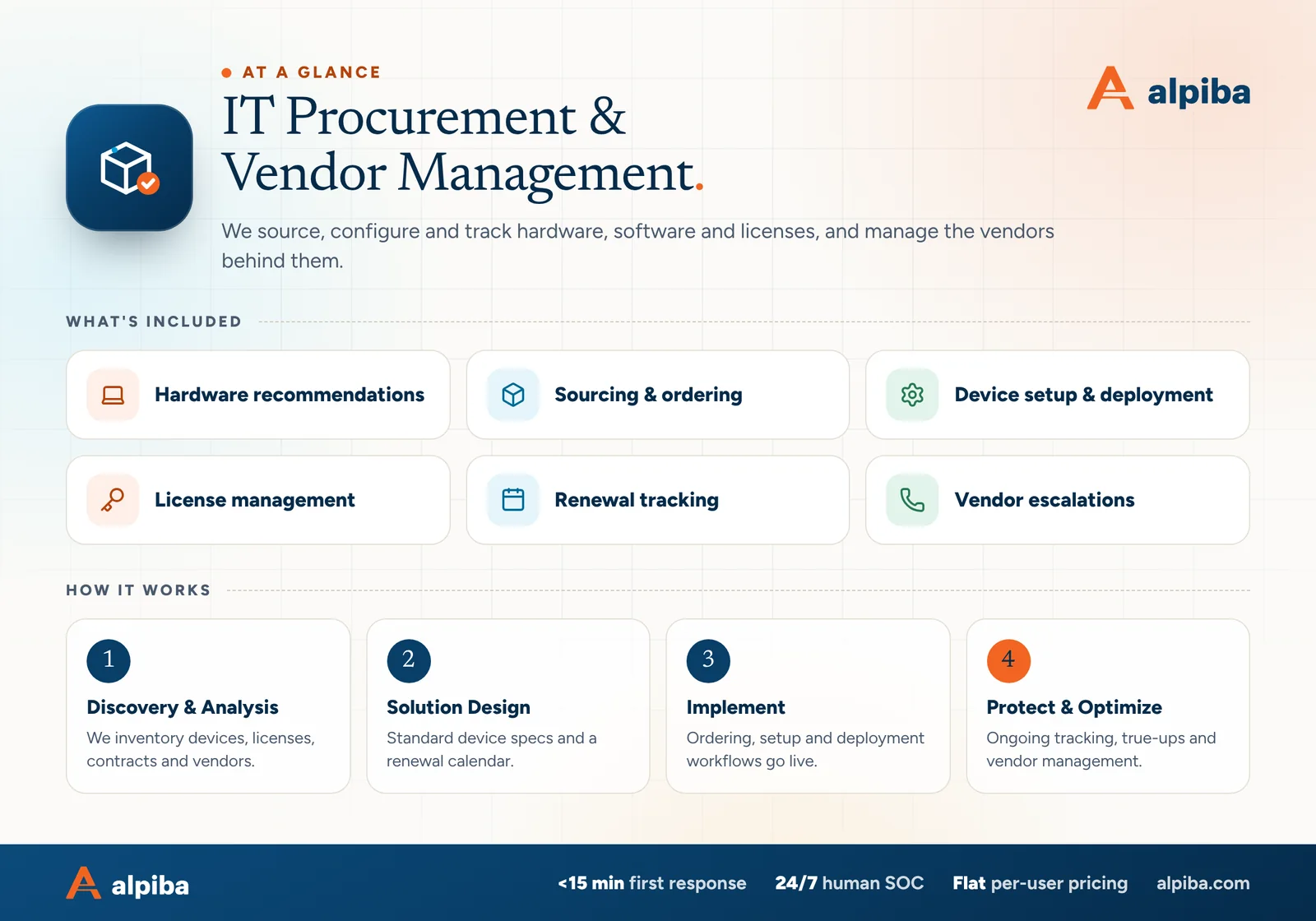
Secure provisioning means a device is enrolled in management, encrypted and protected before it reaches the employee, rather than cleaned up after they've started using it. Here is how a typical request moves.
A manager tells us the role, start date and location. We match the request to your hardware standard and route anything outside it to the approver you've named.
We source business-class models with a warranty that matches how long you'll keep them, and record serial numbers as soon as the order is placed.
The device is registered to your company, joined to management, encrypted, given endpoint protection and loaded with standard apps. Local admin rights are removed and updates applied.
It goes to your office or straight to the employee's home with tracking. On day one they sign in, set up multi-factor authentication and get a quick call if they want one.
The asset register is updated with the user, location, purchase date, warranty end and planned refresh quarter.
Specialized models and supply hiccups can add delays. A start date lets us plan backward and keep a configured spare ready when timing is tight.
Where your licenses include them, zero-touch tools do much of the work. In Microsoft 365 that usually means Windows Autopilot and Intune, so a laptop can ship from the supplier and configure itself at first sign-in; Google Workspace offers its own endpoint management. Either way, the security baseline is applied by policy, identically every time, instead of by someone working through a checklist at a desk.
A hardware standard is a short list of approved models grouped by what people actually do. It sounds rigid, but it's what makes everything else faster: one configuration to maintain, one set of docks and chargers, spares that fit anyone, and drivers and updates tested once instead of on a dozen different models.
| Profile | Typical roles | What matters most |
|---|---|---|
| Standard laptop | Operations, finance, sales, admin | Light weight, battery life, business warranty, dock compatibility |
| Performance laptop or workstation | Engineering, data analysis, design, imaging review | Memory, graphics and cooling sized to the heaviest real workload |
| Shared or front-desk device | Reception, dental operatories, lab benches | Locked-down profile, fast sign-in, quick swap when it fails |
| Rugged or field device | Warehouse, logistics, site visits | Durability, scanner support, cellular connectivity |
Exceptions are fine when they're decisions. If a scientist needs a workstation that isn't on the list, we record why, who approved it and how it will be supported, so the exception doesn't quietly become the new normal.
Every device has three dates that matter: when you bought it, when its warranty ends and when it stops receiving security updates. The third is the one people forget. A laptop out of warranty may be fine for another year; a firewall or operating system without security updates is a risk you carry whether it works or not.
Windows 10 has already passed its end-of-support date, and network gear reaches end of life on the manufacturer's schedule, not yours. A device that no longer gets security fixes belongs on the replacement list even if nobody has complained about it.
Refresh planning feeds directly into your technology roadmap and IT budget. A steady trickle of replacements also suits hybrid teams: a few new laptops each quarter are far easier to configure, ship and swap than every device in the same month.

Software spend leaks quietly, and rarely in one place. A true-up is a regular reconciliation of what you pay for against who actually uses it, across every vendor, and these are the leaks it tends to find:
The personal-card problem is why SaaS management is a security job as well as a cost one. Every app holding company data outside your managed accounts is shadow IT: your sign-in policies don't cover it, and nobody shuts it off when an employee leaves. We find these apps through card statements, expense reports and the third-party app consents recorded in your Microsoft 365 or Google Workspace admin console.
Commitment terms matter too. Many SaaS vendors, Microsoft included, price annual commitments lower but won't let you reduce seats until renewal, while monthly terms cost more and flex with headcount. We match the term to how stable each team is; for Microsoft tenants, Microsoft 365 license reviews are part of ongoing administration.
Each true-up covers these checks, and we go through the results with you at quarterly business reviews:
Most vendor problems aren't technical puzzles. They're queues, missing account details and first-line scripts. Our job is to arrive with the evidence the vendor will ask for, escalate past the script when the first answer is wrong and stay on it until it's fixed, while you get updates from one place.
| Vendor type | Common problem | What we do |
|---|---|---|
| Internet carriers | Outages, slow circuits, missed install dates | Open the ticket with test results, escalate past first-line support and request any outage credits your contract allows |
| Line-of-business software | Failed updates, sync errors, licensing lockouts | Schedule updates in a maintenance window, reproduce the issue for the vendor and keep a record of fixes |
| Hardware manufacturers | Failed parts, warranty claims, recalls | Run the diagnostics they require, file the claim and arrange on-site or advance replacement |
| SaaS providers | Account lockouts, billing errors, missing features | Work the support case and escalate through your account manager when needed |
Some vendors set the rules for your environment. A lab instrument vendor may support only one operating system version on the PC that runs its instrument, and a dental imaging vendor may require specific drivers and workstation specs. We work within those limits and add protections around systems that can't be updated on the normal schedule, an approach we bring to dental practices and biotech labs alike.
An asset register only helps if it's current. Ours ties each device to a person, a location and a set of dates, and it's updated as part of normal work: whenever a device ships, changes hands or comes back. That is what makes device retrieval dependable instead of a scramble.
When someone leaves, the device side of offboarding runs alongside your joiner, mover and leaver workflows:
For hybrid staff spread across San Diego County and beyond, the physical return is the step that slips. Agree the return process in writing when people join, and check with HR or legal counsel before tying equipment returns to final pay, because California's wage rules are strict. Access removal never waits for the box to arrive.
Retirement has rules of its own. California doesn't allow most electronics in the trash, and a drive that leaves your hands unwiped is a data exposure waiting to happen. Retired devices are wiped using recognized media sanitization methods or physically destroyed, then recycled through a certified e-waste recycler, and we keep the certificate of destruction with the asset record.
This work sits inside our managed IT engagement, priced flat per user each month with no surprise line items. The hardware, licenses and subscriptions themselves are separate purchases, and you approve a quote before anything is ordered. Larger efforts, such as an office move or a company-wide refresh, are scoped as projects.
If you're comparing IT procurement services in San Diego, ask each provider to show you rather than tell you:
Our leadership's background includes Fortune 500 and public sector work and more than $100M in technology programs managed. That discipline, sized for a growing business, keeps renewals, refreshes and vendors from running your calendar. If you'd like a second pair of eyes on your current setup, book a free 30-minute assessment.

Talk to an engineer
Free 30-minute assessment. We reply within 12–24 hours.
“SMBs deserve a strategic technology partner, without enterprise complexity or cost.”
Roopa · Founder, Alpiba · former Accenture advisor
Alpiba is founder-led. Every IT Procurement engagement starts by listening to how your business runs, and senior engineers stay with you from the first call onward.

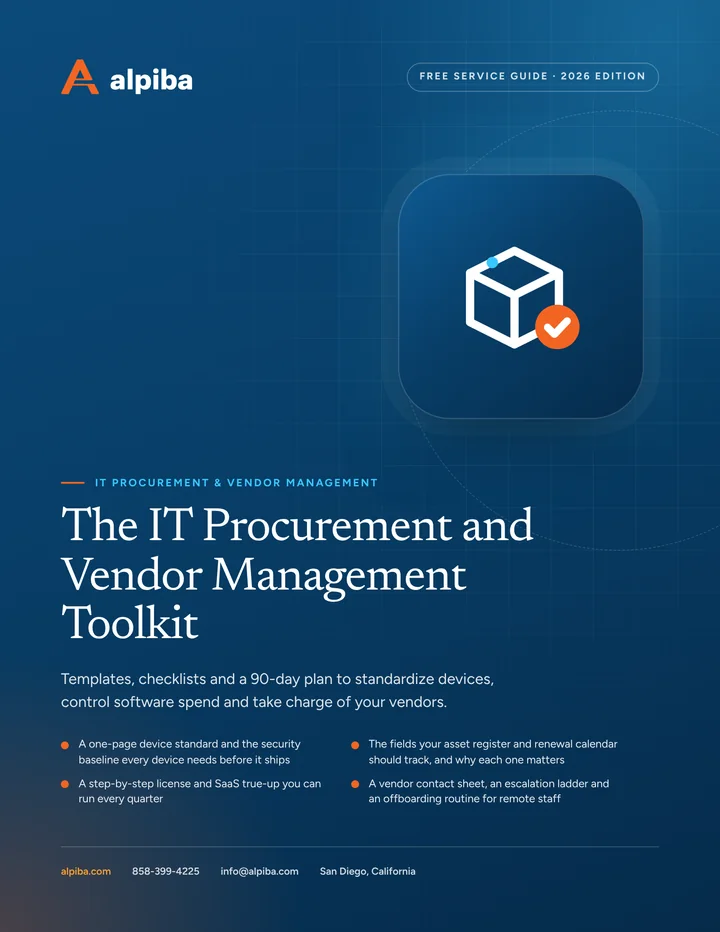
Free guide · PDF
A practical toolkit for office managers and IT leads: a device standard, an asset register template, a license true-up routine and a vendor escalation ladder you can use this week.
Get the free guide
Related services

Managed IT
Your single point of contact for all technology, with a tailored helpdesk and on-site support backed by clear SLAs.

Cloud & Productivity
Certified onboarding, migration, security hardening and ongoing administration by Microsoft-certified professionals.

Managed IT
Enterprise-grade technology leadership without a full-time CIO: roadmap, budget and risk, reviewed quarterly.
Built for regulated teams
Free 30-minute assessment
Tell us about your business and what prompted the search. A senior engineer will reply within 12–24 hours to set up your free 30-minute assessment.

Founder-led and San Diego basedRoopa founded Alpiba to give growing businesses a real technology partner.