SOC online 24/7Breach or outage? Call 858-399-4225

Free guidesinfo@alpiba.comMon–Fri, 7am–7pm PT

Alpiba

Manufacturing & Logistics

Manufacturing IT services in San Diego that keep the floor moving and the trucks loading.

When systems stop, production and shipping stop with them. Alpiba designs networks for floors and warehouses, isolates connected equipment, watches your environment 24/7 and keeps business systems recoverable.

  • Uptime
  • Multi-site

Quick answer

What IT support do manufacturers and logistics companies need?

Manufacturers and logistics companies need reliable networks and Wi-Fi across floors and warehouses, segmentation that isolates connected equipment, 24/7 monitoring to stop ransomware early, tested backups for business-critical systems, and support across multiple sites. Alpiba provides these through network consulting, managed IT, cybersecurity and backup services.

The challenge

What makes IT different for manufacturers and logistics teams.

  1. Downtime stops production

    Every hour offline delays orders and shipments, which also makes operations an attractive ransomware target.

  2. Floors, warehouses and yards

    Scanners, handhelds and workstations need dependable coverage across large, busy spaces.

  3. Connected equipment

    Machines and controllers often run software that's hard to patch and was never designed for today's threats.

  4. Several sites, one standard

    Plants, warehouses and offices need consistent, secure connectivity and support.

How Alpiba helps

Four ways we protect manufacturers and logistics teams.

Floor & warehouse networks

LAN, WAN and Wi-Fi designed for coverage, capacity and uptime, with documentation and diagrams.

Segmentation for equipment

Zero-trust segmentation keeps connected equipment and office systems apart.

24/7 monitoring & response

Human SOC analysts watch around the clock and trigger containment within the first hour.

Backups for business systems

Immutable backups with documented RTO and RPO, and restores tested every quarter.

Illustrative scenario

What this looks like in practice.

A composite example built from situations we see in manufacturers and logistics teams. It shows how we would approach the work, not results from a named client.

Illustrative scenario

Separating the floor from the office at a three-site San Diego manufacturer

A 50–100 person manufacturer and distributor with headquarters and production in Kearny Mesa, a warehouse in Otay Mesa that serves a partner plant in Tijuana and a small assembly site in Escondido. ERP runs on an on-site server, the warehouse depends on handheld scanners and label printers, and machine builders support the line remotely.

Services involved: Network & Servers, 24/7 SOC & MDR, Backups & DR, Cybersecurity

The situation

  • Each site runs one flat network that connects office laptops, CNC controllers, HMIs, cameras and label printers.
  • Machine builders reach equipment through always-on remote desktop tools with shared passwords, and nobody knows whether cellular modems sit inside any panels.
  • The ERP server is aging, its backups sit on the same network, and nobody has ever timed a full restore.

What we would do

  1. Map the dependenciesWe would walk each site with operations, inventory equipment and access paths, and build a dependency worksheet that ranks systems by what stops production or shipping.
  2. Protect the business sideMFA, managed EDR and 24/7 SOC monitoring would go on office systems and servers, and immutable off-site backups would protect the ERP and the machine programs.
  3. Segment by zoneOffice, production, warehouse, building and vendor zones would get firewall rules, and equipment would move during planned downtime with the integrator present.
  4. Control vendors and rehearseVendors would move to one approved, logged remote access method, and a timed ERP restore drill and a ransomware tabletop would set the baseline for quarterly reviews.

What good looks like

  • An infected office laptop can no longer reach controllers or HMIs at any site.
  • Every vendor session is approved, time-limited and logged.
  • ERP recovery is documented, timed and tested every quarter, working to a typical RTO under 4 hours.
  • Current diagrams and runbooks exist for all three sites.
<15 minaverage first response
<1 hrransomware containment playbook
<4 hrstypical recovery time objective
24/7human-staffed SOC

This scenario is an illustrative composite, not a client case study. Figures shown are Alpiba service standards, not client results.

From our founder

“SMBs deserve a strategic technology partner, without enterprise complexity or cost.”

Roopa · Founder, Alpiba · former Accenture advisor

Alpiba brings enterprise-grade security and support to manufacturers and logistics teams that do not have an enterprise IT department, with senior engineers who learn how your work actually runs.

Roopa, founder of Alpiba, standing outdoors in a white polka-dot dress

The complete guide

Manufacturing IT services in San Diego, explained.

11 min readBy the Alpiba teamUpdated October 15, 2026

On this page

On a production floor or a warehouse dock, IT problems show up as stopped work: a label printer that won't print, a handheld that drops off Wi-Fi mid-pick, an enterprise resource planning (ERP) server that takes the shipping schedule down with it. That's why manufacturing IT services in San Diego should be judged on uptime and recovery rather than tickets closed, and why they have to respect equipment that was never built to be patched every month.

This page is for owners, plant and operations managers, controllers and whoever ended up running IT at manufacturers, distributors and logistics companies across San Diego County, from Otay Mesa and Kearny Mesa to Escondido and Vista. It covers what stops production, how to separate the plant floor from office IT, a maturity table, a 90-day plan and how to choose an IT partner.

Alpiba handles the networks, servers, cloud, security monitoring and backups around your operation. Your machine builders and controls integrators keep ownership of PLC (programmable logic controller) programming and machine settings; we make sure the network around that equipment is designed, documented and defended.

The IT reality on San Diego floors and docks

San Diego County's industrial base mixes aerospace and defense suppliers, medical device and electronics makers, food and beverage producers, craft breweries, and the distributors and logistics providers that move their goods. Cross-border trade through the Otay Mesa port of entry ties many local warehouses to partner plants in Tijuana, so a single supply chain often spans both sides of the border.

What these operations share is that IT sits directly in the path of physical work. When systems go down, people wait, trucks idle at the dock and customers' delivery windows close.

  • Two worlds on one network. Office laptops and email share switches with CNC machines, PLCs, HMIs (the touchscreens operators use), scales, cameras and badge readers, many running old software that can't be patched on a normal schedule.
  • Hard radio environments. Metal racking, high ceilings, freezers and shifting inventory make warehouse Wi-Fi difficult, and handhelds and forklift terminals have to roam between access points without dropping sessions.
  • Business systems that run the floor. ERP and warehouse management systems (WMS) drive work orders, picking, label printing, electronic data interchange (EDI) with customers and shipping carrier integrations. When they stop, shipping stops.
  • Sites that grew up separately. A headquarters in Kearny Mesa, a plant in North County and a warehouse in Otay Mesa often have different equipment, different vendors and no shared documentation.
  • Outside hands on the equipment. Machine builders, integrators and software vendors need remote access to support what they sold you, and many set it up themselves.

Good manufacturing IT services in San Diego start from that reality: they plan changes around shifts, document every site the same way and treat a label printer at the shipping desk as seriously as a server.

What customers, insurers and regulators expect

Most manufacturers and distributors aren't governed by a single cybersecurity law. The pressure arrives through the supply chain instead: larger customers want proof that a supplier won't become their weak link, and insurers want proof that you can recover without paying a ransom.

  • Customer questionnaires. Larger manufacturers, retailers and healthcare customers ask about MFA, endpoint protection, backups, incident response and how production networks are separated. Answers mapped to NIST CSF or ISO 27001 are widely understood.
  • Cyber insurance. Renewal forms commonly ask about MFA, EDR, immutable or offline backups, tested restores and 24/7 monitoring, and the answers need to be accurate.
  • Industry rules. Medical device makers work under FDA quality system requirements, food producers under food safety rules, and businesses that store, process or transmit payment card data under PCI DSS. Each one touches IT through records, access and change control.
  • Privacy. California's CCPA, as amended by the CPRA, can cover employee and customer personal information once a business meets its thresholds.
Defense suppliers: check your contract requirements early

If your defense contracts involve Federal Contract Information or Controlled Unclassified Information, CMMC requirements may apply, and depending on the level they can require an assessment by an authorized third-party assessor. Alpiba does not provide those services, so bring in a specialist before you change systems that would be in scope.

Whatever the driver, the useful response is the same: put controls in place that actually reduce risk, then keep the evidence. We help with readiness and documentation; auditors and assessors issue any reports.
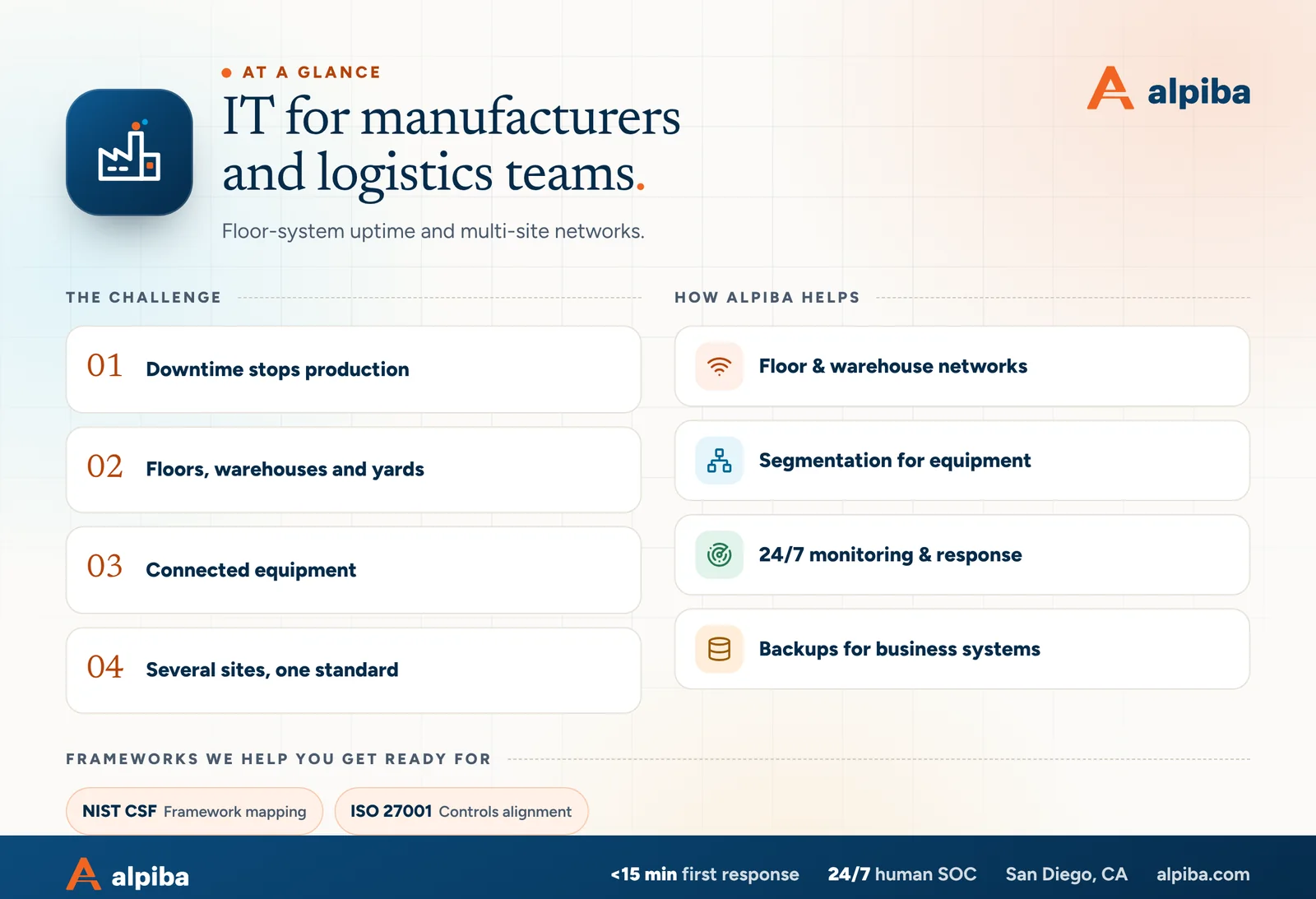
IT for manufacturers and logistics teams at a glance. Challenges: downtime stops production, floors, warehouses and yards, connected equipment and several sites, one standard. How Alpiba helps: floor & warehouse networks, segmentation for equipment, 24/7 monitoring & response and backups for business systems. Frameworks: NIST CSF and ISO 27001.
IT for manufacturers and logistics teams at a glance.

What actually stops production

Plants rarely go down because of one dramatic failure. More often, a small dependency nobody examined gives way at the worst possible moment.

Ransomware in business systems

Even when machines are untouched, encrypted ERP, file and print servers stop work orders, labels and shipping. Plants often halt the floor as well, because nobody can prove it is clean.

Flat networks

When the office, the floor and the warehouse share one network, an infected laptop can reach controllers and HMIs directly. Segmentation turns one bad click into a contained incident.

Unmanaged vendor access

Remote desktop tools installed by a machine builder, or a cellular modem inside a panel, can bypass your firewall entirely. They often rely on shared passwords that never change.

Single points of failure

One internet circuit, one core switch, one aging ERP server or one label printer at the shipping desk can each stop a shift. Most are cheap to fix once someone writes them down.

Power and heat

SDG&E Public Safety Power Shutoffs during high fire risk, ordinary outages and hot network closets on mezzanines take down gear that nobody thought of as critical. Battery backup and temperature alerts are inexpensive by comparison.

Fraud in the supply chain

Compromised supplier and customer mailboxes send fake invoices and changed bank details. Logistics companies also face fraudsters posing as carriers and brokers to redirect loads.

Downtime has a price that's easy to underestimate until you add up wages, overtime, expedited freight and missed delivery commitments. Our downtime cost calculator estimates yours from team size and hourly costs, which makes it easier to decide what redundancy is worth.

Separating the plant floor from office IT

Operational technology (OT) is the equipment that runs physical processes: PLCs, HMIs, CNC machines, robots, conveyors, scales and the PCs that program them. IT is email, ERP, laptops and the cloud. The two need to exchange data, but only in specific, documented ways.

A common reference is the Purdue model, which layers a plant from field devices up to business systems and places a buffer zone, often called an industrial DMZ, between production and the business network. You don't need a textbook implementation. You need zones and rules that match how your plant actually works.

  1. Inventory what's on the floor

    Walk the plant with operations and list every connected device: its owner, vendor, network address, what it talks to and whether it can be patched.

  2. Define zones

    Typical zones are office IT, production equipment, warehouse devices, building systems such as cameras and badge readers, guest Wi-Fi and vendor access.

  3. Write the conduits

    For each pair of zones, list the connections production actually needs, such as the ERP sending work orders to a line PC, and block everything else at a firewall. Separate VLANs (virtual networks sharing the same switches) organize traffic, but on their own they don't stop it.

  4. Move in maintenance windows

    Re-address and move equipment during planned downtime with the integrator on hand, test each line before restart and keep a rollback plan.

  5. Monitor the boundaries

    Log traffic between zones and alert on anything new, so an office laptop trying to reach a controller is noticed quickly.

We design the zones, network segmentation rules and diagrams through our network and server consulting service, and coordinate each cutover with your controls integrator so lines restart on schedule.

What resilient manufacturing IT looks like

Score each row for each site. Multi-site companies usually find one location well ahead of the others, and that site becomes the template for the rest.

Manufacturing and logistics IT maturity, scored per site
AreaFragileStableResilient
Network designOne flat network, undocumentedOffice and floor on separate VLANsDefined zones with firewall rules, current diagrams for every site
WirelessDead spots, scanners drop at the far racksSurveyed coverage in the main aislesValidated with real devices, roaming tuned, docks, yard and cold storage covered
Equipment and OTUnknown devices, default passwordsInventory of connected equipmentOwners, patch status and allowed connections documented and monitored
Vendor accessAlways-on tools, shared passwordsA VPN account per vendorOne approved method with MFA, time-limited and logged sessions
Business systemsERP on one aging serverSupported hardware, nightly backupsImmutable backups, documented RTO, restores tested quarterly
Security monitoringAntivirus, nobody watching at nightEDR on office devicesEDR plus a 24/7 human SOC, zone boundaries monitored
Power and siteNo UPS on network closetsUPS on core gearUPS wherever production traffic runs, generator plan, racks braced, heat monitored
Fix the cheap single points first

A spare switch on the shelf, a second internet circuit, a UPS in the warehouse closet and a backup label printer at the shipping desk cost little next to one lost shift.
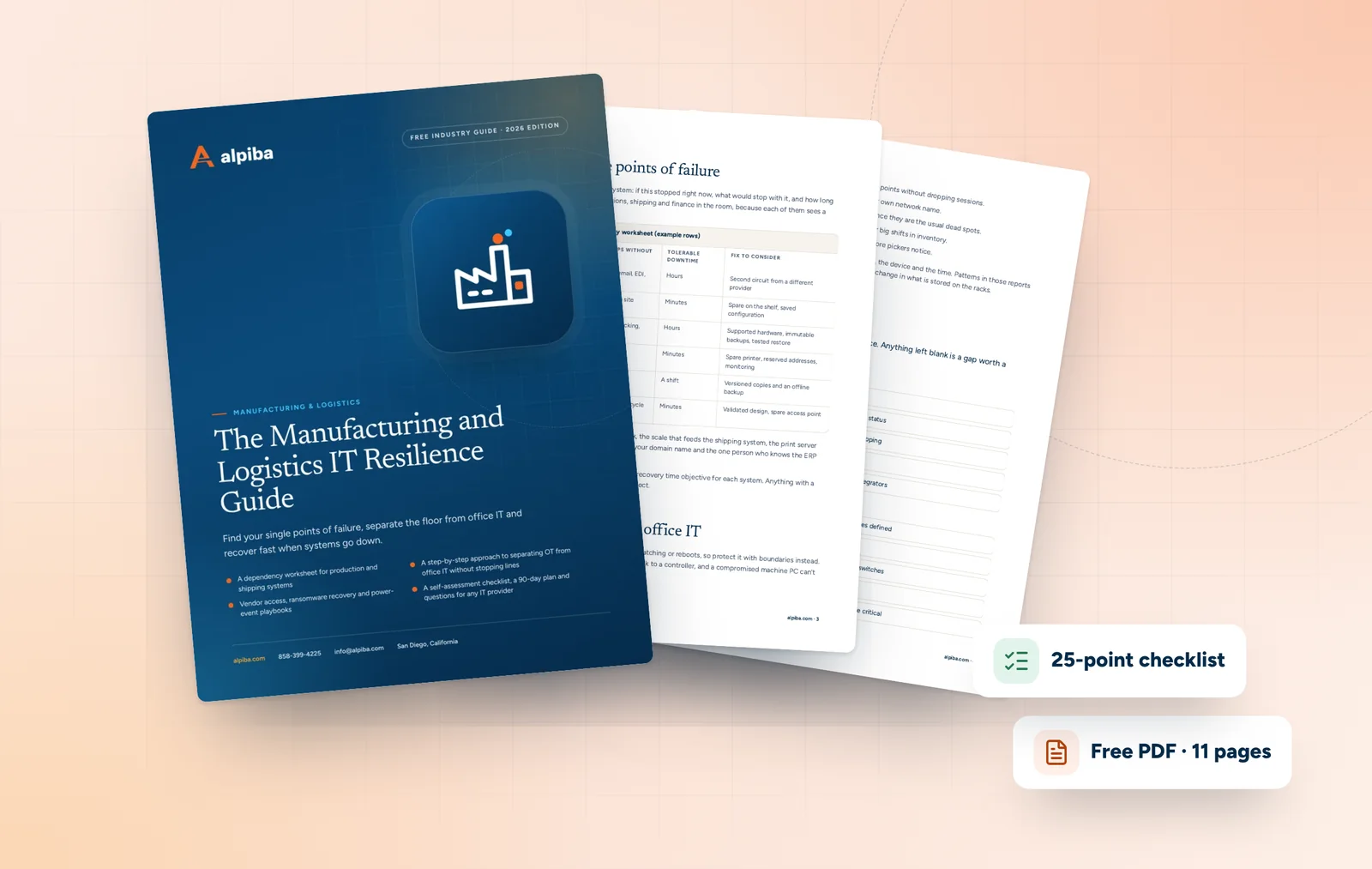
Cover and two sample pages of The Manufacturing and Logistics IT Resilience Guide, a free 11-page PDF guide from Alpiba with a 25-point checklist
Inside The Manufacturing and Logistics IT Resilience Guide.

How Alpiba supports manufacturers and distributors

Our manufacturing IT services in San Diego can take over IT entirely or back up a plant IT lead, with on-site support across San Diego County and remote support between sites.

  • Networks and Wi-Fi. We design LAN, WAN and Wi-Fi for floors, docks and multi-site connectivity, with zero-trust segmentation, firewall and VPN configuration, capacity planning and diagrams for every site.
  • 24/7 monitoring and response. Our 24/7 SOC puts human analysts on your endpoints, identities, email and cloud. Average first response is under 15 minutes, and a ransomware event sets off a documented containment playbook inside the first hour.
  • Recovery for business systems. Immutable backups and continuity planning cover ERP, file and print servers and the PCs that hold machine programs, with a business impact analysis, written RTO and RPO targets, a restore drill every quarter and a typical RTO under 4 hours.
  • Devices and vendors. Procurement and vendor management covers standard laptops, handhelds and network gear, renewal tracking and escalations with your ERP vendor, internet providers and other suppliers.
  • Layered defense. Cybersecurity and ransomware defense adds managed EDR/XDR, email security, phishing simulation and short awareness training for office and floor staff.
  • Day-to-day support. Managed IT includes unlimited helpdesk tickets, 24/7 monitoring and alerting, documentation and runbooks, and onboarding and offboarding workflows that also cover temporary and seasonal staff.
Where our scope ends

We design and defend the network around your equipment and support the systems that run your business. PLC logic, machine settings and safety systems stay with your machine builders and controls integrators, and we coordinate with them on every change at the boundary.

Technology decisions for plants and warehouses

Warehouse and floor Wi-Fi

  • Survey with the devices you actually use, at the heights they're used, and repeat after big changes to racking or inventory.
  • Plan for roaming: handhelds and forklift terminals need fast handoff between access points, or sessions drop mid-task.
  • Give older scanners that only support legacy Wi-Fi settings their own network name, so they don't hold back newer devices.
  • Cover docks, yards and cold storage deliberately; trailers and freezer doors are the usual dead spots.

Label printers, scanners and shared stations

Label printers and scanners are production equipment. Give them reserved addresses, change default passwords, keep them on the right segment and monitor them, so a failed printer raises an alert before the shipping desk does. Shared floor workstations and kiosks should use named or badge-based sign-in where possible, with limited rights and automatic lock.

ERP, WMS and the internet circuit

Know where your ERP and WMS run, what they depend on and what happens when they're unreachable. If they're cloud-hosted, the internet circuit becomes production-critical, and a second circuit from a different provider is cheap insurance. If they run on-site, plan hardware refreshes before support ends, back up the database and application separately and document EDI and shipping carrier connections so they can be rebuilt.

Cross-border and multi-site links

If your operation spans Otay Mesa and a partner plant in Tijuana, or several San Diego sites, decide what crosses each link and why. One identity system, encrypted site-to-site connections and firewall rules that allow only the systems each site needs matter more than where each server sits.

Power and physical resilience

Put UPS units on every network closet that carries production traffic, set servers to shut down gracefully and test generator transfer if you have one. Brace racks and secure equipment for earthquakes, since the Rose Canyon Fault runs through the city itself, and watch closet temperatures through summer heat and Santa Ana conditions.

A 90-day plan that respects production

Production can't stop for an IT project, so this plan front-loads changes that need no downtime and saves floor cutovers for planned maintenance windows.

  1. Days 1–30: map and protect the business side

    Inventory sites, circuits, network gear, servers, connected equipment and vendor access paths. Enforce MFA, deploy managed EDR on office systems and servers, confirm immutable backups of ERP and file data and list your single points of failure.

  2. Days 31–60: segment and control access

    Design zones and firewall rules for each site, replace always-on vendor tools with one approved remote access method, fix the cheapest single points of failure and survey Wi-Fi where scanners drop.

  3. Days 61–90: cut over and rehearse

    Move equipment into its zones during planned downtime, run and time an ERP restore drill, walk operations and finance through a short ransomware tabletop and set quarterly reviews for each site.

If a customer audit or insurance renewal is coming, collect evidence as you go: MFA reports, backup test results, current diagrams and vendor access logs. The same records turn the next questionnaire into a short job.

How to evaluate an IT partner for manufacturing

When you compare manufacturing IT services in San Diego, ask how each provider behaves around production, not just how quickly they reset a password. A provider who has never planned a cutover around a shift schedule will learn on your floor.

  1. How would you segment our floor from the office without stopping a line, and who coordinates with our integrator?
  2. What is your average first response time, and who is watching alerts at 2am on a Saturday?
  3. How do you control and log vendor remote access to our machines?
  4. How fast can you restore our ERP, and when did you last prove it?
  5. Can you design Wi-Fi for our racking, docks and cold storage, and validate it with our own scanners?
  6. Will you support every site in person, including Otay Mesa and North County?
  7. What will you leave to our machine builders and integrators, and how do you hand off?

Start with a free 30-minute assessment: we'll map the biggest risks across your sites, flag the quick wins and sketch a right-sized roadmap, with no obligation.

Illustration of the San Diego skyline at sunset, with downtown towers, the bridge across the bay, sailboats and palm trees
San Diego, where Alpiba is based.

Talk to an engineer

Free 30-minute assessment. We reply within 12–24 hours.

Fields marked * are required. By submitting, you agree that Alpiba may contact you about your request. We reply within 12–24 hours; for an active incident, call 858-399-4225.

Compliance context

Frameworks that matter for manufacturers and logistics teams.

Larger customers and partners often ask suppliers about their security controls. Alpiba helps you implement, document and evidence them.

NIST CSFFramework mapping
ISO 27001Controls alignment

Framework references describe the standards Alpiba builds toward for client environments. They indicate readiness and controls alignment, not third-party attestation of Alpiba itself.

Recommended services

The services manufacturers and logistics teams rely on most.

All services
Ethernet cables plugged into a network switch

Infrastructure & Continuity

Network & Server Consulting

Design, optimize and secure your infrastructure for maximum uptime and performance.
A close view of a computer circuit board

Infrastructure & Continuity

Backups & Business Continuity

Immutable backups, tested restore plans and disaster recovery playbooks so your business stays online.

People working at laptops across a large open office

Managed IT

Managed IT & White-Glove Support

Your single point of contact for all technology, with a tailored helpdesk and on-site support backed by clear SLAs.

A close view of a glowing circuit board

Cybersecurity

Cybersecurity & Ransomware Defense

24/7 monitoring, threat hunting and rapid incident response that contains attacks before they impact your business.
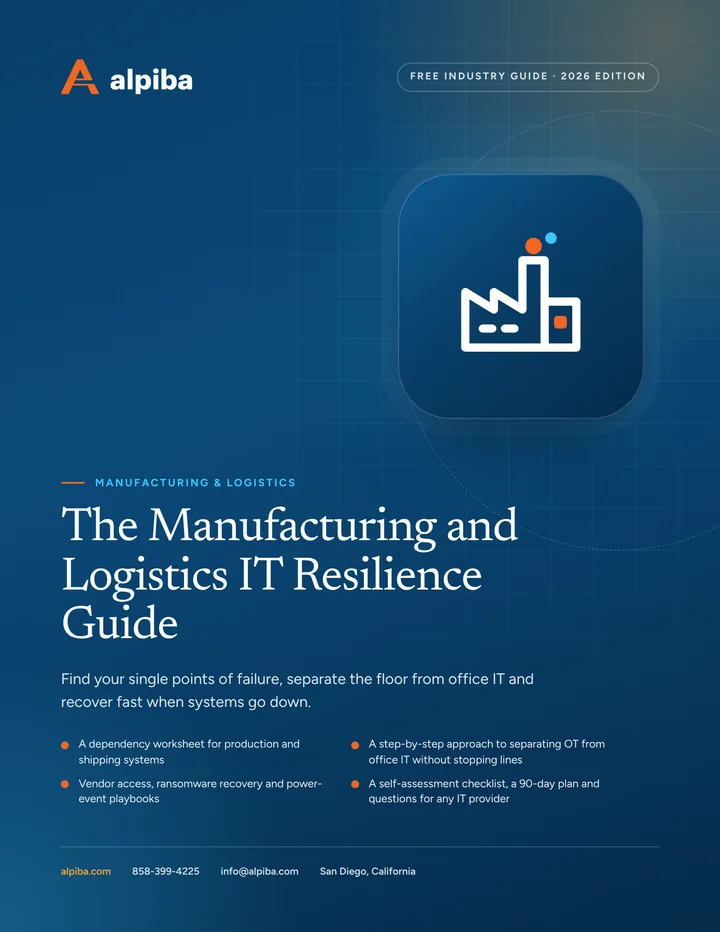
Cover of The Manufacturing and Logistics IT Resilience Guide, a free PDF guide

Free guide · PDF

The Manufacturing and Logistics IT Resilience Guide

A printable guide for owners and operations leaders at plants, warehouses and distribution centers: what really stops production, how to segment equipment safely, how to control vendor access and how to plan for ransomware and power events.

  • A dependency worksheet for production and shipping systems
  • A step-by-step approach to separating OT from office IT without stopping lines
  • Vendor access, ransomware recovery and power-event playbooks
  • A self-assessment checklist, a 90-day plan and questions for any IT provider
Preview what's inside

Get the free guide

Instant download. By submitting, you agree that Alpiba may contact you about this guide; you can ask us to delete your details at any time.

FAQ

Manufacturing & Logistics IT questions, answered.

Straight answers to the questions we hear most. Still curious? Talk to a senior engineer.

What do manufacturing IT services in San Diego include?

They cover the IT that production and shipping depend on: helpdesk and on-site support, plant and warehouse networks and Wi-Fi, segmentation between equipment and office systems, 24/7 security monitoring and tested backups for ERP and other business systems. Alpiba provides this as a managed service or alongside your in-house IT lead, with support across Otay Mesa, Kearny Mesa, North County and the rest of San Diego County.

Can you fix Wi-Fi dead spots in our warehouse?

Yes. We survey with the scanners and terminals you actually use, design access point placement around racking, docks and cold storage, tune roaming so handhelds don't drop mid-pick and validate coverage after installation. The design work also covers capacity planning for your busiest periods and diagrams for every site, so the next change starts from an accurate picture.

How do you protect machines and controllers that can't be patched?

We isolate them rather than change them. Connected equipment goes into its own network zone with firewall rules that allow only the connections production needs, vendor access is limited to one approved and logged method, and traffic at the zone boundary is monitored. The machine keeps running as its builder intended, and a compromised office laptop can't reach it directly.

What happens if ransomware hits our ERP or business systems?

We contain first and restore second. Within the first hour, our SOC runs a documented containment playbook that isolates infected devices and accounts, while segmentation keeps the attack away from production equipment. ERP, file and print servers then come back from immutable off-site backups in the order set by your business impact analysis, with a typical recovery time objective (RTO) of under 4 hours for critical systems.

Do you support multiple plants and warehouses, including Otay Mesa?

Yes. We design secure connectivity between sites and apply one standard for network gear, security and documentation. Our engineers come on-site anywhere in San Diego County, from Otay Mesa and Chula Vista to Kearny Mesa, Escondido and North County, with remote support for every location. Each site gets current diagrams, so any engineer on our team can work on it.

Do you program PLCs or manage machine controls?

No. PLC logic, machine settings and safety systems stay with your machine builders and controls integrators. We own the network around the equipment, the firewall rules between zones, remote access controls, monitoring and the IT systems that feed the floor, such as ERP and file servers. We coordinate with your integrators on every change that touches the boundary.

How should we manage vendor remote access to our equipment?

Give every vendor one approved remote access method that requires MFA, is limited to the specific machines they support, opens only when someone on your team approves it and logs every session. Remove always-on remote desktop tools and shared passwords, and look for cellular modems installed in panels. Vendors still get the access they need, without a standing back door.

How do we keep running during an SDG&E Public Safety Power Shutoff?

Plan before fire season. Put UPS units on network closets and servers, configure graceful shutdowns, test generator transfer if you have one, and decide in advance which systems must stay up, such as ERP access, label printing and shipping, and which can wait. Cloud-hosted systems also need a working internet path, so consider a backup circuit or cellular failover.

Do you work with our ERP and WMS vendors?

Yes. Vendor management is part of managed IT, so we handle escalations with your ERP and WMS vendors, internet providers and other suppliers instead of leaving your team on hold. We support the servers, networks, devices and backups those systems run on, plan hardware refreshes before support ends and keep integration details such as EDI connections documented.

How do you secure handheld scanners and label printers?

We treat them as production equipment. Handhelds are enrolled in device management with restricted apps and remote lock, label printers get reserved addresses and changed default passwords, and both sit on network segments that can reach only the systems they need. Monitoring flags a device that drops offline, so problems surface before the shipping desk calls.

How do you decide what to recover first after an outage?

With a business impact analysis agreed before anything goes wrong. We rank systems by what stops production or shipping, document a recovery time objective and recovery point objective for each, and write the restore order into a continuity playbook. Quarterly restore drills test that order, so recovery on a bad day follows a plan rather than guesswork.

Is a small manufacturer really a ransomware target?

Yes. Attackers favor businesses where downtime is expensive and the pressure to pay is high, and manufacturing and logistics fit that profile at any size. Many attacks are opportunistic, starting with a phished password or an exposed remote access tool. MFA, EDR, segmentation, 24/7 monitoring and immutable, tested backups make you a much harder and less profitable target.

Free 30-minute assessment

Talk to an engineer who knows manufacturers and logistics teams.

Tell us a little about your business. A senior engineer will map your top risks, quick wins and a right-sized plan, with no obligation and no sales pressure.

  • A senior engineer, not a salesperson
  • Reply within 12–24 hours
  • Flat per-user pricing if you want our help
Roopa, founder of Alpiba

Founder-led and San Diego basedRoopa founded Alpiba to give growing businesses a real technology partner.

858-399-4225Mon–Fri, 7am–7pm PT · 24/7 for managed clients
info@alpiba.comReply within 12–24 hours

Fields marked * are required. By submitting, you agree that Alpiba may contact you about your request. We reply within 12–24 hours; for an active incident, call 858-399-4225.

Call Free assessment