SOC online 24/7Breach or outage? Call 858-399-4225

Free guidesinfo@alpiba.comMon–Fri, 7am–7pm PT

Alpiba

Free tool · 1 minute

Cyber insurance readiness check.

Tick the security controls you have in place today. These are the ones insurers commonly ask about on applications and renewal questionnaires. Requirements vary by insurer, so treat this as a starting point.

A team in a working session around a conference table

Which controls do you have?

Alpiba doesn't sell insurance. We help you put these controls in place and document them so you can answer your insurer or broker accurately.

In depth

Cyber insurance requirements, control by control.

7 min readBy the Alpiba teamUpdated October 15, 2026

On this page

Insurers don't publish one universal standard, but their applications ask about a familiar set of controls. Use the tool above as a quick cyber insurance requirements checklist, then work through this guide to make sure every Yes you give is accurate, specific and backed by evidence.

It's written for the people who actually sign these forms: owners, CFOs, practice managers and office managers across San Diego County, from biotech teams in Sorrento Valley to law firms Downtown and dental practices in North County. Requirements vary by insurer and policy, so treat it as preparation for the conversation with your broker, not a substitute for it.

How insurers evaluate your security

Underwriters are trying to judge how likely you are to have a claim and how large it could be. They can't inspect your systems directly, so they rely on what you tell them and sometimes on what they can see from outside your network.

The application

Yes-or-no questions about MFA, backups, EDR and other controls, signed by someone at your company. Those answers become part of the record your policy is based on.

Supplemental questionnaires

Some insurers add detailed forms on ransomware, remote access or backups. These tend to ask how a control works, not just whether you have it.

Outside-in checks

Some insurers review what your business exposes to the internet, such as open remote access ports or unpatched systems. Findings can lead to follow-up questions.

History and context

Past incidents, claims, your industry and the kind of data you hold all shape the decision. A dental practice and a software company may face different questions.

Expect the questions to come back at every renewal, sometimes with new ones added. A control that was optional on last year's form may be expected on this year's, which is why preparing early pays off.

Your cyber insurance requirements checklist, control by control

These are the controls insurers most often ask about, and the ones the readiness check above covers. For each, know what a confident Yes looks like and where businesses tend to fall short.

What a confident Yes looks like
ControlA confident Yes meansWhere it often falls short
MFARequired for email, remote access, cloud apps and every admin account, with no standing exceptionsShared mailboxes, service accounts or a VPN that still accepts a password alone
EDRManaged EDR on every laptop and server, with someone responsible for acting on alertsTraditional antivirus only, or servers left out of the rollout
Immutable or offline backupsAt least one copy that can't be altered or deleted, protected by separate credentialsBackups on a device on the same network, reachable with the same admin password
Restore testingA recent, documented restore of a critical system, including how long it tookRestoring a single file and calling it a test
PatchingCritical updates applied on a defined schedule for computers, servers, firewalls and key softwareLaptops that go months without restarting to finish updates
Security awareness trainingRegular training plus phishing simulations, with completion recordsA one-time video during onboarding
Incident response planA written plan with roles, contacts and first steps, reviewed recentlyA plan that lists people who have left, or no plan at all
24/7 monitoringSecurity alerts reviewed by people around the clock, including weekends and holidaysAlerts that land in an inbox nobody reads after hours

MFA: define everywhere

MFA questions are rarely just about email. Applications often ask separately about remote access, privileged accounts, cloud services and backup consoles. Before you answer, list every way someone can sign in to your systems and confirm each one requires a second factor. Our zero trust and identity security work starts with exactly that inventory.

EDR and monitoring: tools need people

Installing EDR answers half the question. Insurers also want to know who acts when it raises an alert, especially at night. Managed EDR paired with a human-staffed 24/7 SOC covers both halves: our analysts watch alerts around the clock, with an average first response under 15 minutes.

Backups: immutable, separate and tested

An immutable copy is locked against edits and deletion until its retention period ends, even for administrators. That only helps if the backup system has its own credentials and you've proven a restore works. We run immutable off-site backups with quarterly restore drills, and each drill leaves evidence you can show an insurer.

Training and response planning

Phishing simulations and awareness training produce records showing that people, not just tools, are part of your defense. An incident response plan shows you won't improvise on the worst day. If your policy includes an incident hotline or a list of approved response vendors, put those details in the plan so nobody has to search for them mid-incident.
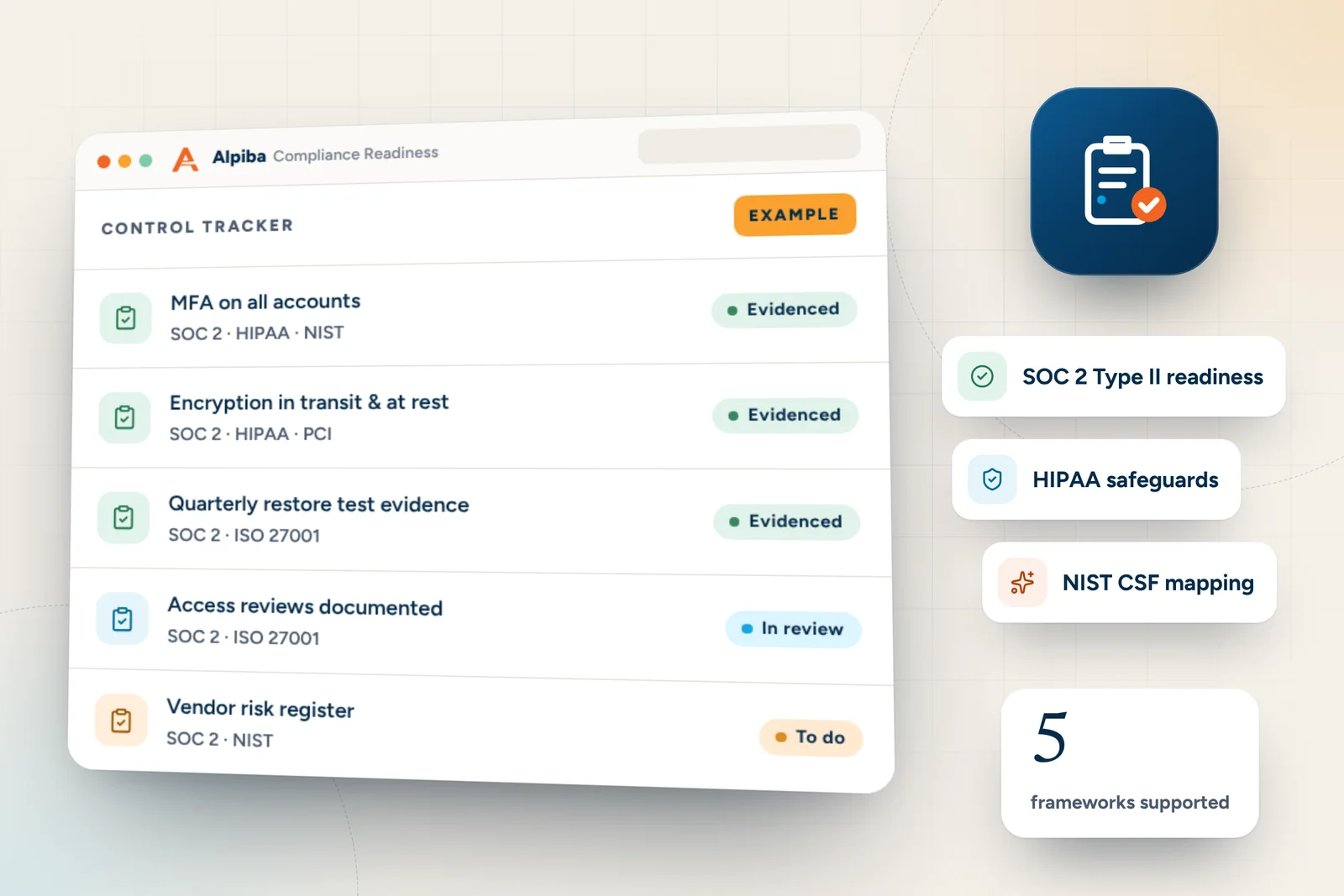
Example control tracker from Alpiba Compliance Readiness, showing mfa on all accounts, encryption in transit & at rest and quarterly restore test evidence
Example control tracker for Compliance Readiness. Illustrative data, not from a real client.

Document the evidence before you need it

A Yes on an application is a statement of fact. If you ever make a claim, you may be asked to show that the controls you described were in place. Keep one evidence folder, owned by one person, and refresh it every quarter.

  • MFA: a report or screenshot showing enforcement for all users and admin accounts, plus any exceptions and the reason for each
  • EDR: a device list from the EDR console that matches your asset inventory
  • Backups: retention and immutability settings, and where each copy is stored
  • Restore tests: the date, the system restored, the time taken and who performed it
  • Patching: a recent patch status report for computers, servers and network devices
  • Training: completion records and phishing simulation results
  • Incident response plan: the current version, its review date and notes from any tabletop exercise
  • Monitoring: the service description or agreement showing who reviews alerts, and when
  • Asset inventory: users, devices and key cloud services, updated as people join and leave
Evidence is easier as a by-product

When controls are managed continuously, the reports come from tools you already run. That's how our compliance readiness work keeps an audit trail ready for auditors, insurers and customer questionnaires alike.

A renewal timeline that avoids the scramble

Most renewal stress comes from discovering a gap a week before the form is due. Treat the readiness check above as your cyber insurance requirements checklist for the year, and work back from your renewal date so you close gaps instead of explaining them.

  1. 90 days out: get the forms

    Ask your broker for this year's application and any supplemental questionnaires. Compare them with last year's answers and flag anything new.

  2. 60 days out: find the gaps

    Run the readiness check with whoever manages your IT. Turn every No or uncertain answer into a task with an owner and a date.

  3. 30 days out: close and document

    Fix the quick gaps, such as MFA exceptions or devices missing EDR, and run a fresh restore test. Add the results to your evidence folder.

  4. Before you sign: review every answer

    Have the person responsible for IT read the completed application. If the form allows comments, explain partial controls and when they will be finished.

  5. After binding: update your plan

    Add the insurer's incident reporting steps and contacts to your incident response plan, and note any conditions attached to the policy.

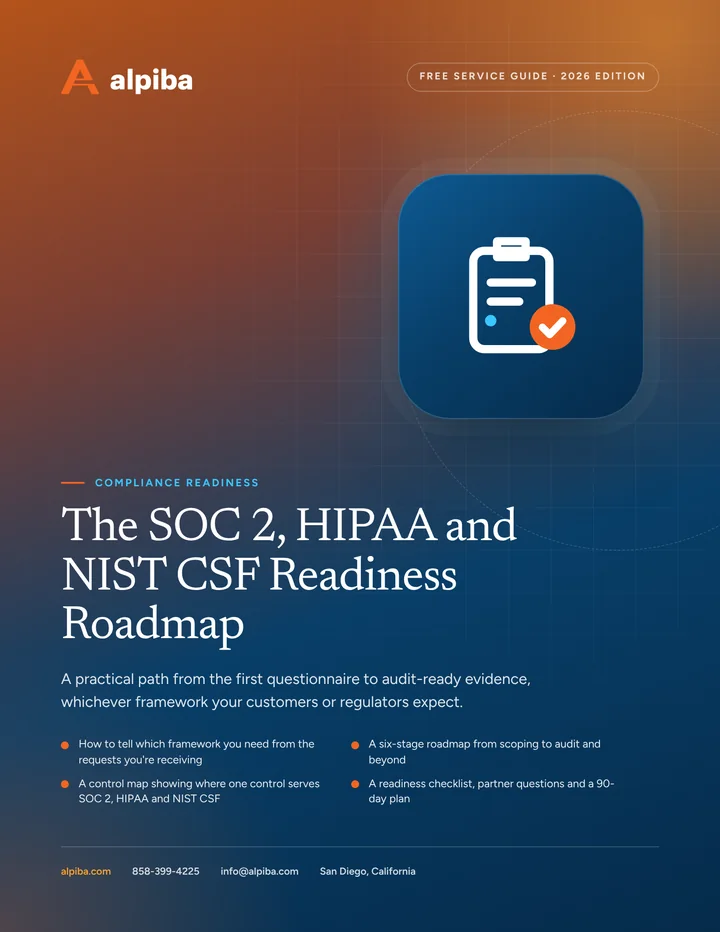
Cover and two sample pages of The SOC 2, HIPAA and NIST CSF Readiness Roadmap, a free 12-page PDF guide from Alpiba with a 27-point checklist
Inside The SOC 2, HIPAA and NIST CSF Readiness Roadmap.

How to answer applications accurately

Insurance forms favor short answers, but your systems are rarely that tidy. A few habits keep your answers honest without underselling the work you've done.

  • Answer for the whole business. If MFA covers the main office but not the warehouse in Otay Mesa or a remote team, the honest answer is Partly.
  • Read “all” literally. All users means interns, contractors and the shared front-desk login too.
  • Don't round up. A control that is half deployed is a plan, not a Yes. Describe the plan and its completion date instead.
  • Mention compensating controls. If one system can't support MFA, explain how access to it is restricted and monitored.
  • Keep a copy of what you submitted. Next year's answers should build on this year's, and any differences should be explainable.
  • Ask before you guess. If a question is unclear, ask your broker what the insurer means. A wrong guess is harder to fix later.

Common pitfalls to avoid

  • Answering from memory instead of checking the actual settings
  • Treating files synced to Drive or SharePoint as a backup
  • Protecting the backup console with the same admin account as everything else
  • Buying EDR without anyone assigned to respond to its alerts
  • Letting the incident response plan go stale after staff changes
  • Signing the application without the person who manages IT reviewing it
  • Waiting for the renewal notice to arrive before starting
Partial answers matter

If a control is only partly in place, say so and give a date for finishing it. An optimistic answer can cause problems later if the insurer reviews a claim against what you told them.

Not sure where you stand? Start with our security health check for a broader view, then book a free 30-minute assessment. We'll map your gaps against the controls insurers commonly ask about and help you build the evidence, so your next renewal starts with answers instead of questions.

Illustration of the San Diego skyline at sunset, with downtown towers, the bridge across the bay, sailboats and palm trees
San Diego, where Alpiba is based.

Close the gaps

Services behind the controls insurers ask about.

All services
A padlock resting on a laptop keyboard

Cybersecurity

Zero Trust & Identity Security

Identity-aware access, MFA everywhere and least privilege baked into every environment we manage.

A close view of a glowing circuit board

Cybersecurity

Cybersecurity & Ransomware Defense

24/7 monitoring, threat hunting and rapid incident response that contains attacks before they impact your business.

A close view of a computer circuit board

Infrastructure & Continuity

Backups & Business Continuity

Immutable backups, tested restore plans and disaster recovery playbooks so your business stays online.

Cover of The SOC 2, HIPAA and NIST CSF Readiness Roadmap, a free PDF guide

Free guide · PDF

The SOC 2, HIPAA and NIST CSF Readiness Roadmap

Work out which framework you need, find your gaps and build evidence as you go, with a six-stage roadmap, a shared control map and a 90-day plan.

  • How to tell which framework you need from the requests you're receiving
  • A six-stage roadmap from scoping to audit and beyond
  • A control map showing where one control serves SOC 2, HIPAA and NIST CSF
  • A readiness checklist, partner questions and a 90-day plan
Preview what's inside

Get the free guide

Instant download. By submitting, you agree that Alpiba may contact you about this guide; you can ask us to delete your details at any time.

FAQ

Cyber insurance questions, answered.

Straight answers to the questions we hear most. Still curious? Talk to a senior engineer.

Which security controls do cyber insurers ask about?

Most applications ask about the same core controls: multi-factor authentication, endpoint detection and response, offline or immutable backups, restore testing, patching, security awareness training, an incident response plan and 24/7 monitoring. Many also ask about email security, admin accounts and remote access. Requirements vary by insurer and policy, so check the current application and ask your broker how each question should be read.

Does Alpiba sell cyber insurance?

No. Alpiba isn't an insurer or a broker, and we don't sell policies. Our role is the security side: putting the controls insurers ask about in place, keeping them running and documenting the evidence, so the answers on your application are accurate. Coverage, pricing and policy terms come from your insurer, and your broker is the right person to compare policies.

Is my readiness checklist saved or sent anywhere?

No. Everything happens in your browser: the boxes you tick never leave your device, and nothing is stored. To keep a dated copy for your renewal file, use the Print button to print the results or save them as a PDF, then add it to your evidence folder.

Is there a standard cyber insurance requirements checklist?

No single checklist applies to every policy, because each insurer sets its own requirements and they can change at renewal. Most applications do cover a familiar core: MFA, EDR, protected and tested backups, patching, training, incident response planning and monitoring. Use our readiness check as a starting point, then compare it against the exact questions on your current application.

Is MFA required for cyber insurance?

Many insurers treat MFA as a baseline expectation, and some may decline coverage without it on email, remote access and admin accounts. Requirements vary, so check your application's exact wording. When a form asks about MFA, it usually means every account in that category, including shared mailboxes and contractors. Closing MFA gaps is often the quickest improvement you can make before renewal.

What counts as an immutable backup on an insurance application?

An immutable backup is a copy locked against changes and deletion for a fixed retention period, so not even an administrator account can alter it. Insurers ask because attackers often go after backups before launching ransomware. To answer Yes confidently, the immutable copy should sit apart from your main network, use its own credentials and be proven by a recent, documented restore test.

Do we need 24/7 monitoring to get cyber insurance?

Not every insurer requires it, but many applications ask whether security alerts are monitored around the clock, and a confident Yes can strengthen your application. Attacks often start at night or over a weekend, when nobody is watching. A human-staffed SOC or managed detection and response service covers those hours. Alpiba's SOC is staffed 24/7, with an average first response under 15 minutes.

What happens if we answer an insurance application incorrectly?

An inaccurate answer can put your coverage at risk, because the policy is issued based on what you told the insurer. If a claim reveals that a control you described wasn't in place, the insurer may question or limit the claim. If you discover an error, tell your broker promptly. The safest approach is to verify each answer against actual settings before signing.

How do we prove our security controls to an insurer?

Keep dated evidence for each control in one folder: MFA enforcement reports, an EDR device list that matches your inventory, backup settings and restore test records, patch reports, training completion and phishing results, your current incident response plan, and a description of who monitors alerts. Refresh it every quarter so it's ready for renewals, claims and customer questionnaires.

When should we start preparing for a cyber insurance renewal?

Start about 90 days before your renewal date. That gives you time to request the current application, find gaps, fix the quick ones and collect evidence without rushing. If you expect larger gaps, such as no EDR or no immutable backup, start earlier, because those projects need planning and testing before you can honestly answer Yes.

Can better security controls lower our cyber insurance premium?

They can help, but nobody can promise a lower premium. Pricing depends on the insurer, the market, your industry, your claims history and the coverage you choose. Strong, well-documented controls can improve your eligibility and the terms you're offered, and they reduce the chance of a costly incident in the first place. Ask your broker how your controls affect your options.

What if we can't meet every requirement before renewal?

Be honest about it and show a plan. Answer accurately, explain what is in progress and give realistic completion dates, then ask your broker how the insurer is likely to view the gap. Prioritize the controls insurers often weigh most heavily, such as MFA, EDR and protected backups, because closing those first does the most for your application and your actual risk.

From our founder

“SMBs deserve a strategic technology partner, without enterprise complexity or cost.”

Roopa · Founder, Alpiba · former Accenture advisor

Insurers ask harder questions every year. We help you answer them with evidence, not guesswork.

Roopa, founder of Alpiba, standing outdoors in a white polka-dot dress

Free 30-minute assessment

Renewal coming up? Get the evidence ready.

Tell us a little about your business. A senior engineer will map your top risks, quick wins and a right-sized plan, with no obligation and no sales pressure.

  • A senior engineer, not a salesperson
  • Reply within 12–24 hours
  • Flat per-user pricing if you want our help
Roopa, founder of Alpiba

Founder-led and San Diego basedRoopa founded Alpiba to give growing businesses a real technology partner.

858-399-4225Mon–Fri, 7am–7pm PT · 24/7 for managed clients
info@alpiba.comReply within 12–24 hours

Fields marked * are required. By submitting, you agree that Alpiba may contact you about your request. We reply within 12–24 hours; for an active incident, call 858-399-4225.

Call Free assessment