SOC online 24/7Breach or outage? Call 858-399-4225

Free guidesinfo@alpiba.comMon–Fri, 7am–7pm PT

Alpiba

Cybersecurity

Email security services and training that stop phishing and payment fraud.

Email is one of the most common ways attacks start. We filter and monitor your mail, run realistic phishing simulations and train your team to recognize what slips through.

<15 min average first response Flat per-user pricing Free guide: The Phishing and BEC Defense Kit

Hands typing on a laptop in an office

Quick answer

What is security awareness training?

Security awareness training teaches employees to recognize phishing, social engineering and unsafe behavior, usually combined with simulated phishing emails to measure progress. Alpiba pairs training and phishing simulation with managed email security as part of our cybersecurity service.

What's included

Everything in Email Security & Training.

One accountable team delivers every piece below, documented and reviewed with you every quarter.

  • Inbound email filtering

    Malicious links, attachments and spoofed senders stopped before the inbox.

  • Phishing simulation

    Realistic test campaigns that show who needs help, without blame.

  • Awareness training

    Short lessons on phishing, invoices, gift-card scams and safe habits.

  • SPF, DKIM & DMARC

    Email authentication that makes your domain harder to impersonate.

  • Report-a-phish workflow

    One-click reporting, reviewed by our team.

  • SOC review & purge

    Confirmed threats removed from every inbox that received them.

Why it matters

People are the last filter.

No filter catches everything. Trained staff who pause before clicking, and report what looks wrong, turn the most common attack path into an early warning system.

  • Works with Microsoft 365 and Google Workspace
  • Simulations for learning, not blame
  • Reported messages reviewed by humans
  • Progress you can show insurers
Spot the red flagsExample
From: billing@harb0rline-supply.coURGENT: Invoice overdue, account suspended today

Your account will be suspended today unless payment is confirmed. Click below to avoid service interruption.

Confirm payment now
  1. 1Look-alike sender domain
  2. 2Pressure and urgency
  3. 3Link text doesn't match destination

Outcomes

What you can expect.

Fewer risky clicks

Staff learn to pause, check and report.

Faster reporting

Suspicious messages flagged in seconds and reviewed by our team.

A security-aware culture

Training that feels practical, not punitive.

The complete guide

Email security services, explained.

11 min readBy the Alpiba teamUpdated October 15, 2026

On this page

Much of the fraud aimed at businesses arrives as an ordinary email: an invoice from a supplier you already pay, a note from the owner asking for a quick favor, a shared file that wants you to sign in. Email security services in San Diego have to handle all of it, because the messages that cost the most often carry no malware at all. They rely on a believable story, a familiar name and someone in a hurry.

We treat email security as three layers that support each other. Filtering blocks known-bad mail, and domain authentication (SPF, DKIM and DMARC) makes your domain harder to fake. Phishing simulation and short, practical training help your team recognize what still gets through. A one-click report button, reviewed by people, turns every suspicious message into an early warning for the whole company.

Below we cover how phishing and business email compromise target local companies, what each control actually does, how we train without blame, and the payment checks every finance team should have in writing. Everything here works on Microsoft 365 and Google Workspace.

How phishing and BEC target San Diego businesses

Phishing is any message designed to trick someone into clicking a link, signing in, opening a file or sending money. Business email compromise (BEC) is the targeted version: a criminal impersonates someone you trust, or takes over their real mailbox, then uses that trust to redirect a payment or pull out sensitive data. These are the patterns finance, HR and front-office staff are most likely to meet.

Invoice and wire-change fraud

A supplier's real mailbox, or a convincing copy of it, sends updated bank details just before a payment run. The invoice is often genuine; only the account number has changed.

Payroll diversion

A message that appears to come from an employee asks HR to switch their direct deposit before payday. Nobody notices until the real employee asks where their pay went.

Fake vendor domains

An address on a domain one character away from a real supplier's, or the same name with a different ending, replies inside a copied email thread. On a phone screen it looks right.

Fake sign-in pages

A shared document or voicemail notice leads to a copy of the Microsoft 365 or Google sign-in screen. With a stolen login, an attacker can read mail quietly and wait for a payment conversation.

Gift-card and executive requests

A text or email from the owner asks someone to buy gift cards for a client, quickly and quietly. It is low-tech and still works because it targets helpfulness.

Local businesses see every version of this. Biotech and life sciences teams around Sorrento Valley and Torrey Pines pay international suppliers and research partners. Manufacturers and logistics firms trading through Otay Mesa juggle cross-border payments and long carrier lists. Law firms in Downtown San Diego move settlement and trust funds, and a small dental office in North County may have one person handling billing, payroll and insurance from a single inbox.

Why filters miss the costliest emails

A BEC message is often plain text from a real or look-alike address, with no link or attachment to scan. That is why the process around payments matters as much as the technology.

What the service includes, day to day

Our email security services in San Diego run as part of our cybersecurity and ransomware defense service, alongside endpoint protection and 24/7 monitoring. Here is what each layer does and how it runs week to week.

Six layers and how they run
LayerWhat it doesHow it runs day to day
Inbound filteringStops malicious links, risky attachments and spoofed senders before they reach the inbox.Suspicious messages go to quarantine, and policies are tuned as new scams appear so real mail keeps flowing.
SPF, DKIM and DMARCProves your mail is really yours and tells other servers what to do with fakes.We maintain the records, read the DMARC reports and add new sending services as you adopt them.
Phishing simulationShows who needs help, without blame.Realistic test campaigns modeled on the scams your industry actually sees, varied in topic and difficulty.
Awareness trainingShort lessons on phishing, invoices, gift-card scams and safe habits.Lessons arrive on a regular cadence, with a quick refresher right after a simulated click.
Report-a-phish workflowOne click sends a suspicious message to our team.The person who reported it hears back, so reporting feels worth the effort.
SOC review and purgeRemoves confirmed threats from every inbox that received them.One early report can clear a whole campaign before a second person clicks.

Training also focuses on the moments attackers favor: month-end payment runs, executive travel, holidays and tax season, when people are busy and unusual requests feel routine.

Email Security & Awareness Training at a glance. Included: Inbound email filtering, Phishing simulation, Awareness training, SPF, DKIM & DMARC, Report-a-phish workflow and SOC review & purge. How it works: Discovery & Analysis, Solution Design, Implement and Protect & Optimize.
Email Security & Training at a glance: what is included and how we roll it out.

SPF, DKIM and DMARC, explained simply

These three DNS records decide whether the rest of the internet believes mail that claims to come from your domain. Think of SPF as the guest list, DKIM as a tamper-evident seal and DMARC as the instructions you leave at the door.

  • SPF (Sender Policy Framework). A DNS record listing the services allowed to send mail as your domain. Every tool that sends as you, from Microsoft 365 or Google Workspace to accounting, CRM and e-signature platforms, must be included, and the record has to stay within a limit of 10 DNS lookups.
  • DKIM (DomainKeys Identified Mail). A cryptographic signature added to each message, so receiving servers can confirm it came from you and was not changed along the way.
  • DMARC. A policy that ties SPF and DKIM to the From address people actually see, tells receivers whether to monitor, quarantine or reject mail that fails, and sends you reports on everything sending as your domain.
  1. Inventory every sender

    List each service that sends mail as your domain: the mail platform, accounting and invoicing, CRM, e-signature, website forms and the copier that scans to email.

  2. Publish SPF and enable DKIM

    Add each legitimate sender to SPF and turn on DKIM signing in Microsoft 365 or Google Workspace and in every third-party tool that supports it.

  3. Start DMARC in monitor mode

    A policy of p=none blocks nothing. It collects reports so you can find the senders you missed before anything is enforced.

  4. Move to quarantine

    Once legitimate mail passes consistently, failing messages go to junk. The reports show anything that breaks.

  5. Finish at reject

    At p=reject, receiving servers refuse mail that fails the checks, which makes spoofing your exact domain very difficult.

What DMARC does not do

DMARC stops criminals from sending as your exact domain. It does nothing about look-alike domains or a supplier whose real mailbox was taken over, which is why filtering, training and payment verification still matter.

There is a deliverability benefit too. Gmail and other large mailbox providers now require bulk senders to authenticate their mail, so the same work helps your invoices and newsletters reach inboxes instead of spam folders.

Build a reporting culture, not a blame culture

The goal of training is not a perfect click rate. It is fast reporting. One early report lets our team pull a campaign out of every mailbox before the second person clicks, and that is worth more than any individual's test score.

People report when reporting is easy and nobody is punished for an honest mistake. Shame teaches people to hide clicks, and a hidden click on a real phish is the expensive kind.

  • One button. The report-a-phish button sits in Outlook or Gmail, so nobody has to remember where to forward suspicious mail.
  • Thank every reporter. False alarms included. A short reply tells people their report was seen and what it turned out to be.
  • Make it safe to report a real click. Someone who clicks and reports within minutes has done the right thing. A password reset and sign-in check is quick; a mailbox read quietly for weeks is not.
  • Leaders go first. When the owner or practice manager mentions a phish they nearly fell for, the rest of the team follows.
  • Share what was caught. A short note on the latest real phish, with the red flags marked, teaches more than a generic slide.

We report on the measures that matter: how many people report, how quickly, and which lures still work. Leadership sees trends by team. Individuals get coaching, never a public list.

Training cadence and phishing simulations that work

A once-a-year video satisfies a checkbox and changes very little. Short, regular practice works better because it keeps the red flags familiar. We agree the cadence with you during onboarding and adjust it as results come in; a typical program looks like this.

A typical security awareness training rhythm
WhenWhat happensWhy it matters
A new hire's first weekA short lesson on reporting, payment verification and who to call.New staff don't yet know what normal looks like, so urgent requests are harder for them to question.
Every few weeksA simulated phish, varied in topic and difficulty.Regular practice keeps the habit of pausing and checking.
Right after a simulated clickA short lesson on the exact red flags that were missed.The lesson lands when it is most relevant, not months later.
Twice a yearRole-based sessions for finance, HR, executives and front-desk staff.These roles handle payments, payroll and client or patient data.
Every quarterA plain-English summary for leadership: reporting rates, trends and the next focus.Progress becomes something you can show insurers and auditors.
  • Built on lures your team actually receives: invoices, delivery notices, shared files, payroll updates and calendar invites.
  • Varied in difficulty, so the program keeps teaching instead of becoming a guessing game.
  • Never cruel: no fake bonuses, layoffs or family emergencies, which damage trust and teach nothing new.
  • Coordinated with leadership, so a convincing test never causes a real panic in the office.

Training records and simulation results also answer a question many cyber insurance applications ask. Our cyber insurance readiness check shows the other controls insurers commonly look for.
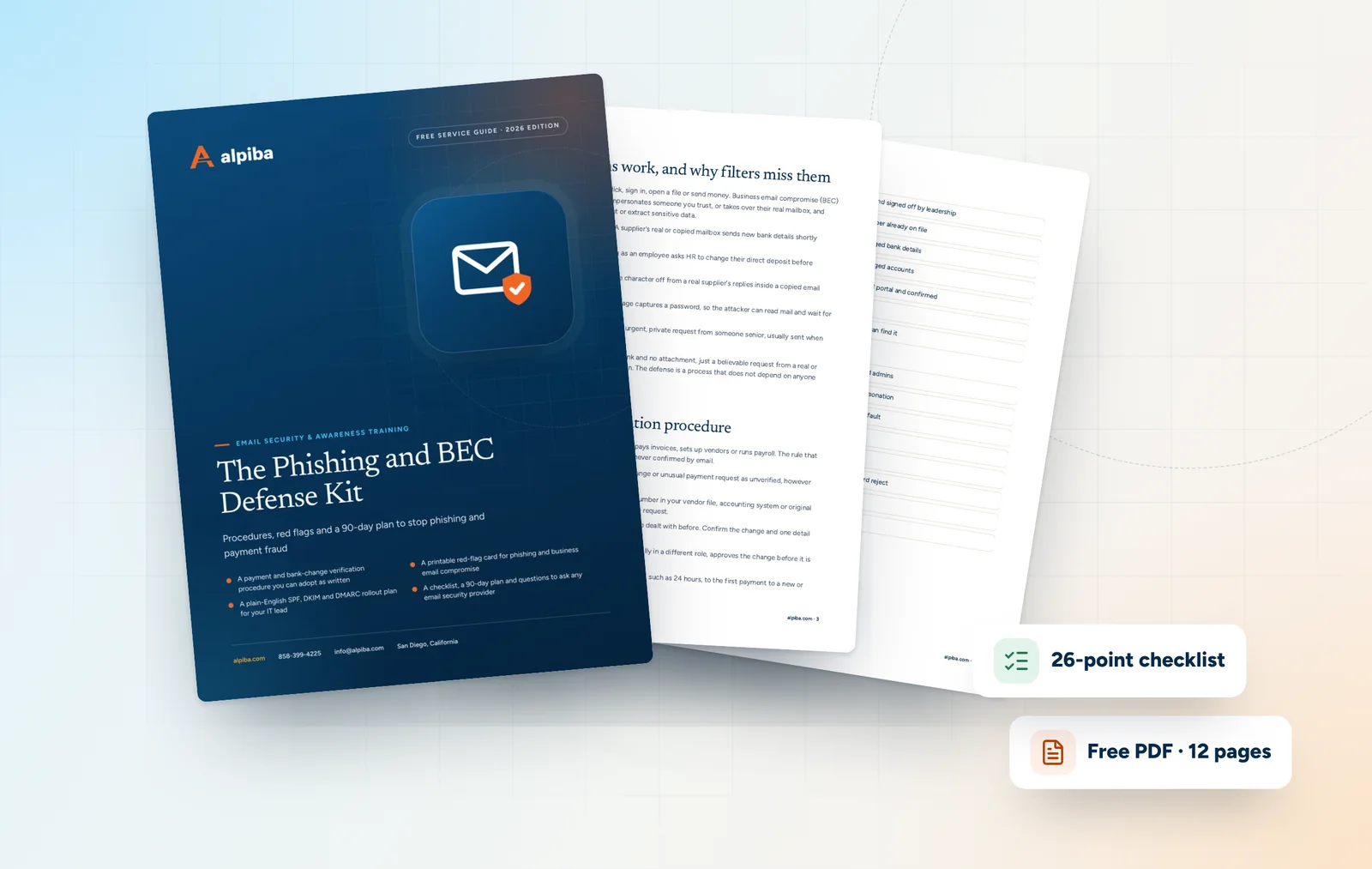
Cover and two sample pages of The Phishing and BEC Defense Kit, a free 12-page PDF guide from Alpiba with a 26-point checklist
Inside The Phishing and BEC Defense Kit.

Payment verification procedures for finance teams

No email filter can confirm that a bank account belongs to your supplier. A written procedure can. Against invoice and payroll fraud it is one of the most effective controls you have, and it costs nothing but consistency.

  1. Never verify through the request. Don't reply to the email or call the number in it. Use the phone number already in your vendor file or on a past contract.
  2. Call a known contact. Confirm the change by voice with someone you have dealt with before, and ask about a detail only the real supplier would know, such as a recent invoice number.
  3. Require a second approver. Any new payee or changed bank details needs sign-off from a second person, ideally not the one who received the request.
  4. Pause the first payment. Hold the first payment to a new or changed account for a set period, such as 24 hours, and tell vendors this is your standard practice.
  5. Record the check. Note who verified, how and when in your accounting system or vendor file, so every change leaves an audit trail.

Red flags that should trigger the procedure

  • A request to change bank details that arrives by email
  • Urgency, secrecy or a reason the sender can't take a call
  • An executive asking for a payment while traveling or unreachable
  • A sender or reply-to address that differs by a character or two
  • A new country, bank or personal account for an existing supplier
  • A request to skip your normal approval step just this once

Payroll needs the same discipline. Direct-deposit changes should be made by the employee in the payroll portal, confirmed in person or by phone, and followed by a notice to the employee's existing contact details.

If money has already moved

Call your bank immediately and ask for a recall, then file a report with the FBI's Internet Crime Complaint Center (IC3). Speed matters. Then call us at 858-399-4225 so we can secure the mailbox and find out how the attacker got in.

How we roll it out and what drives cost

Every engagement follows our four-step process, but email security has a few specifics worth knowing before you start.

  • Discovery. We review mail flow, current filtering, your DNS records, every service that sends as your domain and any recent phishing or fraud attempts.
  • Design. We agree filtering policies, a DMARC timeline, a training calendar and the payment verification procedure with you.
  • Implementation. Filtering, authentication and the report button go live in stages, starting with a baseline simulation so progress can be measured.
  • Ongoing protection. Simulations, training, review of reported mail, DMARC monitoring and a quarterly summary for leadership.

Email security and training sit inside our flat, per-user monthly pricing, so the main cost driver is how many people have mailboxes. Other factors include how many domains you own, how many third-party services send as you, and whether a framework such as HIPAA calls for documented training records. One-time work, such as moving to a new mail platform, is scoped separately before it starts.

A free 30-minute assessment is the quickest way to see where your domain, filtering and training stand today.

Choosing email security services in San Diego

The answers to these questions tell you whether a provider is selling a filter or running a program.

  • Who reviews reported messages, and how quickly does the reporter hear back?
  • Can you remove a confirmed phish from every mailbox, not just block the sender?
  • Will you take our DMARC policy all the way to reject, and who reads the reports?
  • How are simulations designed, and which topics are off-limits?
  • Do managers see names or trends?
  • Is there specific training for finance and HR on payment and payroll verification?
  • Who responds if a mailbox is compromised at 9 p.m. on a Friday?
  • What records will we have for insurers and auditors?

After-hours response is easy to overlook. Our 24/7 SOC watches identities, sign-ins and email around the clock, with an average first response under 15 minutes, so a compromised mailbox on a Friday night is dealt with that night rather than discovered on Monday.

Illustration of the San Diego skyline at sunset, with downtown towers, the bridge across the bay, sailboats and palm trees
San Diego, where Alpiba is based.

Common email security mistakes to avoid

  • Leaving DMARC at p=none forever. Monitor mode is a starting point. Until you reach quarantine or reject, anyone can still send mail as your exact domain.
  • Forgetting the other senders. Invoicing, CRM and e-signature tools that are missing from SPF or not signing with DKIM will start failing once DMARC is enforced.
  • Allowing automatic forwarding to outside addresses. A hijacked mailbox that quietly forwards mail elsewhere is a common BEC setup. Block external auto-forwarding by default and approve exceptions one by one.
  • Skipping MFA on mailboxes. A stolen password should never be enough to read someone's email. Pair email security with zero trust and identity security.
  • Training once a year. Habits fade between sessions. Short and regular beats long and rare.
  • Letting finance verify by email. A confirmation that travels through the same channel as the request confirms nothing.

Talk to an engineer

Free 30-minute assessment. We reply within 12–24 hours.

Fields marked * are required. By submitting, you agree that Alpiba may contact you about your request. We reply within 12–24 hours; for an active incident, call 858-399-4225.

How it works

From first call to fully protected.

  1. Discovery & Analysis

    We review mail flow, domain authentication and current filtering.

  2. Solution Design

    Filtering policies, DMARC rollout and a training cadence for your team.

  3. Implement

    Filtering, authentication and the report-a-phish button go live.

  4. Protect & Optimize

    Ongoing simulations, training and SOC review of reported mail.

Signs you need it

Sound familiar?

If two or more of these ring true, a 30-minute assessment will show you where to start.

Book a free assessment
  • Staff have received fake invoice or gift-card emails
  • Your domain has no DMARC record
  • Training is a once-a-year video
  • You can't tell who clicked a bad link
  • A vendor's hacked account emailed your team

From our founder

“SMBs deserve a strategic technology partner, without enterprise complexity or cost.”

Roopa · Founder, Alpiba · former Accenture advisor

Alpiba is founder-led. Every Email Security & Training engagement starts by listening to how your business runs, and senior engineers stay with you from the first call onward.

Roopa, founder of Alpiba, standing in front of evening city lights
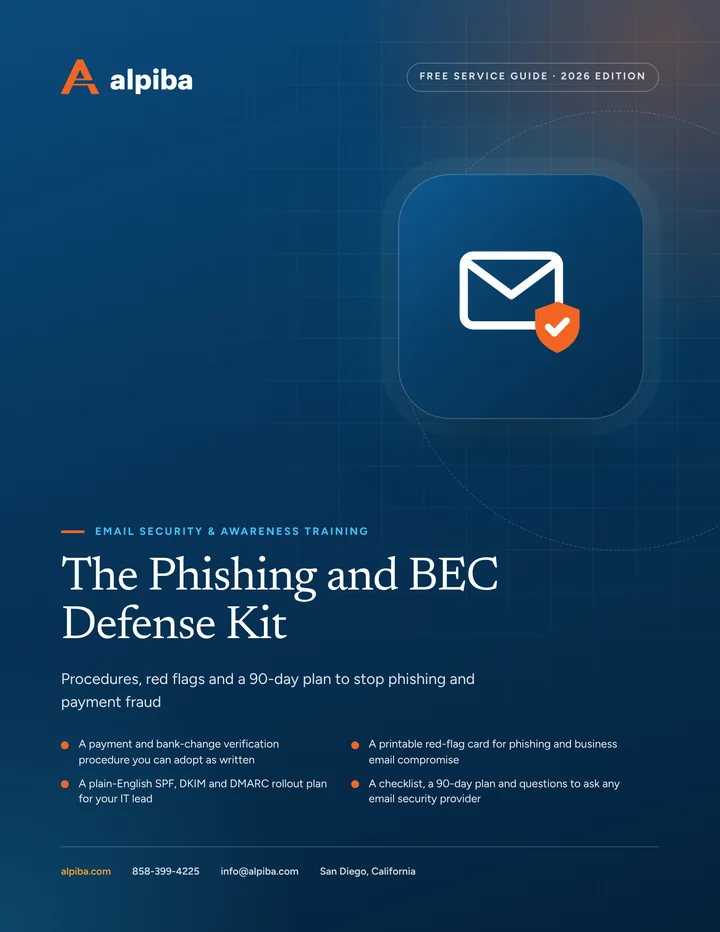
Cover of The Phishing and BEC Defense Kit, a free PDF guide

Free guide · PDF

The Phishing and BEC Defense Kit

A practical kit for owners, office managers and finance teams: a payment verification procedure, a printable red-flag card, a DMARC rollout plan and a reporting playbook.

  • A payment and bank-change verification procedure you can adopt as written
  • A printable red-flag card for phishing and business email compromise
  • A plain-English SPF, DKIM and DMARC rollout plan for your IT lead
  • A checklist, a 90-day plan and questions to ask any email security provider
Preview what's inside

Get the free guide

Instant download. By submitting, you agree that Alpiba may contact you about this guide; you can ask us to delete your details at any time.

FAQ

Email Security & Training questions, answered.

Straight answers to the questions we hear most. Still curious? Talk to a senior engineer.

What do email security services in San Diego include?

Our email security services in San Diego include inbound filtering, SPF, DKIM and DMARC setup, phishing simulation, short awareness training, a one-click report button and review of reported messages by our team. When a reported message is confirmed malicious, we remove it from every inbox that received it. Everything works on Microsoft 365 and Google Workspace and is covered by our flat, per-user pricing.

How often should we run phishing simulations?

Often enough to keep the habit of pausing and checking, but not so often that tests become background noise. We agree a cadence with you during onboarding, vary topics and difficulty, and adjust based on results, for example adding invoice-themed tests if finance staff are clicking them. Anyone who clicks gets a short lesson straight away, and leadership sees a quarterly summary of trends.

Will employees get in trouble if they click a simulated phish?

No. Simulations exist to teach, not to catch people out. Anyone who clicks sees a short, practical lesson on the red flags they missed, and leadership sees trends by team rather than a list of names. Punishing clicks teaches people to hide mistakes, and a hidden click on a real phish is the one that does damage, so we measure reporting as closely as clicking.

What is business email compromise?

Business email compromise (BEC) is a scam in which a criminal impersonates or takes over a trusted email account to redirect money or steal sensitive information. Common versions include fake invoices with changed bank details, payroll direct-deposit changes and urgent requests that appear to come from the owner. Because these messages often contain no link or attachment, payment verification procedures matter as much as filtering.

How do we prevent invoice and wire fraud?

Verify every new payee or bank-detail change by calling a known contact on a number you already have, never one taken from the email. Require a second approver for changes, hold the first payment to a new account for a set period, and record each check. Filtering and sign-in monitoring help, but a consistent callback procedure is what actually breaks the scam.

What is DMARC, and does a small business need it?

DMARC is an email authentication policy that tells receiving servers what to do with mail that claims to be from your domain but fails SPF or DKIM checks. Yes, small businesses need it. Without an enforced DMARC policy, anyone can send email that appears to come from your exact address, and Gmail and other large mailbox providers increasingly expect senders to authenticate.

Does DMARC stop all email spoofing?

No. DMARC stops criminals from sending as your exact domain once it is set to quarantine or reject. It does not stop look-alike domains that differ by a character, display names that imitate a colleague, or mail from a supplier whose real account was hacked. Those are handled by filtering, training and payment verification, which is why DMARC is one layer rather than the whole answer.

What happens when someone reports a suspicious email?

Our team reviews every reported message. If it is harmless, the reporter hears back so they know the instinct was worth acting on. If it is malicious, we remove matching copies from every inbox that received it, block the sender and check whether anyone clicked a link or entered a password, so one early report can protect the whole company.

Does this work with Microsoft 365 and Google Workspace?

Yes. Our engineers hold Microsoft 365 and Google Workspace certifications and configure filtering, authentication, reporting and training on both platforms. If you run a mix, for example a company on Microsoft 365 that sends invoices from a separate accounting platform, we bring every sending service into your SPF, DKIM and DMARC setup so legitimate mail keeps flowing.

Is security awareness training required for HIPAA or cyber insurance?

HIPAA's Security Rule requires a security awareness and training program for your workforce, and many cyber insurance applications ask whether staff receive phishing training. Training records and simulation summaries give you documentation for both. We help with readiness and evidence, but HIPAA compliance remains the practice's responsibility and insurers make their own underwriting decisions.

What should we do if an employee's mailbox is hacked?

Reset the password, sign the account out of every session, check for new forwarding or inbox rules, and warn anyone who received mail from it. Then review what the attacker could read, especially payment conversations. For managed clients our 24/7 SOC handles this, with an average first response under 15 minutes. Anyone else can call 858-399-4225 to reach a senior engineer.

Related services

Works best together.

All services
A close view of a glowing circuit board

Cybersecurity

Cybersecurity & Ransomware Defense

24/7 monitoring, threat hunting and rapid incident response that contains attacks before they impact your business.
A bright office with glass walls and meeting rooms

Cloud & Productivity

Office 365 / Microsoft 365

Certified onboarding, migration, security hardening and ongoing administration by Microsoft-certified professionals.

Built for regulated teams

Free 30-minute assessment

Ready for Email Security & Training? Let's talk.

Tell us about your business and what prompted the search. A senior engineer will reply within 12–24 hours to set up your free 30-minute assessment.

  • A senior engineer, not a salesperson
  • Reply within 12–24 hours
  • Flat per-user pricing if you want our help
Roopa, founder of Alpiba

Founder-led and San Diego basedRoopa founded Alpiba to give growing businesses a real technology partner.

858-399-4225Mon–Fri, 7am–7pm PT · 24/7 for managed clients
info@alpiba.comReply within 12–24 hours

Fields marked * are required. By submitting, you agree that Alpiba may contact you about your request. We reply within 12–24 hours; for an active incident, call 858-399-4225.

Call Free assessment