SOC online 24/7Breach or outage? Call 858-399-4225

Free guidesinfo@alpiba.comMon–Fri, 7am–7pm PT

Alpiba

Managed IT

vCIO services in San Diego that turn IT into a plan.

SMBs deserve a strategic technology partner without enterprise complexity or cost. We build a roadmap sized to your operations, budget and growth, then review it with you every quarter.

<15 min average first response Flat per-user pricing Free guide: The 12-Month IT Roadmap and Budget Planner

Two business partners reviewing plans together at a laptop

Quick answer

What is a vCIO?

A virtual CIO (vCIO) is a fractional technology leader who aligns IT with business goals: planning budgets, prioritizing projects, managing risk and guiding vendors. Alpiba's founder advised large enterprises on strategy, cybersecurity and digital transformation at Accenture, and our team brings 25+ years in technology to quarterly business reviews with every client.

What's included

Everything in IT Strategy & vCIO.

One accountable team delivers every piece below, documented and reviewed with you every quarter.

  • Technology roadmap

    A multi-quarter plan that ties every project to a business outcome.

  • Quarterly business reviews

    Progress, incidents, risk and spend reviewed with you every quarter.

  • IT budget planning

    Know what you'll spend this year and next, including renewals and refreshes.

  • Risk & security posture

    A clear picture of your exposure and the next steps to reduce it.

  • Vendor & contract guidance

    Independent advice on what to buy, renew or retire.

  • Project prioritization

    The right projects in the right order, sized to your team.

Why it matters

Technology for growth.

Every solution should advance the business, not just maintain it. Our strategy work starts with your goals, whether that's opening a second location, passing a SOC 2 audit or preparing for an acquisition, and works back to the technology.

  • Partnership first: your goals set the roadmap
  • Security built into every recommendation
  • Fortune 500 & public sector experience
  • Plain-English reporting
Sample technology roadmapExample
  1. Q1MFA everywhere · first restore testDone
  2. Q2Microsoft 365 hardening · DLP policiesDone
  3. Q3Network refresh · guest Wi-Fi segmentationIn progress

Outcomes

What you can expect.

Decisions with context

Every IT purchase is tied to a goal, a risk or a requirement.

No budget surprises

Renewals and refreshes are planned quarters ahead.

A partner, not a vendor

We act as a trusted advisor. Your goals set the roadmap.

The complete guide

vCIO services in San Diego, explained.

11 min readBy the Alpiba teamUpdated October 15, 2026

On this page

Most growing businesses don't need a full-time chief information officer. They do need someone who knows what is up for renewal next quarter, which laptops are aging out, where the real security risks sit and how all of it maps to the growth plan. Providing exactly that is the point of our vCIO services in San Diego: a virtual CIO who turns technology from a stream of surprises into a 12-month roadmap and budget, reviewed with you every quarter.

The approach borrows from enterprise practice, where Alpiba's founder spent years advising large organizations on strategy and cybersecurity. The frameworks are the same ones big companies rely on. The paperwork is sized for a 30-person firm, and every recommendation is written so a busy owner can read it in minutes.

This page explains what a vCIO does each quarter, how the roadmap and budget are built, how lifecycle planning and risk registers work, and how to tell whether you need one.

What a vCIO does for growing San Diego companies

A virtual CIO is a fractional technology leader. The helpdesk fixes today's problems; the vCIO decides what next year should look like, what it will cost and which risks are worth paying to reduce. You get the planning discipline of a CIO without a full-time executive salary.

  • Roadmap. A sequenced plan of projects for the next four quarters, each tied to a business goal, a risk or a requirement.
  • Budget. A forecast of recurring costs, refreshes, renewals and projects, so IT spending is decided once a year instead of discovered every month.
  • Lifecycle. Ages, warranties and support dates for every device, server and subscription, with replacements planned before they become emergencies.
  • Risk. A short, ranked register of what could hurt the business, who owns each risk and what is being done about it.
  • Vendors and contracts. Independent advice on what to buy, renew, consolidate or retire.
  • Reporting. Plain-English summaries for owners, boards and investors.

Our vCIO services in San Diego suit owners, CFOs and COOs who sign off on IT spending but have no wish to become technologists. That might be a software company in UTC fielding enterprise security questionnaires, a dental group adding a location in Chula Vista, or a North County manufacturer replacing an aging ERP system.

What a vCIO actually does each quarter

Strategy only works if it has a rhythm. Ours is the quarter: long enough to finish meaningful work, short enough that the plan never drifts far from reality.

  1. Gather the facts

    Ticket trends, incidents, security findings, asset ages, license counts, upcoming renewals and spend against budget are pulled together before the meeting.

  2. Send a pre-read

    A short written summary goes out ahead of time, so the meeting is spent on decisions rather than on reading slides.

  3. Hold the quarterly business review

    Together we walk through roadmap progress, incidents since the last review, changes in risk and spend against budget, then set next quarter's priorities. A short, plain-English summary follows.

  4. Update the plan

    The roadmap, budget and risk register are revised, and every approved project gets an owner, a date and a definition of done.

  5. Execute between reviews

    We run or coordinate the projects, handle renewals and raise anything that changes the plan as soon as it appears, not at the next review.

How the focus shifts across a typical year (align the quarters to your fiscal year)
QuarterMain focusWhat you leave with
FirstLock the year's priorities and budgetAn approved roadmap with owners and dates
SecondSecurity and resilience checkAn updated risk register, restore drill results and the status of insurance or compliance evidence
ThirdLifecycle and renewalsNext year's refresh list and renewal decisions
FourthNext year's planA draft 12-month roadmap and budget for leadership sign-off

Every review still covers progress, incidents, risk and spend. The rotating focus simply makes sure the big annual decisions happen on time, instead of the week before a renewal.
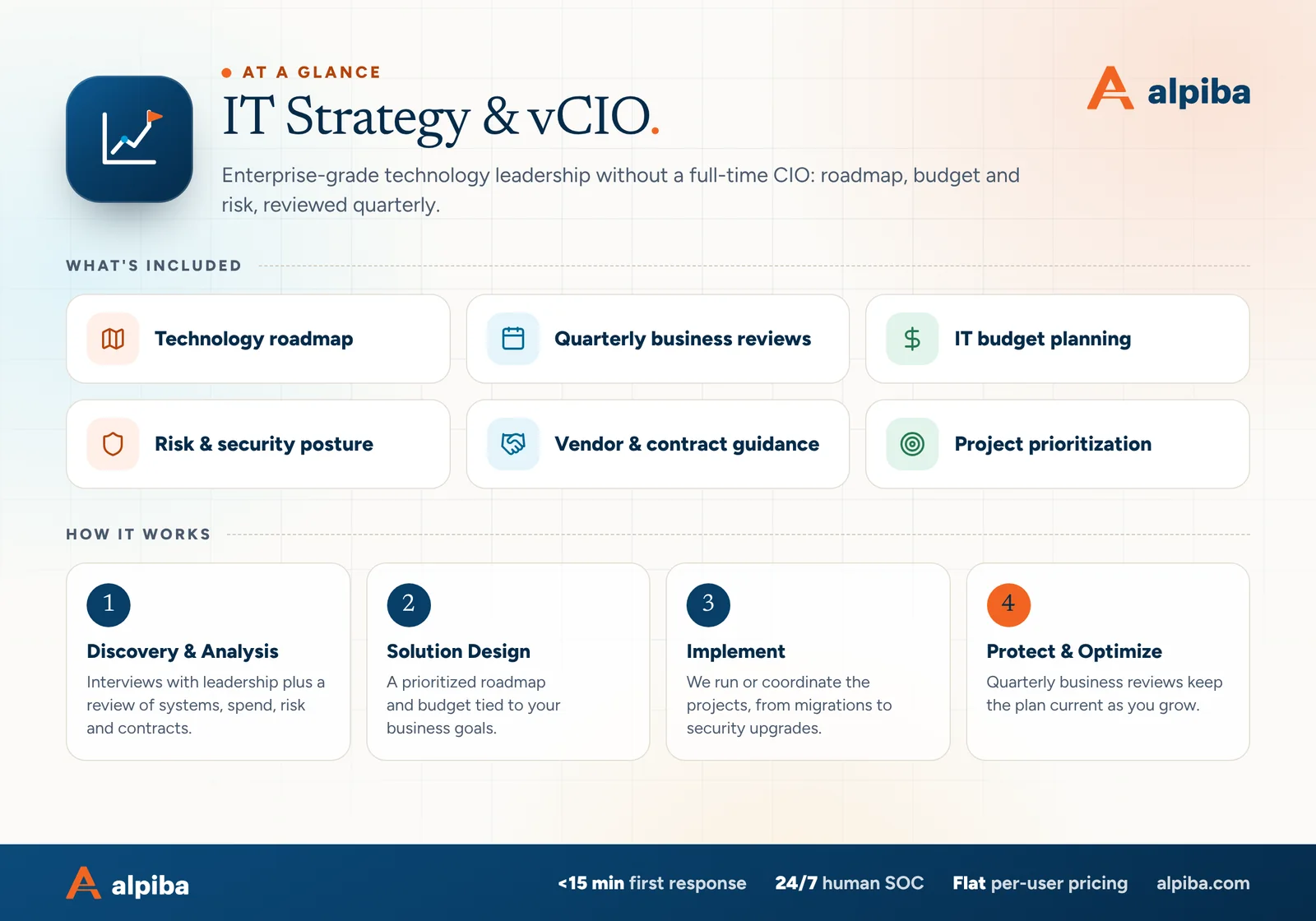
IT Strategy & vCIO at a glance. Included: Technology roadmap, Quarterly business reviews, IT budget planning, Risk & security posture, Vendor & contract guidance and Project prioritization. How it works: Discovery & Analysis, Solution Design, Implement and Protect & Optimize.
IT Strategy & vCIO at a glance: what is included and how we roll it out.

Building a 12-month IT roadmap and budget

A roadmap starts with the business plan, not with technology. We begin with interviews with leadership and a review of systems, spend, risk and contracts, then work through six steps.

  1. Capture the business goals. Hiring plans, new locations, new customers or markets, audits, funding events and anything else the next year should deliver.
  2. Baseline what exists. Inventory, contracts, licenses, known risks and the condition of each major system.
  3. List candidate projects. Growth projects, risk reduction, lifecycle replacements and compliance work, each with a rough size.
  4. Score and sequence. Weigh business value, risk reduced, effort and dependencies. Avoid stacking two big changes in one quarter or landing a migration in your busiest season.
  5. Price it. Estimate each item in budget categories, separating recurring costs from one-time projects.
  6. Agree and publish. Leadership signs off, and the plan becomes the agenda for every quarterly review that follows.

Budget categories that keep spend predictable

  • Run. Recurring services and subscriptions, such as managed IT, Microsoft 365 or Google Workspace licenses and line-of-business software.
  • Refresh. Planned replacements of laptops, servers and network gear, spread across the year.
  • Projects. One-time work tied to a goal, from a new office to a migration.
  • Security and compliance. Assessments, readiness work and the controls that insurers or customers require.
  • People. Training and adoption time, so new tools are actually used.
  • Contingency. A small reserve for the unplanned, so one surprise doesn't derail the plan.
Separate run from change

Keep recurring costs and one-time projects on separate lines. It turns the “why did IT go up?” conversation from an afternoon into five minutes.

Lifecycle planning: no more surprise replacements

Every asset has a life: purchase, warranty, end of vendor support, replacement. Software has one too. When Microsoft ended support for Windows 10, businesses with a lifecycle plan had already budgeted their replacements; others found out from a security scan or an insurance questionnaire.

Where unplanned lifecycles cause trouble
AssetWhat goes wrong without a planWhat the plan does instead
LaptopsHalf the fleet ages out in the same year and slows everyone downReplaces a share of devices each year at a set age
Servers and storageVendor support ends and the server keeps running, unpatchedSchedules a replacement or cloud move before support ends
Firewalls and Wi-FiSecurity subscriptions lapse and protection quietly stopsTracks firmware support and subscription renewals
Software and SaaSUnused seats auto-renew for another yearReviews usage before each renewal notice period
Domains and certificatesThe website or email breaks on expiry dayTurns on auto-renew and names an owner
Cyber insuranceThe renewal questionnaire asks for controls you don't haveStarts preparation at least a quarter ahead

Warranty and support are different dates. A warranty covers hardware repairs; vendor support covers the security updates that keep a device safe to use. A server out of warranty is an inconvenience, while a server out of support is a risk, so track both.

Pick a replacement age for each class and write it down. If laptops are replaced at four years, budget for roughly a quarter of the fleet every year instead of all of it at once. Our procurement and renewal tracking then turns the plan into orders, configured devices and renewals that never arrive as surprises.

A risk register leadership can actually read

A risk register is a short list of what could hurt the business, how likely and how serious each item is, who owns it and what happens next. Large enterprises run on them. Smaller businesses often don't keep one, so risk decisions get made by whoever is loudest after an incident.

Example risk register entries
RiskLikelihood / impactOwner and next step
Firewall managed through a shared admin login without MFAMedium / HighIT lead: named accounts with MFA this quarter
Only one person knows how the lab instrument PCs are configuredHigh / MediumLab manager: document and cross-train next quarter
Accounting system backups have never been restore-testedMedium / HighAlpiba: restore drill before the year-end close
Enterprise customers asking for SOC 2 readinessHigh / HighCOO: readiness project added to the roadmap
  • Keep it short. Ten to fifteen live risks is usually enough for a growing business. A register with a hundred rows gets ignored.
  • One owner per risk. A named person, not a department, so someone is accountable for the next step.
  • Accept risks in writing. Not every risk is worth fixing. When leadership decides to live with one, record the decision, the reason and a date to revisit it.
  • Close the loop. Move finished items to a closed list with the date and the evidence, which is exactly what auditors and insurers ask to see.

We map entries to the six functions of the NIST Cybersecurity Framework 2.0 (Govern, Identify, Protect, Detect, Respond and Recover), so leadership can see whether gaps cluster in prevention, detection or recovery. Findings from vulnerability assessments feed straight into the register, ranked by business impact rather than by technical score alone.
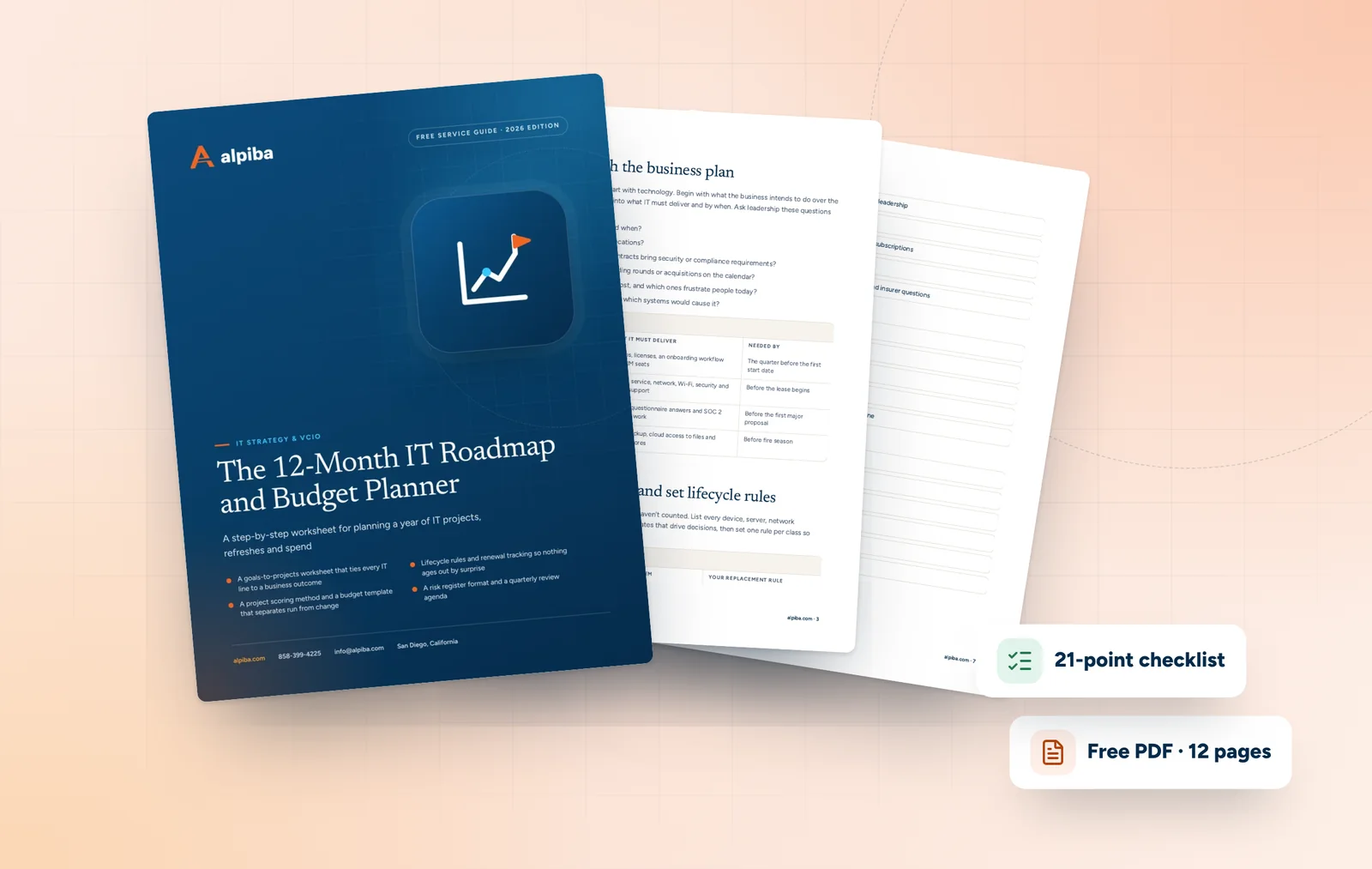
Cover and two sample pages of The 12-Month IT Roadmap and Budget Planner, a free 12-page PDF guide from Alpiba with a 21-point checklist
Inside The 12-Month IT Roadmap and Budget Planner.

Aligning IT with your growth plans

Growth breaks informal IT. The roadmap's job is to see each milestone coming and have the technology ready before the business needs it.

Opening a second location

Network, security and on-site support should be ready before the lease starts. A new office in Carlsbad or Chula Vista goes on the roadmap as soon as the lease is discussed.

Hiring fast

Growing from 25 to 50 people breaks onboarding that lives in someone's head. Standard devices, license planning and a written workflow arrive ahead of the hiring wave.

Winning larger customers

Enterprise buyers send security questionnaires and may ask about SOC 2. Readiness takes quarters, so it starts before a deal depends on it.

Raising capital or selling

Investors and buyers ask about cyber risk, data ownership and IT contracts during due diligence. A current risk register and asset inventory answer most of it.

Adopting AI tools

Copilot and Gemini can only see what each user can see. Clean up file permissions and data access before switching them on.

Moving or expanding a lab

Biotech teams around Torrey Pines and Sorrento Valley need instrument PCs, data storage and network segmentation planned with the move. Retrofitting them afterward costs time the science can't spare.

Two services often appear in these plans. Compliance readiness prepares and evidences the controls behind SOC 2, HIPAA or ISO 27001 alignment; auditors issue the reports, and the obligations remain yours. Secure AI and automation helps teams adopt copilots and agents without exposing data they shouldn't.

Reporting to leadership, boards and investors

Boards and investors don't want ticket counts. They want to know whether the business is exposed, whether the plan is on track and what they need to decide. A good IT report fits on one page.

  • The top five risks, each with its trend since last quarter
  • Roadmap progress: on track, at risk or blocked, with reasons
  • Spend against budget, separated into run and change
  • Incidents, how quickly they were contained and what changed afterward
  • Compliance and insurance status, described as readiness rather than certification
  • The decisions needed, and the date they are needed by
Readiness is not certification

We help you prepare evidence for SOC 2, HIPAA or insurer questionnaires. Auditors issue the reports and compliance obligations stay with your business, so a good board report says plainly which is which.

Due diligence and security questionnaires

Fundraising, acquisitions and enterprise sales all bring long questionnaires about how you protect data. The same questions repeat: where data lives, who can access it, whether MFA is enforced, how backups are tested, what incidents have occurred and which vendors hold your data. Keeping those answers current in one place turns a two-week scramble into an afternoon.

When a board member asks whether ransomware could stop the business, the honest answer depends on recovery time and tested restores, not on how many tools you own. Our downtime cost calculator helps put a number on that conversation before anyone has to learn it the hard way.

Enterprise discipline, sized for a growing business

Roopa, Alpiba's founder, learned early, inside corporate IT departments, that good technology decisions quietly compound and bad ones quietly bleed. Recruited by Accenture in 2018, she spent years advising large enterprises on strategy, cybersecurity and digital transformation, where written roadmaps, formal risk management and disciplined prioritization are simply how work gets done.

Alpiba exists to give smaller businesses that same discipline, delivered with the responsiveness and directness of a boutique firm. Her view is simple: “SMBs deserve a strategic technology partner, without enterprise complexity or cost.”

  • Written plans. A roadmap, budget and risk register you can read, share and hold us to.
  • Frameworks without bureaucracy. NIST CSF structure and portfolio-style prioritization, sized for a team that has a business to run.
  • Security in every recommendation. No project goes on the roadmap without its security implications considered from the start.
  • Growth over maintenance. Each roadmap item should help the business grow, win work or reduce real risk, not only keep existing systems alive.

Alpiba's leadership brings 25+ years in technology, 100+ successful technology initiatives, $100M+ in technology programs managed, 10,000+ end users supported, and Fortune 500 and public sector experience. You can read more about Roopa and why she started Alpiba.

Signs you need a vCIO, and how to choose one

You may not need a vCIO yet if your team is small and stable, with no growth, audit or funding events ahead. These are the signs that the time has come.

  • Your IT budget is last year's number plus a guess
  • Projects start because a vendor called, not because a goal required them
  • A customer security questionnaire took weeks to answer
  • Your cyber insurance renewal asked questions nobody could answer
  • Nobody knows when the firewall or server stops receiving security updates
  • Leadership can't name the top three technology risks

Questions to ask any vCIO provider

  1. Can I see a sample roadmap, budget and quarterly pre-read?
  2. What would you tell us not to buy?
  3. Who attends our reviews, and how senior are they?
  4. How will we know, a year from now, whether your advice paid off?
  5. How would you report our risk to a non-technical board?
A roadmap that is really a quote

If every item on a roadmap is something the provider sells, it is a sales plan. A real roadmap includes changes that cost nothing, such as retiring a tool, consolidating licenses or fixing a process.

How vCIO work is priced

Our vCIO services in San Diego are priced the same way as the rest of our work. Quarterly business reviews are part of every managed IT engagement, under flat, per-user monthly pricing with no surprise line items. The depth of strategy work you need, from board reporting to due diligence support, is scoped during a free 30-minute assessment, and projects that come out of the roadmap are quoted and approved before they start.

Illustration of the San Diego skyline at sunset, with downtown towers, the bridge across the bay, sailboats and palm trees
San Diego, where Alpiba is based.

Talk to an engineer

Free 30-minute assessment. We reply within 12–24 hours.

Fields marked * are required. By submitting, you agree that Alpiba may contact you about your request. We reply within 12–24 hours; for an active incident, call 858-399-4225.

How it works

From first call to fully protected.

  1. Discovery & Analysis

    Interviews with leadership plus a review of systems, spend, risk and contracts.

  2. Solution Design

    A prioritized roadmap and budget tied to your business goals.

  3. Implement

    We run or coordinate the projects, from migrations to security upgrades.

  4. Protect & Optimize

    Quarterly business reviews keep the plan current as you grow.

Signs you need it

Sound familiar?

If two or more of these ring true, a 30-minute assessment will show you where to start.

Book a free assessment
  • IT spending feels reactive
  • No one owns a multi-year technology plan
  • Renewals sneak up on you
  • Leadership or investors ask about cyber risk
  • Growth plans are outpacing your systems

From our founder

“SMBs deserve a strategic technology partner, without enterprise complexity or cost.”

Roopa · Founder, Alpiba · former Accenture advisor

Alpiba is founder-led. Every IT Strategy & vCIO engagement starts by listening to how your business runs, and senior engineers stay with you from the first call onward.

Roopa, founder of Alpiba, standing in front of evening city lights
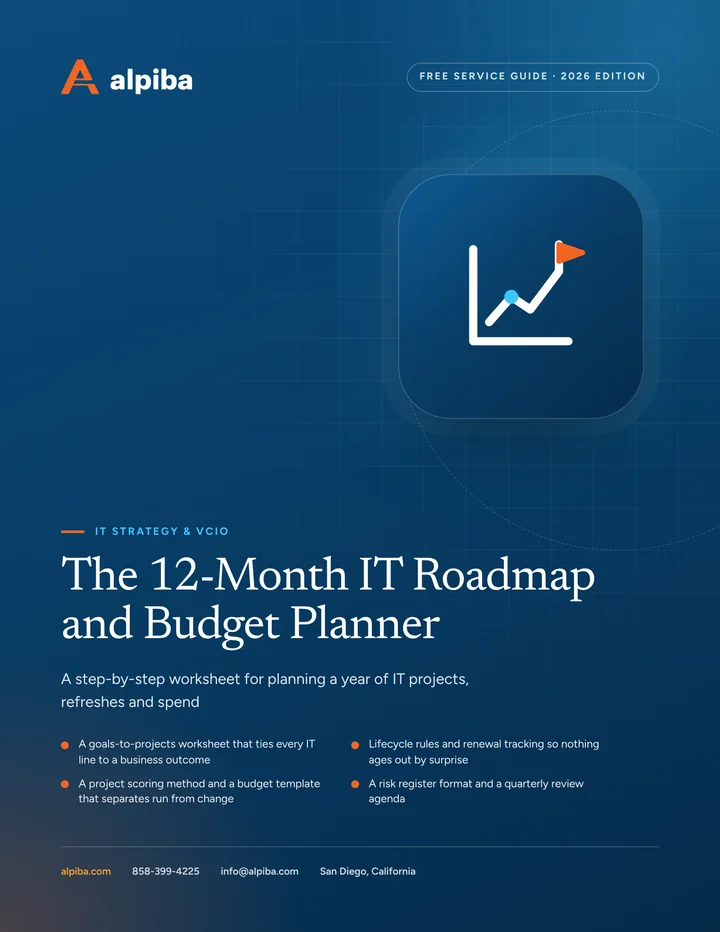
Cover of The 12-Month IT Roadmap and Budget Planner, a free PDF guide

Free guide · PDF

The 12-Month IT Roadmap and Budget Planner

Plan a full year of IT in a few working sessions: tie projects to business goals, schedule lifecycle replacements, build a predictable budget and report progress every quarter.

  • A goals-to-projects worksheet that ties every IT line to a business outcome
  • Lifecycle rules and renewal tracking so nothing ages out by surprise
  • A project scoring method and a budget template that separates run from change
  • A risk register format and a quarterly review agenda
Preview what's inside

Get the free guide

Instant download. By submitting, you agree that Alpiba may contact you about this guide; you can ask us to delete your details at any time.

FAQ

IT Strategy & vCIO questions, answered.

Straight answers to the questions we hear most. Still curious? Talk to a senior engineer.

What does a vCIO do?

A vCIO, or virtual chief information officer, is a fractional technology leader who aligns IT with business goals. In practice that means building and maintaining a 12-month roadmap and budget, planning hardware and software lifecycles, keeping a risk register, guiding vendor and contract decisions and reporting to leadership in plain English, without the cost of a full-time executive hire.

What happens in a quarterly business review?

We review roadmap progress, incidents, risk and spend, then agree the priorities for the next quarter. A short pre-read goes out beforehand so the meeting is spent on decisions, and you leave with a plain-English summary. Across the year the focus rotates through the budget, security and resilience, lifecycle and renewals, and next year's plan.

How much do vCIO services in San Diego cost?

The cost depends on the size of your business, the number of sites and systems, your compliance obligations and how much project coordination you need. Managed IT clients already get quarterly business reviews within their flat, per-user monthly fee. Board reporting, due diligence support and other deeper strategy work are scoped after a free 30-minute assessment, with no surprise line items.

Is vCIO guidance included in managed IT?

Quarterly business reviews are included in Alpiba's managed IT engagement, so managed clients get regular roadmap, risk and budget conversations as standard. If you have an internal IT team, ask about strategy support for co-managed teams during your free assessment. We agree the right level of strategic involvement based on your growth plans, compliance needs and how much planning you want to own.

Who leads strategy at Alpiba?

Strategy at Alpiba is shaped by its founder, Roopa. She started out inside corporate IT departments, then joined Accenture in 2018 and spent years advising large enterprises on strategy, cybersecurity and digital transformation. Alpiba applies that enterprise discipline to small and mid-sized businesses, sized to their budgets and without the layers of process that larger organizations carry.

How far ahead does an IT roadmap look?

We plan in quarters and keep a rolling 12-month view that includes renewals, hardware refreshes and compliance deadlines. Lifecycle items such as server or firewall replacements are tracked further out, so large purchases appear in the budget well before they are due. Each quarterly review moves the window forward, so the plan never goes stale.

What is the difference between a vCIO and a full-time CIO?

A full-time CIO is an executive employee who leads IT every day; a vCIO provides the same planning, budgeting and risk leadership on a fractional basis. For many small and mid-sized businesses the workload doesn't justify a full-time executive salary, but the decisions still need an owner. A vCIO fills that role until a full-time hire makes sense.

Do we need a vCIO if we already have an IT manager?

Often, yes, because the roles are different. An IT manager keeps systems running and users productive; a vCIO steps back to plan budgets, lifecycles, risk and vendor strategy over the longer term. Together, the IT manager brings day-to-day knowledge and the vCIO brings planning discipline and an outside perspective, which usually strengthens the IT manager's case to leadership.

What should a small business IT budget include?

A useful IT budget separates recurring costs from one-time change. Include run costs such as managed services, licenses and subscriptions; planned refreshes of laptops, servers and network gear; projects tied to business goals; security and compliance work; training; and a small contingency. Separate lines make it easy to explain why spending moved and to adjust without derailing the plan.

How often should business computers and servers be replaced?

Set a replacement age for each asset class and budget for it, rather than waiting for failures. You might plan four years for laptops, for example, and replace servers and network gear before vendor support and security updates end. Staggering replacements spreads the cost evenly, and tracking warranty and support dates keeps aging devices from quietly becoming security risks.

Can a vCIO help with board or investor reporting?

Yes. We turn technology and security status into a one-page report a board or investor can read: top risks and their trend, roadmap progress, spend against budget, incidents and how they were handled, compliance readiness and the decisions needed. The same material becomes the starting point for due diligence questionnaires during fundraising or an acquisition.

Will a vCIO help with compliance and cyber insurance?

Yes, as part of planning and readiness. We map your controls to frameworks such as NIST CSF, plan the work needed for SOC 2, HIPAA or insurer requirements, and keep evidence organized ahead of renewals and audits. Auditors issue the reports and compliance remains your organization's responsibility, but you go into each review prepared rather than scrambling.

Related services

Works best together.

All services
People working at laptops across a large open office

Managed IT

Managed IT & White-Glove Support

Your single point of contact for all technology, with a tailored helpdesk and on-site support backed by clear SLAs.

A team in a working session around a conference table

Compliance & Risk

Compliance Readiness

Design, implement and evidence the controls auditors and insurers ask for, and keep the audit trail ready.

Colleagues gathered around laptops in a working session

Cloud & Productivity

Secure AI & Automation

Adopt AI agents and copilots with the same security-first discipline we bring to everything else.

Free 30-minute assessment

Ready for IT Strategy & vCIO? Let's talk.

Tell us about your business and what prompted the search. A senior engineer will reply within 12–24 hours to set up your free 30-minute assessment.

  • A senior engineer, not a salesperson
  • Reply within 12–24 hours
  • Flat per-user pricing if you want our help
Roopa, founder of Alpiba

Founder-led and San Diego basedRoopa founded Alpiba to give growing businesses a real technology partner.

858-399-4225Mon–Fri, 7am–7pm PT · 24/7 for managed clients
info@alpiba.comReply within 12–24 hours

Fields marked * are required. By submitting, you agree that Alpiba may contact you about your request. We reply within 12–24 hours; for an active incident, call 858-399-4225.

Call Free assessment