
SOC online 24/7Breach or outage? Call 858-399-4225

Free guidesinfo@alpiba.comMon–Fri, 7am–7pm PT

Alpiba

Software & Technology Companies

IT for tech companies ready for remote hires and enterprise security reviews.

Enterprise buyers want proof that you take security seriously. Alpiba helps software and technology teams get SOC 2 ready, lock down identity and cloud, and ship secure laptops to remote hires without slowing developers down.

  • SOC 2
  • Cloud security

Quick answer

What IT support do software and technology companies need?

Software and technology companies need IT that supports SOC 2 and customer security reviews, secures identities and cloud tools with zero-trust access, manages devices for remote and hybrid teams, and monitors around the clock without slowing engineers down. Alpiba provides compliance readiness, identity security, device management and 24/7 SOC monitoring.

The challenge

What makes IT different for software companies.

  1. Enterprise deals need SOC 2

    Security questionnaires and audit reports stand between you and larger customers.

  2. Developers need power without risk

    Admin rights, production access and secrets need guardrails that don't slow shipping.

  3. Identity and SaaS sprawl

    Every new tool adds accounts, permissions and another place for data to leak.

  4. Remote-first teams

    Laptops ship across the country and every one needs to be secured, tracked and supported.

How Alpiba helps

Four ways we protect software companies.

SOC 2 Type II readiness

We design, implement and evidence the technical controls auditors ask for, and keep the audit trail ready.

Zero-trust identity

MFA everywhere, conditional access and least-privilege roles across Google Workspace or Microsoft 365.

Remote device management

Standard, secured laptops procured, configured and shipped, with onboarding and offboarding handled.

24/7 cloud & identity monitoring

Human analysts watching sign-ins, endpoints, email and cloud around the clock.

Illustrative scenario

What this looks like in practice.

A composite example built from situations we see in software companies. It shows how we would approach the work, not results from a named client.

Illustrative scenario

Preparing a hybrid UTC software company for its first enterprise security review

A venture-backed B2B software company of a few dozen people, with a small office near UTC and most engineers working remotely in several states. It runs on Google Workspace, Mac laptops and a growing list of SaaS tools, and its own engineering team operates production in a public cloud.

Services involved: Compliance Readiness, Zero Trust & Identity, IT Procurement, 24/7 SOC & MDR

The situation

  • An enterprise prospect has sent a long security questionnaire and asked for a SOC 2 report the company does not have.
  • Laptops are bought ad hoc, several are unmanaged, and nobody can confirm which ones are encrypted.
  • Offboarding is a manual checklist, and former contractors may still have access to SaaS tools and code repositories.

What we would do

  1. Map and splitWe would inventory people, accounts, laptops and apps, then agree a written split with the engineering lead: Alpiba owns corporate IT controls, engineering owns production.
  2. Identity firstCore apps move behind Google Workspace single sign-on, admins get separate accounts with security keys, and stale accounts are removed.
  3. Devices and onboardingEvery laptop is enrolled in device management with encryption, updates and EDR, and new hires receive pre-enrolled laptops shipped to their homes.
  4. Monitor and evidenceOur SOC monitors endpoints, identities and email 24/7 while we run a SOC 2 gap assessment and help the team answer the questionnaire's IT sections with evidence.

What good looks like

  • Every laptop is managed, encrypted and visible in one inventory.
  • Leavers lose access everywhere in one step on their last day, with a record kept.
  • Questionnaire answers are accurate and backed by evidence the company can share.
  • The company is ready to start a SOC 2 observation period with its chosen auditor.
<15 minaverage first response
<1 hrransomware containment playbook
<4 hrstypical recovery time objective
24/7human-staffed SOC

This scenario is an illustrative composite, not a client case study. Figures shown are Alpiba service standards, not client results.

From our founder

“SMBs deserve a strategic technology partner, without enterprise complexity or cost.”

Roopa · Founder, Alpiba · former Accenture advisor

Alpiba brings enterprise-grade security and support to software companies that do not have an enterprise IT department, with senior engineers who learn how your work actually runs.

Roopa, founder of Alpiba, standing outdoors in a white polka-dot dress

The complete guide

IT for tech companies, explained.

11 min readBy the Alpiba teamUpdated October 15, 2026

On this page

Most software companies run without an IT department until something forces the issue: an enterprise prospect sends a long security questionnaire, a contractor who left months ago still has access to a SaaS tool, or a new hire starts on a laptop nobody manages. Alpiba provides IT services for tech companies in San Diego that want to fix those gaps before they cost a deal. We run the corporate side of the business: identity and single sign-on, laptops for remote and hybrid staff, Google Workspace or Microsoft 365, email security and 24/7 monitoring.

We do not write your code or operate your production cloud; your engineers own that. We own what surrounds it, and that is where buyers and auditors start: who can sign in to what, whether every laptop is encrypted and monitored, how quickly access disappears when someone leaves, and whether you can prove all of it. Those are also many of the controls a SOC 2 auditor tests.

Below we cover how tech teams in UTC, Sorrento Valley, Downtown San Diego and beyond can separate corporate IT from production, when to start SOC 2, what good IT looks like from seed stage to a few hundred people, and a 90-day plan to get there.

What IT looks like inside a San Diego tech company

San Diego's software and technology companies cluster around UTC and Sorrento Valley, close to UC San Diego and the region's life sciences and wireless companies, and in Downtown San Diego, with more spread through North County. Very few work only from those offices. A typical team is hybrid: engineers, sales and support staff live across several states, and the office is where people meet rather than where systems live.

That shapes the IT. There is rarely a server room. The business runs on Google Workspace or Microsoft 365, a growing list of SaaS tools, laptops that may never visit the office, and a production environment the engineering team builds and operates. Startup IT support usually begins as a side job for a founder, an operations lead or the most patient engineer, and it works until the company outgrows one person's memory of every account.

That is why good IT services for tech companies in San Diego look different from a traditional office IT contract: less hardware, and far more identity, device and evidence work.

Signs IT has outgrown the side-job stage

  • New hires wait days for a laptop, or start on a personal device.
  • Nobody can say which laptops are encrypted, up to date or still in use.
  • Former employees or contractors still appear in SaaS admin consoles.
  • Each new tool gets its own password instead of single sign-on.
  • Security questionnaires land on an engineer's desk and eat a week of product time.
  • Several people share the super admin account for Google Workspace or Microsoft 365.

Corporate IT and production are separate jobs

The most useful line a growing tech company can draw is between corporate IT and production. Corporate IT is the company's own technology: identities, laptops, email, documents, SaaS tools and the office network. Production is the product: the cloud accounts, code repositories, pipelines and databases that serve customers. They need different skills and owners, but they meet at identity, devices and evidence.

Alpiba manages corporate IT and security. We do not provide DevOps or software development, and we do not take over your production cloud. We make the corporate side strong enough to protect production: engineers reach cloud consoles and code platforms through company single sign-on (SSO) and multi-factor authentication (MFA), their laptops are managed, encrypted and protected by EDR (endpoint detection and response software that can isolate a compromised device), and one offboarding step removes access everywhere SSO reaches.

Who typically owns what in a growing tech company
AreaCorporate IT (Alpiba)Engineering (your team)
IdentityIdentity provider, SSO, MFA policy, joiner and leaver workflowsRoles and permissions inside cloud accounts and code platforms
DevicesLaptop purchasing, enrollment, encryption, patching and EDRDeveloper tools and local environments on those laptops
Email and filesWorkspace setup, sharing rules, email security and authenticationEmail the product sends to its own users
Monitoring24/7 security monitoring of endpoints, identities, email and workspace activityApplication, infrastructure and uptime monitoring
SecretsCompany password manager and its policiesAPI keys, tokens and credentials used by production
SOC 2 evidenceAccess reviews, device reports, training and offboarding recordsChange management, code review and production access records
Write the split down

Agree a one-page responsibility split between your engineering lead and your IT partner, and revisit it each quarter. Auditors and enterprise buyers both ask who owns each control, and gaps tend to hide at the handoffs.
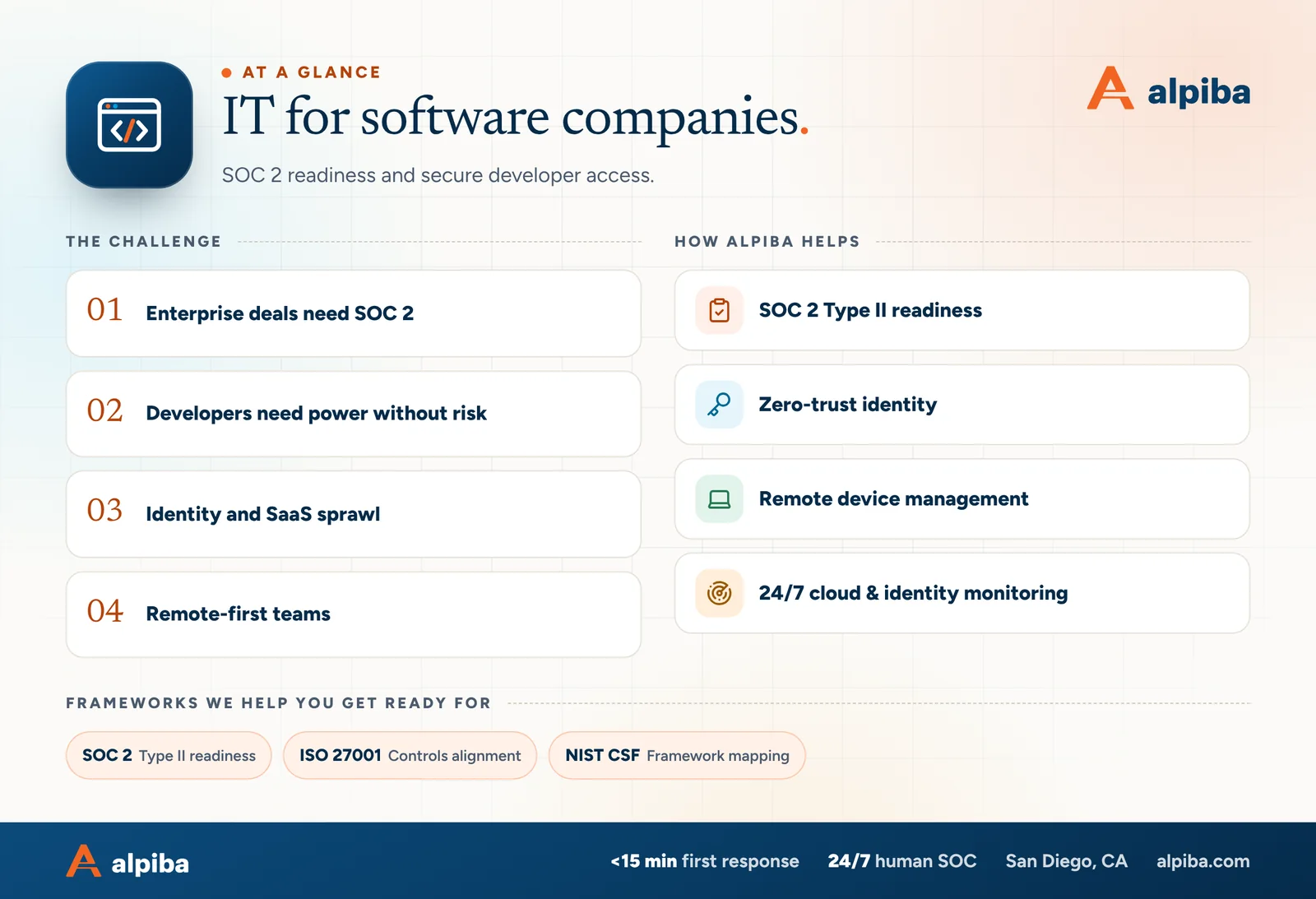
IT for software companies at a glance. Challenges: enterprise deals need soc 2, developers need power without risk, identity and saas sprawl and remote-first teams. How Alpiba helps: soc 2 type ii readiness, zero-trust identity, remote device management and 24/7 cloud & identity monitoring. Frameworks: SOC 2, ISO 27001 and NIST CSF.
IT for software companies at a glance.

Security reviews, SOC 2 and when to start

The first large customer usually arrives with a security review: a questionnaire that can run to hundreds of questions, a request for your SOC 2 report, or both. Procurement teams use the answers to decide whether you can be trusted with their data, and a slow or vague response can stall a deal that sales considered closed.

SOC 2 is an attestation report issued by an independent CPA firm against the AICPA's Trust Services Criteria. Security is always in scope; availability, processing integrity, confidentiality and privacy are added when customers need them. A Type I report looks at whether controls are designed properly at one point in time. A Type II report also tests whether they operated effectively over an observation period, commonly three to twelve months.

When SOC 2 readiness for startups should begin

  • Start when the questions start. Once prospects ask for a report or questionnaires consume engineering time, begin readiness. A Type II report can only cover a period after your controls are running.
  • Fix the IT foundations first. Identity, device management, offboarding and logging take the longest to make consistent, and auditors test them by sampling real records.
  • Use a Type I as a bridge if needed. Some companies get a Type I to answer early deals while the Type II observation period runs.
  • Plan for every year after. Buyers ask for a current report annually, so controls must keep operating between audits, not just before them.
Readiness is not the report

Alpiba designs, implements and evidences the IT and security controls. Your auditor performs the examination and issues the report. Framework references describe readiness for your environment, not an attestation of Alpiba.

Our SOC 2 readiness support covers the gap assessment, control implementation and evidence collection for the corporate IT side, and it fits alongside whichever auditor or compliance platform you choose.

The risks that actually hurt software companies

Attackers rarely start with a startup's product. They go after the people and accounts around it, because one compromised identity can open email, documents, SaaS tools and sometimes production.

Account takeover

A phished password or an MFA prompt approved by mistake hands an attacker a real employee's access. Phishing-resistant MFA (security keys or passkeys) for admins and engineers, plus sign-in monitoring, makes that much harder.

Offboarding gaps

Contractors and former staff keep access to tools nobody remembered they had. Without SSO and a written leaver process, removing access depends on memory.

Unmanaged laptops

Engineering laptops hold source code, tokens and sometimes customer data. A lost one without encryption or remote lock can turn into a disclosure to customers.

SaaS and AI app sprawl

Staff connect new tools with their company accounts and grant them access to mail and files. Reviewing third-party app access keeps that from becoming a quiet data leak.

Payment and payroll fraud

Finance and HR receive fake invoices, changed bank details and payroll redirect requests. Email authentication (SPF, DKIM and DMARC), training and a call-back rule for payment changes make these much harder to pull off.

Customer data in the wrong place

Production exports end up in personal drives, spreadsheets or AI chat tools. Sharing rules and data loss prevention policies keep customer data where it belongs.

None of these needs a sophisticated adversary, which is why security questionnaires ask about them early. Human analysts in our 24/7 security operations center (SOC) watch for the signals behind them, such as impossible-travel sign-ins, new mail forwarding rules and suspicious processes on a laptop, with an average first response under 15 minutes.

From seed stage to scale-up: what good IT looks like

You do not need enterprise controls on day one, but you do need foundations that make them easy to add. This is how corporate IT typically matures as a company grows from a founding team to a few hundred people.

Corporate IT maturity by growth stage
AreaFounding teamFirst enterprise dealsScaling up
IdentityOne workspace, MFA on every accountSSO for core apps, separate admin accounts with security keysSSO and automated provisioning everywhere, quarterly access reviews
DevicesCompany-owned laptops with encryption onEvery laptop in device management with EDR, updates and screen lockZero-touch enrollment, device health checked before access
Onboarding and offboardingA shared checklist with a named ownerDocumented joiner and leaver workflows, same-day removalAutomated onboarding and offboarding driven by HR records
Email and dataSensible sharing defaultsSPF, DKIM and DMARC, phishing training, external sharing rulesData loss prevention and regular third-party app reviews
MonitoringBuilt-in alerts reviewed weekly by a named person24/7 monitoring of endpoints, identities and emailAn incident response plan tested in tabletop walk-throughs
BackupsA list of the SaaS data you cannot afford to loseSeparate backups of workspace dataDocumented recovery targets and quarterly restore tests
EvidenceNotes on what is set up and whyAn answer library and a SOC 2 gap assessmentEvidence collected continuously through each audit period

If you are past your first enterprise deal and most rows still sit in the first column, that gap is what a security reviewer will find. Device management for remote teams and same-day offboarding are the two rows we would move first.
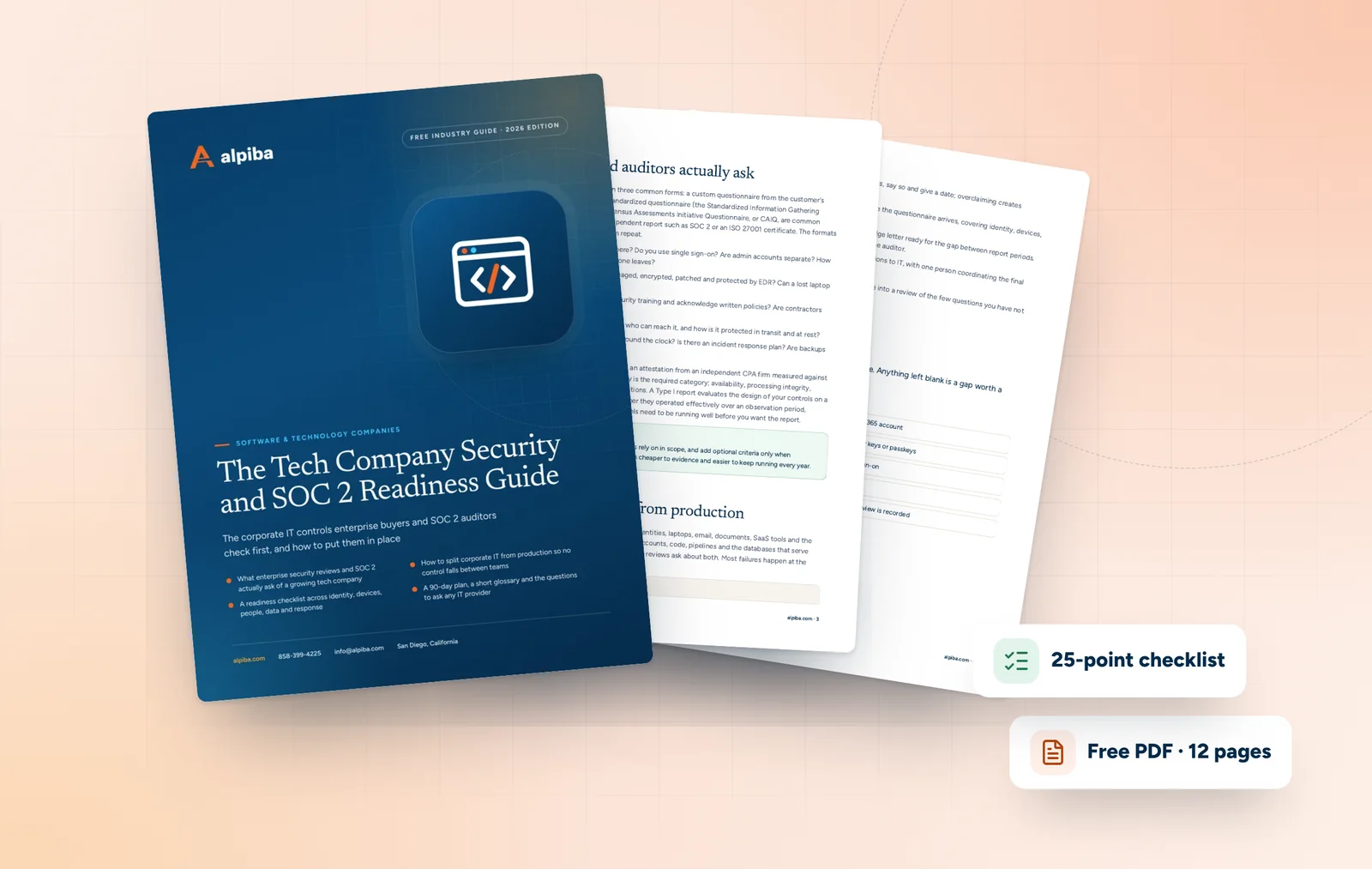
Cover and two sample pages of The Tech Company Security and SOC 2 Readiness Guide, a free 12-page PDF guide from Alpiba with a 25-point checklist
Inside The Tech Company Security and SOC 2 Readiness Guide.

How Alpiba supports tech companies

We act as the corporate IT and security team for companies that do not have one, or as co-managed IT for companies whose internal IT lead or platform team needs more depth and after-hours coverage. Either way, IT for SaaS companies has to keep pace with hiring without slowing engineers down.

  • Identity and access: MFA everywhere, conditional access rules that check the user, device and location, separate admin accounts and same-day offboarding.
  • Devices for remote staff: laptop procurement and shipping to standard specs, enrollment in device management, delivery to new hires across the country and returns when people leave.
  • Workspace and email: Google Workspace administration or Microsoft 365 by certified engineers, including sharing rules, email authentication and migrations between the two.
  • Monitoring and response: human analysts watching endpoints, identities, email and workspace activity around the clock, with ransomware and breach events triggering a documented containment playbook within the first hour.
  • Readiness and strategy: SOC 2 Type II readiness, ISO 27001 controls alignment, NIST CSF mapping and quarterly business reviews tied to your hiring plan and audit calendar.

A remote new hire's first day

  1. Offer accepted

    Your people team sends us the start date. We create the account, assign groups and apps through SSO, and order a laptop to your standard spec.

  2. Laptop ships

    The device goes straight to the new hire's home, registered for zero-touch enrollment so it configures itself at first sign-in.

  3. Day one

    The new hire signs in, sets up MFA and receives apps, settings, encryption and EDR automatically. A senior engineer is a call away if anything sticks.

  4. Evidence recorded

    Account creation, device compliance and training assignment are logged, the same kind of evidence a SOC 2 auditor samples later.

Technology decisions worth getting right early

  • Google Workspace or Microsoft 365. Both serve startups well. Browser-first teams often prefer Google Workspace; teams that live in desktop Office apps, or sell to customers who do, often choose Microsoft 365. Pick one as the source of truth for identity and email rather than running both.
  • Single sign-on and provisioning. Connect every app that holds company or customer data to SSO, and turn on automated provisioning (SCIM, a standard for creating and removing accounts automatically) where the app supports it. Some vendors reserve SSO for higher pricing tiers, so budget for it on the apps that matter.
  • Mac, Windows or both. Mixed fleets are normal in engineering teams. Hold every platform to the same baseline: encryption, screen lock, automatic updates, EDR and remote lock.
  • A company password manager. Shared credentials belong in managed vaults with access tied to roles, not in chat threads or spreadsheets.
  • Backups for workspace data. Your provider keeps the service running, but recovering from a mass deletion or a compromised admin account is on you. Separate backups with tested restores cover that.
  • The office network. Even a small office near UTC or Downtown needs a business firewall, staff Wi-Fi separated from guests, and conference room devices on their own segment.
  • AI assistants. Copilot, Gemini and similar tools respect existing permissions, so fix oversharing and publish a short AI usage policy before rolling them out.
Standardize before you scale

Pick one or two laptop models and one security baseline per platform. Every exception you allow at a few dozen people becomes a support and audit problem at a few hundred.

A 90-day plan to get enterprise-ready

This is the order we would work in for a company preparing for its first enterprise security reviews. It assumes a cloud-first business with no dedicated IT staff; adjust it to your starting point.

Days 1–30: see everything

  • Inventory every person, account, laptop and SaaS app, contractors included
  • Enforce MFA on Google Workspace or Microsoft 365 and on every admin account
  • Remove former employees and contractors from every system you can find
  • Agree the written split between corporate IT and engineering

Days 31–60: lock down identity and devices

  • Put core apps behind SSO and give admins separate accounts protected by security keys or passkeys
  • Enroll every laptop in device management with encryption, updates, screen lock and EDR
  • Publish SPF, DKIM and DMARC records and start phishing simulations
  • Review third-party app access to mail and files and revoke what is not needed

Days 61–90: prove it

  • Run a SOC 2 gap assessment and rank the findings
  • Start 24/7 monitoring and write a short incident response plan
  • Build a questionnaire answer library tied to real evidence
  • Test a restore of workspace data and record the result

By day 90 you should be able to answer the IT sections of most questionnaires truthfully and begin a SOC 2 observation period with controls that are already running.

Choosing an IT partner for a software company

When you compare IT services for tech companies in San Diego, look past the helpdesk pitch. A good partner for a software business understands identity, remote devices and audit evidence, and knows where its job ends and your engineering team's begins.

  • They treat identity, devices and SaaS as one system, not separate tickets
  • They can ship and enroll laptops for hires outside California
  • They describe SOC 2 accurately: they prepare and evidence, the auditor reports
  • People, not just software, watch alerts at night and on weekends
  • They put the corporate IT and engineering split in writing
  • Pricing is flat per user, so cost tracks headcount
  • They say plainly what they do not do, such as DevOps or development

Bring those questions to a free 30-minute assessment with a senior engineer. We will map your current setup, the gaps a security reviewer would find and a right-sized plan, with no obligation and no sales pressure.

Illustration of the San Diego skyline at sunset, with downtown towers, the bridge across the bay, sailboats and palm trees
San Diego, where Alpiba is based.

Talk to an engineer

Free 30-minute assessment. We reply within 12–24 hours.

Fields marked * are required. By submitting, you agree that Alpiba may contact you about your request. We reply within 12–24 hours; for an active incident, call 858-399-4225.

Compliance context

Frameworks that matter for software companies.

Certifications and attestation reports are issued by independent auditors. Alpiba prepares your environment, controls and evidence.

SOC 2Type II readiness
ISO 27001Controls alignment
NIST CSFFramework mapping

Framework references describe the standards Alpiba builds toward for client environments. They indicate readiness and controls alignment, not third-party attestation of Alpiba itself.

Recommended services

The services software companies rely on most.

All services
A team in a working session around a conference table

Compliance & Risk

Compliance Readiness

Design, implement and evidence the controls auditors and insurers ask for, and keep the audit trail ready.

A padlock resting on a laptop keyboard

Cybersecurity

Zero Trust & Identity Security

Identity-aware access, MFA everywhere and least privilege baked into every environment we manage.

Laptops and notebooks spread across a team work table

Cloud & Productivity

Google Workspace Services

Expert migration, training and integration for secure collaboration across hybrid teams.
Two colleagues talking through work at a laptop

Managed IT

Co-Managed IT

Keep your internal IT staff and add Alpiba's security, cloud specialists and after-hours coverage.
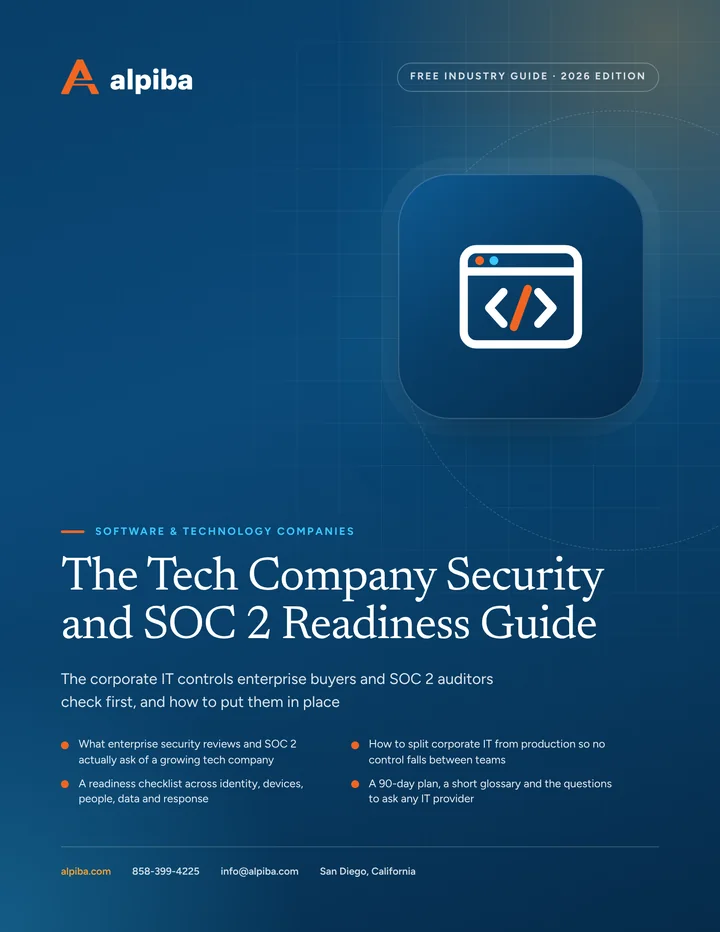
Cover of The Tech Company Security and SOC 2 Readiness Guide, a free PDF guide

Free guide · PDF

The Tech Company Security and SOC 2 Readiness Guide

A plain-English guide to the identity, device and offboarding controls behind most security reviews, with a readiness checklist, a 90-day plan and questions to ask any IT provider.

  • What enterprise security reviews and SOC 2 actually ask of a growing tech company
  • How to split corporate IT from production so no control falls between teams
  • A readiness checklist across identity, devices, people, data and response
  • A 90-day plan, a short glossary and the questions to ask any IT provider
Preview what's inside

Get the free guide

Instant download. By submitting, you agree that Alpiba may contact you about this guide; you can ask us to delete your details at any time.

FAQ

Software & Technology IT questions, answered.

Straight answers to the questions we hear most. Still curious? Talk to a senior engineer.

What do IT services for tech companies in San Diego include?

They cover the corporate side of the business: identity and single sign-on, managed laptops for remote and office staff, Google Workspace or Microsoft 365, email security, 24/7 monitoring and the evidence behind SOC 2 and customer security reviews. Alpiba delivers this as fully managed or co-managed IT for a flat per-user monthly price. Your engineering team keeps ownership of the product and production cloud.

Can Alpiba help us get SOC 2 ready?

Yes. We design, implement and evidence the IT and security controls SOC 2 auditors test, including MFA, access reviews, device encryption, offboarding, monitoring and backups, and we keep that evidence organized through your observation period. Your independent CPA firm performs the examination and issues the report. Our role is readiness, and framework references describe your environment, not an attestation of Alpiba.

When should a startup start preparing for SOC 2?

Start when enterprise prospects begin asking for a report or questionnaires start stalling deals, ideally several months before you need the report in hand. A Type II report covers an observation period that only begins once controls are running, so the earlier identity, device and offboarding controls are consistent, the sooner you have a report to share. Building them early also costs less than retrofitting them later.

What is the difference between SOC 2 Type I and Type II?

A Type I report assesses whether your controls are suitably designed at a single point in time. A Type II report also tests whether those controls operated effectively over an observation period, commonly three to twelve months. Enterprise buyers usually want Type II, but some startups get a Type I first to answer early deals while the longer observation period runs.

Do you support remote-first and hybrid teams?

Yes. We buy laptops to your standard spec, enroll them in device management so they arrive configured and encrypted, ship them to new hires across the country and support people remotely, with 24/7 monitoring on every managed device. Staff at your San Diego office also get on-site support. When someone leaves, we remove access the same day and arrange the laptop's return.

Can you work alongside our DevOps or engineering team?

Yes, with a clear line between us. Your engineers own production infrastructure, code and deployments. Alpiba owns corporate IT and security: identity, laptops, SaaS, email and monitoring. Where the two meet, such as single sign-on into cloud consoles, offboarding from code repositories and SOC 2 evidence, we agree a written responsibility split. We do not provide DevOps or software development services.

Do you support both Google Workspace and Microsoft 365?

Yes. Our engineers hold Microsoft 365 and Google Workspace certifications and handle setup, hardening and ongoing administration for both, including migrations from one to the other. We configure single sign-on, MFA, sharing rules and device access policies on whichever platform you run, and we help you choose one as your source of truth for identity rather than running two in parallel.

How do you automate onboarding and offboarding for a growing team?

We run documented joiner, mover and leaver workflows tied to single sign-on. New hires get accounts, groups and a managed laptop before day one. When someone leaves, access is removed the same day across email, SaaS apps and any tool connected to SSO, file ownership is transferred and the laptop is locked until it is returned and wiped. Each step leaves a record that doubles as SOC 2 evidence.

Can you help us answer customer security questionnaires?

Yes, for the IT and security sections. We help you build an answer library tied to real evidence, such as MFA enforcement, device encryption reports, restore tests and monitoring coverage, so answers stay consistent and true from one questionnaire to the next. Your team still owns product, engineering and legal answers, and we never suggest claiming a control you cannot show.

Do we need SOC 2 or ISO 27001?

It depends on who you sell to. US enterprise buyers most often ask for a SOC 2 report, while ISO 27001 certification comes up more with international customers, particularly in Europe. Many controls overlap, so IT work for one carries over to the other. Alpiba helps with SOC 2 Type II readiness and ISO 27001 controls alignment; an independent auditor or certification body issues the report or certificate.

How is IT priced for a startup that keeps hiring?

Alpiba uses flat, per-user monthly pricing with no surprise line items, so cost scales with headcount rather than ticket volume. We scope your plan after a free 30-minute assessment, and quarterly business reviews keep it matched to your hiring plan. Larger one-time projects, such as moving between Google Workspace and Microsoft 365, are scoped separately so you see them before you commit.

Do you provide on-site IT support for tech offices in San Diego?

Yes. We are based in San Diego and come on-site to offices across San Diego County, from UTC and Sorrento Valley to Carlsbad and Downtown San Diego, for office networks, conference rooms and hands-on device work. Remote employees elsewhere get remote support and 24/7 monitoring, and anyone who calls reaches a senior engineer, with an average first response under 15 minutes.

Free 30-minute assessment

Talk to an engineer who knows software companies.

Tell us a little about your business. A senior engineer will map your top risks, quick wins and a right-sized plan, with no obligation and no sales pressure.

  • A senior engineer, not a salesperson
  • Reply within 12–24 hours
  • Flat per-user pricing if you want our help
Roopa, founder of Alpiba

Founder-led and San Diego basedRoopa founded Alpiba to give growing businesses a real technology partner.

858-399-4225Mon–Fri, 7am–7pm PT · 24/7 for managed clients
info@alpiba.comReply within 12–24 hours

Fields marked * are required. By submitting, you agree that Alpiba may contact you about your request. We reply within 12–24 hours; for an active incident, call 858-399-4225.

Call Free assessment