SOC online 24/7Breach or outage? Call 858-399-4225

Free guidesinfo@alpiba.comMon–Fri, 7am–7pm PT

Alpiba

Cybersecurity

Managed detection and response with human analysts on watch 24/7.

Real analysts, real playbooks. Alpiba runs a tuned SIEM, MDR and identity stack watched around the clock by senior engineers. When suspicious activity occurs, we contain it within minutes and explain the timeline in plain language.

<15 min average first response Flat per-user pricing Free guide: The MDR and 24/7 SOC Buyer's Guide
Server racks in a dim data center with status lights

Quick answer

What is managed detection and response (MDR)?

MDR is a service where a security team monitors your systems around the clock, investigates alerts, hunts for threats and responds to contain attacks. Alpiba's human-staffed SOC watches your endpoints, identities, email and cloud 24/7, with an average first response under 15 minutes.

What's included

Everything in 24/7 SOC & MDR.

One accountable team delivers every piece below, documented and reviewed with you every quarter.

  • 24/7 alert monitoring & triage

    Every alert reviewed by a human analyst, day and night.

  • SIEM & log correlation

    Signals from endpoints, identity, email and cloud connected into one picture.

  • EDR / XDR response

    Compromised devices isolated before threats spread.

  • Identity & sign-in monitoring

    Impossible travel, risky sign-ins and MFA fatigue caught early.

  • Proactive threat hunting

    We look for anomalies, not just wait for alarms.

  • Plain-language reporting

    A clear timeline of what happened and what we did.

Why it matters

Real analysts. Real playbooks.

Tools generate alerts. People stop attacks. Our senior engineers watch your environment around the clock, hunt for anomalies before they turn into headlines, and follow documented playbooks when something moves.

  • Human-staffed, 24/7/365
  • Average first response under 15 minutes
  • Ransomware containment within the first hour
  • Communication you can understand

Outcomes

What you can expect.

<15 min

Minutes, not days

Average first response under 15 minutes, any hour.

<1 hr

Contained in the first hour

Ransomware and breach events trigger a documented containment playbook.

Plain-English updates

You always know what happened, what we did and what's next.

The complete guide

Managed detection and response, explained.

10 min readBy the Alpiba teamUpdated October 15, 2026

On this page

Security tools are good at raising alarms and bad at deciding what they mean. A sign-in from an unfamiliar country, a script running on a lab workstation, a new mailbox rule forwarding invoices to an outside address: each could be routine, or the first visible step of an attack. Managed detection and response in San Diego, done properly, means a trained person examines those signals day and night, decides which ones matter and acts on the ones that do.

Alpiba runs a human-staffed 24/7 security operations center (SOC), backed by a tuned stack of SIEM correlation, managed EDR/XDR and identity monitoring. Analysts watch endpoints, identities, email and cloud services such as Microsoft 365 and Google Workspace, with an average first response under 15 minutes. When a ransomware or breach event is confirmed, we trigger a documented containment playbook within the first hour.

This page explains what that work looks like at 2am, how analysts separate noise from real incidents, how containment approvals are agreed and which questions to ask any MDR provider, including us.

What managed detection and response means, in plain terms

MDR is a service, not a product. It combines sensors on your systems, a platform that pulls their signals together and, most importantly, people who investigate and respond. Three terms come up constantly:

  • SOC (security operations center). The team that watches alerts, investigates and responds, ideally around the clock.
  • EDR and XDR. Endpoint detection and response watches behavior on laptops and servers. Extended detection and response adds email, identity and cloud signals to the same picture.
  • SIEM. Short for security information and event management, a platform that collects logs from many systems and correlates them so related events are seen together.

MDR suits businesses that hold sensitive data but have nobody awake to watch alerts at night, and in-house IT teams that can't add round-the-clock monitoring to everything else they do. For the second group, MDR often sits inside a co-managed IT arrangement: your team keeps daily ownership while we cover detection and response.

It's also common for lean teams in Sorrento Valley, UTC and North County to carry enterprise-sized obligations, such as partner security reviews, insurer questionnaires and customer audits, that all ask the same thing: who watches the alerts after hours?

What a 24/7 SOC actually does at 2am

Here is an illustrative overnight alert, the kind that often comes before ransomware. It's a composite example rather than a client story, but each step reflects how the work is done.

  1. The signal

    Around 2am on a Saturday, EDR flags a remote-access tool installing itself silently on a front-desk PC. Minutes later, the same machine runs a command that tries to delete its local backup copies.

  2. Triage

    An analyst checks context. Is this tool on the approved list? Is a vendor doing scheduled maintenance? Which account is signed in, and where else has it been used recently?

  3. Decision

    The tool isn't approved, no maintenance is scheduled and deleting local backup copies is a classic step before encryption. The analyst treats it as a confirmed incident.

  4. Containment

    Using actions agreed in advance, the analyst isolates the PC from the network, disables the signed-in account and blocks the tool on every other managed device.

  5. Scope and hand-off

    The analyst searches other machines for the same activity and confirms backups are intact. Because this looks like a ransomware precursor, the containment playbook starts and your named contact gets a call.

Most alerts at 2am are not attacks

Many overnight alerts turn out to be a traveling employee, a scheduled job or a newly installed tool. The value of a human SOC is that each one is checked, and the rare real one is acted on immediately rather than at 9am.

Reported phishing gets the same treatment. When staff use the report-a-phish button, an analyst reviews the message and, if it's malicious, removes it from every inbox that received it.

24/7 SOC & Managed Detection and Response at a glance. Included: 24/7 alert monitoring & triage, SIEM & log correlation, EDR / XDR response, Identity & sign-in monitoring, Proactive threat hunting and Plain-language reporting. How it works: Discovery & Analysis, Solution Design, Implement and Protect & Optimize.
24/7 SOC & MDR at a glance: what is included and how we roll it out.

Alert triage versus real incidents

Triage is the sorting step: deciding quickly whether an alert is harmless, needs more work or is a real incident. Every alert ends up in one of four places.

Where alerts end up
OutcomeWhat it meansWhat happens next
False positiveThe detection fired on harmless activityClosed, and the rule is tuned so it fires less often
Benign but realGenuine activity that was authorized, such as an admin running a scriptClosed with a note, and the context is recorded for next time
SuspiciousCan't be ruled out yetInvestigation continues; the analyst may contain as a precaution or contact the user
Confirmed incidentMalicious activity is presentContainment, a call or message to your contact and a written incident timeline

Good triage depends on context. When the SOC knows what normal looks like for your business, noise drops and real anomalies stand out. Useful context includes:

  • Staff who live in or regularly travel to Tijuana and elsewhere in Baja California, so routine cross-border sign-ins are read correctly
  • Which IT staff and vendors are authorized to use remote-access and admin tools
  • Scheduled jobs, such as lab instruments uploading data overnight or backups running on weekends
  • Executives, finance staff and anyone who approves payments, because attackers single them out
  • Planned changes, such as a new office network or a migration weekend

What an average first response under 15 minutes means

Response-time claims are easy to make and hard to compare, so here is how to read ours. Alpiba's SOC has an average first response under 15 minutes, at any hour. First response means a person on the SOC has picked up the alert and started working it, which can include containment actions you've already approved.

  • It's an average. Some alerts are picked up faster and some take longer, so it isn't a ceiling for every alert.
  • It isn't resolution time. Investigation and cleanup take as long as the evidence requires, sometimes hours for a complex case.
  • It isn't containment. For confirmed ransomware or breach events, the separate commitment is that our containment playbook is triggered within the first hour.
  • It runs around the clock. Nights, weekends and holidays are covered by the same human-staffed SOC.
Ask every provider for their definition

Ask what starts the clock, what stops it, whether automated actions count and whether the figure covers nights and weekends. The answers vary more than the marketing does.

Minutes matter because an attacker with a working password or a foothold on one laptop needs time to escalate privileges and find your data. Acting within minutes, rather than when someone checks email the next morning, is often the difference between a reset password and a recovery project.

MDR versus SIEM versus plain antivirus

These three are often compared as if they were alternatives. They're really different layers, and only one of them includes people who respond.

How the three compare
QuestionAntivirus aloneSIEM aloneMDR with a 24/7 SOC
What is it?Software that blocks known malicious filesA platform that collects and correlates logsA service: people, process and tools that detect and respond
What does it catch?Mostly known malwareWhatever its rules detect, if the right logs are connectedSuspicious behavior across endpoints, identities, email and cloud
Who watches at night?NobodyWhoever you assign, often nobodyHuman analysts, 24/7
What happens on detection?The file is quarantinedAn alert is raisedDevices isolated, accounts disabled, playbooks followed
A stolen password is usedNot visibleVisible only if identity logs and a matching rule existInvestigated and contained
Work on your sideLow, with large blind spotsHigh: rules, tuning and staffingContext, approvals and a named contact

A SIEM isn't the problem; it's part of how our SOC connects signals. The problem is any tool, however capable, with nobody watching it at 2am. XDR narrows the gap by linking endpoint, email, identity and cloud signals automatically, but it still needs people to decide and act. Antivirus keeps a role too, as one control on the endpoint rather than the whole plan.

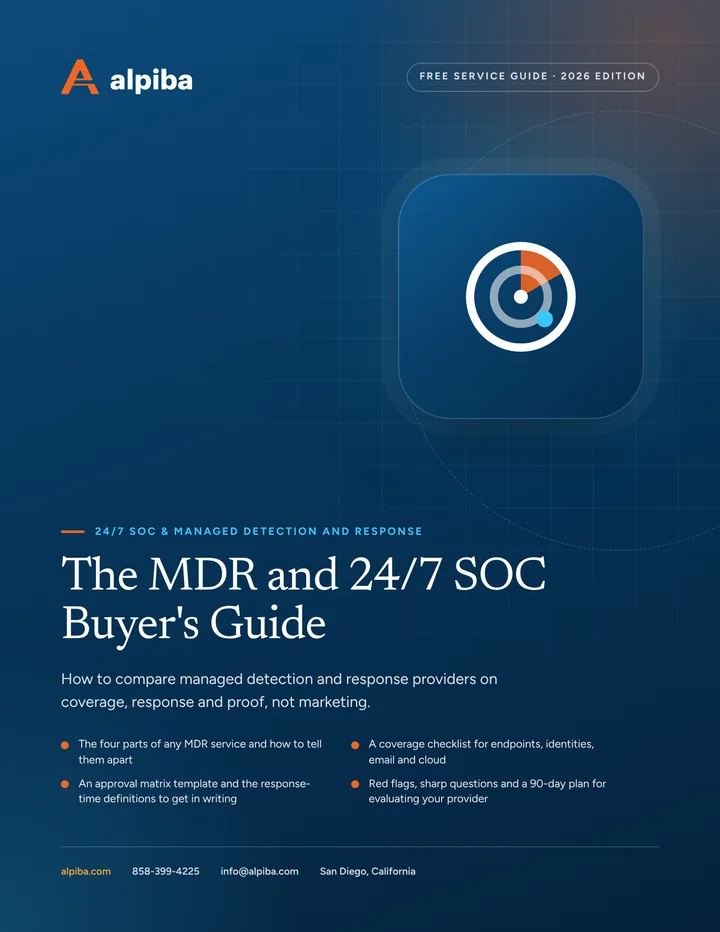
Cover and two sample pages of The MDR and 24/7 SOC Buyer's Guide, a free 11-page PDF guide from Alpiba with a 23-point checklist
Inside The MDR and 24/7 SOC Buyer's Guide.

What we monitor: endpoints, identities, email and cloud

Telemetry is the stream of security signals your systems produce. The SOC can only act on what it can see, so coverage is agreed and checked rather than assumed.

Endpoints

Laptops and servers report which processes start, what scripts run, which services get installed and any attempt to switch off protection. Analysts can isolate a device remotely and keep investigating it.

Identities

Analysts see every sign-in and MFA event, including sign-ins from places a user couldn't have reached since their last one, floods of push prompts and new admin role assignments. Many attacks begin with a valid account, so this is often where they show first.

Email

Analysts review messages that slipped past filtering, phishing your staff report and mailbox changes such as new forwarding or delegated access. A sudden change in outbound mail can be the first sign of a hijacked account.

Cloud

Microsoft 365 and Google Workspace audit logs show new third-party app permissions, mass downloads, unusual external sharing and changes to security settings. Those are the moves attackers make once they're inside a tenant.

Identity signals are far more useful when the policies behind them are strong, which is why MDR works best alongside MFA and conditional access policies. Between alerts, analysts also carry out threat hunting: proactive searches for signs of an attacker that no rule has flagged yet. Typical hunts look for patterns like these:

  • Accounts that sat dormant for months and suddenly sign in, especially outside business hours
  • Remote-access or file-transfer tools running on machines where nobody approved them
  • Mailbox rules or third-party app grants created recently that nobody can explain
  • Admin tools such as PowerShell used by accounts that don't normally need them

When a hunt comes up empty, its query often becomes a standing detection, so the next occurrence raises an alert on its own.

Coverage to confirm during onboarding

  • Every laptop and server has the EDR agent installed and reporting
  • Admin, service and shared accounts are identified and watched
  • Audit logging is confirmed on in Microsoft 365 or Google Workspace
  • Log retention matches what your insurer, auditors or contracts expect
  • Systems that can't run an agent have compensating controls agreed

How escalation and containment approvals work

Speed only helps if the SOC is allowed to act. During onboarding we agree an approval matrix with you: which actions analysts take immediately, which need a call first and which are always your decision. A common starting point looks like this:

  • Act now, report right after. Isolating a laptop, revoking sessions, blocking a risky sign-in, disabling a clearly compromised user account and purging a malicious email.
  • Call first unless it's an emergency. Isolating a server that runs a line-of-business system, disabling an executive's account or cutting off a vendor's remote access.
  • Always your decision. Shutting down operations, notifying customers or regulators, engaging law enforcement and anything involving a ransom demand.

When a decision is needed, the contact ladder is just as specific:

  1. Named primary contact. Called first, by phone, for anything that needs a decision.
  2. Backup contact. Called if the primary doesn't answer within the window you've set.
  3. Executive escalation. Used for confirmed incidents with business impact, or when neither contact can be reached.
  4. Incident call. A working session with your decision-makers to agree next steps, followed by a written timeline.
Keep the contact list current

A phone tree that rings someone who left last spring costs more time than any technical step. Review contacts and approvals whenever roles change, and at least every quarter.

If an alert turns out to be part of a larger attack, the response moves into our ransomware containment playbook and recovery planning, with the same named contacts.

San Diego specifics for detection and response

Managed detection and response in San Diego gets tuned for some distinctly local patterns:

  • Lab instruments and imaging systems. Biotech labs around Torrey Pines and dental offices often run vendor-controlled PCs that can't take an agent or regular patches. Those systems get compensating controls such as segmentation and tight access rules, and the accounts that touch them are watched closely.
  • Cross-border and hybrid teams. Staff who commute from the South Bay or live in Baja, and hybrid workers across the county, create sign-in patterns that need context to read correctly.
  • Power shutoffs. During SDG&E Public Safety Power Shutoffs, devices drop offline together and people move to unfamiliar networks. Knowing a shutoff is under way helps analysts tell an outage from an attacker disabling protection.
  • Regulated data and audits. Dental practices with patient records, law firms with privileged email and biotech companies with partner data often need to show who watched what, and when. Incident timelines and coverage reports double as evidence for HIPAA safeguard reviews, partner questionnaires and insurer renewals.
  • Hands-on help nearby. Being San Diego-based means a contained device can be collected, rebuilt or replaced on-site when remote work isn't enough.
Illustration of the San Diego skyline at sunset, with downtown towers, the bridge across the bay, sailboats and palm trees
San Diego, where Alpiba is based.

Questions to ask an MDR provider, and what drives cost

Whether you're replacing a provider or buying managed detection and response in San Diego for the first time, these questions separate real service from dashboards:

  • Who staffs the SOC overnight, and what experience do they have?
  • How do you define and measure first response, and what is your average?
  • Which containment actions can you take without calling me, and can I change that list?
  • Which telemetry is included: endpoints, identities, email and cloud?
  • How do you tune detections to cut noise without hiding real attacks?
  • Can I see a sample incident report with client details removed?
  • What happens when an alert involves a system you can't put an agent on?
  • Do I keep my logs, configurations and documentation if we part ways?

Look for straight answers over impressive dashboards. A provider confident in its service will walk you through a real incident timeline with client details removed, explain what it would do differently next time and show you exactly which of your devices are reporting today.

Cost follows scope: the users and devices covered, the data sources connected, how long logs must be kept and what your compliance or insurance obligations require. Pricing is a flat monthly amount per user, and the scope is set after a free assessment so the plan matches what you actually need covered.

To find weaknesses before the SOC ever has to deal with them, pair monitoring with regular vulnerability assessments. Or book a free 30-minute assessment and talk it through with a senior engineer.

Talk to an engineer

Free 30-minute assessment. We reply within 12–24 hours.

Fields marked * are required. By submitting, you agree that Alpiba may contact you about your request. We reply within 12–24 hours; for an active incident, call 858-399-4225.

How it works

From first call to fully protected.

  1. Discovery & Analysis

    We map your endpoints, identities, email and cloud, and review current tools.

  2. Solution Design

    Detection coverage and response playbooks tailored to your environment.

  3. Implement

    SIEM, EDR/XDR and identity monitoring deployed and tuned to cut noise.

  4. Protect & Optimize

    24/7 monitoring, threat hunting and monthly tuning.

Signs you need it

Sound familiar?

If two or more of these ring true, a 30-minute assessment will show you where to start.

Book a free assessment
  • Security alerts pile up unread
  • No one covers nights and weekends
  • You found out about an incident from a customer
  • Your tools generate noise without action
  • Your insurer asks for 24/7 monitoring

From our founder

“SMBs deserve a strategic technology partner, without enterprise complexity or cost.”

Roopa · Founder, Alpiba · former Accenture advisor

Alpiba is founder-led. Every 24/7 SOC & MDR engagement starts by listening to how your business runs, and senior engineers stay with you from the first call onward.

Roopa, founder of Alpiba, standing in front of evening city lights
Cover of The MDR and 24/7 SOC Buyer's Guide, a free PDF guide

Free guide · PDF

The MDR and 24/7 SOC Buyer's Guide

Buying MDR or a 24/7 SOC? This guide shows what to compare, which questions expose weak services and how to judge a provider in its first 90 days.

  • The four parts of any MDR service and how to tell them apart
  • A coverage checklist for endpoints, identities, email and cloud
  • An approval matrix template and the response-time definitions to get in writing
  • Red flags, sharp questions and a 90-day plan for evaluating your provider
Preview what's inside

Get the free guide

Instant download. By submitting, you agree that Alpiba may contact you about this guide; you can ask us to delete your details at any time.

FAQ

24/7 SOC & MDR questions, answered.

Straight answers to the questions we hear most. Still curious? Talk to a senior engineer.

How is MDR different from antivirus?

Antivirus is software that blocks known malicious files on a device; MDR is a service in which people monitor, investigate and respond across your environment. MDR watches behavior on endpoints plus sign-ins, email and cloud activity, so it can catch attacks that use stolen passwords or legitimate admin tools. When it finds something, analysts contain it rather than simply logging a quarantined file.

Is Alpiba's SOC staffed by real people 24/7?

Yes. Human analysts monitor client environments at every hour of every day, holidays included. Tools collect and correlate the signals, but people review the alerts, investigate context, decide what is real and take containment actions. That human judgment is what separates an incident caught at 2am from one discovered when staff arrive the next morning.

What happens when your SOC detects a threat at night?

An analyst triages the alert, checks context such as the user's location, device and recent activity, and decides whether it's harmless, suspicious or a confirmed incident. Confirmed threats are contained using actions you've pre-approved, such as isolating a laptop or disabling an account, and your named contact receives a plain-English summary. Anything with wider business impact is escalated to you by phone.

What does an MDR service monitor?

Alpiba's MDR covers four main sources: endpoints such as laptops and servers, identities and sign-ins, email, and cloud services like Microsoft 365 and Google Workspace. Signals from all four are correlated in a SIEM so related events are read as one story. During onboarding we confirm coverage device by device and agree how to protect systems that can't run monitoring software.

Do we need to replace our existing security tools to get MDR?

Not necessarily. We review your current tools during the assessment and recommend what to keep, what to tune and what to replace. The deciding questions are whether a tool gives analysts the visibility they need and whether it lets them act, for example by isolating a device remotely. Overlapping tools that nobody watches are usually the first candidates to consolidate.

What is the difference between MDR and a SIEM?

A SIEM is a platform that collects and correlates logs; MDR is a service that includes the people who act on what such a platform finds. On its own, a SIEM raises alerts that someone still has to investigate, tune and respond to, ideally around the clock. MDR providers often run a SIEM internally, as Alpiba's SOC does, and add analysts, playbooks and response.

What does an average first response under 15 minutes mean?

It means that, averaged across alerts and at any hour, a person on the SOC picks up an alert and starts working it in under 15 minutes. It's an average rather than a ceiling, and it isn't the time to full resolution, which depends on the case. For confirmed ransomware or breach events, our documented containment playbook is triggered within the first hour.

Will the SOC shut down our systems without asking?

Only within limits you agree in advance. During onboarding we set an approval matrix: low-impact actions such as isolating a laptop or revoking a compromised session happen immediately, actions affecting key business systems need a call first, and decisions like shutting down operations or notifying customers are always yours. You can adjust the matrix whenever your business changes.

What is threat hunting?

Threat hunting means analysts go looking for an attacker instead of waiting for an alert to fire. They start from a hypothesis, such as unusual use of admin tools or a dormant account suddenly signing in, and look for evidence across endpoint, identity, email and cloud data. Each hunt either uncovers a hidden problem or improves the detections that run every day.

What is SOC as a service?

SOC as a service means getting a security operations center's analysts, processes and tooling on a subscription instead of building and staffing your own. For most growing businesses it's the practical way to get round-the-clock monitoring, because staffing every night, weekend and holiday yourself means hiring and training a full rotation of analysts. In practice it's delivered as MDR: monitoring, investigation and response in one service.

Can MDR work alongside our in-house IT team?

Yes. Many businesses keep internal IT staff for daily support and add MDR for nights, weekends and specialist investigation. We agree a written split of responsibilities, share the escalation path and approval matrix, and give your team the same plain-English incident reports you'd receive. Your staff keep admin ownership, with our access written down and kept to the minimum the work needs.

How much does managed detection and response in San Diego cost?

It depends on scope, so we don't quote before an assessment. Round-the-clock SOC monitoring is built into Alpiba's flat, per-user monthly pricing, which has no surprise line items and is scoped after a free 30-minute assessment. The main cost drivers are the users and devices covered, the data sources connected, how long logs must be retained and any compliance or insurance requirements.

Related services

Works best together.

All services
A close view of a glowing circuit board

Cybersecurity

Cybersecurity & Ransomware Defense

24/7 monitoring, threat hunting and rapid incident response that contains attacks before they impact your business.

A padlock resting on a laptop keyboard

Cybersecurity

Zero Trust & Identity Security

Identity-aware access, MFA everywhere and least privilege baked into every environment we manage.

Hands working on a laptop during a review

Compliance & Risk

Vulnerability Assessments

Scan and review systems, cloud settings and networks for weaknesses, then fix what matters most.

Built for regulated teams

Free 30-minute assessment

Ready for 24/7 SOC & MDR? Let's talk.

Tell us about your business and what prompted the search. A senior engineer will reply within 12–24 hours to set up your free 30-minute assessment.

  • A senior engineer, not a salesperson
  • Reply within 12–24 hours
  • Flat per-user pricing if you want our help
Roopa, founder of Alpiba

Founder-led and San Diego basedRoopa founded Alpiba to give growing businesses a real technology partner.

858-399-4225Mon–Fri, 7am–7pm PT · 24/7 for managed clients
info@alpiba.comReply within 12–24 hours

Fields marked * are required. By submitting, you agree that Alpiba may contact you about your request. We reply within 12–24 hours; for an active incident, call 858-399-4225.

Call Free assessment