SOC online 24/7Breach or outage? Call 858-399-4225

Free guidesinfo@alpiba.comMon–Fri, 7am–7pm PT

Alpiba

Cloud & Productivity

AI automation services in San Diego that save time without exposing your data.

AI agents and copilots can take repetitive work off your team's plate. We help you adopt them with the same security-first discipline we bring to everything else, so your data stays where it belongs.

<15 min average first response Flat per-user pricing Free guide: The Secure AI Adoption Guide for Small Businesses

Colleagues gathered around laptops in a working session

Quick answer

What is agentic AI for business?

Agentic AI refers to AI systems that take multi-step actions, such as triaging requests, drafting documents or updating records, rather than only answering questions. Adopting it safely means controlling what data agents can reach, who approves their actions and how activity is logged. Alpiba helps growing businesses plan and secure that rollout.

What's included

Everything in Secure AI & Automation.

One accountable team delivers every piece below, documented and reviewed with you every quarter.

  • AI readiness review

    Where AI can help, what data it would touch and what could go wrong.

  • Permission cleanup

    Fix oversharing before an AI assistant can surface it.

  • Copilot & Gemini rollout planning

    Microsoft 365 Copilot or Gemini for Workspace, rolled out in stages.

  • AI usage policy

    Clear rules on what staff can share with which tools.

  • Workflow automation design

    Agents for repetitive tasks, with human approval where it matters.

  • Monitoring & review

    Activity logged and reviewed, like any other system we manage.

Why it matters

AI that works for you, not against you.

AI assistants respect the permissions they're given. If files are overshared today, AI makes that oversharing visible to everyone tomorrow. We fix the foundations first, then automate.

  • Security first, always
  • Built on your Microsoft 365 or Google tenant
  • Human approval for sensitive actions
  • Plain-English policies
Agent workflowExample
Request arrives
Agent drafts a response
Guardrails check data access
Human approves
Action logged

Sensitive actions always wait for a person. Every step is logged.

Outcomes

What you can expect.

Time back for your team

Repetitive tasks handled by agents, reviewed by people.

Data stays put

Permissions fixed before AI can surface anything.

Clear rules

Everyone knows which tools are approved and how to use them.

The complete guide

AI automation services in San Diego, explained.

11 min readBy the Alpiba teamUpdated October 15, 2026

On this page

AI assistants and agents can take real work off a small team: sorting a shared inbox, summarizing a long thread, drafting the first version of a routine document. They can also surface files that should never have been shared, or act on instructions hidden in an email. Alpiba's AI automation services in San Diego are about getting the first part without the second.

We start with your data and permissions, because AI tools see what your people can see. Then we help you choose a few use cases worth piloting, write a plain-English AI acceptable use policy, prepare Microsoft 365 Copilot or Gemini for Google Workspace, and design automations where a person approves anything sensitive and every action is logged.

This page explains where AI genuinely helps a small business, the risks in plain language, how to run a pilot you can measure honestly and what to ask any provider before you hand an AI agent the keys.

What secure AI automation means for a small business

AI in the workplace usually arrives in one of four forms, and each carries a different level of risk. Knowing which one you're dealing with is the first step to deciding how much control it needs.

Four kinds of AI and automation, and what to watch
TypeWhat it doesMain risk to manage
Chat assistantsAnswer questions and draft text in a separate app or browser tabStaff pasting sensitive data into tools nobody approved
Built-in copilotsMicrosoft 365 Copilot or Gemini working inside mail, documents and meetingsSurfacing overshared files the user could technically open
Workflow automationRules that move data between systems when something happensSilent errors repeated at scale
AI agentsPlan and take multi-step actions toward a goal, using the tools and permissions you grantActing on bad instructions, or with more access than the task needs

Agentic AI is the newest and most capable of the four, and the one that most needs guardrails. An agent that can read email and draft replies is useful; an agent that can also approve payments needs a person in the loop.

Where AI and agentic automation help a small business

The best first projects are frequent, repetitive and easy to check. If a mistake would be obvious and cheap to fix, it's a good candidate. If a mistake could reach a client, a patient or a bank account unnoticed, it needs human review or a different project.

Inbox and request triage

An agent reads a shared inbox, tags requests by type and urgency, and drafts a reply for a person to send. Staff start the day with a sorted queue instead of a pile.

Meeting and thread summaries

Copilot or Gemini summarizes a long meeting or email thread into decisions and action items. Someone who was there checks it before it goes out.

Document first drafts

Proposals, job descriptions or routine letters drafted from your own templates and past examples. A reviewer edits a draft instead of starting from a blank page.

Data extraction

Key fields pulled from invoices, intake forms or purchase orders into your systems. Exceptions and low-confidence results go to a person rather than straight into the books.

Internal knowledge search

Staff ask questions of approved policies, procedures and product documents. Answers point to their sources, so people can check the original.

IT and HR requests

Routine requests for access, equipment or policy answers are routed and partly answered automatically. Anything involving permissions or personal data waits for approval.
Where AI is a poor fit, for now

  • Decisions about people, such as hiring, pay or performance, without a human making the call
  • Anything legally binding or client-facing that would go out without review
  • Tasks where errors are rare but expensive and hard to spot
  • Processes that are broken today, because automation only makes a bad process faster
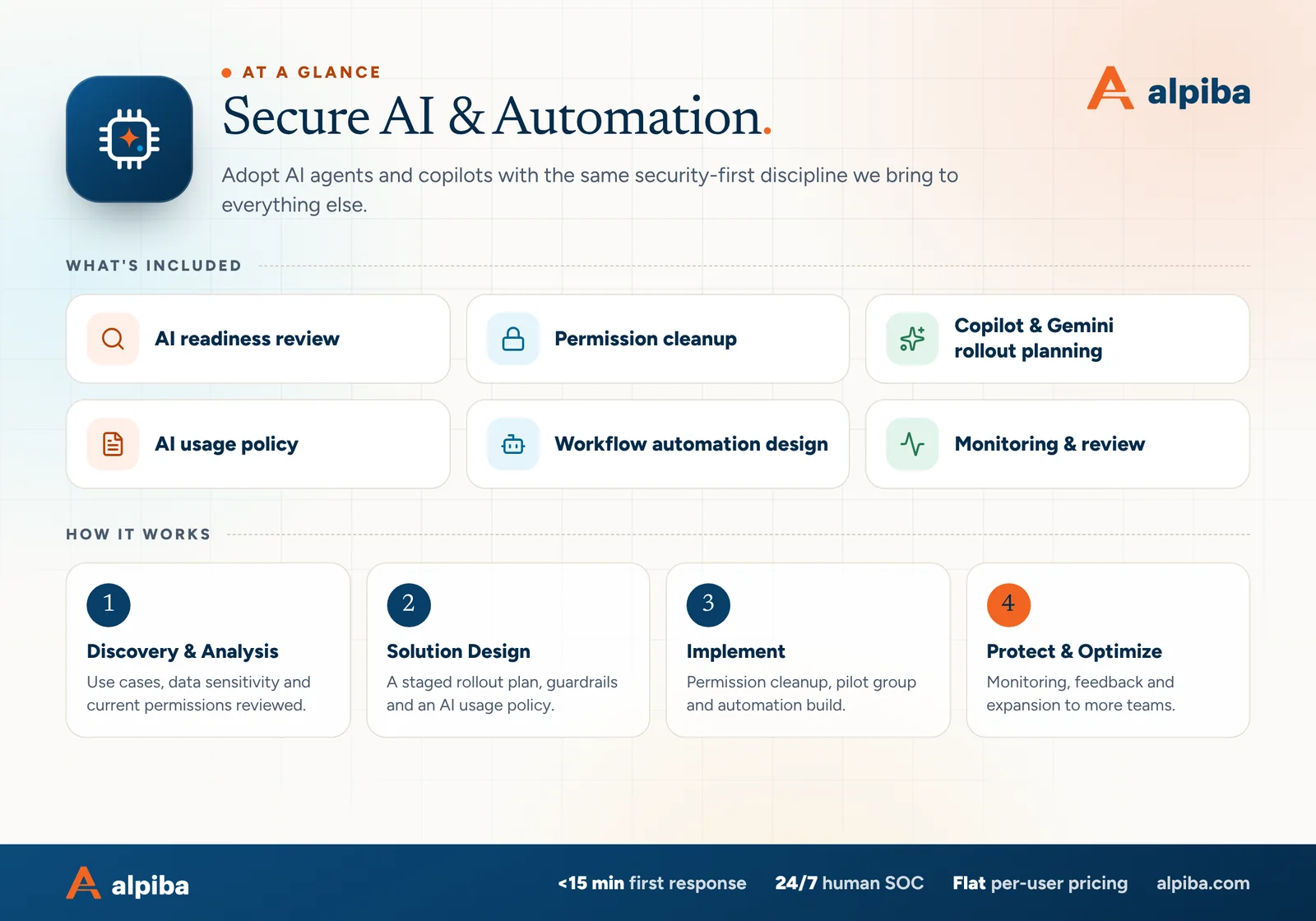
Secure AI & Automation at a glance. Included: AI readiness review, Permission cleanup, Copilot & Gemini rollout planning, AI usage policy, Workflow automation design and Monitoring & review. How it works: Discovery & Analysis, Solution Design, Implement and Protect & Optimize.
Secure AI & Automation at a glance: what is included and how we roll it out.

The data-exposure risks, in plain English

Most AI risk for a small business isn't science fiction. It's ordinary data security, made faster and easier to trigger.

  • Oversharing. Copilot and Gemini work within each user's existing permissions. Files shared too widely years ago become easy to find with a simple question.
  • Shadow AI. Staff using personal accounts on public AI tools, usually with good intentions. Depending on the tool's terms, what they paste may be stored or used to improve the service, outside your control. It's the newest form of shadow IT.
  • Prompt injection. Hidden instructions planted in an email, document or web page that an AI reads and then follows, as if they came from you.
  • Over-permissioned agents. An agent given broad access to mail, files or finance systems can do broad damage if it is tricked or simply wrong.
  • Confident wrong answers. AI can produce fluent text that is incorrect. Without review, those errors reach clients with your name on them.
  • Unclear retention. Prompts, outputs and uploaded files may be kept by the provider. You should know where they go, for how long and who can see them.
Prompt injection, in one example

A vendor email contains white-on-white text telling any AI that reads it to forward the latest invoices to an outside address. No person sees it, but an inbox agent processing the message might act on it. Agents that read outside content should never be able to send data out of the company without a human approving.

An AI acceptable use policy people will actually follow

An AI acceptable use policy tells staff which tools are approved, what data can go into them and when a person must check the output. The best ones fit on two pages and use examples from your own work instead of legal language.

A simple data rule set for AI tools
Type of informationApproved company AI toolsPublic or personal AI tools
Public information, such as published marketing copyAllowedAllowed
Internal documents, such as procedures or project notesAllowedNot allowed
Client, patient or employee personal dataOnly in tools approved for that data, with reviewNever
Contracts, financials and trade secretsAllowed with care and reviewNever
Passwords, keys and account numbersNeverNever

Around that rule set, the policy should cover:

  • Which AI tools are approved, and that work happens in company accounts only
  • What data may go into each tool, using a rule set like the one above
  • When output must be reviewed by a person before it is used or sent
  • When clients or patients should be told AI was involved
  • Uses that are off-limits, such as decisions about hiring or eligibility without human review
  • How to request a new tool, and how to report a mistake or a leak

Write it once, train it in a short session and revisit it every few months, because the tools change faster than most policies do.

Permission clean-up before Copilot or Gemini

Turning on an AI assistant is the moment years of loose sharing start to matter. We clean up first, then roll out, using the same engineers who run our Microsoft 365 management and Google Workspace services, so the work fits whichever platform you use.

  1. Map sensitive content

    Identify where HR, finance, client and regulated data actually lives, including the copies nobody meant to keep.

  2. Find broad access

    Sites, drives and folders open to the whole company or to anyone with the link, plus groups whose membership nobody has checked.

  3. Fix with owners

    Each area gets a named owner who confirms who should have access. We tighten permissions and archive what's stale.

  4. Label what matters

    Where your license includes it, sensitivity labels or similar controls mark and protect the most sensitive files.

  5. Test as a typical user

    Before rollout, a pilot user asks the assistant about salaries, contracts and performance reviews. Anything that appears and shouldn't gets fixed before anyone else has access.

If a full clean-up will take months, you don't have to wait for all of it. Start with a pilot group whose access you've already reviewed and, where the platform supports it, limit which sites or drives the assistant can draw from until the rest is done.

Repeat the test, not just the clean-up

Run the typical-user test again every quarter, and after any reorganization or acquisition that changes who belongs to which groups. Permissions drift back faster than most teams expect.
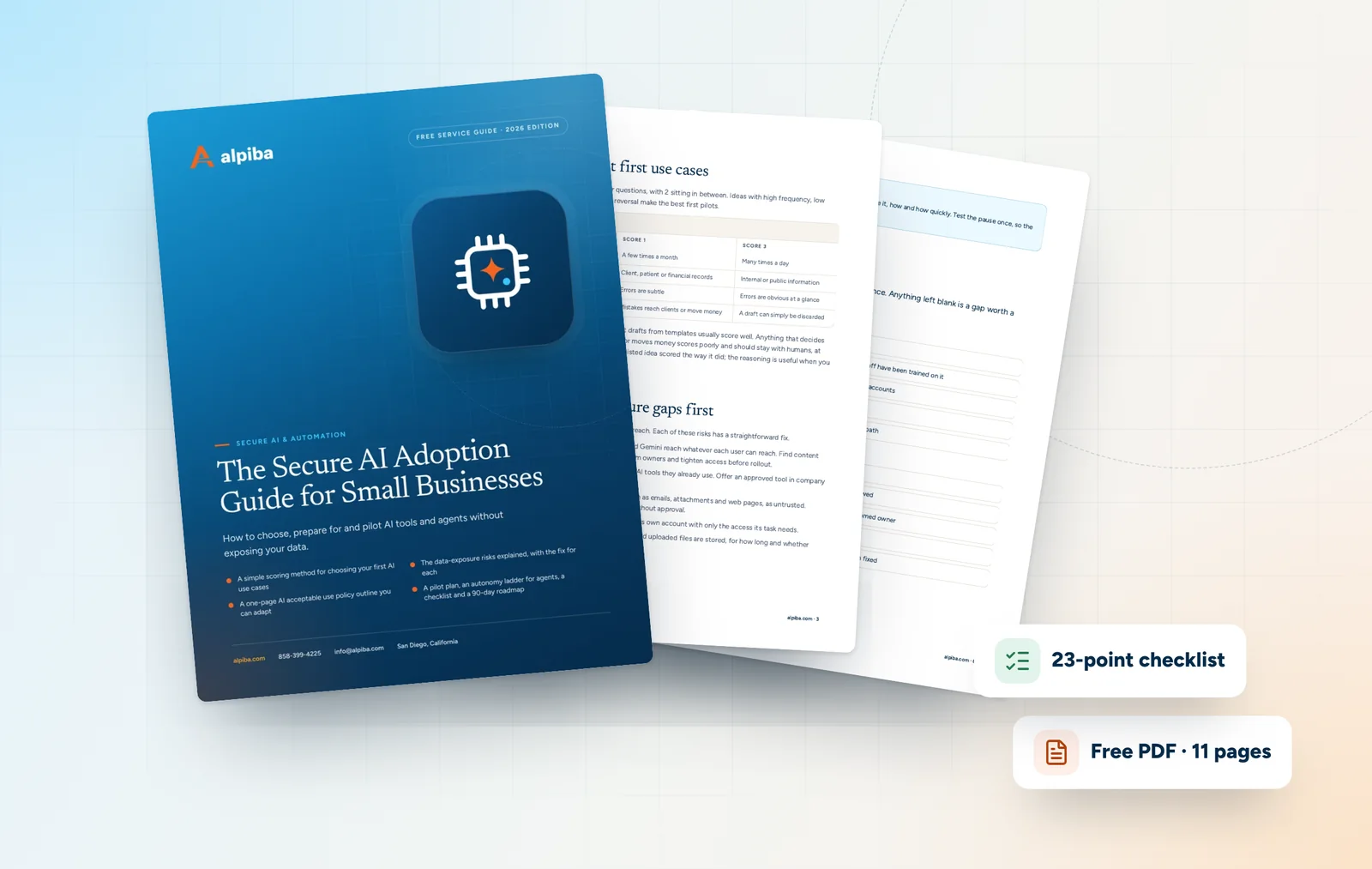
Cover and two sample pages of The Secure AI Adoption Guide for Small Businesses, a free 11-page PDF guide from Alpiba with a 23-point checklist
Inside The Secure AI Adoption Guide for Small Businesses.

Piloting AI with goals you can actually measure

Marketing for AI tools often promises dramatic time savings. Your own numbers are the only ones that matter, and they're easy to collect if you plan the pilot properly.

  1. Pick one or two use cases. Choose tasks that happen often and have a clear owner, such as triaging the support inbox or drafting weekly client updates.
  2. Measure the baseline first. Before the pilot, record how long the task takes, how often it needs rework and how quickly requests get a response.
  3. Define success in advance. Agree what result would justify expanding, what would mean adjusting and what would mean stopping.
  4. Use a small, mixed group. Include enthusiasts and skeptics, and give them a simple way to log problems and good results.
  5. Review and decide. After an agreed period, compare results with the baseline, read the error log and make an explicit decision to expand, adjust or stop.

Measures that work for most pilots

  • Time per task, from request received to work finished
  • Turnaround, meaning how long requests wait for a first response
  • Rework: how often a person has to rewrite or correct the output
  • Errors by type, logged as they happen rather than remembered later
  • Whether the people doing the work would keep using it

For example, a property management office in Mission Valley piloting inbox triage might track time to first response, how many requests reach the wrong person and how often staff rewrite the drafted reply. A pilot that ends in stop is still a success if it prevents a poor investment, and we would rather report that honestly than expand something that hasn't earned its place.

Human review, guardrails and audit trails for AI agents

Automation should make work faster without making it invisible. These are the guardrails we design into every agent and workflow.

  • Least privilege for agents. Each agent runs under its own account with only the access its task needs, following the principle of least privilege. No shared admin credentials.
  • Approval gates. Anything that sends data outside the company, changes records, moves money or touches personal data waits for a person to approve.
  • Logs a person can read. Every action is recorded in the systems it touches, along with what triggered it, so you can always answer what happened and why.
  • Limits and a stop switch. Caps on volume, and a simple way to pause an agent immediately if something looks wrong.
  • Change control. Changes to prompts, tools or permissions are reviewed and documented like any other system change.
  • Regular review. Agent activity, errors and access are checked as part of the monitoring and quarterly reviews we run for managed clients.

What an audit trail should answer

  • Which agent or person took the action, and under which account
  • What triggered it, such as a message, a form or a schedule
  • What data it read, and what it changed or sent
  • Who approved it, and when

It's the same principle we apply to every system we manage: if something acts in your environment, it should be visible, accountable and easy to stop.

San Diego considerations for AI adoption

AI automation services in San Diego have to fit the industries and obligations here, not a generic template.

  • Biotech and life sciences. Labs around Torrey Pines and Sorrento Valley hold research data and intellectual property that should never reach a public AI tool. Approved tools, tight permissions and clear rules for partner data come before any pilot.
  • Law firms. Privilege and confidentiality don't change because a tool is new, and the State Bar of California has published practical guidance on lawyers' use of generative AI. Firms in Downtown San Diego and across the county should have a person review anything AI drafts before it leaves the firm.
  • Dental and health practices. Patient information belongs only in tools covered by a business associate agreement and configured for it. HIPAA compliance remains the practice's responsibility, with or without AI.
  • Defense and maritime suppliers. Contracts often restrict where controlled information may be processed. Check those clauses before any AI tool touches program data.
  • Hospitality and tourism. Hotels, restaurant groups and tour operators handle guest details and card payments. AI that drafts guest replies or manages bookings should never see full card numbers, which also helps keep those AI tools out of your PCI DSS scope.
  • Personal data of California residents. If AI processes personal information about Californians, the CCPA, as amended by the CPRA, still governs how it is collected, used and shared.
  • Home offices and personal devices. Remote and hybrid staff across San Diego County often reach for AI apps on personal phones and laptops, and that is where shadow AI usually starts.

For regulated data, AI controls belong in the same evidence trail as every other control, which is where our compliance readiness work comes in.

Illustration of the San Diego skyline at sunset, with downtown towers, the bridge across the bay, sailboats and palm trees
San Diego, where Alpiba is based.

Pricing factors and questions for any AI provider

We price ongoing work the way we price everything: flat and per user, with no surprise line items. The scope comes out of a free assessment, and bigger one-off pieces, such as a permission clean-up across years of files or a custom agent build, are usually scoped as separate projects. The main drivers are:

  • How much data needs reviewing, and how widely it's shared today
  • Which platform you use and which AI features your licenses include
  • The number of workflows to automate and the systems each one touches
  • Compliance needs, such as HIPAA, client confidentiality or contract data rules
  • How much training and change support your team needs

Questions to ask any AI provider

  • What will you check about our permissions before turning anything on?
  • Which actions will need human approval, and who approves them?
  • What access will each agent have, and under which account?
  • Where are prompts, outputs and logs stored, and for how long?
  • How will we know whether the pilot worked?
  • How do we pause an agent quickly if something goes wrong?

AI work sits naturally alongside IT strategy and vCIO guidance, because the best use cases come from your business plan rather than from the tool. If you're comparing AI automation services in San Diego, a free 30-minute assessment is a good place to choose a safe first project.

Talk to an engineer

Free 30-minute assessment. We reply within 12–24 hours.

Fields marked * are required. By submitting, you agree that Alpiba may contact you about your request. We reply within 12–24 hours; for an active incident, call 858-399-4225.

How it works

From first call to fully protected.

  1. Discovery & Analysis

    Use cases, data sensitivity and current permissions reviewed.

  2. Solution Design

    A staged rollout plan, guardrails and an AI usage policy.

  3. Implement

    Permission cleanup, pilot group and automation build.

  4. Protect & Optimize

    Monitoring, feedback and expansion to more teams.

Signs you need it

Sound familiar?

If two or more of these ring true, a 30-minute assessment will show you where to start.

Book a free assessment
  • Staff paste company data into public AI tools
  • You're considering Microsoft 365 Copilot or Gemini
  • There's no written AI usage policy
  • File permissions are broader than they should be
  • Repetitive tasks eat your team's week

From our founder

“SMBs deserve a strategic technology partner, without enterprise complexity or cost.”

Roopa · Founder, Alpiba · former Accenture advisor

Alpiba is founder-led. Every Secure AI & Automation engagement starts by listening to how your business runs, and senior engineers stay with you from the first call onward.

Roopa, founder of Alpiba, standing in front of evening city lights
Cover of The Secure AI Adoption Guide for Small Businesses, a free PDF guide

Free guide · PDF

The Secure AI Adoption Guide for Small Businesses

A practical guide to adopting Copilot, Gemini and AI agents safely: what to fix first, a policy outline, a pilot plan and the guardrails agents need.

  • A simple scoring method for choosing your first AI use cases
  • The data-exposure risks explained, with the fix for each
  • A one-page AI acceptable use policy outline you can adapt
  • A pilot plan, an autonomy ladder for agents, a checklist and a 90-day roadmap
Preview what's inside

Get the free guide

Instant download. By submitting, you agree that Alpiba may contact you about this guide; you can ask us to delete your details at any time.

FAQ

Secure AI & Automation questions, answered.

Straight answers to the questions we hear most. Still curious? Talk to a senior engineer.

What do AI automation services in San Diego include?

AI automation services in San Diego from Alpiba cover an AI readiness review, permission clean-up, Microsoft 365 Copilot or Gemini rollout planning, an AI acceptable use policy, workflow and agent design with human approval steps, and ongoing monitoring and review. The work is built on your existing Microsoft 365 or Google Workspace tenant and handled by the same engineers who secure it.

Is it safe to turn on Microsoft 365 Copilot?

It can be, once you've checked what it will be able to see. Copilot doesn't change permissions; it answers from whatever each user can already open. So the real question is whether your SharePoint, OneDrive and Teams permissions are right. Review and fix broad access, publish an AI use policy, then start with a pilot group and test it by asking about sensitive topics such as salaries or contracts.

Should we use Microsoft 365 Copilot or Gemini?

Usually the one built into the platform you already run. Microsoft 365 Copilot works across Outlook, Teams, Word, Excel and SharePoint, while Gemini works across Gmail, Drive, Docs and Meet. Both answer within each user's permissions, so the readiness work is similar. Running two assistants across two platforms doubles the policies and permissions to manage, so standardize on one unless there is a clear business reason.

Do we need an AI acceptable use policy?

Yes, and it can be short. A good AI acceptable use policy lists the approved tools, says what kinds of data can go into each one, requires company accounts rather than personal ones and defines when a person must review output before it's used or sent. Add examples from your own work, train it in one short session and update it as the tools change.

What tasks can AI agents handle for a small business?

AI agents handle repetitive, rules-based work best: sorting a shared inbox, drafting replies, summarizing meetings and documents, pulling fields from invoices or forms and routing routine requests. The right tasks happen often and are easy to check. Anything that sends data outside the company, changes records, moves money or affects a person's job or care should wait for human approval.

Will AI agents act without human approval?

Not for anything sensitive, the way we design them. Agents can sort, draft and prepare work on their own, but sending data outside the company, changing records, moving money or touching personal data waits for a named person to approve. Every action is logged with what triggered it, and each agent has a simple way to be paused immediately if something looks wrong.

What is prompt injection?

Prompt injection is when someone hides instructions in content an AI reads, such as an email, document or web page, so the AI follows them as if they came from you. A hidden line telling an inbox agent to forward invoices is a simple example. The defenses are limiting what agents can do, requiring approval before data leaves the company and treating outside content as untrusted.

How do we stop employees putting company data into public AI tools?

Give them a better approved option, then set clear rules. Most shadow AI happens because people want help with real work and nobody has offered a sanctioned tool. Provide approved AI in company accounts, publish a short policy on what data can go where, train staff with real examples and, where your security tools allow it, block or warn on unapproved AI sites from company devices.

Can AI tools be used with patient or client data?

Only with tools approved for that data and configured for it. Patient information requires a vendor that will sign a business associate agreement under HIPAA, and the practice remains responsible for compliance. Confidential and privileged client material needs the same care. Keep this data out of public and personal AI tools entirely, and require a person to review anything AI produces from it.

How do we measure whether an AI pilot is working?

Measure the task before the pilot starts, then compare. Record how long it takes, how often work needs correcting and how fast requests get a response, then track the same numbers during the pilot along with an error log and user feedback. Decide in advance what result would justify expanding, adjusting or stopping, so the decision rests on your data rather than a vendor's estimate.

Where should a small business start with AI?

Start with your data, then a single use case. Check what's overshared in Microsoft 365 or Google Workspace, write a short acceptable use policy and pick one frequent, easy-to-check task to pilot with a small group. Measure the task before and after, then decide whether to expand. A free 30-minute assessment with Alpiba is a simple way to pick a safe first project.

Related services

Works best together.

All services
A bright office with glass walls and meeting rooms

Cloud & Productivity

Office 365 / Microsoft 365

Certified onboarding, migration, security hardening and ongoing administration by Microsoft-certified professionals.

Laptops and notebooks spread across a team work table

Cloud & Productivity

Google Workspace Services

Expert migration, training and integration for secure collaboration across hybrid teams.

Two business partners reviewing plans together at a laptop

Managed IT

IT Strategy & vCIO

Enterprise-grade technology leadership without a full-time CIO: roadmap, budget and risk, reviewed quarterly.

Built for regulated teams

Free 30-minute assessment

Ready for Secure AI & Automation? Let's talk.

Tell us about your business and what prompted the search. A senior engineer will reply within 12–24 hours to set up your free 30-minute assessment.

  • A senior engineer, not a salesperson
  • Reply within 12–24 hours
  • Flat per-user pricing if you want our help
Roopa, founder of Alpiba

Founder-led and San Diego basedRoopa founded Alpiba to give growing businesses a real technology partner.

858-399-4225Mon–Fri, 7am–7pm PT · 24/7 for managed clients
info@alpiba.comReply within 12–24 hours

Fields marked * are required. By submitting, you agree that Alpiba may contact you about your request. We reply within 12–24 hours; for an active incident, call 858-399-4225.

Call Free assessment