SOC online 24/7Breach or outage? Call 858-399-4225

Free guidesinfo@alpiba.comMon–Fri, 7am–7pm PT

Alpiba

Resources

Tools and answers for smarter IT decisions.

Free self-checks, a calculator and plain-English guides from a team that has run technology programs for Fortune 500 companies and small businesses alike. Everything runs in your browser.

A small team working on laptops around a shared table

Free tools

Know your risk in minutes.

No sign-up and nothing stored. Your answers never leave this page.

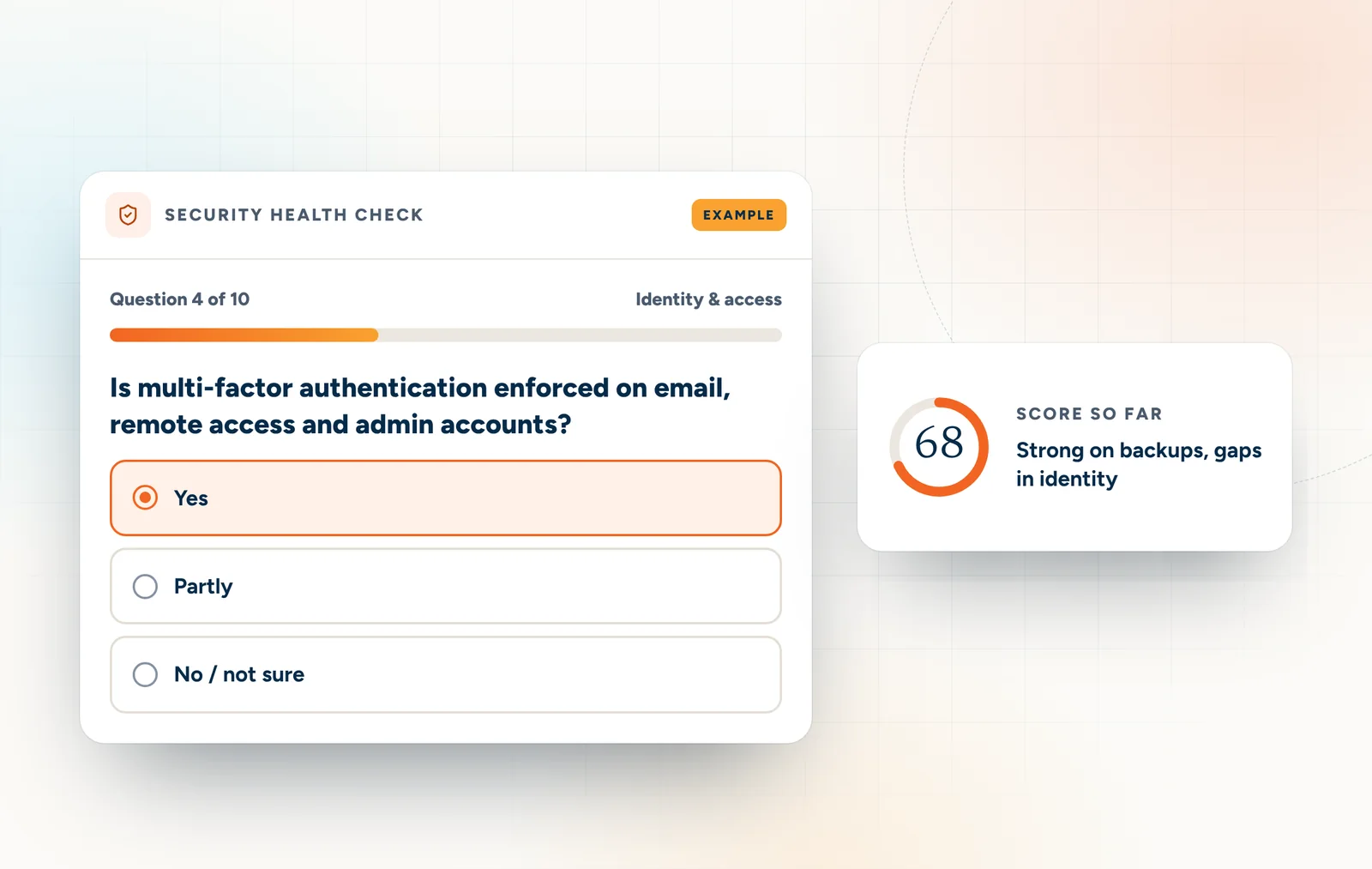
Example of the security health check with a running score

10 questions · 2 minutes

Security health check

Score your business out of 100 across identity, devices, backups, monitoring and policy, with a plan for your weakest areas.
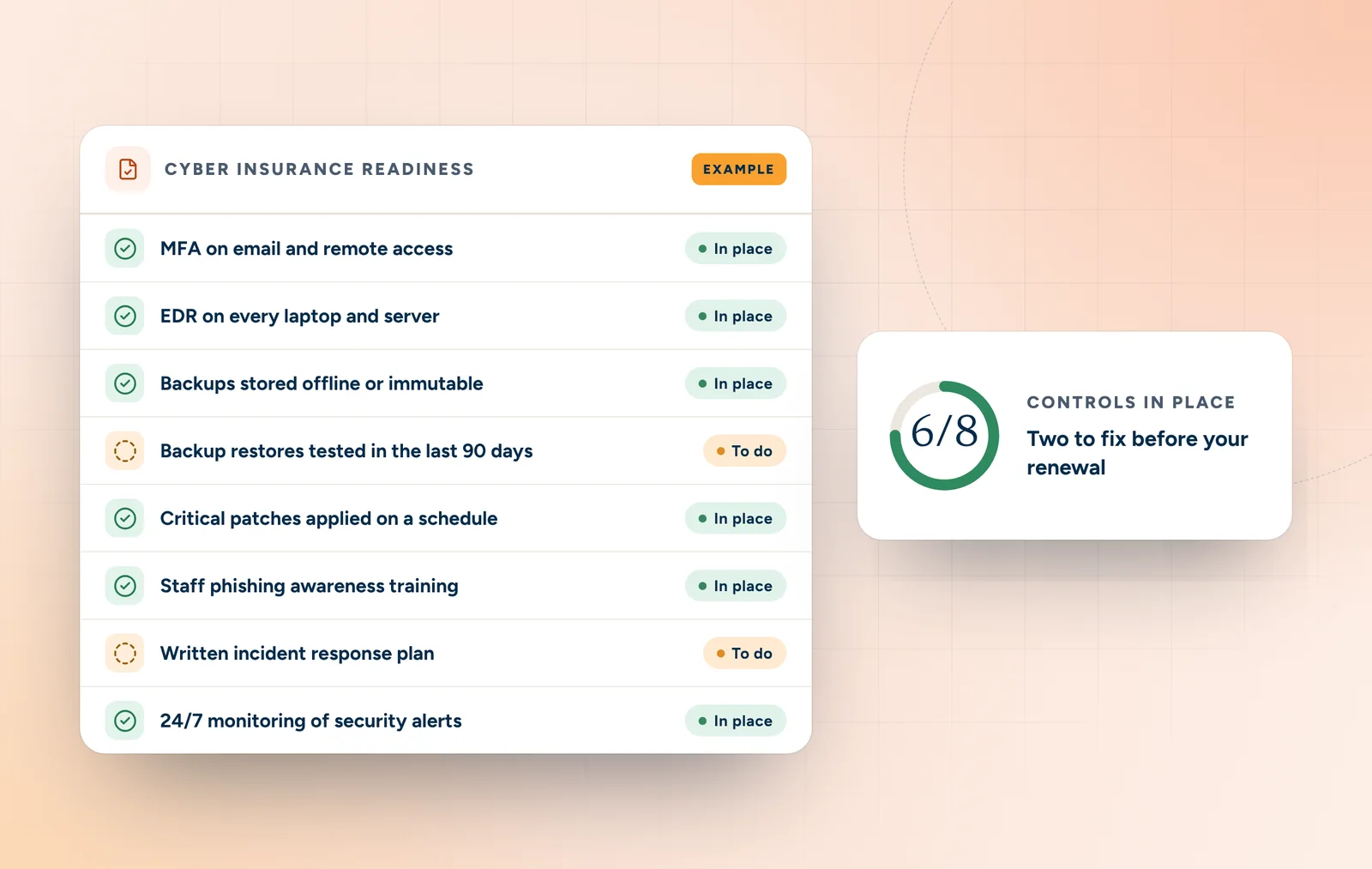
Example of the cyber insurance readiness checklist

8 controls · 1 minute

Cyber insurance readiness

Tick the controls insurers commonly ask about and see how ready you are for your next renewal questionnaire.
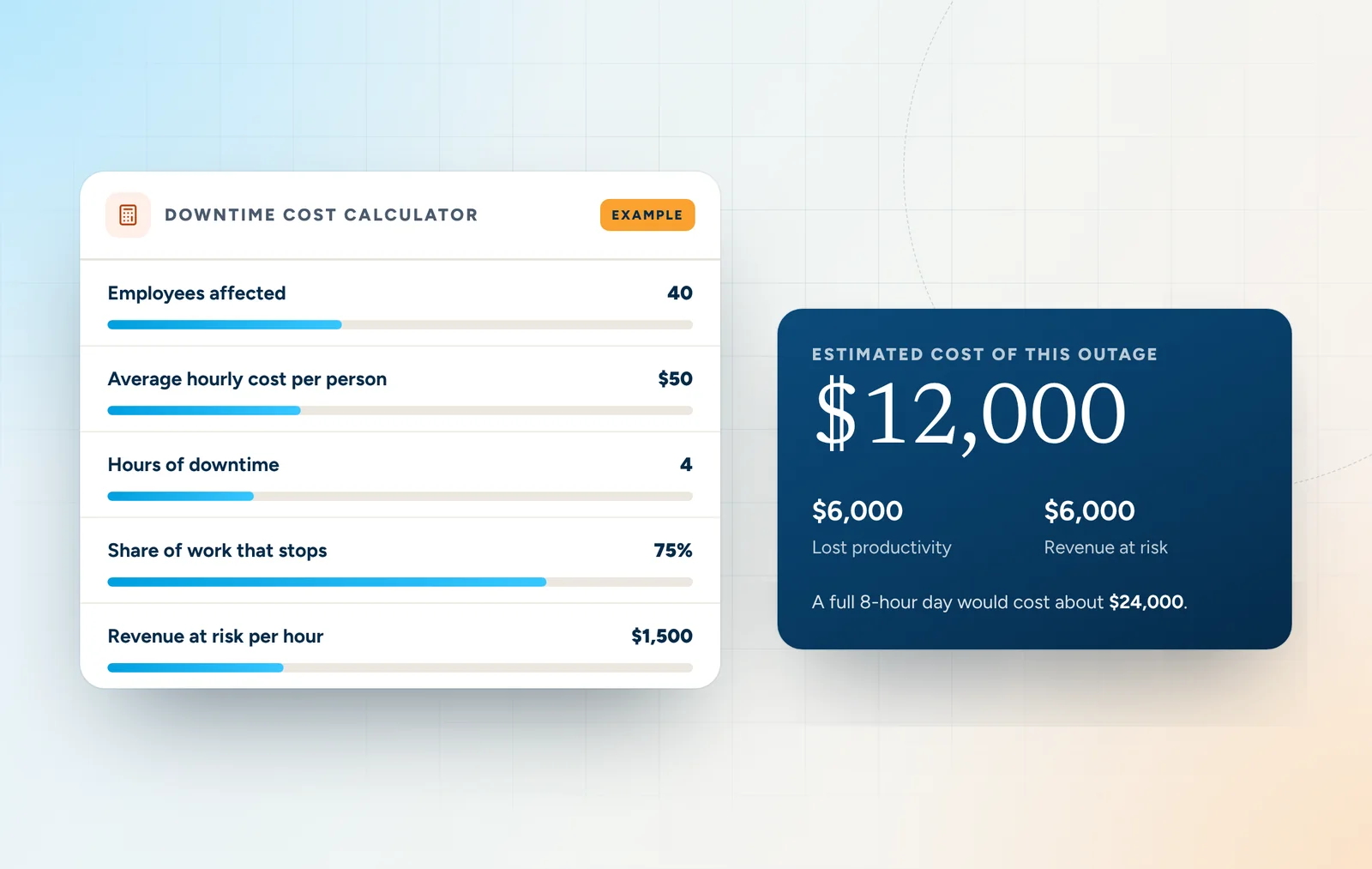
Example of the downtime cost calculator

Calculator · 1 minute

Downtime cost calculator

Plug in your team size and hourly costs to estimate what IT outages cost your business every year.

Free PDF guides

Twenty playbooks. Zero fluff.

One guide for every service and industry we support, each with a checklist, questions to ask any IT provider and a 30/60/90-day plan.
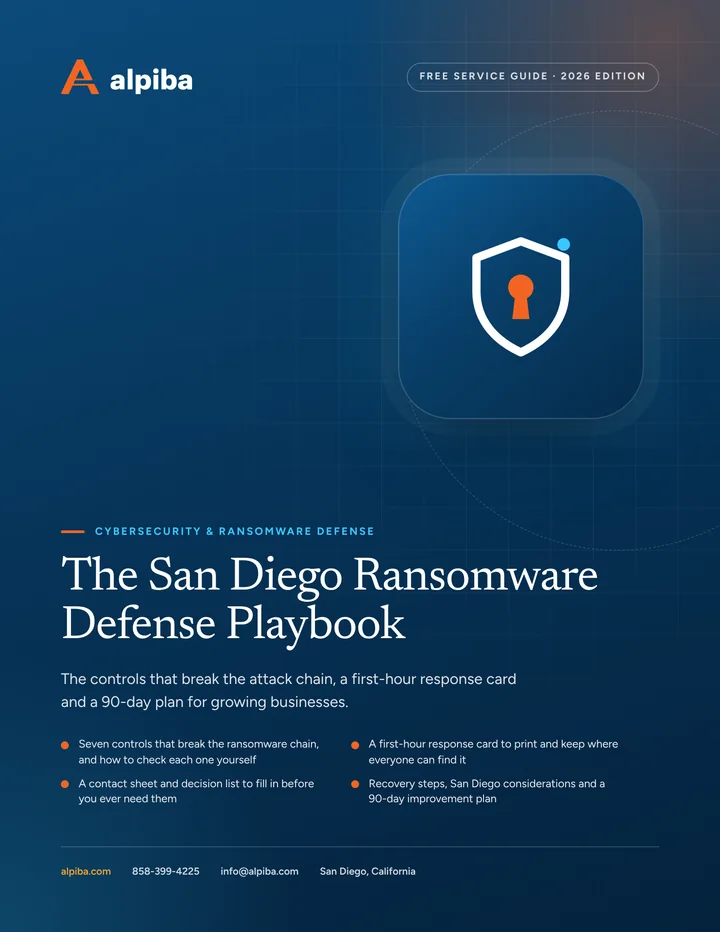
Cover of The San Diego Ransomware Defense Playbook

Service guide · Cybersecurity

The San Diego Ransomware Defense Playbook

A printable playbook for business owners and the people who run their offices and IT: what to put in place before an attack, what to do in the first hour and how to recover.
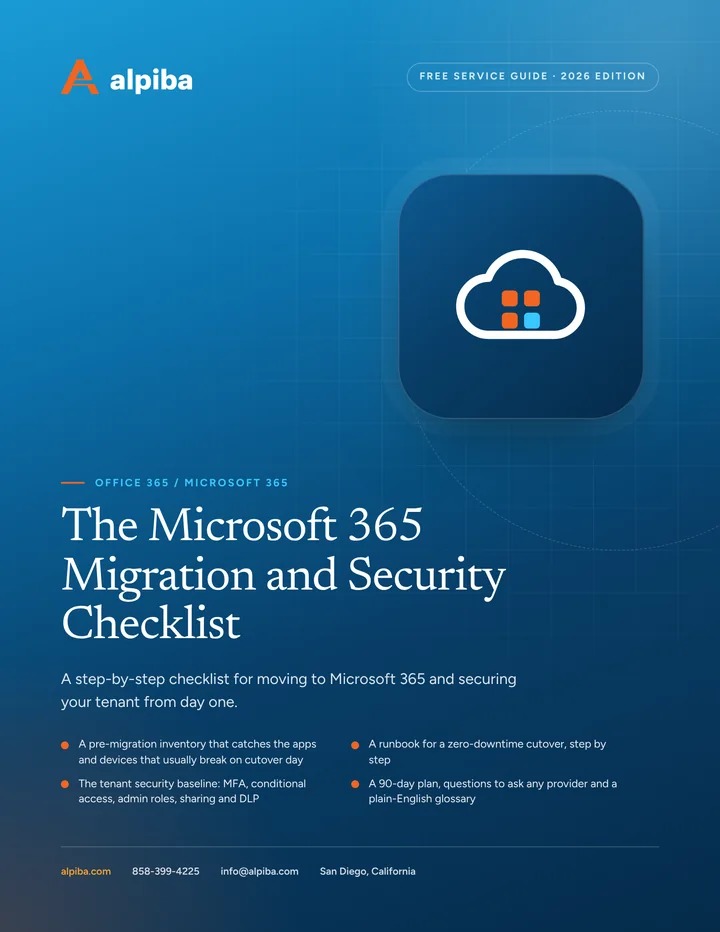
Cover of The Dental Practice HIPAA and IT Checklist

Industry guide · Dental

The Dental Practice HIPAA and IT Checklist

Review your practice's HIPAA technical safeguards, backups, vendors and downtime plans in one sitting, then close the gaps with a practical 90-day plan.

Learn

Guides and answers.

20 PDF guides · checklists and 90-day plans

Free guides library

Practical playbooks for every service and industry we support, each with a checklist, provider questions and a 30/60/90-day plan.

60 terms, plain English

IT & security glossary

EDR, MDR, SOC 2, RTO, zero trust and more, explained without the jargon.

alpiba.com/blog

Blog

Practical IT and security guidance from the Alpiba team.

From our founder

“SMBs deserve a strategic technology partner, without enterprise complexity or cost.”

Roopa · Founder, Alpiba · former Accenture advisor

Everything here is free and written in plain English, because good decisions start with clear information.

Roopa, founder of Alpiba, standing in front of evening city lights

In depth

How to get the most from these resources.

6 min readBy the Alpiba teamUpdated October 15, 2026

On this page

These free IT and cybersecurity resources are built to be used, not skimmed. Each one answers a practical question that San Diego owners and office managers face: how exposed are we, what will our insurer want to see, what does an outage really cost, and what do all these acronyms mean?

This page explains what each resource is for, the order we'd use them in and how to turn what you learn into a plan. Whether you run a five-person office in Chula Vista or a multi-site team in North County, none of it needs a technical background. If you can set aside one hour this week, start with the self-assessment path.

What each resource is for

Each of these free IT and cybersecurity resources answers a different question, so the right one depends on what you need to know today.

Pick the resource that matches your question
ResourceUse it whenWhat you walk away with
Security health checkYou want an honest baseline in a couple of minutesA score out of 100, a score for each of five areas and the next steps that matter most
Cyber insurance readiness checkAn application or renewal questionnaire is on its wayThe 8 controls insurers commonly ask about, and which ones you can't show yet
Downtime cost calculatorYou need a number to justify, or challenge, IT spendingAn annual downtime estimate built from your own headcount, hourly costs and revenue
Free guidesYou're ready to act on one topic, such as ransomware or a migrationA practical workbook with a checklist, provider questions and a 90-day plan
Managed IT vs break-fix guideYou're deciding how to get IT support at allA side-by-side view of break-fix, managed, in-house and co-managed IT
GlossaryA proposal, audit request or insurer form uses unfamiliar termsPlain-English definitions you can share with your team
FAQYou want straight answers without booking a callShort answers on what we do, security, compliance, pricing and next steps
Your answers stay with you

The three tools work inside your browser: nothing you enter is sent to us or stored, so you can answer honestly. The guides are the one exception, since they ask for your name and work email.

A one-hour self-assessment for owners

If you own or run the business, you can get a realistic picture in an hour without anyone technical in the room. Where you don't know an answer, choose “not sure”. Not knowing is a finding in itself.

  1. Minutes 0–10: score the basics

    Take the security health check. It only needs a couple of minutes, so use the rest to jot down why you answered “partly” anywhere.

  2. Minutes 10–20: check insurance readiness

    Work through the cyber insurance readiness check and mark any control you couldn't prove with a screenshot, report or invoice.

  3. Minutes 20–30: put a price on downtime

    Run the downtime cost calculator with real figures from payroll and sales. Remember that it leaves out recovery costs, overtime, penalties and lost customers.

  4. Minutes 30–45: read one checklist

    Download the guide that matches your lowest-scoring area and work through its checklist. Tick what's done and circle what isn't.

  5. Minutes 45–60: write three priorities

    List the three gaps that would hurt most, who owns each one and a date to check progress. That single page is the start of a plan.

Answer it twice

If someone else handles IT day to day, ask them to take the health check separately. Where your answers differ is often where the real risk hides.

Example of the Alpiba security health check: question 4 of 10 about multi-factor authentication, with a running score of 68 out of 100
The free security health check.

Getting honest numbers from the tools

Self-checks are only as useful as the answers you give them. A few habits make the results far more reliable.

  • Answer for the weakest case. If MFA is on for most people but not for the shared front-desk mailbox or one admin account, the honest answer is “partly”. Attackers look for the exception, not the average.
  • Count proof, not intentions. On the insurance check, tick a control only if you could show evidence today, such as a policy screenshot, a training record or a restore report.
  • Use the full cost of an hour. Payroll alone understates downtime. Include benefits in the hourly cost per employee, and for revenue at risk, count the sales you'd lose or have to delay while systems are down.
  • Plan for bad timing. A dental office mid-morning, a warehouse at dispatch time or a law firm on a filing deadline loses more than an average hour suggests. Run the calculator twice: once for a typical outage and once for the worst-timed one.

A learning path for office managers

Office and practice managers often become the unofficial IT department: onboarding new hires, chasing vendors, filling in the insurance questionnaire. This path builds working knowledge over a month, one short session a week.

  1. Week one: learn the vocabulary. Look up MFA, EDR, phishing, immutable backup, RTO and RPO in the IT and security glossary. These terms appear in nearly every proposal and questionnaire.
  2. Week two: own the people side. Read the managed IT guide, then tighten onboarding and offboarding: accounts ready on day one, access removed the day someone leaves.
  3. Week three: get the team phishing-ready. Read the email security guide, then show everyone how to report a suspicious message. Payment-change requests always deserve a call back to a known number.
  4. Week four: know the recovery plan. Find out where backups live, when a full restore was last tested and who calls whom on a bad day. If nobody knows, that's the first item for your next IT meeting.

After that, keep the FAQ bookmarked. When a colleague asks whether you're covered for something, it often has a straight answer, or at least the right question to ask your provider.

Getting the most from the guide library

The free guide library holds 20 PDFs: a guide to every service we offer, plus one for each industry we specialize in. They share one structure, so after the first one the rest are quick to use.

  • Plain-English sections on the topic and the decisions it involves
  • A checklist of 20–30 items, grouped so a team can split the work
  • Questions to put to any IT provider, including us
  • A plan that runs to day 90, in three 30-day phases
  • A short glossary for that topic

Not sure which to open first? Pick the guide for your lowest health check category, or your industry guide if you'd rather start broad.
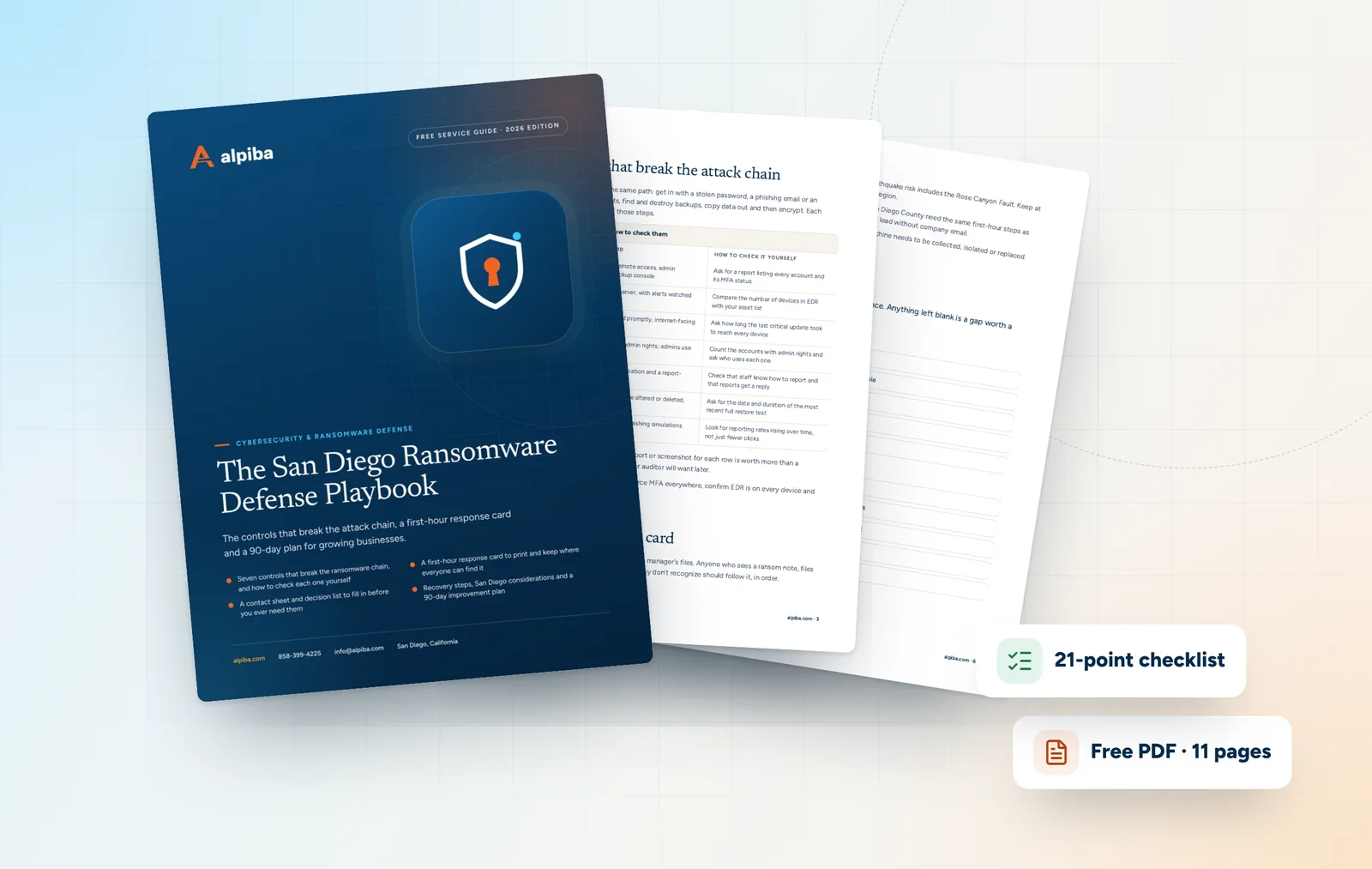
Cover and two sample pages of The San Diego Ransomware Defense Playbook, a free 11-page PDF guide from Alpiba with a 21-point checklist
Inside The San Diego Ransomware Defense Playbook.

Turning results into a plan

The point of free IT and cybersecurity resources is a better decision, not a better score. Start with the area that scored lowest and take the first move below.

Identity & access

Turn on MFA for email, remote access and every admin login before anything else. Then write down an offboarding routine that removes access on someone's last day.

Devices & email

Move from antivirus alone to managed EDR that can isolate a device. Add regular phishing simulations so reporting a suspicious message becomes a habit.

Backup & recovery

Keep at least one immutable copy off-site, away from your network. Then restore a full system as a test and record how long it actually took.

Monitoring & response

Decide who watches alerts at night and on weekends. Write a one-page incident response plan that names who does what.

Patching & policy

Put critical patches on a fixed schedule. Publish a one-page policy on approved apps and AI tools, and on how sensitive data may be shared.

Sort every gap into three buckets

  • Fix this month. Gaps that are cheap to close and costly to leave open, such as missing MFA or a restore nobody has tested.
  • Plan this quarter. Changes that need budget or scheduling, such as EDR on every device, an email migration or a network refresh.
  • Review next quarter. Improvements that matter but aren't urgent, such as mapping your controls to NIST CSF or writing down policies you already follow.
Want a second opinion?

Bring your score, insurance gaps and downtime estimate to a free 30-minute assessment. We'll talk them through with you and say which priorities we'd change, and why.

Two local checks the tools can't run for you

The tools cover risks every business shares. Add two San Diego questions to your notes before you build a plan.

  • Could the team work through a power shutoff? When Santa Ana winds push wildfire risk up, SDG&E may switch off power to parts of the county through a Public Safety Power Shutoff. List what stops if your building loses power for a day, and what keeps running from the cloud or from home.
  • Does any data live in only one building? With the Rose Canyon Fault crossing the San Diego area, earthquake readiness is a local concern. If your files, accounting data or practice records exist only on equipment in your office, whether that's in Mission Valley or Escondido, an immutable off-site copy belongs at the top of your list.
Illustration of the San Diego skyline at sunset, with downtown towers, the bridge across the bay, sailboats and palm trees
San Diego, where Alpiba is based.

FAQ

Resources questions, answered.

Straight answers to the questions we hear most. Still curious? Talk to a senior engineer.

Are Alpiba's free IT and cybersecurity resources really free?

Yes. The security health check, cyber insurance readiness check, downtime cost calculator, glossary, FAQ and guide library cost nothing to use. The three tools need no sign-up and don't send or store your answers. The guides ask for your name and work email before you download, and you can unsubscribe, or ask us to delete those details, whenever you choose.

Do the free tools save or send my answers?

No. All three tools do their calculations on your own device, so nothing you enter reaches Alpiba or gets saved. That covers the security health check, the cyber insurance readiness check and the downtime cost calculator. If you want a record, print your results or note your category scores before you close the page.

How accurate is the security health check?

It's a quick self-check, not an audit, so it's only as accurate as your answers. Ten questions across five areas give a useful baseline and show where to look first. It can't see your actual configuration, logs or backups, so a low score in any area deserves a closer look rather than a guess.

What does the cyber insurance readiness check cover?

It covers 8 controls insurers commonly ask about: MFA on email and remote access, EDR on every laptop and server, offline or immutable backups, a restore test in the last 90 days, scheduled patching, phishing awareness training, a written incident response plan and 24/7 monitoring. Requirements vary by insurer, and Alpiba doesn't sell insurance.

Why does the downtime estimate look lower than I expected?

Because it counts only two things: the cost of staff who can't work and the revenue lost or delayed while systems are down. Recovery work, overtime, fines, contractual penalties and reputational damage are left out on purpose, so the figure is a floor. Running it again for a worst-timed outage gives you a more realistic range.

How are the free guides different from the free tools?

The tools are quick self-checks: a minute or two in your browser, no sign-up, and a score or estimate at the end. The guides are workbooks for acting on one topic, with practical sections, a checklist, provider questions, a 90-day plan and a glossary. Downloading a guide needs your name and work email.

Which resource should I start with?

Start with the security health check. It takes about two minutes and shows which of five areas is weakest. If an insurance renewal is coming, do the readiness check next; if you need to justify spending, run the downtime calculator. Then download the guide for your lowest-scoring area and work through its checklist.

Can the glossary help with insurance and audit paperwork?

Yes. Insurance applications, audit requests and IT proposals lean on terms like MFA, EDR, immutable backup, RTO, SOC 2 and zero trust. The glossary defines each in plain English, so you can answer accurately and spot when a proposal is vague. When a definition raises a question about your own setup, note it for your IT provider.

Can I share my results with my IT provider?

Yes, and we'd encourage it. Print or note your health check and insurance results, add your downtime estimate, and ask your provider to answer each gap with a fix, an owner and a date. If you'd like an independent view, bring the same results to a free 30-minute assessment, where a senior engineer will go through them with you.

What should I do after using the free tools?

Turn the results into three lists: what to fix this month, what to plan this quarter and what to review later. Give every item an owner and a date. If you're unsure which gaps matter most for your business, a free 30-minute assessment will show which ones we'd tackle first, with no obligation.

Free 30-minute assessment

Let's make IT the easy part.

Tell us a little about your business. A senior engineer will map your top risks, quick wins and a right-sized plan, with no obligation and no sales pressure.

  • A senior engineer, not a salesperson
  • Reply within 12–24 hours
  • Flat per-user pricing if you want our help
Roopa, founder of Alpiba

Founder-led and San Diego basedRoopa founded Alpiba to give growing businesses a real technology partner.

858-399-4225Mon–Fri, 7am–7pm PT · 24/7 for managed clients
info@alpiba.comReply within 12–24 hours

Fields marked * are required. By submitting, you agree that Alpiba may contact you about your request. We reply within 12–24 hours; for an active incident, call 858-399-4225.

Call Free assessment