
Managed IT
Managed IT & White-Glove Support
Your single point of contact for all technology, with a tailored helpdesk and on-site support backed by clear SLAs.
SOC online 24/7Breach or outage? Call 858-399-4225
Free guidesinfo@alpiba.comMon–Fri, 7am–7pm PT

Free tool · 1 minute
Adjust the sliders to match your business. The estimate updates instantly and stays in your browser.

Hourly cost per employee should include wages and benefits. Revenue at risk is the revenue you would lose or delay for each hour systems are down.
One 8-hour outage would cost about $12,250.
Formula: employees × hourly cost × hours × productivity lost, plus revenue per hour × hours. Excludes recovery costs, overtime, fines, contractual penalties and reputational damage.
Find ways to cut this numberReduce downtime

Managed IT
Your single point of contact for all technology, with a tailored helpdesk and on-site support backed by clear SLAs.
Learn more
Cybersecurity
Real analysts and real playbooks watching your endpoints, identities, email and cloud around the clock.
Learn more
Infrastructure & Continuity
Design, optimize and secure your infrastructure for maximum uptime and performance.
Learn more
Infrastructure & Continuity
Immutable backups, tested restore plans and disaster recovery playbooks so your business stays online.
Learn moreIn depth
7 min readBy the Alpiba teamUpdated October 15, 2026
The calculator above puts a number on the cost of IT downtime from five inputs. That number is only as good as what you feed it, and it deliberately leaves out costs that are harder to measure but can matter just as much.
This guide shows how to choose honest inputs, which hidden costs to add, how recovery targets change the result, what actually reduces downtime and which disruptions are specific to San Diego, from SDG&E power shutoffs to earthquake risk. It ends with a simple way to turn your estimate into a budget conversation with your leadership team.
A realistic cost of IT downtime has two layers. The calculator counts the first: people who can't work and revenue you can't earn while systems are down. The second layer arrives later, on different invoices, and is easy to miss.
| Cost | In the calculator? | How to estimate it |
|---|---|---|
| Idle or slowed staff | Yes | People affected × hourly cost × hours × productivity lost |
| Lost or delayed revenue | Yes | Revenue per hour × hours down, adjusted for sales that come back later |
| Overtime and catch-up work | No | Overtime hours after the outage × overtime rate |
| Recovery labor and outside help | No | Invoices from past incidents, or quotes for emergency support |
| Lost data and rework | No | Work created since the last good backup that has to be redone |
| Missed deadlines and penalties | No | Late-delivery terms in customer contracts and service agreements |
| Spoiled work in progress | No | Lab samples, production runs or perishable stock affected by the outage |
| Customer trust | No | Hard to price; consider customers who might leave after a long or public outage |
| Breach-related costs | No | Notification, legal and forensic costs if data was exposed, not just unavailable |
Hidden costs vary most by industry. A Sorrento Valley lab may lose samples or instrument time, a manufacturer near Otay Mesa may miss a cross-border shipment window, and a law firm may miss a filing deadline. Add the rows that apply to you as a separate line next to the calculator's result.
Optimistic inputs produce a comfortable number that nobody acts on, and pessimistic ones get dismissed. Aim for numbers you could defend to your finance lead.
Calculate a typical year, a single bad day (the calculator shows what one 8-hour outage would cost) and a worst case, such as several days of ransomware recovery. The spread between them is the real story for your budget.
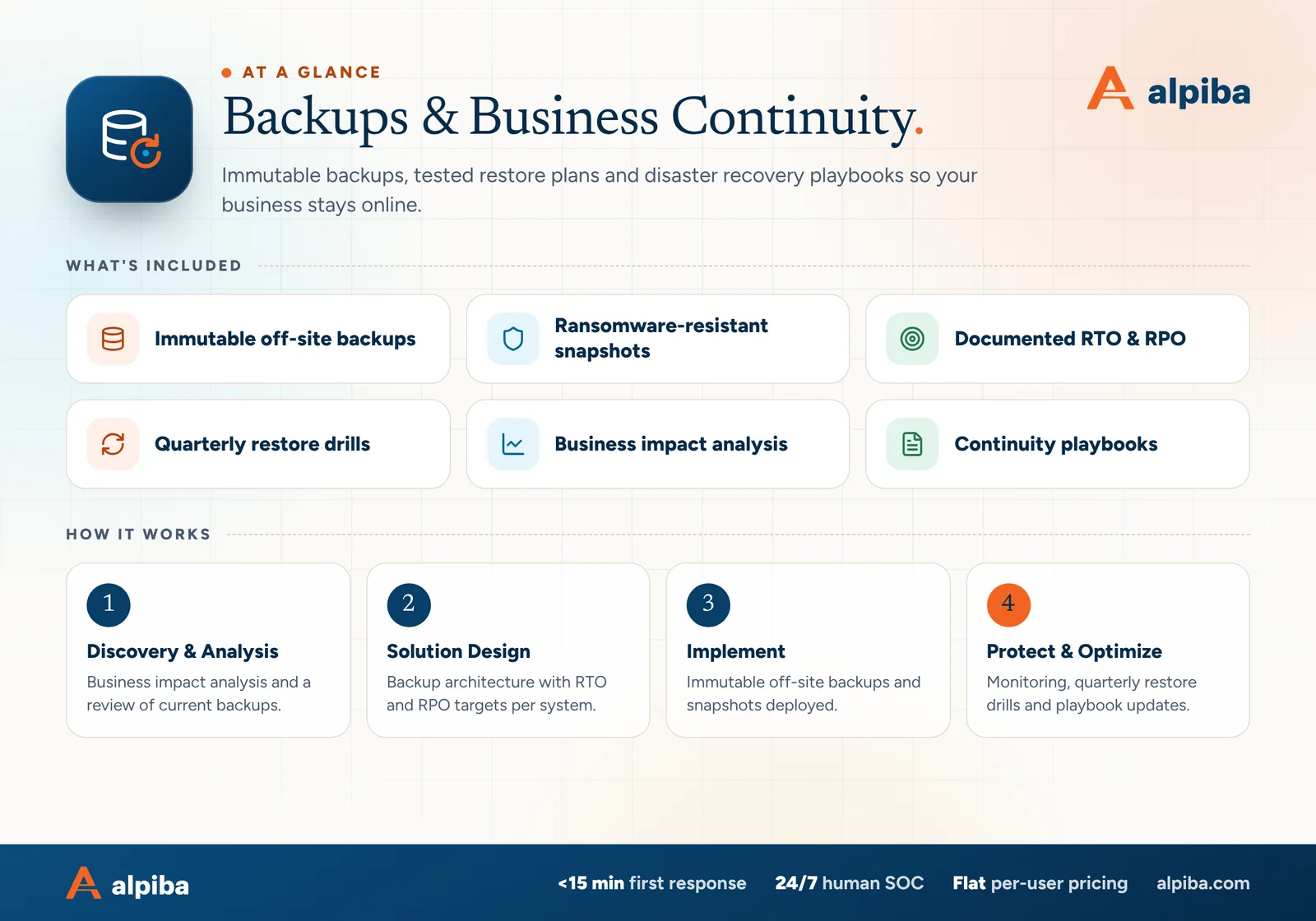
Two recovery targets shape the size of any outage. Your recovery time objective (RTO) is how quickly a system must be back. Your recovery point objective (RPO) sets how far back a restore may land, and therefore how much recent work you could lose.
| Target | The question it answers | Effect on your downtime cost |
|---|---|---|
| RTO | How long can this system be down before the damage becomes serious? | Caps the hours input for an incident, if you can actually meet it |
| RPO | How much work can we afford to redo? | Sets the rework cost, which the calculator doesn't include |
A target only counts if it has been tested. If backups run nightly, a failure late in the afternoon can mean a full day of work to recreate, no matter how quickly the server comes back. And if nobody has timed a full restore, your real RTO is unknown.
We document RTO and RPO for each key system as part of a business impact analysis, then prove them in quarterly restore drills. Our typical RTO is under 4 hours.
Each measure below shrinks a different input in the calculator. Monitoring and fast response cut the hours, redundancy keeps one failure from stopping everyone, and tested backups limit both downtime and lost work.

Plenty of downtime has ordinary causes: a failed switch, a bad update, a cut fiber line or an accidental deletion. San Diego adds a few regional risks worth building into your worst-case scenario.
During high wildfire risk, SDG&E can turn off power to lower the chance of lines sparking a fire, sometimes for an extended period. Plan for battery backup that lets servers shut down cleanly and a place for staff to work that still has power.
Santa Ana wind events raise fire danger, and evacuations or smoke can keep people out of offices in East County and inland North County. Cloud access and charged laptops let the work move with your people.
The Rose Canyon Fault runs through the San Diego area, and a strong quake can damage on-site equipment or keep a building closed for inspection. Off-site backups mean your data survives even if the server closet doesn't.
Internet provider outages, construction crews cutting fiber and summer heat straining equipment happen here too. They are less dramatic, but they add up over a year.
Count these in the hours input, especially if an office or key site sits in an area that has seen shutoffs before. Signing up for SDG&E outage notifications for each site address is a simple first step.
A cost of IT downtime estimate is most useful when it sits next to the cost of preventing it. Leadership teams can weigh a known monthly investment against an estimated annual risk; they can't weigh a vague worry.
Review the five inputs with finance and operations so everyone trusts the starting point.
List the rows from the table above that apply to you, with a rough figure or a range for each.
Get costs for the measures that shrink your biggest inputs, such as a second internet line, battery backup, tested backups or 24/7 monitoring.
Decide which systems need a short RTO and RPO, and accept longer targets for the rest.
Update the estimate when headcount, revenue or key systems change, and after any real outage.
If you're weighing support models, our managed IT vs break-fix guide shows how to compare their true costs, and our IT strategy and vCIO service builds these numbers into a roadmap and budget reviewed every quarter. Or start with a free 30-minute assessment.

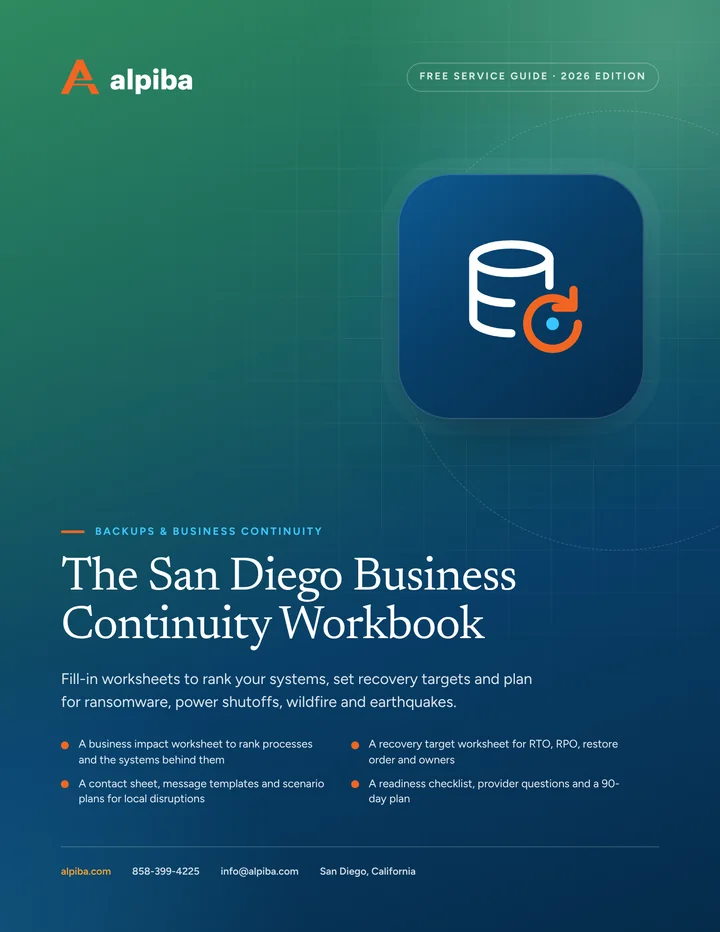
Free guide · PDF
A printable workbook that turns a vague intention into a written plan your team can actually follow on a bad day.
Get the free guide
FAQ
Straight answers to the questions we hear most. Still curious? Talk to a senior engineer.
The calculator adds two parts. Lost productivity multiplies the employees affected by their average hourly cost, the hours of downtime per year and the share of productivity lost. Revenue at risk multiplies revenue per hour by the same hours. The total is the sum of both, and the tool also shows what a single 8-hour outage would cost with the same inputs.
No. The calculator runs entirely in your browser. The numbers you enter are not sent to Alpiba or stored, and the estimate updates on your screen as you move the sliders. If you want to share the result with your team, take a screenshot or note the inputs so you can recreate the same scenario later.
It leaves out costs that are harder to predict: overtime and catch-up work, recovery labor and outside help, data that must be recreated, contractual penalties, spoiled work in progress, fines, and customers who leave after a bad outage. For some businesses these hidden costs outweigh the direct ones, so list the ones that apply to you next to the calculator's result.
Reduce downtime by catching problems early, removing single points of failure and making recovery fast. In practice that means 24/7 monitoring and patching, a second internet connection and battery backup for network gear, immutable backups with tested restores and documented recovery targets, and a security team that responds within minutes. Cloud access for remote work also keeps people productive when the office is unavailable.
Use the fully loaded cost: wages plus benefits, payroll taxes and other employment costs, divided by paid hours. Your payroll provider or accountant can give you a reliable average. If roles vary widely, run the calculator separately for groups that are affected differently, such as clinicians and front-desk staff, or engineers and operations.
There isn't a reliable universal figure, because downtime depends on your systems, your support model and your luck. Use your own history instead: helpdesk tickets, internet provider outages, power cuts and incidents your managers remember. If you have no records, run two scenarios: a modest year with a few short outages and a bad year with one multi-day incident.
RTO, your recovery time objective, limits how long a system stays down, so it caps the hours in your estimate if you can actually meet it. RPO, your recovery point objective, determines how much recent work is lost and must be redone. Tighter targets cost more to achieve, so set them system by system based on what each hour of downtime and data loss would cost you.
No, but it changes where downtime comes from. Cloud platforms remove some on-site failures, such as a crashed email server, yet you still depend on your internet connection, sign-in systems and settings. Accidental deletions, compromised accounts and ransomware reaching synced files can still stop work. A second internet connection, strong identity security and independent backups cover those gaps.
Plan for a day or more without power at your site. Sign up for SDG&E outage notifications for each address, put battery backup on servers and network equipment so they can shut down cleanly, keep laptops charged, and make sure staff can reach email and files from another location. Test remote access before wildfire season, not during it.
Some cyber policies include business interruption coverage for income lost during a covered incident, but terms vary widely. Look at waiting periods before coverage starts, limits, and whether outages caused by a vendor or a non-malicious failure are included. Your broker can explain what your policy covers. Alpiba doesn't sell insurance, but we can help you document the recovery capabilities insurers ask about.
Update it at least once a year, ideally before budget planning, and whenever headcount, revenue or key systems change. Recalculate after any real outage too, using what actually happened: how many people were affected, for how long and what recovery cost. Real incidents are the best calibration for every input in the calculator.
“SMBs deserve a strategic technology partner, without enterprise complexity or cost.”
Roopa · Founder, Alpiba · former Accenture advisor
Monitoring, tested backups and a fast first response are the cheapest insurance against downtime. That is what we build for every client.

Free 30-minute assessment
Tell us a little about your business. A senior engineer will map your top risks, quick wins and a right-sized plan, with no obligation and no sales pressure.

Founder-led and San Diego basedRoopa founded Alpiba to give growing businesses a real technology partner.