SOC online 24/7Breach or outage? Call 858-399-4225

Free guidesinfo@alpiba.comMon–Fri, 7am–7pm PT

Alpiba

Free service guide · PDF

The Google Workspace Migration and Security Guide

How to move to Google Workspace without losing a message, then lock down sign-in, sharing and apps.

  • A migration plan with an inventory list, a mapping table and a way to prove nothing is missing
  • A 2-Step Verification rollout that protects super admins first
  • Shared drive and link-sharing rules you can apply this month
  • Printable checklists, a 90-day rollout plan and questions for any provider

11 pages24-item checklist30/60/90-day plan

Cover of The Google Workspace Migration and Security Guide

Get your free copy

Instant PDF download. No sales pitch inside.

Instant download. By submitting, you agree that Alpiba may contact you about this guide; you can ask us to delete your details at any time.

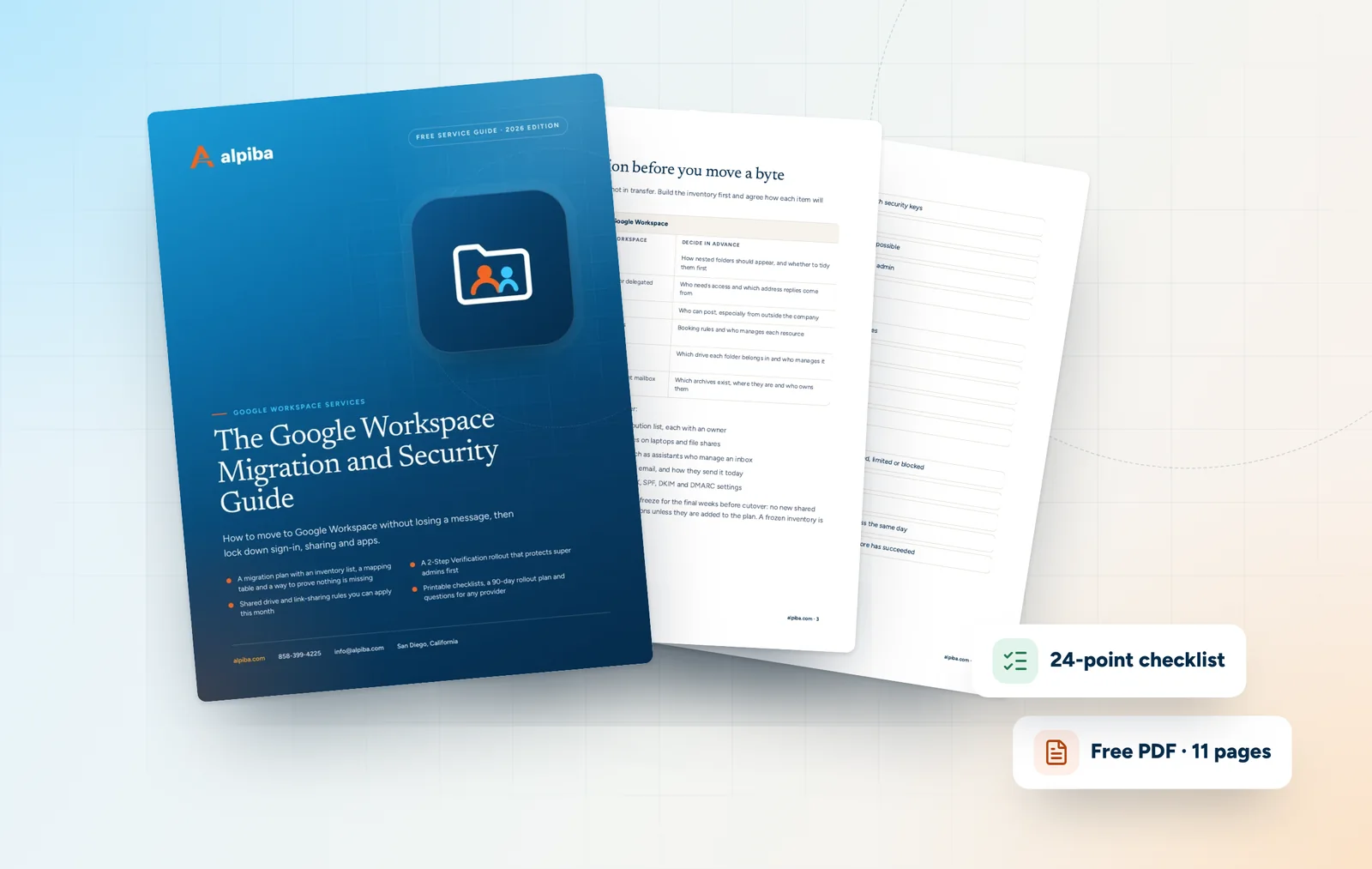
Cover and two sample pages of The Google Workspace Migration and Security Guide, a free 11-page PDF guide from Alpiba with a 24-point checklist
A look inside: the cover and two pages from the 11-page PDF.

What's inside

Inside the guide.

Google Workspace makes collaboration effortless, which is exactly why it drifts. Files end up in personal drives, links stay open after projects end and apps get access nobody reviews. Migrations bring their own risk: a forgotten archive or shared mailbox can mean years of email that never arrive.

This guide gives you a sequence to follow: plan and run the migration, secure sign-in, then govern sharing and apps. Each section ends in actions you can take yourself, and the checklist and three-phase plan at the back give you something to assign and tick off. If you want a second opinion, Alpiba's engineers will gladly review your plan, but nothing here depends on hiring anyone.

  1. Plan the migration before you move a byte
  2. Run the migration and prove nothing is missing
  3. Secure sign-in and admin accounts
  4. Govern sharing, drives and apps
  5. The checklist24 items in 5 groups
  6. Questions to ask any IT provider9 questions
  7. Your 30/60/90-day plan3 phases, step by step
  8. Plain-English glossary8 terms

Read Part 1 free

The opening chapter of the guide, in full. The rest of the guide, the checklist and the 90-day plan are in the PDF.

Plan the migration before you move a byte

Most lost email is lost in planning, not in transfer. Build the inventory first and agree how each item will translate before any data moves.

How common items translate into Google Workspace
In the old systemIn Google WorkspaceDecide in advance
Mail foldersGmail labelsHow nested folders should appear, and whether to tidy them first
Shared mailboxesGoogle Groups or delegated accountsWho needs access and which address replies come from
Distribution listsGoogle GroupsWho can post, especially from outside the company
Rooms and equipmentCalendar resourcesBooking rules and who manages each resource
File shares and foldersShared drivesWhich drive each folder belongs in and who manages it
PST archivesImported into the right mailboxWhich archives exist, where they are and who owns them

Then build the inventory itself. It should cover:

  • Every user, alias, shared mailbox and distribution list, each with an owner
  • Mailbox and archive sizes, including PST files on laptops and file shares
  • Calendars, rooms and delegated access, such as assistants who manage an inbox
  • Apps, scanners and website forms that send email, and how they send it today
  • Who controls DNS, plus a copy of today's MX, SPF, DKIM and DMARC settings

Once the inventory is complete, agree a change freeze for the final weeks before cutover: no new shared mailboxes, distribution lists or folder reorganizations unless they are added to the plan. A frozen inventory is one you can actually test against.

Get the full guide

A preview

A sample from the guide.

Here's the first checklist group and a few of the questions. The full guide has all 24 checklist items, 9 questions and the 90-day plan.

Migration readiness

  • Every mailbox, alias, shared mailbox and distribution list is listed with an owner
  • PST archives on laptops and file shares have been found and assigned
  • Folder-to-label and shared-mailbox-to-group mappings are agreed
  • Apps, scanners and forms that send email are listed with a test plan
  • DNS access is confirmed and current records are documented

Questions to ask any IT provider

  1. 1How do you inventory mailboxes, archives and shared mailboxes before migrating?
  2. 2How do you prove item counts match before cutover, and what happens to skipped items?
  3. 3How will shared mailboxes, distribution lists and delegated access be rebuilt in Google Workspace?
  4. 4Which 2-Step Verification methods will you allow, and how will super admins be protected?

+ 5 more questions in the full guide

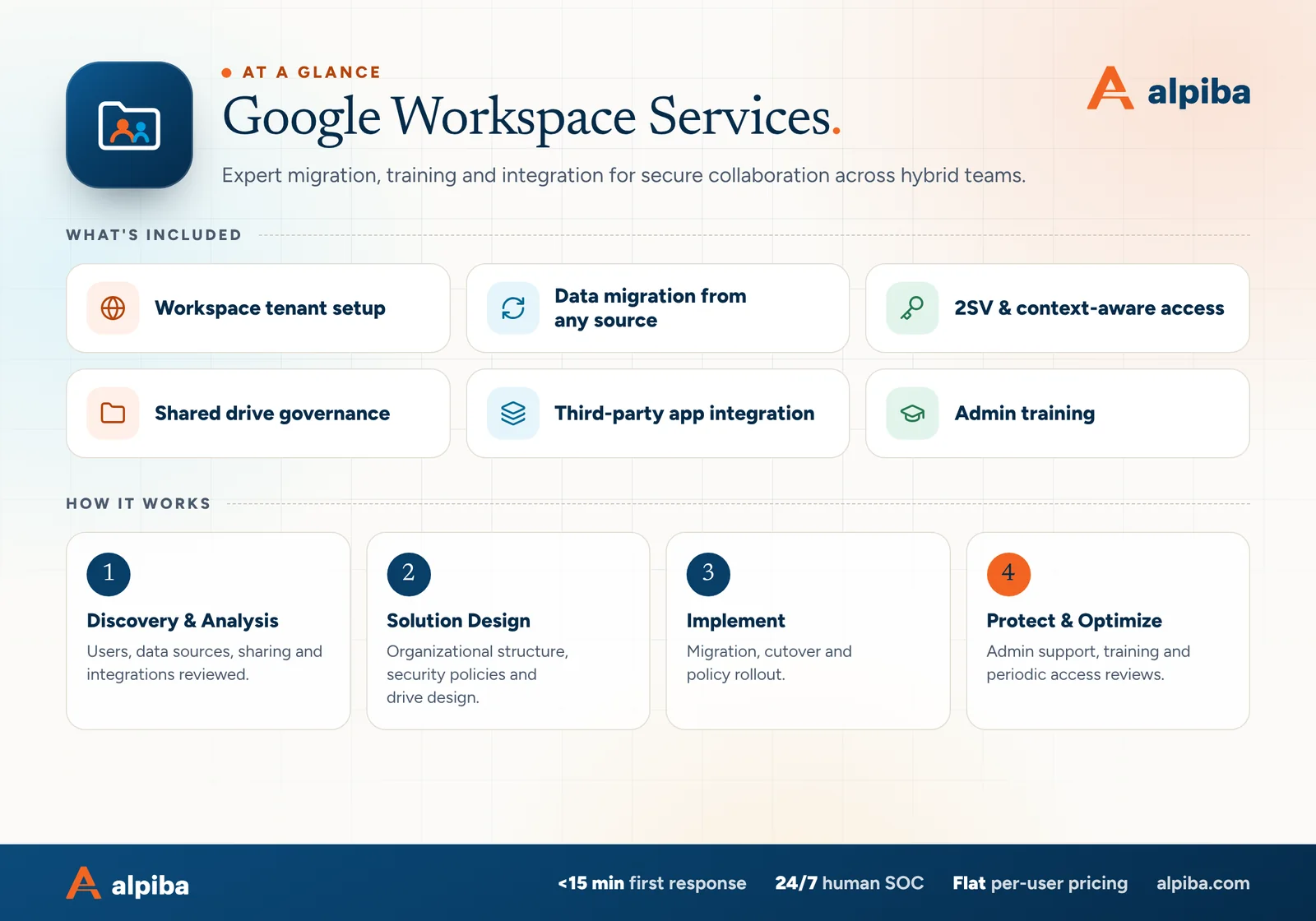
Google Workspace Services at a glance. Included: Workspace tenant setup, Data migration from any source, 2SV & context-aware access, Shared drive governance, Third-party app integration and Admin training. How it works: Discovery & Analysis, Solution Design, Implement and Protect & Optimize.
Google Workspace at a glance: what is included and how we roll it out.

Your first 30 days

Where to start this month.

The guide's 30/60/90-day plan begins with these steps. Assign an owner to each and review progress every two weeks.

  • 1Protect super admin accounts with separate logins and security keys
  • 2Enforce 2-Step Verification with a published deadline
  • 3Complete the migration inventory, or a sharing audit of your current tenant
  • 4Review connected third-party apps and block anything unknown

Key terms in plain English

Admin console
The web console where Google Workspace administrators manage users, security settings, devices and apps.
Organizational unit (OU)
A group of users in the Admin console that shares the same policies, such as a department or a set of contractors.
2-Step Verification (2SV)
Google's name for multi-factor authentication: a second proof of identity on top of the password.
Security key or passkey
A phishing-resistant way to sign in, using a physical key or a credential stored on a phone or laptop, that only works on the genuine sign-in page.
Context-aware access
Rules that allow or limit access to Google apps based on device security, network and location, available depending on your edition.
Shared drive
A drive owned by the organization rather than a person, so its files stay put when people leave.
My Drive
A user's personal storage area. Files there belong to that user until ownership is transferred.
MX record
The DNS entry that points incoming email for your domain at the right mail service. Updating it is what moves delivery to Gmail.
Roopa, founder of Alpiba

SMBs deserve a strategic technology partner, without enterprise complexity or cost.RoopaFounder, Alpiba

Put the guide to work

Services that help you act on it.

All services
Laptops and notebooks spread across a team work table

Cloud & Productivity

Google Workspace Services

Expert migration, training and integration for secure collaboration across hybrid teams.

A bright office with glass walls and meeting rooms

Cloud & Productivity

Office 365 / Microsoft 365

Certified onboarding, migration, security hardening and ongoing administration by Microsoft-certified professionals.

A padlock resting on a laptop keyboard

Cybersecurity

Zero Trust & Identity Security

Identity-aware access, MFA everywhere and least privilege baked into every environment we manage.

Keep reading

More free guides.

All guides
Cover of The Secure AI Adoption Guide for Small Businesses

Service guide · Secure AI & Automation

The Secure AI Adoption Guide for Small Businesses

A practical guide to adopting Copilot, Gemini and AI agents safely: what to fix first, a policy outline, a pilot plan and the guardrails agents need.

Cover of The San Diego Managed IT Buyer's Guide

Service guide · Managed IT

The San Diego Managed IT Buyer's Guide

A vendor-neutral workbook for San Diego owners and office managers choosing a managed IT provider: what to gather, what to ask, how to score proposals and how to run the first 90 days.

Call Free assessment