SOC online 24/7Breach or outage? Call 858-399-4225

Free guidesinfo@alpiba.comMon–Fri, 7am–7pm PT

Alpiba

Infrastructure & Continuity

Backup and disaster recovery in San Diego tested every quarter, before you need it.

A backup you haven't tested is just a hope. We build off-site backup systems with immutability and rehearse restores every quarter, so recovery is routine, not a gamble.

<15 min average first response Flat per-user pricing Free guide: The San Diego Business Continuity Workbook

A close view of a computer circuit board

Quick answer

What is backup and disaster recovery?

Backup and disaster recovery protects copies of your data and systems and defines how quickly you can restore them after an outage, breach or failure. Alpiba provides immutable off-site backups, ransomware-resistant snapshots, documented RTO and RPO targets, quarterly restore drills, business impact analysis and continuity playbooks, with a typical RTO under 4 hours.

What's included

Everything in Backups & DR.

One accountable team delivers every piece below, documented and reviewed with you every quarter.

  • Immutable off-site backups

    Copies that can't be altered or deleted, stored away from your network.

  • Ransomware-resistant snapshots

    Clean recovery points even if production is encrypted.

  • Documented RTO & RPO

    Agreed targets for how fast you recover and how much data you can lose.

  • Quarterly restore drills

    We prove recovery works, every quarter.

  • Business impact analysis

    Which systems matter most and how long you can be without them.

  • Continuity playbooks

    Written steps, owners and contacts for a bad day.

Why it matters

Recovery should be routine.

Ransomware targets backups first. Immutable, off-site copies plus regular restore rehearsals mean that when the worst happens, you follow a playbook instead of hoping.

  • Automated backup systems
  • Quarterly restore testing
  • Disaster recovery plans
  • Compliance documentation
Backup cadenceExample
  • Automated snapshotsEvery day
  • Immutable off-site copyEvery day
  • Restore drillEvery quarter
  • Evidence reportAfter each drill
<4 hrsTypical RTO
QuarterlyRestore drills
ImmutableOff-site copies

Outcomes

What you can expect.

<4 hrs

Recover in hours

Typical recovery time objective under 4 hours.

Ransomware-resistant

Immutable copies attackers can't encrypt or delete.

Proof for auditors

Restore evidence and compliance documentation on file.

The complete guide

Backup and disaster recovery in San Diego, explained.

11 min readBy the Alpiba teamUpdated October 15, 2026

On this page

Every business has backups until the day it needs one. That day might bring a ransomware note on the file server, a Microsoft 365 mailbox emptied through a compromised account, a server that won't start after a weekend power flicker, or an SDG&E shutoff that darkens the office for two days. Backup and disaster recovery in San Diego has to answer three plain questions before then: what exactly is protected, how long will it take to get it back, and how do you know it works?

We build immutable off-site backups, document recovery targets for each system and rehearse restores every quarter. Our typical recovery time objective is under 4 hours, and your actual targets are written down system by system, because a typical figure is not a promise about your environment.

This page covers the 3-2-1 approach and why immutability matters now, RTO and RPO in plain English, how a business impact analysis sets priorities, what a continuity plan should say, and how to prepare for wildfire season, power shutoffs and earthquakes across San Diego County.

Backup, disaster recovery and business continuity are not the same thing

The three terms get used interchangeably, but they answer different questions, and the gaps between them are where recoveries go wrong.

Backup

Copies of your data, taken on a schedule and stored somewhere safe. On its own, a backup says nothing about how long recovery will take.

Disaster recovery

The tested process for restoring systems after a major incident, measured against recovery time and recovery point targets. It covers the order of restores, who does them and where systems come back.

Business continuity

How the business keeps serving customers while systems are down, through workarounds, alternate locations and clear communication. It involves everyone, not just IT.

A business can have flawless backups and still be down for a week: nobody knows the restore order, the only hardware to restore onto is the encrypted server, or the license keys lived on the machine that died. Good planning covers the whole path from incident to normal operations.

Protect what surrounds the data, too

  • Whole server and virtual machine images, not just the files on them
  • Microsoft 365 or Google Workspace mailboxes, drives and shared sites
  • Regular exports from cloud business apps, where the vendor allows them
  • Firewall, switch and Wi-Fi configurations, plus your DNS records
  • License keys, installation files and vendor support contacts
  • The recovery runbooks themselves, with a printed copy kept off-site

The 3-2-1 approach, with an immutable copy

The classic rule of thumb is 3-2-1: keep at least three copies of your data, on two different types of storage, with one copy off-site. It was designed for hardware failure, fire and theft, and it still handles them well.

Ransomware changed the threat. Attackers who gain administrator access look for backups and try to delete or encrypt them before they launch, so a copy that an admin account can erase isn't a safe copy. At least one copy needs to be an immutable backup: once written, it can't be changed or deleted until its retention period ends, even with valid admin credentials. Here is how the layers fit together:

  • Production data. The live copy your team works on, on servers, in the cloud or both.
  • A fast local copy. Frequent snapshots or backups close to production, for quick restores of a file, a mailbox or a whole server.
  • An immutable off-site copy. Stored away from your network and locked against changes for a set retention period, out of reach of a compromised account.
  • Separate keys. Backup administration uses its own accounts with MFA, so stealing your everyday admin login doesn't hand over the backups too.
  • Alerts on failure. Failed or skipped jobs raise alerts that an engineer follows up, instead of sitting in a log nobody reads.

Cloud data needs its own backup

Microsoft and Google run the platforms, but the data in them is yours to protect. The risks are ordinary: a departing employee deletes a project folder, a compromised admin account purges mailboxes, a laptop syncs ransomware-encrypted files over good ones, or a retention policy is set up wrong and nobody notices for months. Built-in recycle bins only reach back so far, so we back up mailboxes, shared drives and sites to a separate, immutable store, whether you run Microsoft 365 or Google Workspace.

Sync is not backup

Sync tools copy every change everywhere within seconds, including deletions and files ransomware has just encrypted. A synced folder, or a USB drive that stays plugged in, is not a recovery plan.
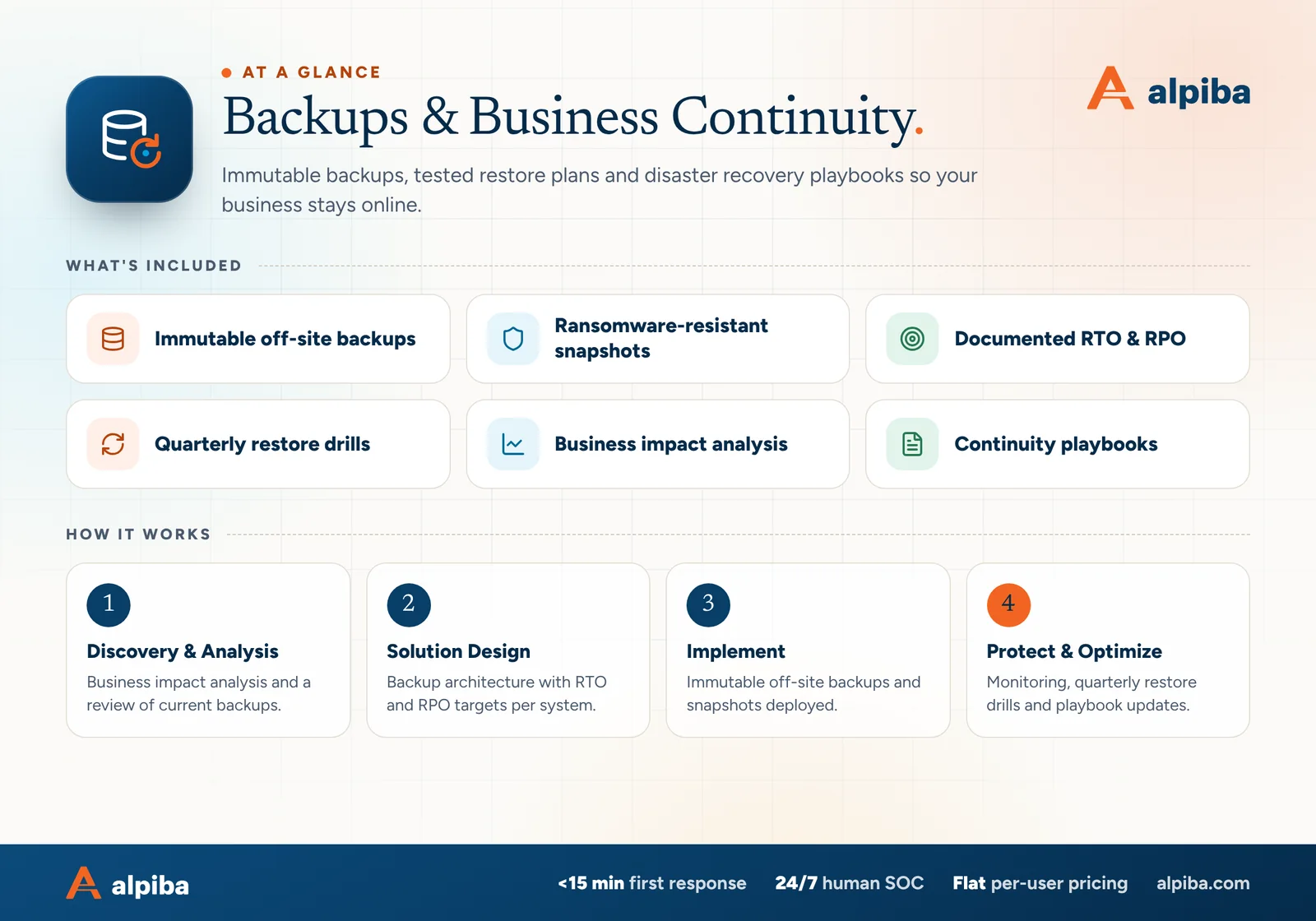
Backups & Business Continuity at a glance. Included: Immutable off-site backups, Ransomware-resistant snapshots, Documented RTO & RPO, Quarterly restore drills, Business impact analysis and Continuity playbooks. How it works: Discovery & Analysis, Solution Design, Implement and Protect & Optimize.
Backups & DR at a glance: what is included and how we roll it out.

RTO and RPO in plain English

Recovery time objective (RTO) is how long a system can be down before the damage becomes unacceptable. Recovery point objective (RPO) is how much recent work you can afford to lose, measured in time. A server backed up nightly has an RPO of up to 24 hours: a failure at 5pm can take the whole day's work with it.

Shorter targets cost more. A shorter RPO means more frequent backups or replication, and a shorter RTO means faster restore paths or standby systems. Setting targets per system lets you spend where downtime really hurts and save where it doesn't. Very short RPOs usually call for replication, which copies changes to a second system almost continuously. It copies mistakes and encryption just as quickly, so it complements immutable backups rather than replacing them.

Example RTO and RPO worksheet for a 30-person office (illustrative targets)
SystemWhat stops when it failsTarget RTOTarget RPO
Scheduling, case or job management serverBookings, billing and client records4 hours1 hour
Shared filesMost day-to-day work4 hours1 hour
Email and calendar (cloud)Client contact, if mail is deleted or an account is compromised8 hours24 hours
AccountingPayroll and payables, worst at month-end24 hours24 hours
Archived projectsNothing day to day72 hours24 hours

Fill in the same table for your own systems and add an owner to each row. If every row says one hour, start again: that isn't a plan, it's a budget request. We agree and document targets for each system during onboarding, then test against them in every drill.

Business impact analysis: deciding what comes back first

A business impact analysis (BIA) is a structured conversation with the people who run each part of the business. It identifies which processes matter most, what they depend on, how quickly harm grows once they stop and when an outage would hurt most, such as month-end close or the week before a filing deadline.

  1. List what the business does

    Start with processes, not servers: taking orders, seeing patients, billing, payroll, shipping, filing.

  2. Map each process to its dependencies

    Note every system, vendor and key person it needs, including the easy-to-forget ones such as sign-in, internet access and the phone carrier.

  3. Estimate how harm grows

    Consider lost revenue, missed deadlines, regulatory exposure and customer trust after an hour, a day and a week. Our downtime cost calculator helps put figures on the first hours.

  4. Set targets and a restore order

    Assign RTO and RPO per system, then sequence recovery so dependencies come first: identity and network, then the systems customers feel, then everything else.

  5. Sign off and revisit

    Leadership approves the targets and the budget behind them. Revisit the BIA every year and after major changes, such as a new office or a new core application.

The output is short: a ranked list of systems with targets and owners, and a restore order everyone agreed to before an incident rather than during one.

Quarterly restore drills: proof instead of hope

A backup you haven't tested is just a hope. Backup software reports success when a job finishes, not when a restore works, so the only way to know you can recover is to recover. We rehearse restores every quarter and record what happened. A drill covers:

  • Restoring individual files and a full mailbox, to prove everyday requests work
  • Restoring a complete server or virtual machine into an isolated environment and confirming the application opens and the data is usable
  • Timing each restore against its RTO and checking the data's age against its RPO
  • Rotating systems so every critical system is restored at least once a year
  • Writing up the result: date, scope, time taken, problems found and fixes made

Drills also catch the quiet failures: a new server that was never added to the backup, an expired license on the backup software, or retention that was shortened during a cleanup and never restored.

The reports are useful evidence. Cyber insurers often ask whether backups are immutable and when restores were last tested, and SOC 2, ISO 27001 and HIPAA all address backup and recovery testing. If you're preparing for an audit, our compliance readiness work draws on the same reports.

Test the restore you would actually need

Restoring one file proves the backup job ran. Restoring the server behind your scheduling system, and timing it, proves you could reopen on a bad Monday.

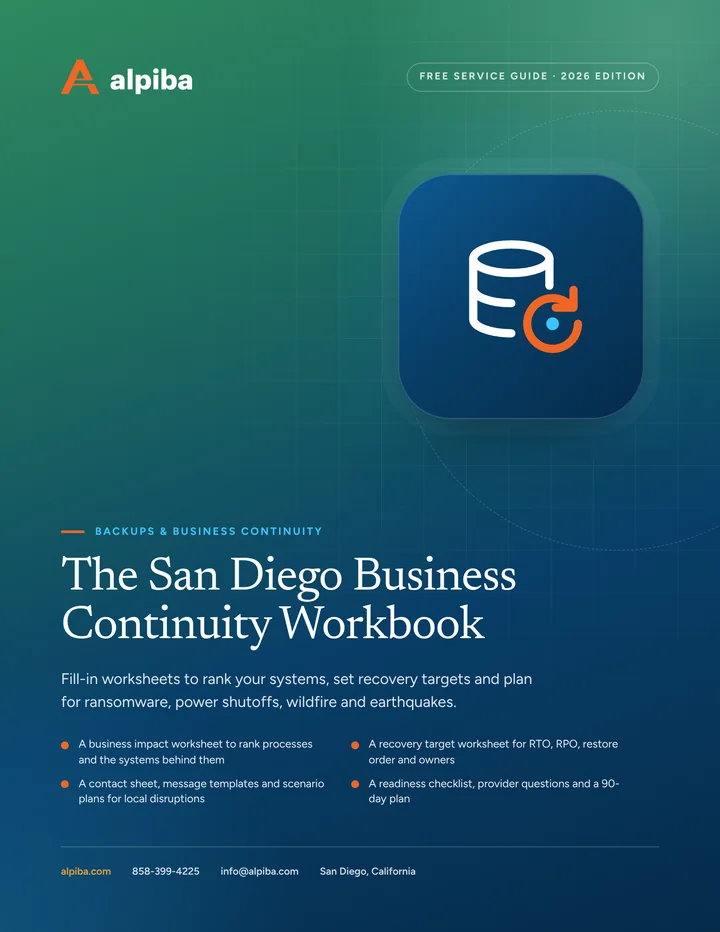
Cover and two sample pages of The San Diego Business Continuity Workbook, a free 12-page PDF guide from Alpiba with a 25-point checklist
Inside The San Diego Business Continuity Workbook.

Recovering from ransomware without paying for the key

Ransomware recovery differs from replacing a failed disk. You have to assume the attacker had access for a while, so you restore into a clean environment, choose a recovery point from before the intrusion (which may be well before the files were encrypted), and confirm the attacker's access is gone before reconnecting anything. The order matters:

  1. Contain. Isolate affected devices and accounts. For managed clients, our SOC triggers a documented containment playbook within the first hour.
  2. Preserve evidence and call your insurer. Many cyber policies require prompt notice and approved response vendors, so check before engaging anyone.
  3. Find a clean recovery point. Use logs and backup history to pick a copy from before the intrusion, not just before the encryption.
  4. Rebuild identity first. Reset passwords and keys, remove unknown accounts and confirm MFA before restoring the systems that depend on them.
  5. Restore in priority order. Follow the agreed restore order from immutable copies, scanning each restored system before it rejoins the network.
  6. Watch closely, then review. Monitor for signs the attacker is back, then update the playbook with what you learned.

Whether to pay a ransom is a decision for leadership, counsel and your insurer, and immutable backups are what make it possible to say no. Prevention is the other half of the story, covered on our ransomware defense page.

What a business continuity plan should say

A continuity playbook should be short enough to use under stress, printed, and kept where you can reach it when the office is dark and the network is down. Business continuity planning in San Diego should also assume that some staff can't get to the office at all. The plan should cover:

  • Who declares a disaster, and who decides if that person can't be reached
  • A call tree with personal phone numbers, stored offline
  • Where and how people will work: from home, from another site, or on laptops with cellular hotspots
  • Message templates for staff, customers and vendors, plus a phone script and a website notice
  • Contacts for your internet provider, key software vendors, insurer, bank and IT provider
  • Manual workarounds for critical processes, such as a printed schedule or a backup card terminal
  • Where printed copies and sealed emergency (break-glass) credentials are kept
  • How you'll confirm systems are safe before returning to normal

Communication is part of recovery

In the first hours, say what you know, what you're doing and when the next update will come. Don't speculate about data exposure. If personal or patient information may be involved, California's breach notification law and, for healthcare providers, HIPAA's Breach Notification Rule may apply, so bring in counsel early and let them guide what you say externally.

Planning for San Diego disruptions: fire, power and earthquakes

Backup and disaster recovery in San Diego has to account for a few local realities. None of them are exotic; they're the predictable ways a region with dry fall winds, a major fault and a large hybrid workforce gets disrupted.

  • Wildfire season and Santa Ana winds. When dry offshore winds arrive in the fall, evacuation orders can reach staff homes in East County or inland North County long before they reach the office. Plan for people to work from anywhere with power, and for some to be unreachable for a day.
  • SDG&E Public Safety Power Shutoffs. During high fire risk, SDG&E can switch off power in high fire-threat areas, sometimes with limited notice. A shutoff can hit your office, your staff's homes or the equipment your internet provider relies on.
  • Earthquakes. The Rose Canyon Fault runs through the San Diego area, so plan for a regional event: damaged buildings, closed roads and local data centers affected at the same time. Keep at least one immutable copy in a region well outside Southern California.
  • Long internet or cellular outages. A cut fiber line or a damaged cell site can take a building offline for days. Laptops, cloud apps and a second carrier on a separate path matter more than any single server.
  • Losing the building. A burst pipe, a fire alarm or a closure order can lock you out while the systems inside are fine. Decide in advance where critical work moves.

Several of these depend on how your infrastructure is built: UPS sizing, dual internet circuits and secured server racks. Our network and server design work covers that side, so the backup plan and the infrastructure are designed together.

Illustration of the San Diego skyline at sunset, with downtown towers, the bridge across the bay, sailboats and palm trees
San Diego, where Alpiba is based.

What drives cost, and what to ask a provider

We don't publish prices, because the right design depends on how much data you have and how quickly you need it back. The main cost drivers are:

  • The amount of data, how fast it grows and how long you must keep it
  • The number of servers, cloud apps and sites to protect
  • How short your RTO and RPO targets are
  • Retention rules from contracts, regulators or legal holds
  • Evidence requirements, such as drill reports for auditors or insurers

Ongoing work, including backup monitoring, quarterly restore drills and playbook updates, is part of a flat, per-user monthly plan with no surprise line items. Larger one-time projects, such as replacing a backup platform, are scoped separately.

Questions to ask any provider

  • When did you last restore one of our critical systems in full, and can we see the report?
  • Are our off-site copies immutable, and who could delete them?
  • Are backup admin accounts separate from our everyday admin accounts, and protected by MFA?
  • Do you back up Microsoft 365 or Google Workspace data separately?
  • What are our documented RTO and RPO for each system?
  • Where, geographically, are our off-site copies?
  • Who runs the recovery at 2am, and where is the playbook?

Ask those questions of anyone offering backup and disaster recovery in San Diego, including us. A free 30-minute assessment is a quick way to find out where you stand.

Talk to an engineer

Free 30-minute assessment. We reply within 12–24 hours.

Fields marked * are required. By submitting, you agree that Alpiba may contact you about your request. We reply within 12–24 hours; for an active incident, call 858-399-4225.

How it works

From first call to fully protected.

  1. Discovery & Analysis

    Business impact analysis and a review of current backups.

  2. Solution Design

    Backup architecture with RTO and RPO targets per system.

  3. Implement

    Immutable off-site backups and snapshots deployed.

  4. Protect & Optimize

    Monitoring, quarterly restore drills and playbook updates.

Signs you need it

Sound familiar?

If two or more of these ring true, a 30-minute assessment will show you where to start.

Book a free assessment
  • You've never tested a full restore
  • Backups sit on the same network as production
  • No one knows your RTO or RPO
  • Microsoft 365 or Google data isn't backed up separately
  • A ransomware attack would stop work for days

From our founder

“SMBs deserve a strategic technology partner, without enterprise complexity or cost.”

Roopa · Founder, Alpiba · former Accenture advisor

Alpiba is founder-led. Every Backups & DR engagement starts by listening to how your business runs, and senior engineers stay with you from the first call onward.

Roopa, founder of Alpiba, standing in front of evening city lights
Cover of The San Diego Business Continuity Workbook, a free PDF guide

Free guide · PDF

The San Diego Business Continuity Workbook

A printable workbook that turns a vague intention into a written plan your team can actually follow on a bad day.

  • A business impact worksheet to rank processes and the systems behind them
  • A recovery target worksheet for RTO, RPO, restore order and owners
  • A contact sheet, message templates and scenario plans for local disruptions
  • A readiness checklist, provider questions and a 90-day plan
Preview what's inside

Get the free guide

Instant download. By submitting, you agree that Alpiba may contact you about this guide; you can ask us to delete your details at any time.

FAQ

Backups & DR questions, answered.

Straight answers to the questions we hear most. Still curious? Talk to a senior engineer.

What is an immutable backup?

An immutable backup is a copy that can't be changed or deleted until its retention period ends, even by someone with administrator credentials. That matters because ransomware operators look for backups first and try to erase them. With an immutable copy stored off-site, you keep a clean recovery point even if your production systems and admin accounts are compromised.

What do RTO and RPO mean?

RTO, the recovery time objective, is how long a system can be down before the impact becomes unacceptable. RPO, the recovery point objective, is how much recent data you can afford to lose, measured in time. A server backed up nightly has an RPO of up to 24 hours. We agree and document both targets for each of your key systems.

How often should backups be tested?

Restores should be tested at least quarterly, and that's the cadence we follow. Each drill restores real data, including full systems in an isolated environment, times the recovery against the RTO and records the results. Rotating the systems tested means every critical system is restored at least once a year, and the reports double as evidence for insurers and auditors.

How quickly can a business recover from ransomware?

With immutable backups and a rehearsed plan, critical systems can often come back within hours rather than weeks. Our typical recovery time objective is under 4 hours, but ransomware adds steps: containing the attack, choosing a recovery point from before the intrusion and resetting credentials. Your documented targets, not a typical figure, are what we plan and test against.

Do we need to back up Microsoft 365 or Google Workspace?

Yes. Microsoft and Google keep their platforms running, but protecting your data from deletion, account compromise and sync errors is your responsibility. Built-in recycle bins are time-limited and can be emptied by the same compromised account that caused the problem. A separate backup of mailboxes, drives and shared sites gives you an independent copy to restore from.

What is the 3-2-1 backup rule?

The 3-2-1 rule means keeping at least three copies of your data, on two different types of storage, with one copy off-site. It protects against hardware failure, theft and fire. Because ransomware now goes after backups directly, we add a requirement: at least one off-site copy must be immutable, so no account can alter or delete it before its retention period ends.

What is the difference between backup and disaster recovery?

A backup is a copy of your data, while disaster recovery is the tested process for restoring whole systems after a major incident. You can have good backups and still be down for days if nobody knows the restore order, where systems will run or which credentials are needed. Disaster recovery adds targets, a sequence, owners and regular rehearsal.

What should a business continuity plan include?

A business continuity plan should name who declares a disaster and makes decisions, list contacts stored offline and explain where and how people will work. It also needs message templates for staff and customers, manual workarounds for critical processes and a way to decide when it's safe to return to normal. Keep it short, print it and store copies you can reach without the network.

Should our off-site backups be stored outside San Diego?

Yes, at least one copy should be. Because the Rose Canyon Fault runs through the San Diego area, a major earthquake could affect your office, local data centers and the roads between them at the same time. Keeping an immutable copy in a cloud region well outside Southern California means a single regional event can't take out every copy of your data.

How much does backup and disaster recovery in San Diego cost?

It depends mainly on how much data you have, how many systems you protect and how short your recovery targets are, so we scope it rather than quote a list price. Ongoing monitoring, quarterly restore drills and playbook updates are part of a flat, per-user monthly plan with no surprise line items. A free 30-minute assessment shows where you stand first.

Do restore tests help with cyber insurance and compliance?

Yes. Insurers commonly ask whether backups are immutable or offline and when restores were last tested, and frameworks such as SOC 2, ISO 27001 and HIPAA address backup and recovery testing. Drill reports with dates, scope and results give you evidence instead of assurances. They don't decide coverage or audit outcomes, but they make honest answers easy.

Does HIPAA require a backup and disaster recovery plan?

Yes. The HIPAA Security Rule's contingency plan standard requires covered entities and business associates to have a data backup plan, a disaster recovery plan and an emergency mode operation plan for electronic protected health information. Testing those plans is an addressable specification, so you must do it where reasonable and appropriate or document why not. We implement and evidence the technical side; compliance remains the practice's responsibility.

Related services

Works best together.

All services
A close view of a glowing circuit board

Cybersecurity

Cybersecurity & Ransomware Defense

24/7 monitoring, threat hunting and rapid incident response that contains attacks before they impact your business.
Ethernet cables plugged into a network switch

Infrastructure & Continuity

Network & Server Consulting

Design, optimize and secure your infrastructure for maximum uptime and performance.

A team in a working session around a conference table

Compliance & Risk

Compliance Readiness

Design, implement and evidence the controls auditors and insurers ask for, and keep the audit trail ready.

Free 30-minute assessment

Ready for Backups & DR? Let's talk.

Tell us about your business and what prompted the search. A senior engineer will reply within 12–24 hours to set up your free 30-minute assessment.

  • A senior engineer, not a salesperson
  • Reply within 12–24 hours
  • Flat per-user pricing if you want our help
Roopa, founder of Alpiba

Founder-led and San Diego basedRoopa founded Alpiba to give growing businesses a real technology partner.

858-399-4225Mon–Fri, 7am–7pm PT · 24/7 for managed clients
info@alpiba.comReply within 12–24 hours

Fields marked * are required. By submitting, you agree that Alpiba may contact you about your request. We reply within 12–24 hours; for an active incident, call 858-399-4225.

Call Free assessment