

An email arrives asking you to review an invoice, reset your password, or approve a payment before the end of the day. The sender looks familiar, the message sounds professional, and everything appears normal at first glance.
But something does not feel right.
That small moment of doubt matters. A phishing email can look almost identical to a genuine message, and one careless click can expose business accounts, customer information, or financial details.
Small businesses rely on email for everyday work, from communicating with customers to sharing documents and processing payments. This makes email security an important part of protecting business operations. You do not need to be a cybersecurity expert to recognize common warning signs, but you do need to know what to look for and what to do next.
This guide explains how to identify phishing emails, check suspicious messages, and reduce the risk of email-based attacks at work.
What Is a Phishing Email?
A phishing email is a fraudulent message designed to trick someone into sharing sensitive information, clicking a harmful link, downloading a malicious file, or carrying out an unauthorized action.
Cybercriminals often pretend to be trusted companies, banks, software providers, suppliers, colleagues, or senior managers. They use familiar names and convincing language to make their messages appear legitimate.
For example, an employee might receive an email claiming that their Microsoft 365 account will be suspended unless they sign in immediately. The link leads to a fake login page that collects their credentials.
In another case, a finance employee may receive a message that appears to come from a regular supplier requesting a change to its bank details. If the employee updates the payment information without checking it independently, the money could go to a criminal instead.
Phishing is not always obvious. Some messages contain spelling mistakes or strange formatting, while others are carefully written and personalized. The safest approach is to consider the sender, the context, and the action being requested rather than judging an email by its appearance alone.
For additional context, businesses can explore Alpiba’s cybersecurity and IT services and its cybersecurity resources.
Why Small Businesses Need to Take Phishing Seriously
Small businesses may assume that cybercriminals are mainly interested in large corporations. In reality, phishing campaigns can target organizations of any size, and smaller companies can also be selected because of their supplier relationships, payment processes, or access to customer data.
The impact depends on what an attacker manages to access.
Financial losses
An employee may be tricked into paying a fraudulent invoice, sending money to a fake supplier account, or purchasing gift cards for someone impersonating a manager. Recovering transferred funds can be difficult, particularly when the request has already been approved and processed.
Stolen passwords and compromised accounts
A fake sign-in page can capture an employee’s password. Attackers may then attempt to access email, cloud storage, customer records, or other services connected to the account.
Exposure of confidential information
Business email accounts often contain contracts, customer correspondence, financial documents, and internal discussions. Unauthorized access can expose information that should remain private.
Disruption to everyday operations
Investigating a phishing incident can interrupt normal work. Employees may lose access to accounts, devices may need to be isolated, and the business may need to restore systems or contact affected customers.
Damage to customer trust
If criminals use a compromised business account to send fraudulent messages, customers and suppliers may lose confidence in the organization.
Businesses can reduce these risks by combining employee awareness with appropriate email security, identity protection, access controls, and monitoring. Alpiba’s IT services are a relevant starting point for understanding the types of support available.
15 Warning Signs of a Phishing Email
No single warning sign proves that a message is fraudulent. However, several unusual details together should prompt you to stop and verify the message before taking action.
1. The sender’s email address looks slightly different
A phishing email may use a display name that looks familiar while the actual email address belongs to a different domain.
For example, a message may appear to come from a software provider but use an address with additional words, misspelled brand names, or an unfamiliar domain ending.
Check the complete address instead of relying on the sender’s display name. If you regularly communicate with the organization, compare the address with a previously verified message.
2. The message pressures you to act immediately
Phishing emails often use deadlines to prevent recipients from thinking carefully.
You might see statements claiming that your account will be disabled within an hour, a payment must be made immediately, or access to a document will expire unless you sign in.
Urgency alone does not prove fraud, since genuine services sometimes send time-sensitive notifications. However, unexpected urgency combined with a request for money, credentials, or sensitive information deserves extra scrutiny.
3. The links lead somewhere unexpected
A button labelled “View Invoice” or “Verify Account” may lead to a website unrelated to the organization named in the email.
On a computer, hover over a link to inspect its destination without opening it. Look carefully at the actual domain, not just the words displayed in the message.
If a link looks unfamiliar, contains misspellings, or points to an unexpected destination, do not open it. If you need to access the service, visit its official website directly.
4. The email asks for your password or verification code
Unexpected requests for passwords, one-time passcodes, recovery codes, or authentication approvals should be treated with caution.
A legitimate service may ask you to authenticate through its official sign-in page, but you should not disclose your password or verification code in an email reply. Never approve an unexpected login prompt simply because the message asks you to do so.
Using multi-factor authentication where supported can help reduce the risk of account compromise, particularly when passwords are stolen.
5. The attachment was not expected
A message containing an invoice, contract, purchase order, or delivery document may look routine. However, unexpected attachments can be used to deliver malware or direct recipients to fraudulent websites.
Be particularly careful with executable files, compressed archives, HTML attachments, and documents that ask you to enable macros or other active content.
If you were not expecting the file, confirm its legitimacy through a separate, trusted communication channel before opening it.
6. The greeting or tone feels unusual
Some phishing emails begin with generic greetings such as “Dear Customer” or “Dear User.” Others use an unusually formal tone or language that does not sound like the sender.
These details are only clues. Legitimate automated emails can use generic greetings, and modern phishing messages may be personalized and professionally written.
Pay more attention to the full context and the request being made.
7. The message contains spelling or formatting mistakes
Misspelled words, inconsistent branding, broken layouts, and awkward sentences can indicate that a message is fraudulent.
However, do not assume a well-written email is safe. Attackers can copy legitimate templates and produce convincing messages. Grammar should be one part of your assessment, not the deciding factor.
8. Someone requests an unexpected payment
A message asking you to change a supplier’s bank account, approve an unfamiliar invoice, or send an urgent transfer deserves careful verification.
This is particularly important when the email appears to come from a manager or a regular business partner.
Confirm payment changes using a trusted phone number or another established communication channel. Do not rely on contact details provided only in the suspicious message.
9. You receive a password-reset email you did not request
An unexpected password-reset notification could mean that someone is attempting to access your account. It could also be a fake notification designed to make you click a malicious link.
Do not use the email link to investigate. Visit the service directly through its official website or application and review your account security.
10. The website imitates a trusted brand
Fraudulent websites may use names that closely resemble legitimate domains. Attackers sometimes replace letters, add hyphens, or insert words such as “secure” and “verification.”
A website using HTTPS is not automatically trustworthy. HTTPS protects the connection, but it does not establish that the website belongs to the organization it claims to represent.
Always check the domain before entering sensitive information.
11. The sender asks you to ignore company procedures
Requests to bypass approval, keep a payment secret, or avoid contacting another employee should raise concerns.
Criminals may impersonate senior staff and use their apparent authority to pressure employees into acting quickly.
Follow established company procedures even when the message claims to come from an executive.
12. A shared document arrives unexpectedly
An email may claim that a colleague has shared a confidential document through a cloud platform. The link might lead to a fake login page designed to capture credentials.
If you were not expecting the document, contact the supposed sender using a known channel. You can also open the cloud service directly instead of following an unsolicited link.
13. The reply-to address does not match the sender
Sometimes the sender address and reply-to address are different. This can happen for legitimate reasons, but an unexpected mismatch may indicate an attempt to redirect replies to a criminal.
Check the reply-to address before responding, especially if the email requests sensitive information or a financial transaction.
14. An unfamiliar login is reported
A message about a sign-in from a new device or location may be a legitimate security alert or a phishing attempt.
Avoid clicking its sign-in button. Visit the service directly and review recent account activity. If you discover an unfamiliar successful login, follow your account recovery and incident reporting procedures.
15. The request does not fit the situation
Sometimes the most important warning sign is that something simply does not make sense.
An unfamiliar supplier sends an invoice you were not expecting. A manager asks for information they would not normally request. A customer suddenly changes payment arrangements through email.
Pause and check the facts. A familiar name or correct email address does not guarantee that the request is genuine, because real accounts can also be compromised.
For more general security guidance, consult CISA’s advice on recognizing and reporting phishing.
How to Check Whether an Email Is Legitimate
When something looks suspicious, resist the urge to click a link or reply immediately. A few simple checks can help you decide what to do next.
Check the complete sender address
Look beyond the display name and inspect the full email address. Compare the domain with one you already know to be legitimate.
Remember that sender information can sometimes be spoofed, so a familiar address is not conclusive proof that the message is safe.
Read the request carefully
Ask yourself whether the request is expected, appropriate for your role, and consistent with normal business processes.
An ordinary-looking email can still be malicious if it asks you to share confidential information, approve an unusual payment, or enter credentials on an unfamiliar website.
Inspect links without opening them
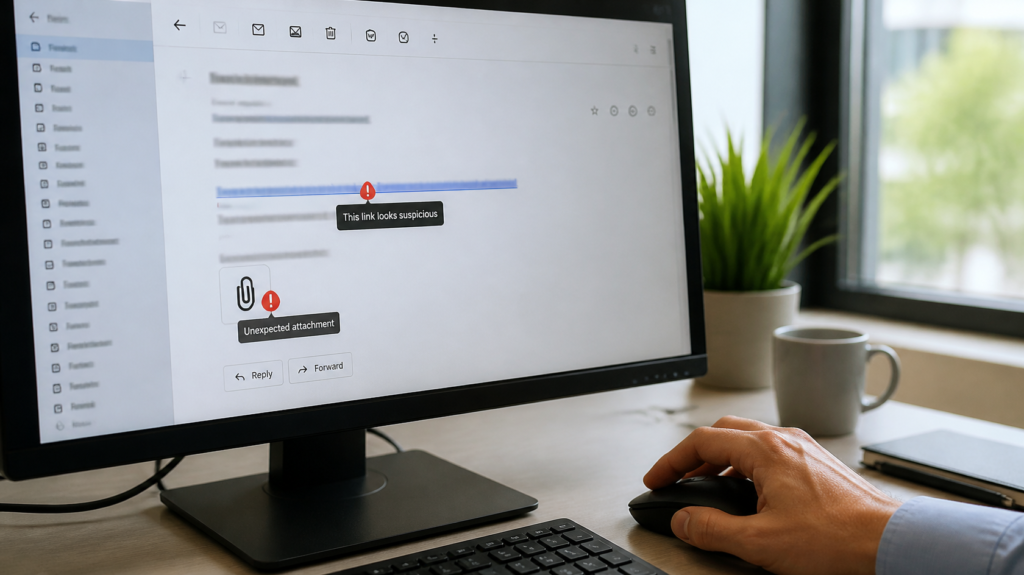
Hover over a link on a computer to view its destination. Check the actual domain and watch for misspellings, unfamiliar subdomains, or unexpected redirects.
If you cannot confidently verify the destination, do not proceed. Visit the official website directly instead.
Verify unusual requests separately
If a supplier requests new bank details, call a verified contact using the number already held in your records. If an executive asks for an unusual transfer, confirm the request through an established channel.
Do not rely on replying to the suspicious email, because the sender’s mailbox may be controlled by an attacker.
Report the message to the appropriate team
Use your organization’s approved phishing-reporting button or contact its IT or security team. Follow instructions about retaining, deleting, or quarantining the message.
Avoid forwarding suspicious emails casually to colleagues, as this can spread harmful links or attachments.
Businesses looking to improve their security procedures can explore Alpiba’s resources and IT security assessment options.
Common Types of Phishing Attacks That Target Businesses
Phishing does not always take the same form. Understanding the different approaches can help employees recognize suspicious messages in a wider range of situations.
Standard phishing
Standard phishing typically involves messages sent to many recipients. Attackers may imitate banks, delivery services, cloud software providers, or other widely used services.
The objective is often to steal login details, collect sensitive information, or persuade recipients to download a harmful file.
Spear phishing
Spear phishing is targeted at a particular person or organization. An attacker may use information about an employee’s job, company projects, or suppliers to make the message more convincing.
Finance, human resources, IT, and executive support teams may face particular risks because of the information or permissions associated with their roles.
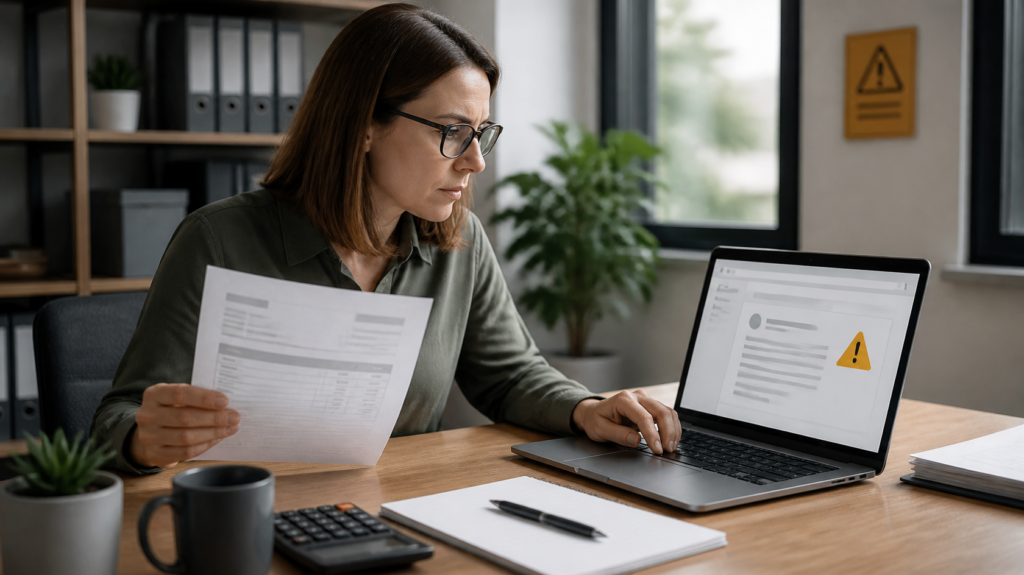
Business email compromise
Business email compromise, often called BEC, involves fraudulent email activity intended to cause financial loss or obtain sensitive information. Attackers may impersonate a business partner or use an account that has already been compromised.
Common examples include fake invoice instructions, payroll changes, and requests to transfer money to a different account.
Whaling
Whaling is a form of targeted phishing aimed at senior executives or other high-value individuals. Messages may imitate legal notices, confidential business documents, or urgent financial decisions.
Businesses should use the same verification and approval controls for executive requests as they do for other sensitive transactions.
Credential phishing
Credential phishing attempts to persuade recipients to enter their login details on a fraudulent website. Once credentials are stolen, attackers may try to access email, cloud storage, and other connected accounts.
Secure sign-in methods and careful link verification can help reduce this risk.
QR-code phishing
QR-code phishing uses a QR code to direct recipients to a malicious website. The code may appear in an email, document, invoice, or printed notice.
Treat unexpected QR codes with the same caution as unfamiliar links, particularly when they lead to a sign-in page or request sensitive information.
Realistic Examples of Phishing Emails
The following fictional examples show how phishing attempts may appear in a business inbox.
Example 1: A fake account suspension notice
Subject: Immediate Action Required: Your Mailbox Will Be Disabled
Message: Your mailbox will be suspended today. Confirm your password using the link below to restore access.
What makes it suspicious?
The message creates urgency and asks the recipient to submit a password through an email link. It does not provide a trustworthy way to verify the claim.
What should you do?
Visit your email provider’s official website independently and check for legitimate account notifications. Report the suspicious message to your IT or security team.
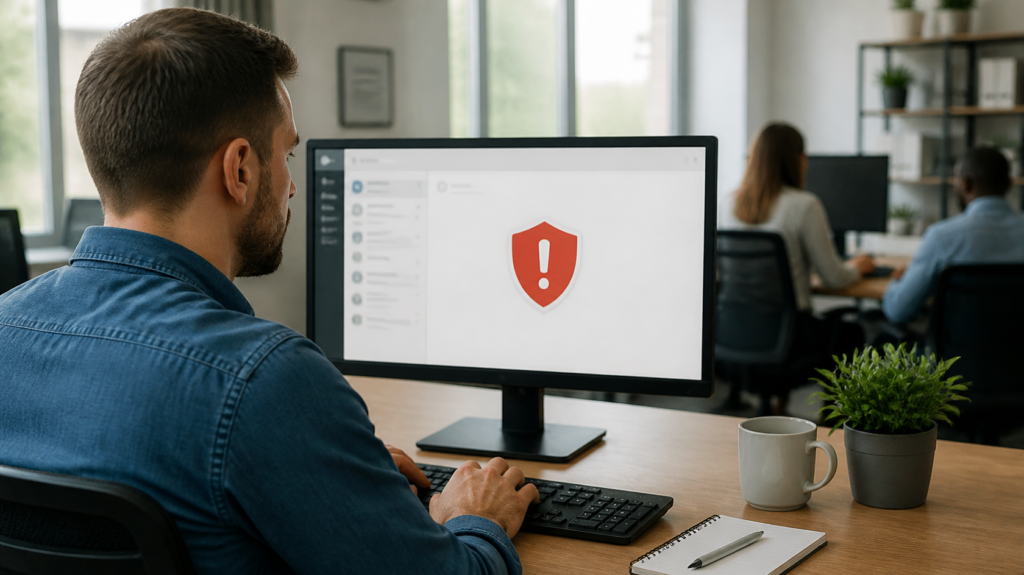
Example 2: A fraudulent invoice update
Subject: Updated Banking Details for Today’s Payment
Message: We have changed our bank account. Please use the new details for today’s payment and disregard the previous invoice.
What makes it suspicious?
The message changes payment instructions and pressures the recipient to act quickly. It may be an attempt to redirect funds.
What should you do?
Contact the supplier using a verified phone number already held in your records. Do not transfer money until the change has been independently confirmed.
Example 3: A fake shared-document notification
Subject: Confidential Contract Shared With You
Message: A colleague has shared a confidential contract. Sign in to view the document before access expires.
What makes it suspicious?
The document is unexpected, the deadline creates pressure, and the link may lead to a fake cloud login page.
What should you do?
Confirm with the supposed sender through a separate channel and access the cloud platform directly.
Example 4: An executive impersonation attempt
Subject: Urgent and Confidential
Message: I am in a meeting and need you to arrange a payment immediately. Keep this confidential until I can speak with you.
What makes it suspicious?
The request uses authority, urgency, and secrecy to encourage the employee to bypass normal procedures.
What should you do?
Follow the company’s usual payment approval process and verify the request independently.
These examples illustrate why it is important to assess the complete message rather than relying on branding or a familiar sender name.
What to Do If You Receive a Phishing Email
If an email looks suspicious, take a moment before interacting with it.
- Do not click links or open attachments.
- Do not share passwords, verification codes, financial information, or confidential data.
- Report the message using the approved company process.
- Verify unexpected requests through a trusted, separate communication channel.
- Follow your organization’s instructions for retaining or deleting the email.
- Notify the IT or security team if the message appears to be part of a wider campaign.
Deleting a suspicious message may be appropriate after reporting it, but deletion alone is not enough if someone has already interacted with it.
The security team may need to identify other recipients, block harmful destinations, review mailbox activity, and check for compromised accounts.

What to Do If You Clicked a Phishing Link
Clicking a suspicious link does not automatically mean your device or account has been compromised. The appropriate response depends on what happened after you opened it.
If you clicked the link but entered nothing
Close the page and do not interact further. Report the incident, particularly if a file downloaded or the page displayed an unusual prompt.
If you entered your password
Use a trusted device to visit the legitimate service and change the affected password. Change it anywhere else it was reused and contact your IT or security team.
The team may need to revoke active sessions, review sign-in activity, and check account recovery settings.
If you shared a verification code
Treat the situation as urgent. Contact the security team and secure the account through the official service. Review recent activity and do not approve further unexpected authentication requests.
If you opened a suspicious attachment
Contact IT or security immediately. Follow your organization’s instructions about disconnecting the device from the network, preserving evidence, and investigating possible malware.
Avoid attempting complicated remediation on your own.
If you authorized a fraudulent payment
Contact your bank or payment provider immediately and request assistance with stopping or recalling the transaction. Notify the relevant finance and security contacts, and preserve the related records.
Prompt reporting gives the organization a better chance of limiting the damage.
How Small Businesses Can Prevent Phishing
Recognizing suspicious emails is important, but employees should not be expected to catch every threat on their own. Businesses need technical controls and clear procedures that work together.
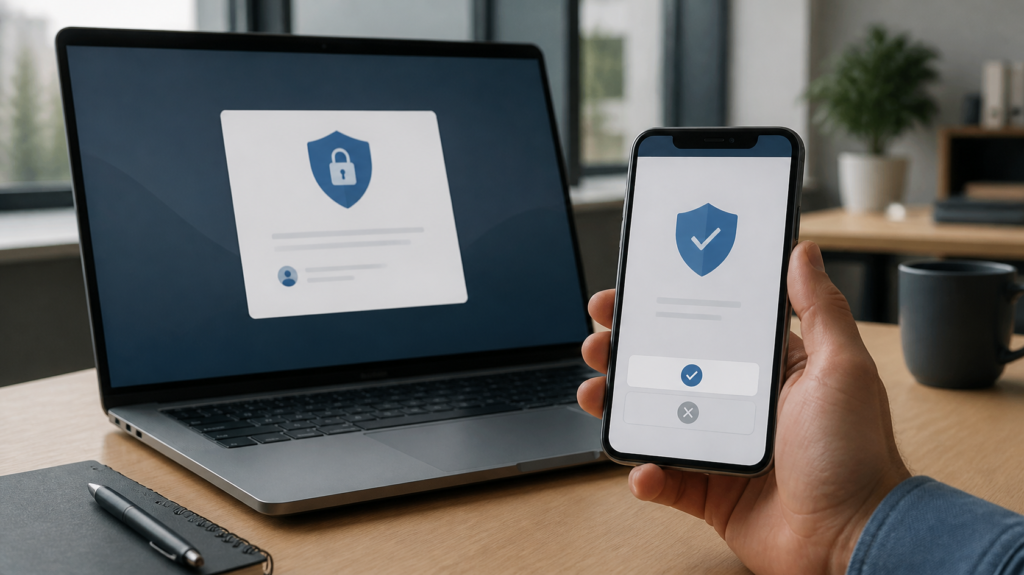
Enable multi-factor authentication
Multi-factor authentication adds another verification step beyond a password. It can make unauthorized access more difficult when a password is stolen.
Where practical, prioritize phishing-resistant methods such as passkeys or security keys, and review procedures for unexpected authentication prompts.
Configure email authentication
SPF, DKIM, and DMARC help receiving systems assess whether email is authorized to use a particular sending domain.
SPF identifies authorized sending servers, DKIM uses digital signatures, and DMARC defines policies and reporting for messages that fail specified authentication checks.
These technologies help protect a business’s own domain against certain forms of impersonation, but they do not stop every phishing email or prevent every compromised account from being abused.
Use appropriate email security tools
Email security solutions can identify suspicious links, malicious attachments, impersonation attempts, and other indicators of fraud.
Businesses should configure filtering, quarantine, and reporting processes according to their needs. Staff should still report messages that bypass automated controls.
Keep devices and software updated
Apply security updates to operating systems, browsers, email clients, and business applications. Maintain an inventory of devices and use a defined process for prioritizing important patches.
Combine updates with endpoint protection and suitable access restrictions.
Restrict access to sensitive information
Employees should have access only to the systems and information required for their work. Avoid giving ordinary accounts unnecessary administrative privileges.
This helps limit the potential impact of a compromised account.
Verify payment and account changes
Create clear procedures for supplier bank-detail changes, payroll updates, unusual transfers, and other sensitive requests.
Use independent verification through trusted contact details. Where practical, separate payment initiation from approval and require additional checks for high-value transactions.
Maintain reliable backups
Backups do not prevent phishing, but they can support recovery from certain incidents, including some ransomware attacks.
Protect backup access, maintain suitable copies, and test restoration procedures so the business knows whether critical systems and data can be recovered.
Monitor account activity
Review unusual sign-ins, unfamiliar forwarding rules, unexpected mailbox settings, and abnormal access patterns.
Security monitoring can help identify incidents that employees may not notice immediately. Alerts need a clear process for investigation and response.
Make reporting straightforward
Employees should know exactly how to report a suspicious message and whom to contact if they have clicked a link or disclosed information.
Encourage prompt reporting without blame. Hiding a mistake can make an incident more difficult to contain.
Businesses that need help reviewing their controls can explore Alpiba’s IT services, vulnerability assessment services, and free IT assessment options.
How to Build an Employee Phishing Awareness Program
A written policy is useful, but employees also need practical training and a clear process to follow when something looks wrong.
Use realistic examples in training
Show employees examples of fake login alerts, invoice changes, document-sharing notifications, and executive impersonation. Explain the warning signs and demonstrate how to verify each request safely.
Training should include polished messages as well as obvious scams, because real attacks do not always contain spelling mistakes.
Run periodic awareness exercises
Authorized phishing simulations can help a business understand whether employees recognize and report suspicious messages.
Use the results to identify training needs and improve security controls. The purpose should be education and risk reduction, not embarrassment or punishment.
Define responsibilities clearly
Employees should know how to report suspicious messages. Managers should understand how to verify unusual requests. Finance teams should follow payment approval procedures, and IT or security personnel should investigate reports.
Measure useful outcomes
Businesses can track reporting rates, the time taken to report suspicious messages, repeated risky behaviors, and the speed of incident response.
Avoid judging the program only by the percentage of employees who click a simulated link. Reporting behavior and response speed also matter.
Review the program regularly
Update training when business processes change, new threats appear, or an incident reveals a weakness.
The goal is to create a workplace where suspicious messages are checked, unusual requests are verified, and potential incidents are reported quickly.

Frequently Asked Questions About Phishing Emails
1. What is the easiest way to identify a phishing email?
Look for unexpected requests, suspicious links, unusual sender addresses, pressure to act quickly, and requests for passwords or payments. Verify questionable requests independently.
2. Can a phishing email look completely legitimate?
Yes. Attackers can copy branding, write professional messages, and use information about real business relationships. Appearance alone cannot establish whether a message is safe.
3. How can I check whether a sender’s email address is real?
Inspect the full address and compare its domain with a previously verified contact. Keep in mind that sender information can sometimes be spoofed and genuine accounts can be compromised.
4. Is it safe to open an email if I do not click anything?
Viewing a message in a modern, updated email client is generally lower risk than opening attachments or following links. However, keep software updated and report suspicious messages.
5. How do I check a link without clicking it?
On a computer, hover over the link to inspect its destination. On mobile, use a link-preview feature cautiously. If the destination is unclear or suspicious, do not open it.
6. Does HTTPS mean a website is safe?
No. HTTPS encrypts the connection but does not prove that the website belongs to a legitimate organization. Check the domain before entering sensitive information.
7. What should I do with a suspicious attachment?
Do not open it. Report the message through your organization’s approved process and verify the sender through a separate, trusted channel when appropriate.
8. Are phishing emails always full of spelling mistakes?
No. Many phishing messages are professionally written and carefully formatted. Consider the sender, context, links, and requested action rather than relying on grammar.
9. What is the difference between phishing and spam?
Spam is generally unsolicited or unwanted messaging. Phishing is deceptive communication intended to obtain information, money, access, or another advantage. A message can be both.
10. What is spear phishing?
Spear phishing is a targeted attack customized for a particular person or organization. Attackers may use names, job roles, projects, or supplier relationships to make messages convincing.
11. What is business email compromise?
Business email compromise is email-enabled fraud that may involve impersonation or a compromised account. Common objectives include redirecting payments, stealing information, and manipulating employees.
12. Can an email from a colleague be a phishing attempt?
Yes. The colleague’s account may have been compromised, or an attacker may be impersonating them. Verify unexpected requests involving money, credentials, or sensitive information.
13. What should I do if I clicked a phishing link?
Close the page, avoid entering information, and report the incident. If you entered credentials, shared a code, downloaded a file, or installed software, explain exactly what happened to IT or security.
14. What if I entered my password on a fake website?
Change the password through the official service using a trusted device. Change it anywhere else it was reused and notify your security team so it can review account activity.
15. Should I delete phishing emails immediately?
Follow your organization’s reporting and evidence-retention procedures first. The security team may need the message to investigate the attack and protect other employees.
16. Can antivirus software stop all phishing attacks?
No. Antivirus and endpoint protection can detect some threats but cannot prevent every credential-harvesting page, fraudulent request, or payment scam. Multiple controls are necessary.
17. How does multi-factor authentication help?
MFA adds a verification step beyond a password, making many stolen-password attacks more difficult. Passkeys and security keys can provide stronger protection against phishing when properly implemented.
18. What are SPF, DKIM, and DMARC?
These are email-domain authentication technologies. SPF identifies authorized sending servers, DKIM uses digital signatures, and DMARC specifies handling and reporting policies for messages that fail relevant authentication checks.
19. Can small businesses be targeted by phishing?
Yes. Attackers target businesses of all sizes through broad campaigns and more specific attacks involving suppliers, invoices, cloud accounts, and executive requests.
20. How often should employees receive phishing training?
Training should be ongoing, with periodic refreshers and additional guidance when risks or incidents change. The schedule should reflect the organization’s risk and workforce.
21. What is QR-code phishing?
QR-code phishing uses a QR code to direct someone to a fraudulent website or harmful destination. Verify where the code leads before opening the link or entering information.
22. What is a fake login page?
A fake login page imitates a legitimate service and attempts to collect credentials or sensitive information. Avoid unexpected login links and access the service through its official website or application.
23. How can businesses prevent fraudulent invoice payments?
Use documented approval procedures and independently verify bank-detail changes using trusted contact information. Do not rely solely on an email requesting a payment change.
24. What is email spoofing?
Email spoofing involves falsifying sender information to make a message appear to come from another source. Email authentication helps, but businesses also need controls for compromised accounts and fraudulent requests.
25. Are cloud document-sharing emails safe?
Not automatically. Attackers may imitate cloud-sharing notifications to steal credentials. If you were not expecting a document, verify it with the sender and access the service independently.
A Practical Checklist for Protecting Your Business
Phishing prevention becomes easier when employees know which habits to follow every day.
- Check the complete sender address before trusting an unexpected request.
- Inspect suspicious links without opening them.
- Never disclose passwords or verification codes in response to an email.
- Verify payment changes through a trusted, separate channel.
- Report suspicious messages using the approved process.
- Enable MFA and prioritize phishing-resistant authentication where practical.
- Configure appropriate email filtering and domain authentication.
- Keep devices and applications updated.
- Restrict access to the information employees need for their roles.
- Maintain protected backups and test recovery procedures.
- Train employees regularly and encourage prompt reporting.
- Establish a response plan for compromised accounts, suspicious attachments, and fraudulent payments.
Phishing cannot be eliminated by one tool or training session. A more reliable approach combines informed employees, secure identity controls, email protection, monitoring, and clear response procedures.
For small businesses, one of the most useful habits is to pause and verify before acting on an unexpected request. A few moments of independent verification can prevent a much larger incident.
Need Help Strengthening Your Business Email Security?
Strengthen your email security with the right IT support.