
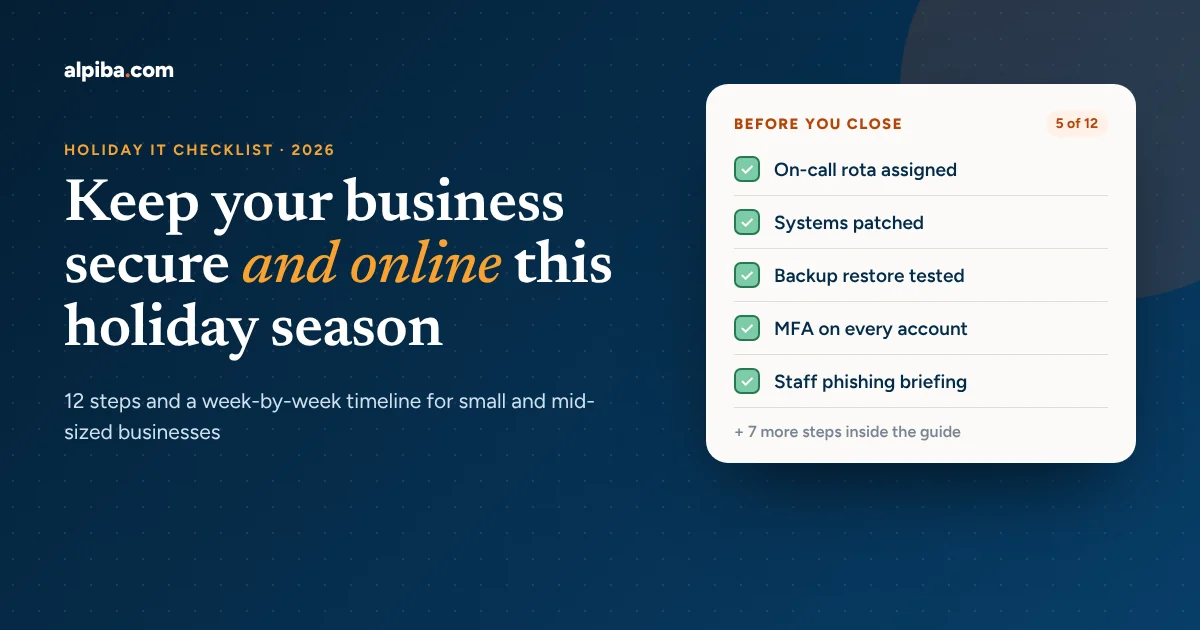
To prepare business IT for the holiday season, finish patching and test a real backup restore at least two weeks before your busiest days, enforce multi-factor authentication on every account, warn staff about holiday phishing and fake invoices, confirm who is on call while people are away, and make sure someone is watching your systems 24/7 while the office is closed.
- Attackers deliberately target holidays and long weekends because fewer people are watching systems.
- Start 4–6 weeks out: patching, a tested backup restore and an MFA review come first.
- Business email compromise (fake invoices and payment changes) is the costliest threat for most small businesses.
- Write down who is on call, how to reach them, and what counts as an emergency, then print it.
- If no one monitors your systems overnight and on holidays, close that gap before the office closes.
It is the Wednesday before Thanksgiving. Half the team is already on the road, your office manager is on a flight to Chicago, and an email lands in accounts payable: a “supplier” has new bank details and needs this week’s invoice paid today. Nobody is around to double-check. That is exactly the moment criminals plan for.
From mid-November to early January, most businesses run with fewer people, more remote logins, more online orders, and more email than at any other point in the year. For a San Diego biotech, law firm, dental practice or manufacturer, that combination makes the holidays the highest-risk stretch on the IT calendar. The good news: almost everything that goes wrong is preventable with a few weeks of planning.
This guide gives you a 12-step holiday IT checklist, a week-by-week timeline, and the questions to ask your IT provider before the office goes quiet. It is written for owners and office managers at small and mid-sized businesses, not just IT staff.
Why the holidays are a high-risk season for business IT
Three things change at the same time every year: staffing drops, activity spikes, and attention drifts. People take vacation, approvals get rushed, and employees log in from airports, hotels and family homes. Meanwhile, order volume, shipping notices and “your package is delayed” emails pile up, which gives phishing messages plenty of cover.
Criminals know this. The FBI and CISA issued a joint advisory, Ransomware Awareness for Holidays and Weekends, after observing a rise in high-impact ransomware attacks timed for holidays and weekends, when offices are closed and IT teams are thin. The playbook has not changed since: strike when nobody is watching, so the attack runs for hours or days before anyone notices.
The financial stakes keep rising. According to the FBI Internet Crime Complaint Center (IC3) 2025 annual report, Americans reported about $20.9 billion in cybercrime losses in 2025, up 26% from 2024, across more than one million complaints. Business email compromise (BEC), the fake-invoice and payment-redirect scam, was the second-costliest category at roughly $3 billion. California filed more complaints than any other state.
Those numbers only count what victims reported. The FBI notes that ransomware losses in its data are understated because many victims leave out downtime, lost revenue and recovery costs. For a 30-person office, a single day offline in December can cost more than a full year of proactive support. If you have never put a number on it, our downtime cost calculator takes about a minute.
The 12-step holiday IT checklist for businesses
Work through these steps in order. Steps 1–6 protect you from the most common holiday incidents; steps 7–12 keep the business running smoothly while people are away. Each step lists what to do and why it matters.
1. Assign ownership and an on-call rota
Before anything technical, decide who is responsible for what between Thanksgiving and New Year’s. List every critical system (email, file storage, line-of-business apps, website, phones, payment systems) and name a primary and backup contact for each. Add vendor support numbers and account IDs. If you work with a managed IT and white-glove support partner, confirm their holiday hours and escalation path in writing.
2. Patch everything before your change freeze
Apply operating system, browser, firewall and application updates at least two weeks before your busiest period. That leaves time to fix anything an update breaks while people are still in the office. Pay special attention to anything exposed to the internet: VPNs, remote desktop gateways, firewalls and your website’s plugins. A quick vulnerability assessment will show which systems are missing critical fixes.
3. Test a real backup restore, not just the backup job
A green “backup succeeded” notification is not proof you can recover. Pick a critical file share, mailbox or server and actually restore it, then time how long it takes. Confirm at least one copy is offline or immutable (it cannot be altered or deleted, even by an administrator), so ransomware cannot encrypt your backups along with everything else. Alpiba’s backup and business continuity service uses immutable snapshots with restore drills every quarter, and our free business continuity workbook walks you through a recovery plan step by step.
4. Lock down accounts with MFA and remove old access
Stolen passwords are still the easiest way in. Turn on multi-factor authentication (MFA) for every user, especially email, banking, payroll and remote access. Then remove or disable accounts for former employees, seasonal staff and contractors who no longer need access. In Microsoft 365, review admin roles and block legacy sign-in methods; our Microsoft 365 security checklist covers the full tenant security baseline. For a longer-term approach, zero trust and identity security checks every sign-in, not just the first one.
5. Brief your team on holiday phishing and fake invoices
Send a short reminder before Thanksgiving. Cover the scams that peak in this season: fake shipping notices, gift-card requests “from the CEO,” charity appeals, and supplier emails asking to change bank details. Set one firm rule: any change to payment details is verified by phone, using a number you already have on file, never one from the email. Share our guide on how to identify phishing emails, and if you want simulations and training on autopilot, look at email security and awareness training. The phishing and BEC defense kit includes a bank-change verification procedure you can adopt as written.
6. Secure remote work and travel devices
- Require company devices to be encrypted, patched and protected by endpoint security before anyone travels.
- Tell staff to avoid public Wi-Fi for work, or to use the company VPN or a phone hotspot instead.
- Make sure lost or stolen laptops and phones can be locked and wiped remotely.
- Keep travel light: only take the data and devices actually needed.
7. Check network and website capacity for peak traffic
If you sell online or take bookings, holiday traffic can expose weak spots. Check internet bandwidth, firewall throughput, Wi-Fi coverage and website hosting limits. Renew SSL certificates and domain names that expire in December or January. A network and server review or our office network health checklist will catch problems like failing switches, outdated firmware or a single internet connection with no backup.
8. Make sure someone is watching 24/7
This is the step most small businesses skip, and the one that matters most over a long weekend. Antivirus alone will not stop an attacker who logs in with a stolen password at 2 a.m. on December 26. You need someone reviewing alerts and able to act: lock the account, isolate the laptop, stop the spread. That is what a 24/7 SOC with managed detection and response does. Our article on why small businesses need 24/7 cybersecurity monitoring explains the difference in plain English.
9. Update and print your incident response plan
Write down what happens if something goes wrong: who declares an incident, who calls your IT provider, your cyber insurer and your bank, and who talks to customers. Print it. If ransomware takes down email and file shares, a plan saved only on the network is useless. The NIST Cybersecurity Framework is a good structure to follow, and our ransomware defense playbook includes a first-hour response card you can print. Check your policy’s notification requirements too; our cyber insurance readiness check shows what insurers now expect.
10. Review renewals, licenses and hardware lead times
Software licenses, domain names and support contracts often renew at year-end, and hardware orders slow down over the holidays. Make a list of anything expiring between now and February and renew it early. If a laptop or server is near end of life, order the replacement now. IT procurement and vendor management takes this tracking off your plate.
11. Set a change freeze and tell everyone
Agree on a date after which no non-urgent changes are made: no new software rollouts, no network reconfigurations, no website redesign launches. Announce the freeze, the on-call rota from step 1, and how staff should report problems (and what counts as urgent). Publish the IT support contact details somewhere everyone can find them from a phone.
12. Plan your January reset
Book a review for the first week of January. Look at what happened over the holidays, which alerts fired, what was slow, and what you would do differently. Then turn that into your 2027 technology plan and budget. Our IT roadmap and budget planner is built for this, and an IT strategy and vCIO engagement gives you a senior advisor to run the review with you.
Holiday IT timeline: what to do and when
Timing matters as much as the tasks. Here is a practical schedule, counting back from your busiest days:
| When | What to do | Checklist steps |
|---|---|---|
| 6 weeks out (early November) | Assign owners, review renewals, order hardware, plan staff briefing | 1, 10 |
| 4 weeks out (mid-November) | Patch all systems, run a backup restore test, review MFA and old accounts | 2, 3, 4 |
| 2 weeks out (before Thanksgiving) | Staff phishing briefing, secure travel devices, check network and website capacity, confirm 24/7 monitoring | 5, 6, 7, 8 |
| 1 week out | Print the incident response plan, start the change freeze, share the on-call rota | 9, 11 |
| During the holidays | Monitor alerts, verify every payment change by phone, keep changes to emergencies only | 5, 8, 11 |
| First week of January | Post-holiday review, 2027 IT plan and budget | 12 |
Holiday IT preparation timeline for small and mid-sized businesses.
Extra steps for regulated industries
If you handle patient, client or research data, the holidays add compliance risk on top of security risk. A few industry-specific additions:
- Dental and healthcare practices: confirm that patient records stay encrypted on any device taken home, and that your practice management system’s backups are covered by your HIPAA safeguards. See dental IT services.
- Law firms: year-end closings and settlement payments are prime targets for wire fraud. Require phone verification for every wire instruction. See law firm IT services.
- Biotech and life sciences: lab instruments and research data often sit on separate networks. Confirm they are patched, monitored and backed up too. See biotech IT services.
- Manufacturing and logistics: year-end shipping peaks mean downtime directly stops revenue. Test failover for ERP and shipping systems. See manufacturing and logistics IT.
If you are working toward SOC 2, HIPAA or NIST alignment, holiday preparation is a good time to collect evidence of backup tests and access reviews. Our compliance readiness team can help.
Doing it yourself vs. using a managed IT provider
Many small businesses handle holiday prep with an office manager and a part-time IT contractor. That can work for basic tasks, but it breaks down when something happens at night or over a long weekend. Here is how the approaches compare:
| Holiday task | DIY or break-fix IT | Managed IT with 24/7 SOC |
|---|---|---|
| Patching | Manual, often skipped when busy | Scheduled, tested and reported |
| Backup restore test | Rarely done | Tested on a regular schedule |
| After-hours alerts | Seen when someone checks email | Human analysts review and respond 24/7 |
| Incident on December 26 | Wait until someone is reachable | Analysts contain the threat and start the response playbook |
| Cost | Unpredictable, emergency rates | Flat monthly fee |
Comparison of holiday IT coverage: DIY or break-fix vs. managed IT.
For a deeper comparison, read managed IT vs. break-fix. If you already have an in-house IT person, co-managed IT gives them after-hours backup so they can actually take a holiday.
How Alpiba helps San Diego businesses through the holidays
Alpiba is a San Diego managed IT and cybersecurity provider serving businesses from Sorrento Valley and Carlsbad to Downtown and across San Diego County. Our clients get a human-staffed 24/7 security operations center with an average first response under 15 minutes, white-glove helpdesk and on-site support, and immutable backups tested quarterly, all for one flat per-user monthly price. Over the holidays, that means a real engineer is watching your systems even when your office is closed. Learn more about cybersecurity and ransomware defense or see why businesses switch to Alpiba.
Questions
When should a business start preparing IT for the holidays?
Start four to six weeks before your busiest period, which for most businesses means early November. That gives you time to patch systems, test backups and fix problems while staff are still in the office. Anything changed in the final week before a holiday has little time to be tested.
Why do cyberattacks increase during the holidays?
Attackers target holidays and long weekends because fewer people are monitoring systems, approvals are rushed, and employees expect lots of shipping and payment emails. The FBI and CISA have warned that ransomware groups deliberately time attacks for when offices are closed, so an intrusion can run longer before anyone notices.
What is the most important item on a holiday IT checklist?
For most small businesses, the three highest-impact items are a tested backup restore, multi-factor authentication on every account, and 24/7 monitoring while the office is closed. Together they stop the most common holiday incidents (stolen passwords, ransomware and fake-invoice fraud) or let you recover quickly if something gets through.
How do I protect my business from fake invoice scams over the holidays?
Make it a rule that any new or changed bank details are verified by calling the supplier on a phone number you already have on file, never one from the email. Require two people to approve large or unusual payments, turn on MFA for email and banking, and brief staff on the scam before Thanksgiving.
Do small businesses really need 24/7 IT monitoring?
If your business would be hurt by a day or more of downtime, yes. Most attacks start outside business hours, and without someone watching alerts overnight and on holidays, an intrusion can spread for days. A managed SOC gives small businesses round-the-clock coverage without hiring a security team.
Does Alpiba provide holiday IT support in San Diego?
Yes. Alpiba’s managed clients have 24/7 security monitoring and support, including holidays, with an average first response under 15 minutes. Office hours are Monday to Friday, 7am to 7pm Pacific. For a breach or outage, call 858-399-4225 to reach a senior engineer.