

Technology has become an essential part of almost every business operation. From communicating with customers and managing employee information to processing payments, storing documents, and running daily operations, businesses depend on reliable IT systems to remain productive.
When technology works properly, employees can focus on their responsibilities, customers receive consistent service, and business operations continue without unnecessary interruptions. However, as an organization grows, its technology requirements become more complex.
An IT support arrangement that worked for a company with five employees may no longer be sufficient when the organization has 30, 50, or 100 employees. Additional devices, cloud applications, remote employees, multiple office locations, and increasing cybersecurity risks place greater demands on existing IT infrastructure.
Many small and mid-sized businesses continue using the same IT support arrangements even after their requirements have changed. Some rely on one internal employee to manage every technical issue, while others contact an external technician only when something stops working.
Although these approaches may initially seem affordable, they can create operational challenges as the organization becomes increasingly dependent on technology.
Recognizing the signs your business needs managed IT services can help you identify these problems before they affect productivity, information security, customer relationships, or long-term business growth.
In this guide, we explore ten warning signs that indicate your current IT support may no longer meet your company’s requirements. We also explain how businesses can evaluate their existing IT arrangements and determine whether managed IT services are the right solution.
1. Your Employees Experience Frequent IT Downtime
One of the earliest signs that your business has outgrown its current IT support is recurring technology downtime.
Every organization experiences occasional technical problems. Computers may stop responding, internet connections may become unstable, software applications may crash, or servers may experience unexpected interruptions.
These incidents are not always avoidable. However, when technical problems happen regularly and take considerable time to resolve, they can indicate weaknesses in your existing IT environment.
Consider a business where employees frequently experience slow computers, unstable network connections, and application errors. Each employee may lose only 15 or 20 minutes while waiting for technical assistance. Across an entire team, these interruptions can result in considerable productivity losses.
The problem becomes more serious when critical business systems become unavailable.
A company that depends on cloud applications, customer databases, accounting software, inventory management systems, or communication platforms cannot afford repeated interruptions without consequences.
Employees may be unable to complete tasks, customers may experience delays, and important business processes may come to a standstill.

Why Does Recurring IT Downtime Happen?
Several factors can contribute to repeated IT interruptions:
- Outdated hardware that cannot support modern applications.
- Poorly maintained servers and network equipment.
- Missing software updates and security patches.
- Insufficient network monitoring.
- Inadequate infrastructure planning.
- Hardware failures that have not been addressed.
- Lack of preventive maintenance.
A reactive IT support model often addresses these problems only after employees report them.
For example, repairing a computer after it crashes may temporarily resolve the issue. However, if the underlying problem involves insufficient memory, overheating, outdated software, or failing hardware, the interruption may happen again.
How Can Businesses Reduce IT Downtime?
Businesses should move beyond waiting for employees to report technical problems.
A structured IT maintenance process should include regular system monitoring, scheduled maintenance, hardware assessments, software updates, and proactive troubleshooting.
Organizations should also identify which systems are most important to daily operations and establish procedures for responding when those systems become unavailable.
A managed IT provider can monitor business systems, maintain infrastructure, and investigate recurring technical problems. This approach helps businesses identify potential failures earlier and reduce avoidable interruptions.
Explore Alpiba’s Managed IT and White-Glove Support to learn how ongoing IT management can help maintain reliable business operations.
2. Your IT Support Is Always Reacting Instead of Preventing Problems
Another important warning sign is an IT support arrangement that focuses entirely on fixing problems after they occur.
Traditional break-fix IT support follows a straightforward model. When something stops working, the business contacts a technician, receives assistance, and pays for the repair.
This approach can work for organizations with limited technology requirements. However, it becomes less practical as a company grows and depends on multiple interconnected systems.
The main weakness of reactive support is that it does not necessarily address the underlying causes of recurring problems.
For example, if employees repeatedly experience software crashes, repairing the affected computers may temporarily resolve the issue. But without investigating hardware capacity, software compatibility, system updates, or network performance, the same problem may return.
What Is the Difference Between Reactive and Proactive IT Support?
Reactive IT support generally focuses on:
- Responding to employee complaints.
- Repairing damaged computers and equipment.
- Troubleshooting network interruptions.
- Restoring systems after failures.
- Addressing security issues after alerts or incidents.
Proactive IT support takes a different approach:
- Monitoring systems for unusual activity.
- Applying regular security updates and patches.
- Identifying hardware and software performance issues.
- Reviewing network health.
- Maintaining IT documentation.
- Planning upgrades before existing systems become unreliable.
- Reviewing recurring support requests to identify underlying problems.
Proactive support does not eliminate every technical problem. Instead, it helps businesses identify and address potential issues earlier.

Why Is Preventive IT Maintenance Important?
As a company grows, even small technical problems can affect multiple departments.
A network issue that once affected three employees may eventually disrupt an entire office. Similarly, an outdated application may become a significant operational problem when several departments depend on it.
Regular monitoring and maintenance help businesses understand their infrastructure, identify potential weaknesses, and prepare for future requirements.
Businesses comparing these approaches can read Alpiba’s guide to managed IT versus break-fix IT support.
3. Your Business Relies on One Person for All IT Issues
Many small businesses begin with one technically experienced employee or an outside technician who handles their technology requirements.
Initially, this arrangement may seem convenient. One person manages employee computers, software installations, passwords, network problems, equipment purchases, and troubleshooting.
However, as the business expands, depending entirely on one person can become a significant operational risk.
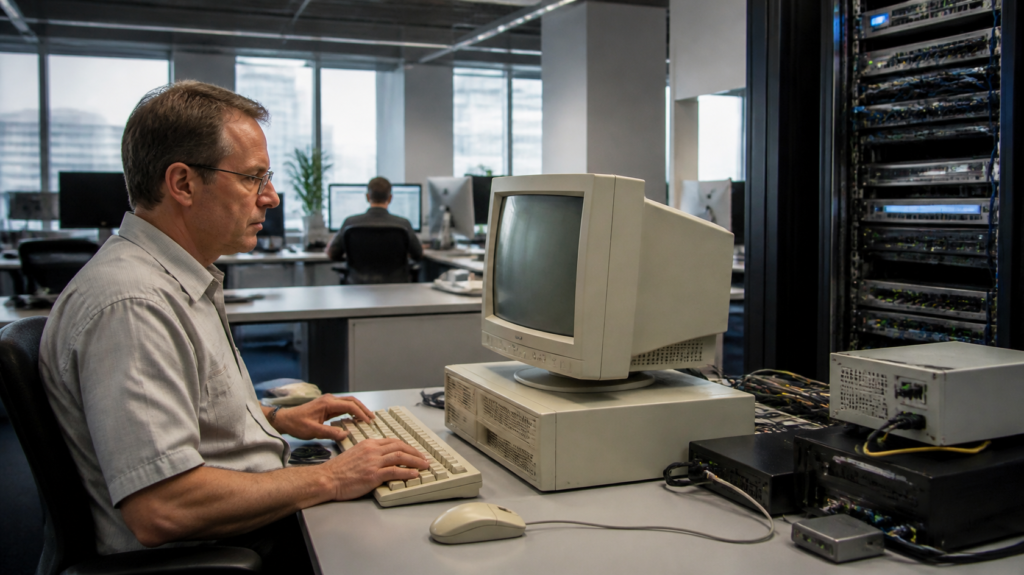
Consider what happens when that employee takes vacation, becomes unavailable, leaves the company, or encounters a technical issue outside their area of expertise.
Who handles a server failure? Who investigates a suspicious login? Who manages employee access when someone leaves? Who ensures that backups are functioning correctly?
If the answer to every question is the same person, your organization may have a technology dependency problem.
What Are the Risks of Relying on One IT Employee?
Limited technical expertise: Modern business environments involve networking, cloud infrastructure, cybersecurity, endpoint management, and software administration. One person may not have specialist knowledge across every area.
Limited availability: A single IT employee cannot provide continuous coverage while also managing regular responsibilities.
Knowledge gaps: Important passwords, configurations, vendor details, and system documentation may remain with one individual.
Delayed issue resolution: When several employees experience problems simultaneously, one person may struggle to address every request quickly.
Business continuity risks: If the person responsible for IT suddenly becomes unavailable, essential technical knowledge may become difficult to access.
Should Businesses Outsource All Their IT Responsibilities?
Not necessarily. Outsourcing every IT responsibility is not the only solution.
Businesses with existing internal IT employees may benefit from a co-managed IT arrangement. This allows organizations to retain their existing team while receiving additional technical expertise, cybersecurity support, and after-hours coverage from an external provider.
For example, an internal IT employee may continue handling daily technical requests while an external provider manages security monitoring, complex infrastructure projects, and specialized cloud administration.
Explore Alpiba’s co-managed IT services to understand how external support can complement an existing IT department.
4. Your Cybersecurity Protection Is No Longer Sufficient
As businesses grow, they typically collect more customer information, employee records, financial information, business documents, and other sensitive data.
This increases the importance of implementing appropriate cybersecurity measures.
Unfortunately, many growing organizations continue using basic security arrangements that may not be sufficient for their changing requirements.
For example, a company might rely on traditional antivirus software, basic passwords, and occasional software updates without having a documented security strategy.
These measures alone do not provide comprehensive protection against modern cybersecurity threats.
What Are the Warning Signs of Weak Cybersecurity?
Your current IT support may need improvement if:
- Employees do not consistently use multi-factor authentication.
- Security updates are installed irregularly.
- There is no centralized endpoint monitoring.
- Employees receive little cybersecurity awareness training.
- Suspicious login activity is not investigated.
- Former employees may retain access to company accounts.
- Security alerts are reviewed only during normal working hours.
- Your organization has no documented incident response procedure.
- Business-critical accounts use shared credentials.
Cybersecurity is not limited to installing antivirus software. It requires coordinated protection across employee devices, email accounts, identities, cloud platforms, networks, and business applications.
What Cybersecurity Measures Should Growing Businesses Implement?
Multi-factor authentication: Require additional identity verification when employees access important business systems.
Endpoint detection and response: Use appropriate endpoint security tools to identify suspicious activity and investigate potential threats.
Email security: Reduce exposure to malicious attachments, suspicious links, and impersonation attempts.
Regular patching: Keep operating systems, applications, and network equipment updated.
Employee awareness training: Teach employees how to recognize phishing messages, suspicious attachments, and unusual account activity.
Security monitoring: Ensure security alerts are reviewed and investigated by qualified personnel.
The NIST Cybersecurity Framework 2.0 provides a structured approach to identifying, protecting against, detecting, responding to, and recovering from cybersecurity risks.
Businesses that need more comprehensive protection can explore Alpiba’s cybersecurity and ransomware defense services.
Why Is 24/7 Security Monitoring Important?
Cybersecurity threats do not necessarily follow normal business hours.
Suspicious login attempts, compromised accounts, malware activity, and unusual network behavior may occur when employees and internal IT teams are unavailable.
A Security Operations Center (SOC) helps monitor systems, investigate security alerts, and coordinate appropriate responses.
Alpiba offers 24/7 SOC and Managed Detection and Response services with human analysts monitoring endpoints, identities, email, and cloud environments.
5. Your IT Costs Are Becoming Difficult to Predict
Another sign that your business has outgrown its existing IT support is increasing uncertainty around technology expenses.
When a business uses break-fix support, it typically pays for assistance whenever a problem occurs.
Although this may initially appear affordable, unexpected repairs and emergency support can make monthly IT expenses difficult to manage.
For example, a business may spend very little on IT support during one month but face substantial expenses the following month because of a server failure, network replacement, or urgent software issue.
These unpredictable expenses can make it difficult for management to plan budgets.
Why Do IT Expenses Become Unpredictable?
Common reasons include:
- Frequent emergency repairs.
- Aging computers and servers.
- Unplanned hardware replacements.
- Multiple software subscriptions.
- Separate vendors for different IT services.
- Poor technology lifecycle planning.
- Lack of centralized purchasing and license management.
- Additional charges for emergency technical assistance.
The issue is not necessarily that the business is spending too much. It may be spending without a clear understanding of what its technology actually requires.
How Can Managed IT Services Improve Cost Planning?
Managed IT services commonly use a recurring monthly pricing model.
Depending on the provider and agreement, pricing may be based on the number of supported users, devices, locations, and required services.
This can help businesses establish a more predictable baseline for ongoing IT expenses.
However, businesses should carefully review what is included in the agreement. Hardware purchases, major migrations, specialized projects, and certain third-party licensing costs may be charged separately.
A good IT provider should explain these costs before work begins.
Alpiba offers flat per-user monthly pricing for its managed IT model, with the service scope determined after an assessment of the business environment.
This approach can help business owners understand their ongoing support requirements and plan technology spending more effectively.
How Can Businesses Understand the Cost of IT Downtime?
Downtime has both direct and indirect costs.
Direct costs may include lost sales, emergency repair expenses, and additional labor. Indirect costs may include delayed projects, missed deadlines, customer dissatisfaction, and employee frustration.
Businesses can use Alpiba’s IT downtime cost calculator to estimate how technology interruptions may affect their operations.
6. Your Employees Are Struggling With Outdated Technology
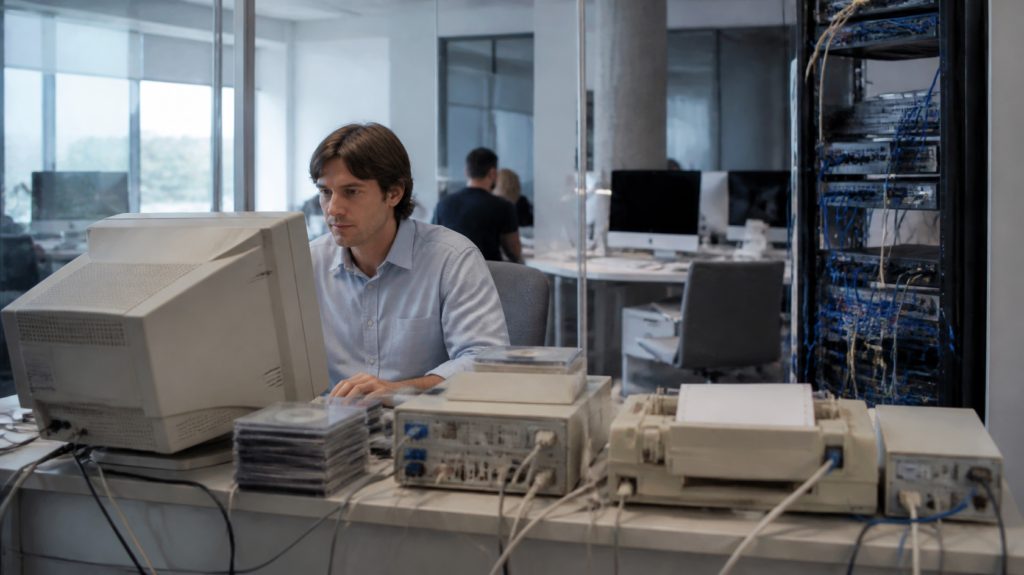
Technology that was suitable several years ago may no longer meet your employees’ needs.
As businesses expand, employees often require faster computers, better collaboration platforms, improved network connectivity, and access to more advanced business applications.
When these requirements are not addressed, outdated technology can gradually affect productivity.
For example, employees may spend additional time waiting for applications to load, restarting computers, resolving software compatibility problems, or transferring files between incompatible systems.
Individually, these problems may appear minor. Across an entire organization, however, they can create unnecessary delays.
What Are the Common Signs of Outdated Business Technology?
- Employees regularly complain about slow computers.
- Business applications take too long to load.
- Computers frequently freeze or crash.
- Network equipment struggles to support additional users.
- Software versions are no longer supported.
- Employees use different applications for similar tasks.
- Hardware failures are becoming more frequent.
- Operating systems no longer receive security updates.
Outdated technology can also introduce security concerns. Unsupported software may no longer receive security updates, leaving known vulnerabilities unaddressed.
Why Should Businesses Review Their Technology Regularly?
A technology assessment helps organizations understand which systems need maintenance, replacement, or upgrading.
Businesses should maintain an inventory of computers, servers, network equipment, software applications, and licenses.
They should also review:
- Hardware age and performance.
- Operating system support status.
- Software compatibility.
- Network capacity.
- Employee technology requirements.
- Data storage and backup arrangements.
- Software licensing and renewal dates.
An IT provider can help create a technology roadmap that prioritizes essential upgrades instead of replacing everything at once.
For organizations that depend heavily on their office network and servers, Alpiba’s Network and Server Consulting can help assess infrastructure, improve performance, and plan for future technology requirements.
Are Your Cloud Applications Properly Managed?
Many growing businesses use Microsoft 365 or Google Workspace for communication, document storage, collaboration, and everyday operations.
However, purchasing a cloud subscription does not automatically ensure that the environment is configured securely or managed correctly.
Businesses should review user permissions, account security, data sharing, application settings, and employee onboarding procedures.
Depending on their requirements, organizations can explore Microsoft 365 migration and administration or Google Workspace services.
7. Your Business Is Growing Faster Than Your IT Infrastructure
Business growth is generally accompanied by increased technology requirements.
Hiring additional employees, opening new locations, introducing new applications, and expanding customer operations can place considerable pressure on existing IT infrastructure.
A network that supported ten employees may struggle when the company expands to 50. A file-sharing arrangement that worked for one office may become inefficient when employees work across multiple locations.
Without proper planning, businesses may experience performance problems, access issues, and increased security risks.
What Happens When IT Infrastructure Cannot Support Business Growth?
Insufficient network capacity: Existing routers, switches, and internet connections may struggle to handle additional users and devices.
Poor system scalability: Applications and servers may not have sufficient capacity for increased workloads.
Access management problems: Managing employee permissions becomes more complicated as teams expand.
Inconsistent technology: Different departments or office locations may use different hardware, software, and security configurations.
Limited documentation: Management may not have an accurate understanding of the organization’s technology environment.
Increasing software costs: Additional users may require new licenses, subscriptions, and storage capacity.

How Can Businesses Prepare Their IT Infrastructure for Expansion?
Technology planning should be connected to business planning.
Before hiring employees or opening additional locations, organizations should evaluate their IT requirements.
This includes reviewing network capacity, cloud infrastructure, device procurement, software licensing, cybersecurity controls, and employee access.
Businesses should also consider whether their existing vendors can support future requirements and whether technology purchases align with long-term operational goals.
Why Does IT Strategy Matter During Business Expansion?
A virtual Chief Information Officer (vCIO) can help business owners make longer-term technology decisions.
A vCIO may assist with technology roadmaps, budget planning, infrastructure priorities, vendor evaluation, and risk management.
This makes IT planning a part of business growth rather than something addressed only after problems occur.
Learn more about Alpiba’s IT Strategy and vCIO services for strategic technology guidance.
8. Remote and Hybrid Employees Lack Reliable IT Support
Remote and hybrid working arrangements have changed how businesses manage their technology.
Employees may access company email, customer information, cloud applications, and internal systems from home offices, shared workspaces, or different geographic locations.
While these arrangements provide flexibility, they also introduce additional IT management responsibilities.
An organization that only provides reliable support inside its physical office may struggle to maintain consistent technology standards across a distributed workforce.
What Are the Common Remote IT Support Challenges?
- Employees experience unreliable access to business applications.
- Personal devices connect to company systems without appropriate controls.
- Employees use unsecured public Wi-Fi networks.
- Software updates are not installed consistently.
- Remote employees cannot receive timely technical assistance.
- Lost or stolen devices create data security concerns.
- Former employees retain access to cloud applications.
- Employee permissions are not reviewed regularly.
These challenges can affect both productivity and information security.
What Should Businesses Do to Support Remote Employees?
A reliable remote IT support strategy should include centralized device management, secure remote access, multi-factor authentication, regular software updates, and clear employee onboarding and offboarding procedures.
Businesses should also ensure that employees can receive technical assistance regardless of their physical location.
Cloud platforms such as Microsoft 365 and Google Workspace can support collaboration, but they still require appropriate configuration, access controls, and ongoing administration.
Organizations should also establish clear policies covering company devices, personal devices, remote access, password management, and the handling of confidential business information.
Why Is Identity and Access Management Important?
When employees work from different locations, protecting business accounts becomes particularly important.
Organizations should ensure that employees receive access only to the systems and information required for their responsibilities.
Multi-factor authentication, conditional access, account monitoring, and timely access removal can reduce the risk of unauthorized access.
Businesses can explore Alpiba’s Zero Trust and Identity Security services to understand how identity-focused security controls can strengthen their technology environment.

9. You Have No Clear Backup or Disaster Recovery Plan
Many businesses assume their information is safe because they have automatic backups enabled.
However, having a backup system does not necessarily mean that a business can successfully recover its information after an incident.
Backups may fail, become outdated, or remain inaccessible when organizations need them most.
A company may discover these problems only after experiencing a hardware failure, accidental deletion, ransomware incident, or other operational disruption.
What Is the Difference Between Backup, Disaster Recovery, and Business Continuity?
These terms are related, but they describe different responsibilities.
Data backup involves creating copies of important information so it can be restored after loss or damage.
Disaster recovery involves restoring systems, applications, and IT infrastructure after a significant disruption.
Business continuity focuses on how the organization continues essential operations while systems are unavailable or being restored.
All three are important for businesses that depend on technology.
What Are the Signs of an Insufficient Backup Strategy?
- Backups are not monitored regularly.
- No one verifies whether backup jobs complete successfully.
- Restore tests are not performed.
- Backup copies are accessible through the same compromised accounts as production systems.
- There is no documented recovery procedure.
- Management does not know how long restoring critical systems would take.
- Critical applications are excluded from the backup process.
- Employees do not know how to report accidental data deletion.
The most important question is not simply whether your business has backups. It is whether those backups can restore the systems and information your organization needs.
What Should a Business Continuity Plan Include?
A stronger backup and recovery strategy should include:
- Regular automated backups of critical business data.
- Appropriate off-site or geographically separate backup copies.
- Immutable backup storage where appropriate.
- Restricted access to backup systems.
- Regular restoration testing.
- Documented disaster recovery procedures.
- Clearly defined recovery time objectives (RTOs).
- Clearly defined recovery point objectives (RPOs).
- Assigned responsibilities during a technology emergency.
- Communication procedures for employees and stakeholders.
The Cybersecurity and Infrastructure Security Agency (CISA) provides practical information through its Ransomware Guide.
Businesses looking for structured recovery support can explore Alpiba’s Backup and Business Continuity services.
10. You Cannot Get Strategic IT Guidance for Future Growth
The final sign is often overlooked.
Your current IT support may be capable of resolving everyday technical problems, but can it help your business make better technology decisions?
As organizations grow, IT requirements become more complicated. Management needs to evaluate software investments, cybersecurity risks, cloud platforms, infrastructure upgrades, technology budgets, and long-term operational requirements.
If your IT provider only responds when employees submit support tickets, your business may be missing an important part of technology management.
What Does Strategic IT Guidance Involve?
Strategic IT guidance connects technology decisions with business objectives.
It may include:
- Developing a long-term IT roadmap.
- Planning hardware and software upgrades.
- Reviewing cybersecurity risks.
- Evaluating cloud migration opportunities.
- Managing technology budgets.
- Improving vendor relationships.
- Planning for new office locations.
- Reviewing infrastructure scalability.
- Preparing for regulatory and contractual security requirements.
- Establishing priorities for technology investments.
For example, a business planning to double its workforce should consider whether its network, cloud environment, security controls, and device management processes can support that growth.
Without advance planning, the organization may end up making rushed purchases or implementing temporary solutions that create additional problems.

Why Should Growing Businesses Consider a Virtual CIO?
A virtual Chief Information Officer provides strategic technology guidance without requiring a business to employ a full-time CIO.
This can be particularly useful for small and mid-sized organizations that need experienced IT leadership but do not yet require a dedicated executive technology department.
A vCIO can help management understand technology risks, prioritize investments, plan budgets, and connect IT decisions with future business goals.
The role should extend beyond recommending new technology. It should help the organization understand why a particular investment is necessary, what business problem it addresses, and how its success will be evaluated.
Alpiba’s IT Strategy and vCIO services help businesses approach technology planning through roadmaps, budget reviews, and strategic guidance.
What Should Businesses Look for in a New IT Support Provider?
Recognizing that your existing IT support is no longer sufficient is only the first step. The next challenge is finding a provider that can support your current requirements and future business plans.
Not every IT provider offers the same services, expertise, or level of accountability.
Before choosing a new provider, business owners should evaluate the following factors.
1. Proactive Monitoring and Maintenance
Look for a provider that monitors systems, manages updates, and identifies potential issues before they become major interruptions.
Ask which systems are monitored, what happens when an alert occurs, and how recurring problems are investigated.
2. Cybersecurity Capabilities
Ask about endpoint protection, email security, multi-factor authentication, vulnerability assessments, incident response, and security monitoring.
A provider should be able to explain how its security services fit together instead of simply presenting a list of software products.
3. Clearly Defined Service-Level Agreements
Understand response expectations, support availability, escalation procedures, and responsibilities during technical emergencies.
A service-level agreement should explain what the provider commits to and what remains the responsibility of your organization.
4. Backup and Disaster Recovery
Ask how backups are protected, how frequently restoration is tested, and what recovery procedures are available.
Request clear information about recovery objectives and responsibilities during an incident.
5. Scalability
Your IT provider should be able to accommodate additional employees, new locations, increased workloads, and changing technology requirements.
A provider that cannot support your future requirements may create the same problems you are trying to solve.
6. Transparent Pricing
Review monthly charges, included services, project fees, licensing expenses, and any additional costs.
Ask whether emergency assistance, after-hours support, hardware purchases, and major infrastructure projects are included.
7. Strategic Guidance
Look for a provider that understands your business objectives and can help plan technology investments rather than simply resolving support tickets.
Regular business reviews can help management understand IT performance, security priorities, and upcoming infrastructure requirements.
8. Documentation and Accountability
Your provider should maintain appropriate records of systems, configurations, user access, vendors, and support activities.
You should also understand who owns administrative accounts, documentation, and business data if the service agreement ends.
9. Industry Experience
Different industries have different technology and security requirements.
A legal practice may prioritize confidential client information, while a manufacturing company may depend heavily on network availability and operational systems.
A provider should understand the technology environment and risks relevant to your industry.
For additional guidance, read Alpiba’s article on questions to ask when choosing a managed IT provider.
How Managed IT Services Help Growing Businesses
Managed IT services provide businesses with ongoing technology management through an external IT provider.
Instead of relying entirely on internal resources or waiting for equipment to fail, businesses receive structured support for maintaining their technology environment.
The exact services vary depending on the provider and agreement, but a managed IT arrangement may include several important capabilities.
Helpdesk and Technical Support
Employees receive assistance with computer problems, software issues, account access, connectivity, and other everyday technical requirements.
A structured helpdesk also helps management understand recurring issues and identify areas that need improvement.
Infrastructure Monitoring
IT systems, network equipment, servers, and critical devices can be monitored to identify performance issues and potential failures.
Monitoring should be supported by defined procedures for investigating and responding to alerts.
Cybersecurity Management
Security tools and processes help protect endpoints, user accounts, email, and business information.
Depending on the agreement, this may include endpoint detection and response, email protection, identity security, and continuous security monitoring.
Patch Management
Operating systems and applications receive regular updates to address known vulnerabilities, improve reliability, and maintain compatibility.
A good patch management process should also consider testing, maintenance windows, and systems that require special handling.
Cloud Administration
Business cloud platforms receive configuration, access management, security hardening, and ongoing support.
This may include Microsoft 365, Google Workspace, cloud storage, and collaboration applications.
Backup Management
Critical information is backed up and recovery procedures are tested.
A backup strategy should be designed around business priorities, data requirements, and acceptable recovery times.
Vendor Management
The IT provider can coordinate with internet providers, software companies, hardware suppliers, and other technology vendors.
This reduces the burden on internal employees who might otherwise need to coordinate several different support teams.
IT Strategy
Businesses receive guidance on technology investments, budgets, and long-term infrastructure planning.
This helps management make informed decisions rather than responding to technology problems only when they occur.

Managed IT vs. Break-Fix IT Support: Which Is Better for Growing Businesses?
Both break-fix and managed IT support models can serve legitimate business needs. The right choice depends on the organization’s size, technology environment, budget, and operational requirements.
| Area | Break-Fix IT | Managed IT |
|---|---|---|
| Support model | Reactive | Proactive and ongoing |
| Maintenance | Usually after problems occur | Scheduled and continuous |
| Monitoring | May be limited | Based on service scope |
| Cost structure | Pay per incident or hour | Commonly recurring monthly fee |
| Security management | May be separate | Can be integrated |
| Technology planning | Often limited | Can include strategic planning |
| Scalability | Depends on availability | Can be planned around business growth |
| Documentation | Varies by provider | Can be part of ongoing management |
When Is Break-Fix Support Still Appropriate?
A small organization with limited technology requirements and low dependence on complex systems may find occasional technical support sufficient.
However, businesses should still maintain basic cybersecurity controls, backups, software updates, and documented recovery procedures.
When Does Managed IT Make More Sense?
Managed IT may be worth evaluating when:
- Technology problems occur frequently.
- Several employees depend on business applications.
- Security requirements are becoming more complicated.
- The business operates from multiple locations.
- Remote employees need consistent support.
- Internal IT resources are stretched.
- Technology spending has become unpredictable.
- Management needs long-term IT planning.
Managed IT is not automatically the right choice for every organization. Businesses should compare the total cost, service scope, internal capabilities, and operational requirements before deciding.
For organizations with existing IT employees, co-managed IT may be a better option than completely outsourcing technology responsibilities.
Why Growing Businesses Choose Alpiba for Managed IT Support
When technology becomes more complicated, businesses need more than occasional technical assistance. They need an IT partner that understands how their systems work together and how technology decisions affect daily operations.
Alpiba is a San Diego-based managed IT and cybersecurity provider supporting small and mid-sized businesses with technology management, infrastructure services, cloud solutions, and cybersecurity.
Its service offering brings IT support and security together under one service structure.
One Accountable IT Partner
Businesses can receive assistance across helpdesk support, infrastructure, cloud platforms, cybersecurity, and vendor management rather than coordinating multiple disconnected providers.
This approach helps establish clearer responsibilities and a more consistent support experience.
24/7 Security Monitoring
Continuous security monitoring helps identify suspicious activity and potential threats outside regular business hours.
Alpiba’s human-staffed Security Operations Center monitors endpoints, identities, email, and cloud environments.
IT Support That Scales With Your Business
As your organization hires employees, opens new locations, or introduces additional applications, your IT requirements change.
Alpiba can help businesses assess their infrastructure and plan technology improvements around their operational needs.
Integrated Cybersecurity and IT Management
Combining IT management with cybersecurity helps businesses address technology performance and security requirements together.
This can include endpoint protection, patch management, identity controls, email security, and backup planning.
Cloud and Productivity Support
Businesses using Microsoft 365 or Google Workspace need more than basic subscriptions.
They need properly configured accounts, secure collaboration, appropriate access permissions, and ongoing administration.
Alpiba offers cloud migration, security configuration, and administration services for these platforms.
Backup and Business Continuity Planning
A business should know how its important systems and information will be restored following an interruption.
Alpiba offers immutable backups, quarterly restore testing, and documented disaster recovery planning as part of its backup and continuity services.
Strategic Technology Guidance
Technology decisions should support business objectives rather than create additional complexity.
Through its IT strategy and vCIO services, Alpiba helps businesses evaluate technology requirements, plan budgets, and establish longer-term priorities.
If your current IT arrangement is creating unnecessary downtime, security concerns, or operational challenges, it may be time to evaluate a more structured support model.
Conclusion: Is It Time to Upgrade Your Business IT Support?
Outgrowing your existing IT support does not happen overnight. It often begins with small problems such as recurring computer issues, slow networks, delayed technical assistance, and increasing maintenance expenses.
As your organization expands, these problems can become more difficult to manage.
Inadequate cybersecurity, outdated infrastructure, limited IT availability, and the absence of disaster recovery planning can create additional operational risks.
The ten signs discussed in this guide can help you evaluate whether your current IT support arrangement is still appropriate for your company’s needs.
If your employees regularly experience downtime, your technology depends on one individual, or your IT provider cannot offer strategic guidance, it may be time to consider managed IT services.
The right IT support arrangement should help your business maintain reliable systems, protect important information, support employees, and prepare for future growth.
Alpiba helps small and mid-sized businesses manage their IT environments through managed IT services, cybersecurity, cloud solutions, infrastructure management, backup and business continuity, and IT strategy.
Ready to find out whether your business has outgrown its current IT support? Contact Alpiba to discuss your technology requirements and explore a managed IT strategy that supports your business goals.

Frequently Asked Questions About Business IT Support
1. How Do I Know If My Business Needs Managed IT Services?
Your business may need managed IT services if employees experience recurring downtime, technical issues remain unresolved, cybersecurity protection is limited, or your existing IT resources cannot support business growth.
An IT assessment can help identify gaps in infrastructure, security, maintenance, and support availability.
2. What Are the Common Signs of Poor IT Support?
Common signs include slow response times, repeated technical problems, outdated equipment, insufficient security monitoring, poor communication, and a lack of preventive maintenance.
If these issues regularly interrupt business operations, your existing IT support arrangement may need improvement.
3. When Should a Small Business Upgrade Its IT Support?
A small business should evaluate its IT support whenever its employee count, technology requirements, security risks, or operational complexity increase beyond what its current support arrangement can handle.
It is better to review IT requirements before major expansion rather than waiting for infrastructure problems to affect operations.
4. What Is the Difference Between Managed IT and Break-Fix IT Support?
Break-fix IT support addresses technical problems after they occur, usually through individual service charges.
Managed IT provides ongoing support, monitoring, maintenance, and other services through a recurring agreement.
The main difference is that managed IT focuses on continuous technology management rather than only repairing problems.
5. Are Managed IT Services Suitable for Small Businesses?
Yes. Managed IT services can help small businesses access technical expertise, infrastructure management, cybersecurity support, and ongoing maintenance without building a large internal IT department.
The service scope should be selected according to the organization’s actual requirements and budget.
6. How Much Do Managed IT Services Cost for a Small Business?
Costs depend on the number of users and devices, required services, security needs, infrastructure complexity, and support coverage.
Some providers offer per-user monthly pricing, while others use per-device or customized pricing structures.
Businesses should compare what is included rather than choosing a provider based only on the lowest monthly price.
7. Can Managed IT Services Reduce Business Downtime?
Managed IT services can help reduce avoidable downtime through proactive monitoring, preventive maintenance, regular updates, and faster troubleshooting.
However, no provider can guarantee that all downtime will be eliminated.
The goal is to identify potential issues earlier and improve the organization’s ability to respond to interruptions.
8. What Is Proactive IT Support?
Proactive IT support involves monitoring, maintaining, and improving technology systems to identify potential problems before they cause significant disruptions.
It may include patch management, infrastructure monitoring, security reviews, preventive maintenance, and regular performance assessments.
9. What Cybersecurity Services Should a Growing Business Have?
Businesses should evaluate endpoint protection, multi-factor authentication, email security, patch management, vulnerability assessments, security monitoring, employee training, and incident response planning.
The exact requirements depend on the organization’s industry, systems, data, and risk exposure.
10. Is One Internal IT Employee Enough for a Growing Business?
It depends on the organization’s size, infrastructure, security requirements, and support workload.
One employee may be sufficient for a simple environment, but larger or more complex organizations may need additional internal or external expertise.
Co-managed IT can provide additional capabilities without replacing the existing employee.
11. What Is Co-Managed IT Support?
Co-managed IT combines an organization’s existing internal IT team with an external managed IT provider.
The provider supplements internal capabilities with additional expertise, resources, security monitoring, specialized services, and support coverage.
This arrangement allows businesses to retain internal IT knowledge while accessing additional technical resources.
12. How Can Outdated Technology Affect Business Productivity?
Outdated technology can cause slow performance, application compatibility problems, recurring failures, security vulnerabilities, and employee frustration.
These issues can interrupt workflows, increase maintenance costs, and make it difficult to support new business requirements.
13. Why Is IT Infrastructure Planning Important for Growing Businesses?
IT infrastructure planning ensures that networks, servers, devices, applications, and cloud environments can support increasing business requirements.
It also helps organizations plan upgrades, identify capacity limitations, and manage technology budgets.
14. What Should I Look for in a Managed IT Service Provider?
Look for clearly defined service agreements, proactive monitoring, cybersecurity expertise, transparent pricing, backup management, scalability, technical documentation, and strategic IT guidance.
You should also understand how the provider handles emergencies, communicates with employees, and manages administrative access.
15. Do Managed IT Providers Offer 24/7 Support?
Some providers offer round-the-clock technical assistance and security monitoring, while others provide standard business-hour helpdesk support with separate after-hours services.
Always confirm the coverage included in the agreement.
Also distinguish between 24/7 security monitoring and 24/7 general helpdesk availability, as these are not necessarily the same service.
16. What Is the Difference Between Data Backup and Disaster Recovery?
Data backup involves creating copies of important information so it can be restored after loss or damage.
Disaster recovery involves restoring systems, applications, and IT operations after a significant disruption.
A complete business continuity strategy should address both data recovery and the continuation of essential business activities.
17. Can Managed IT Services Support Remote Employees?
Yes. Managed IT providers can assist with remote device management, secure access, cloud applications, software updates, endpoint security, and troubleshooting for employees working outside the office.
They can also help establish consistent security policies for remote access and company devices.
18. How Often Should a Business Review Its IT Infrastructure?
Businesses should monitor their infrastructure continuously and conduct structured reviews periodically.
A formal assessment at least annually, with additional reviews after major business changes, can help identify upgrade requirements and potential risks.
Businesses operating in regulated or technology-intensive environments may require more frequent assessments.
19. What Is a Virtual CIO (vCIO)?
A virtual CIO provides strategic technology leadership without requiring a business to employ a full-time Chief Information Officer.
Responsibilities may include IT budgeting, technology roadmaps, infrastructure planning, cybersecurity strategy, vendor management, and long-term technology recommendations.
20. How Can Alpiba Help Businesses Improve Their IT Support?
Alpiba provides managed IT, co-managed IT, cybersecurity, 24/7 security monitoring, cloud services, infrastructure management, backup and business continuity, and IT strategy services.
Its San Diego-based team helps small and mid-sized businesses manage technology requirements through ongoing support, security monitoring, and strategic guidance.
Ready to Strengthen Your Business IT Security?
Get expert guidance tailored to your business needs. Contact Alpiba today to discuss your IT challenges and request a free 30-minute IT and security assessment.